As content creation keeps growing, there’s an undeniable need for video editing tools that not only deliver speed but also offer a suite of professional features. This is where Wondershare Filmora V15 comes into play, boasting AI-powered functionalities alongside robust editing options. I’ve had the chance to experiment with it recently, and I’m eager to share why I believe it’s among the leading AI video editors available today.
What is Wondershare Filmora V15?
You may recognize Wondershare for its wide array of creative software solutions. Their latest launch, Filmora V15, enhances the user experience with cutting-edge AI video generation tools using Google Veo 3.1 and ChatGPT Sora 2. The introduction of AI Mate, a powerful assistant, further elevates the editing process, taking away common editing anxieties.
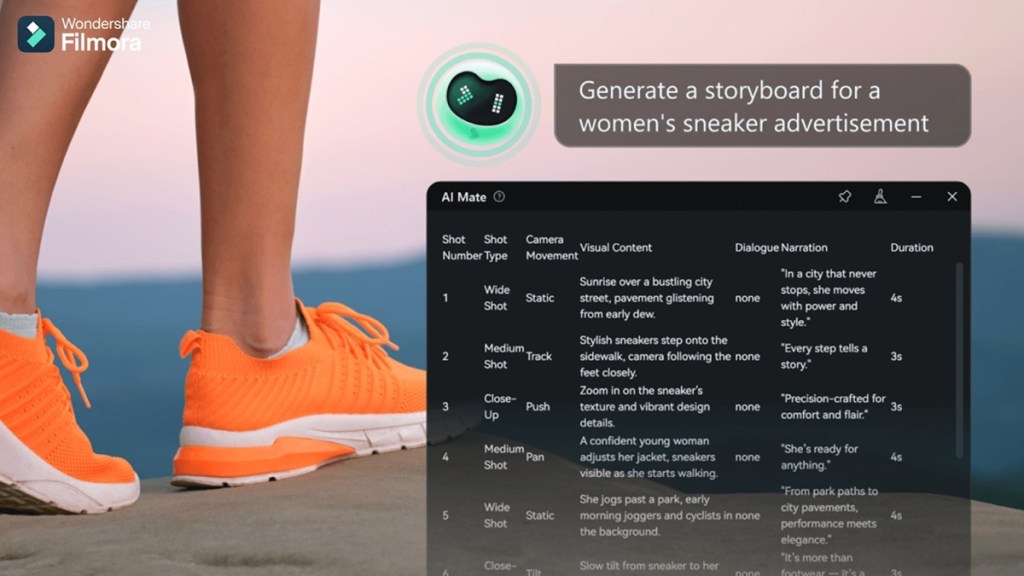
Aside from its impressive AI-generated video features, Filmora V15 offers substantial workflow enhancements. New tools like AI Extend and Loudness Normalization, along with Dual-Timeline Editing and a Pen Tool, open doors to advanced editing that both beginners and seasoned pros can navigate easily.
Highlights of Wondershare Filmora V15
Wondershare Filmora V15 isn’t just a minor update—it presents a wealth of exciting AI features that I’d love to highlight:
- Advanced text-to-video and image-to-video capabilities using Sora 2 and Veo 3.1.
- AI Mate assistant for streamlined editing and workflow support.
- AI Extend tool for intelligently expanding clips along the timeline.
- Upgraded Smart Cutout for enhanced edge refinement.
- Enhanced AI Video Enhancer and AI Object Remover.
- Dynamic captions with animations and batch editing options.
- Loudness Normalization and Audio Gain for professional audio control.
What’s New with Wondershare Filmora V15
Having previously used Wondershare Filmora V12, stepping into V15 felt like a breath of fresh air. The wealth of new tools I tested will undoubtedly enhance the experience for both amateur and veteran video editors. Here are a few of my favorites.
Filmora’s Improved AI-Powered Video Generation
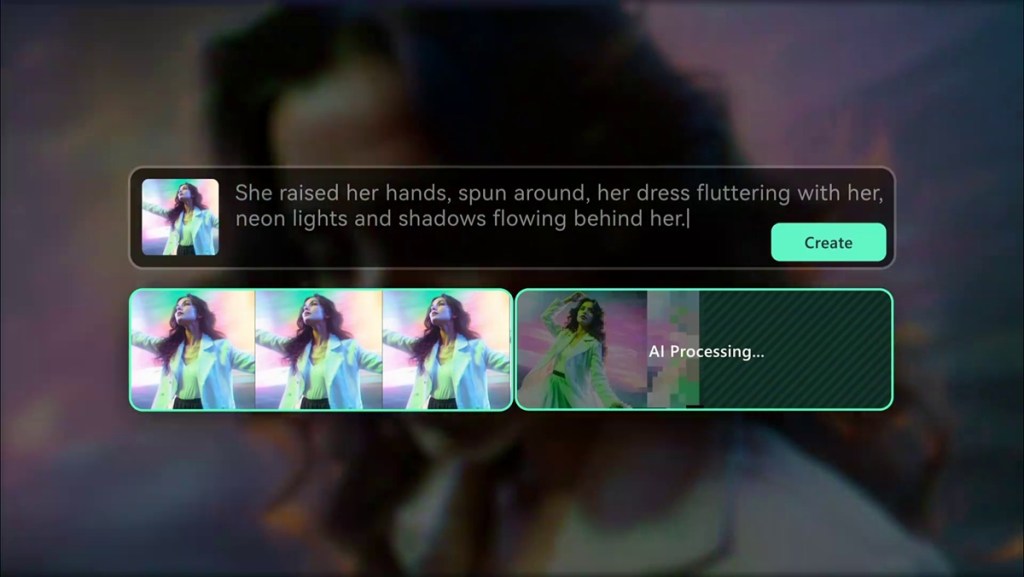
Filmora V15 has made significant strides in its video generation capabilities, turning the app into an even more refined tool for creators. With text-to-video features powered by Sora 2 and Veo 3.1, you’re able to craft clips that exude realistic motion and appearance, allowing for virtually any kind of video you envision.
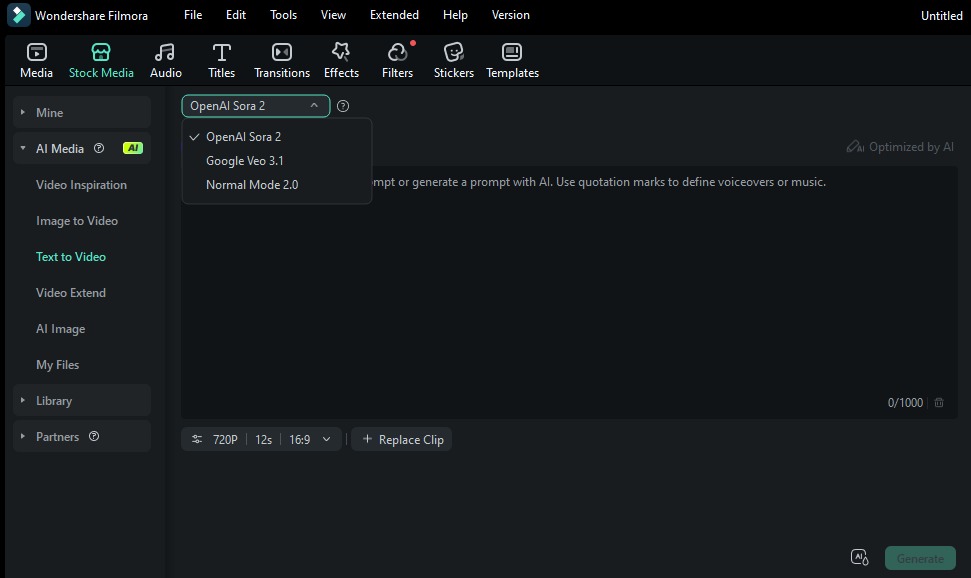
It also introduces text-to-image functionality via Google’s Nano Banana Pro model, enhancing speed and output quality. This feature proves useful for crafting posters, thumbnails, or any artwork needed for your projects. Plus, the image-to-video capability rounds out the functionality for those extra refined video clips.
AI-Powered Built-in Assistant
The standout feature of Wondershare Filmora V15 is its AI Mate. This is a built-in assistant designed to help users edit videos with simple text commands. Just type requests like ‘cut the silent parts,’ and AI Mate takes care of the rest. It serves as not just a helper, but an editing companion.
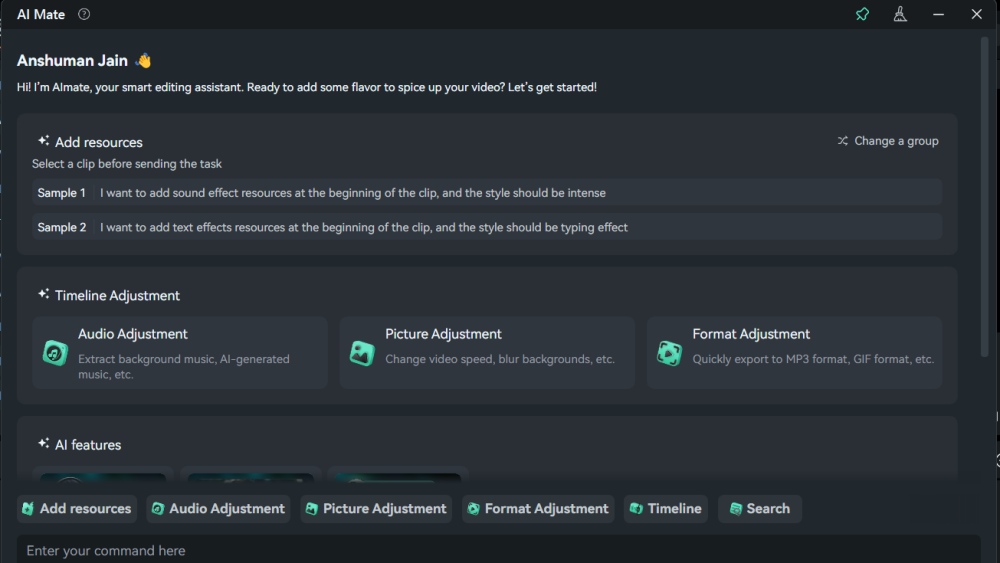
Users can rely on it for guidance on different tools, editing tips, and assistance whenever needed. With AI Mate, Filmora feels like a truly intuitive and smart video editing platform.
Suite of AI Editing Features
Wondershare Filmora V15 brings a treasure trove of AI features to simplify your footage editing experience. The AI Extend tool lets creators extend a scene with minimal fuss. Rather than relying on reshoots, you can input a prompt describing how the scene should evolve.
The AI Extend tool allows you to stretch a clip forward by 5 seconds or backward by 8 seconds. The tool crafts new frames that match the original context to keep things looking seamless.
Smart Cutout has also seen improvements, with better subject recognition that helps isolate people or objects with less manual work. The stylish outline effects provide added flair, helping key elements pop against the background.
The upgraded AI Object Remover takes away the tediousness of cleaning up by quickly eliminating unwanted distractions like watermarks or subtitles. Its advanced algorithm fills gaps with natural textures, ensuring a polished look.
In addition, the AI Video Enhancer applies sophisticated algorithms to boost clarity and resolution, returning skipped visuals to their shiniest form, especially useful for less-than-perfect footage.
Don’t forget the Dynamic Captions feature, allowing you to apply expressive animated fonts with a click. These animations are perfect for modern platforms like TikTok and YouTube Shorts, and batch editing makes adjustments fast and simple.
Suite of Professional Editing Features
Great audio quality is a must for any impressive video. In Filmora V15, two fresh tools elevate audio editing to a new level. Loudness Normalization automatically adjusts your audio to comply with common loudness standards (LUFS/LKFS).

With Audio Gain, precise adjustments can be made to both individual and groups of audio tracks. Whether it’s interviews, podcasts, or inconsistent quality clips, this feature is a game changer.
The Dual Timeline Editing functionality is a substantial quality-of-life benefit, ideal for lengthy or complex projects. It gives you a zoomed-out overview of your timeline alongside a zoomed-in view for fine-tuning. This dual perspective makes navigating big projects straightforward while maintaining control over intricacies.
Wondershare Filmora V15 Pricing
Wondershare Filmora V15, packed with its novel features, caters to both newcomers and professionals looking to streamline the creative process. If you’re interested in trying it out, take a look at the pricing structure:
| Plans | Pricing |
|---|---|
| 7-day trial | Free |
| Basic (Monthly) | $9.99 (approximately €9.25) |
| Advanced (Annual) | $34.99 (approximately €32.40) |
| Perpetual license | $49.99 (approximately €46.20) |
These prices are quite competitive compared to other video editors on the market, but price points may vary by region.
Wondershare Filmora V15 Brings a New Era of Video Creation
Wondershare Filmora V15 pairs artificial intelligence with user-friendly video editing, making it a fantastic option for beginners eager to learn or experienced creators seeking efficiency. With all its modern features, this tool is something you should definitely consider adding to your toolkit.
How does Wondershare Filmora V15 compare to other video editors?
Wondershare Filmora V15 stands out among video editors due to its AI features, ease of use, and cost-effectiveness, making it suitable for both novices and pros.
What are the key features of Wondershare Filmora V15?
Key features include AI video generation, AI Mate assistant, enhanced audio controls, dynamic captions, and smart editing tools, catering to a wide range of editing needs.
Is Wondershare Filmora V15 suitable for beginners?
Absolutely! The intuitive interface and helpful tools make Filmora V15 accessible to those just starting their video editing journey.
Can I try Wondershare Filmora V15 for free?
Yes! Wondershare offers a 7-day free trial, allowing you to explore its features before committing.
What platforms does Wondershare Filmora V15 support?
Wondershare Filmora V15 is compatible with Windows and macOS, making it versatile for various users and systems.
Have you tried Wondershare Filmora V15 yet? Share your thoughts or questions in the comments below!