With the rise of generative AI, the realm of creative expression has transformed dramatically. Have you ever wanted to swap your face with a celebrity or a cartoon character? Nowadays, AI tools make face swapping incredibly easy, enabling everyone to share humorous and engaging content. I tested several options, and I’m here to share the five best face swap AI tools that truly stand out.
The Top Face Swap AI Tools Reviewed
| Face Swap AI Tools | Best Suited For | Limitations | Pricing |
|---|---|---|---|
| Higgsfield AI | High-quality face swapping for free | Limited free usage | 5 images per day, Paid plan available |
| Pixlr AI Face Swap | Casual users who want fast face swaps | Less realistic results | Free with limits, Paid plan available |
| Deep Live Cam | Real-time face swapping for videos | Requires powerful GPU | Free |
| Reface | Mobile users creating fun face-swap videos | Watermarks under the free version | Free with ads, Paid plan available |
| Fotor AI Face Swap | Simple face swapping with editing tools | Inconsistent realism | Free with limits, Paid plan available |
1. Higgsfield AI
If you’re on the hunt for a top-tier face swap AI tool, Higgsfield AI is a game-changer. As a comprehensive platform, it allows you to generate not just images but videos too. The face swap feature is impressive—it lets you upload your photo alongside a target image and merges them seamlessly in a matter of seconds.

You get to enjoy five daily swaps without spending a dime, and it consistently keeps the lighting and textures aligned, creating high-resolution images. Plus, you can swap faces across various formats like paintings and 3D models. If you seek harmony in face swapping, Higgsfield AI should be your go-to.
| Pros | Cons |
|---|---|
| Fast and user-friendly interface | Quality limits on free outputs |
| 5 free swaps daily | |
| Export options include animation |
Pricing: Free for 5 images, Paid plan from $9 per month (€8.50)
2. Pixlr AI Face Swap
Pixlr isn’t just another photo editor; it has robust face-swapping capabilities. If you want to quickly flip faces, Pixlr’s got your back. You can select from various fun templates, embodying anything from superheroes to celebrities with ease. Simply upload your picture and the target, and you’re all set.
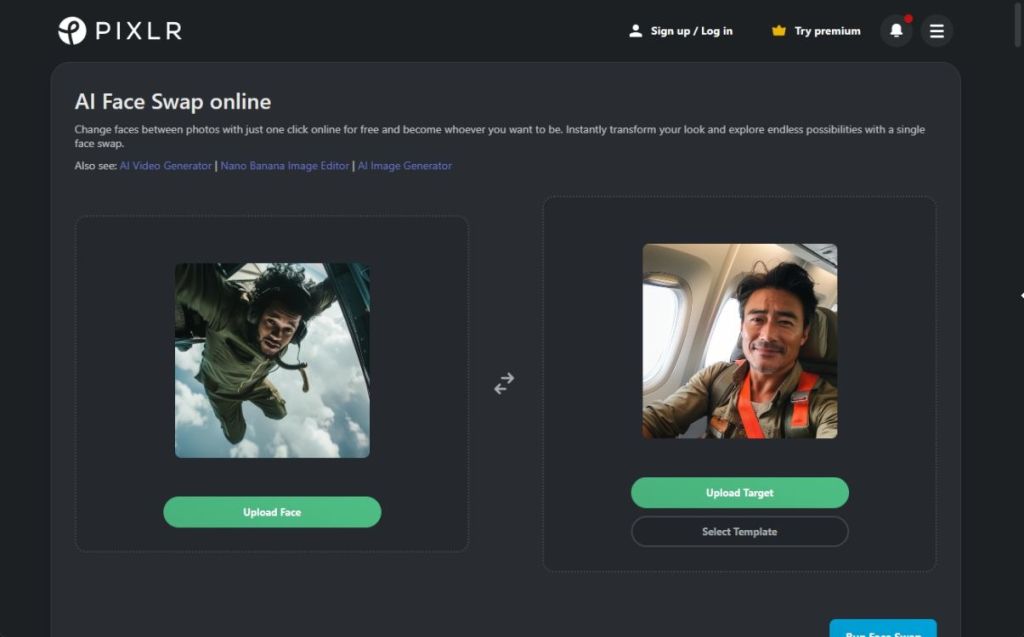
The tool effectively merges faces for a realistic look, and if you lack a target image, you can explore different templates for creative flair. If quick edits are your jam, Pixlr’s AI Face Swap is an excellent pick.
| Pros | Cons |
|---|---|
| Integrated within Pixlr’s powerful editor | Realism may not be perfect |
| Quick processing time | |
| Ideal for social media edits |
Pricing: Free, Paid plan from $1.49 per month (€1.40)
3. Deep Live Cam
While many AI tools focus on images, Deep Live Cam allows face swapping in real-time videos. By using just one image, you can replace faces on any live stream. Its built-in content restrictions enhance safety, which is a definite plus. You can install this software on Windows and Mac for local processing.
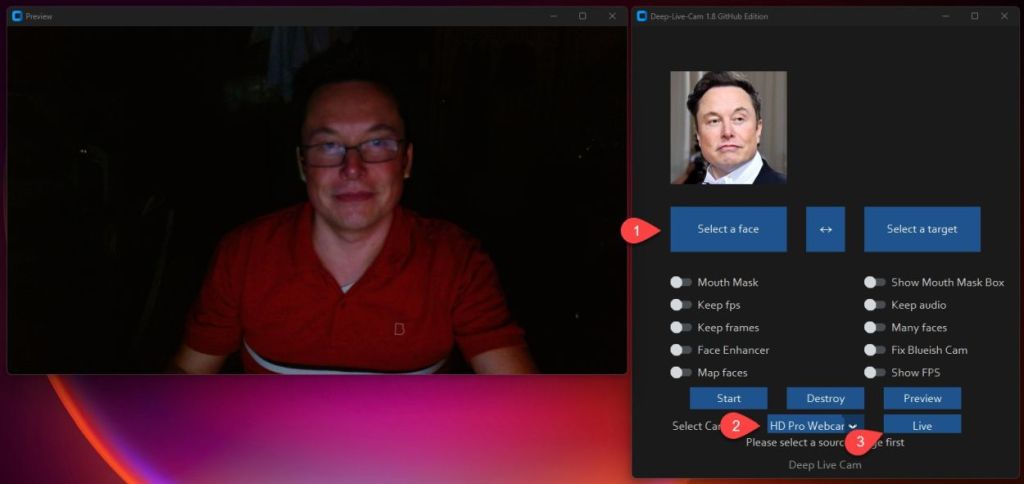
Deep Live Cam brilliantly captures your expressions and movements, allowing for multiple face swaps at once. If you’re a professional user, you can also opt for manual installs for expanded features. Just be sure to use this tool wisely when swapping faces in video.
| Pros | Cons |
|---|---|
| Live video face swapping | Potential for misuse |
| Designed for real-time streaming | |
| Local processing for privacy |
Pricing: Free
4. Reface
For mobile users, Reface is an exciting app that lets you swap faces in images and videos effortlessly. Rated highly among face swap AI tools, it employs sophisticated AI to animate selfies into engaging video content. You can also experiment with hairstyles and even produce viral videos with trending music.
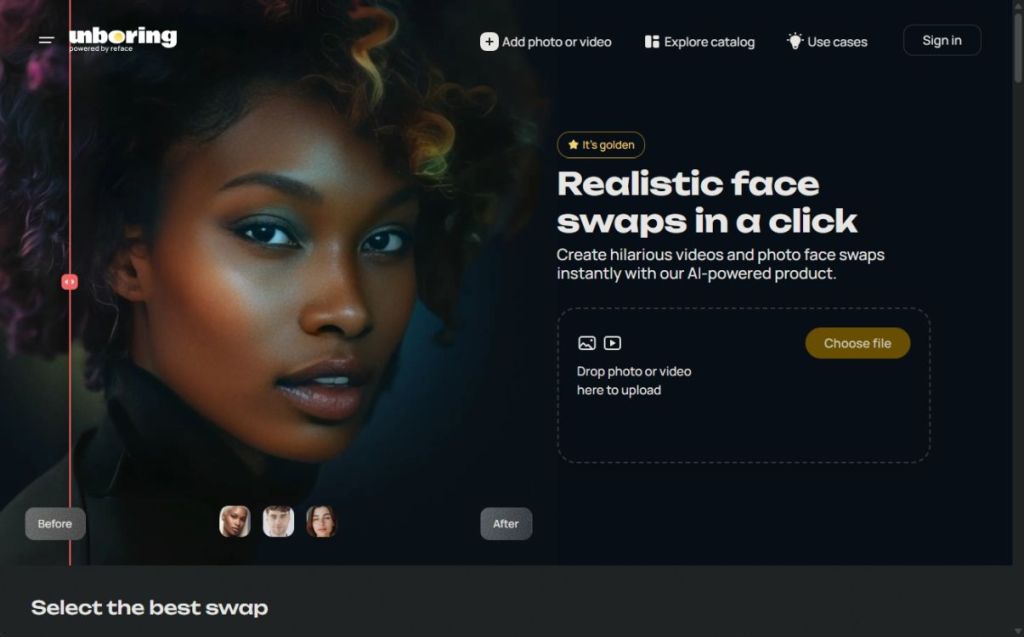
Reface even allows gender swaps and creative transformations to generate surprising images. The app caters to both Android and iOS users, providing a rich library of templates. Many features are free, but for advanced options, a premium subscription is necessary.
| Pros | Cons |
|---|---|
| Intuitive mobile app for easy face swapping | More features require a premium subscription |
| Extensive template library | |
| Realistic images created |
Pricing: Free, Paid plan starts at $2.49 per month (€2.30)
5. Fotor AI Face Swap
Last but not least, Fotor offers a user-friendly face swap tool completely free. It features advanced face morphing technology that generates hyper-realistic images after a face swap. This tool can handle multiple faces, enabling one-click face replacements and allowing you to edit the results effortlessly.

This tool enables you to swap faces with everyone—from friends to celebrities—and even create memes by placing your face on popular images. Fotor also supports transformations in videos and GIFs, making it versatile for creative projects.
| Pros | Cons |
|---|---|
| Web-based, easy-to-use tool | Quality may vary |
| Built-in AI editor for fine-tuning | |
| Great for casual users |
Pricing: Free, Paid plan from $8.99 per month (€8.30)
These five face swap AI tools stand out in today’s creative landscape. Whether you’re after free or premium options, there’s something to suit your needs. Have you tried any of these? I’d love to hear your thoughts and experiences—leave a comment below!