Like many students, I struggled with subjects like math, physics, and chemistry during my school and college days. However, learning doesn’t need to be that tough. That’s why I’ve explored various AI tools that can make studying easier, especially for those last-minute assignment submissions and surprise quizzes. After testing over 45 options, I’ve compiled a list of the best AI tools for students.
Best AI Tools for Students Compared
Here’s a quick rundown of the tools included in this list, their main use cases, pricing, and limitations.
| AI Tools for Students | Use Case | Limitations | Is it Free? |
|---|---|---|---|
| Google NotebookLM | Learning, researching, and understanding topics | Takes a lot of time to process data | Yes |
| Natural Reader | Auditory listening to notes and lessons | Limited AI voices and no text translation | Yes |
| Thetawise.AI | Best for learning maths | Cannot solve advanced problems in free version | Yes |
| Tutor.AI | Create custom learning plans for any subject | Limited upload limit | Yes |
| AskCode | Helps to write, document, and learn coding better | Does not include any token in free tier | Yes |
| Quillbot Paraphrasing Tool | Improve writing, change tone | Word limit on long texts | Yes |
| Gamma AI | Create presentations from scratch | Only allows 10 slide presentations in free version | Yes |
| SudoWrite | Fictional writing suggestions for stories and novels | Does not help with emails or assignments | Yes |
| SciSpace | Deep research tool | Limited tokens in free version | Yes with limited credits |
| KickResume | Create professional resumes in an instant | Limited templates in free tier | Yes |
Overview of the Best AI Tools for Students
In this article, I won’t cover popular choices like ChatGPT, Gemini, or Copilot since many already know about them. Instead, let’s explore a range of other AI tools that offer unique advantages for students.
1. NotebookLM
Google’s NotebookLM stands out as one of the top AI tools for students. It makes learning and grasping different subjects engaging and interactive. You can upload your notes, project files, or PDFs and transform them into a lively audio podcast that you can listen to on the go.
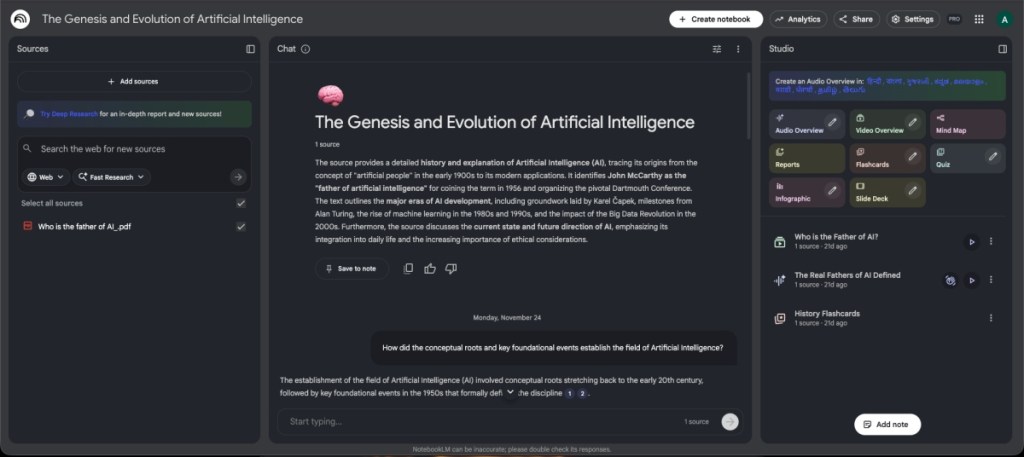
Besides that, you can generate video summaries or utilize flashcards for quick revisions. Best of all, it’s completely free and available for both web and mobile.
| Pros | Cons |
|---|---|
| Fun and interactive learning tool | Generating audio or video summaries can take time |
| Creates AI podcasts for learning | |
| Includes flashcards for revisions | |
| Completely free to use |
Pricing: Free
2. Natural Reader
If you prefer auditory learning, Natural Reader could be your new best friend. This text-to-speech platform offers a range of AI voices that can easily dictate notes, documents, or web pages. You can choose from various models supporting multiple languages, with additional AI voices unlocked in the Plus model.
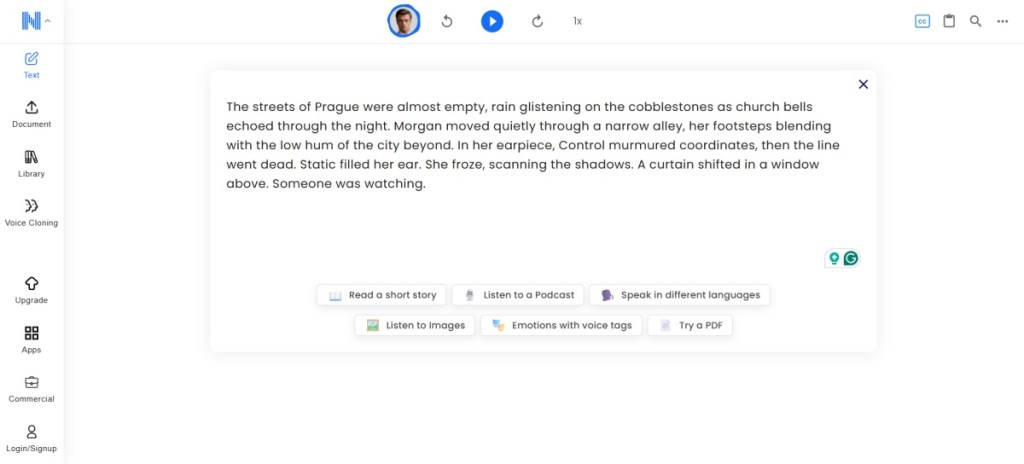
The Plus subscription also unlocks OCR text scanning and MP3 downloads, allowing you to listen to your notes while commuting. Fortunately, a majority of features are accessible in the free version.
| Pros | Cons |
|---|---|
| Variety of AI voices available | No text translation offered |
| Highlights text for note-taking | |
| Ability to download MP3 audio | |
| Mostly free features |
Pricing: Free, Plus plan for $9.95/month (€9.45)
3. Thetawise.AI
If math is your nemesis, Thetawise.AI is here to help. Think of it as your personal math tutor that not only solves problems but also shows you how it arrived at the solution.
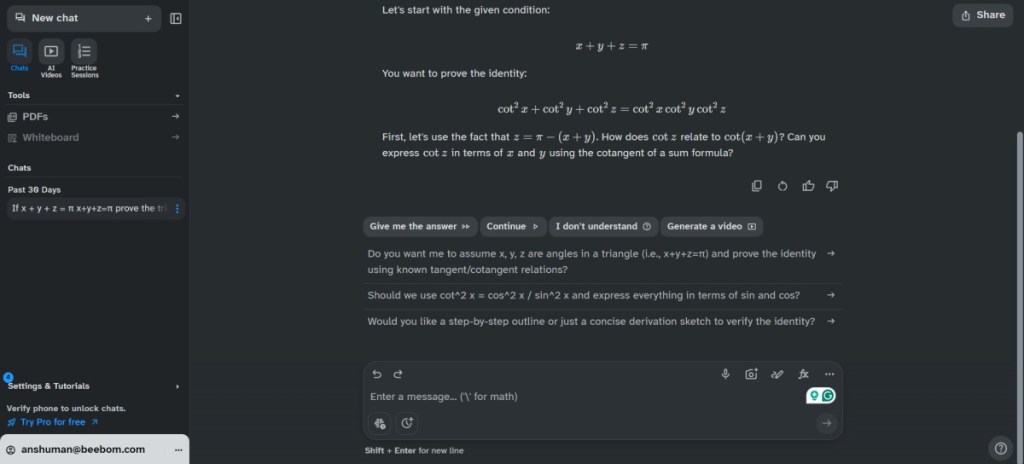
A cool feature allows it to generate videos that break down problem-solving, much like a private YouTube lesson tailored just for you.
| Pros | Cons |
|---|---|
| Helpful AI math solver | Advanced features require a Pro subscription |
| Creates explanatory videos | |
| Offers customized practice sessions |
Pricing: Free, Pro version for $19.99/month (€18.90)
4. Tutor.AI
Different students thrive in different ways. With Tutor.AI, you can create custom courses for any subject, tailored specifically to your learning style.
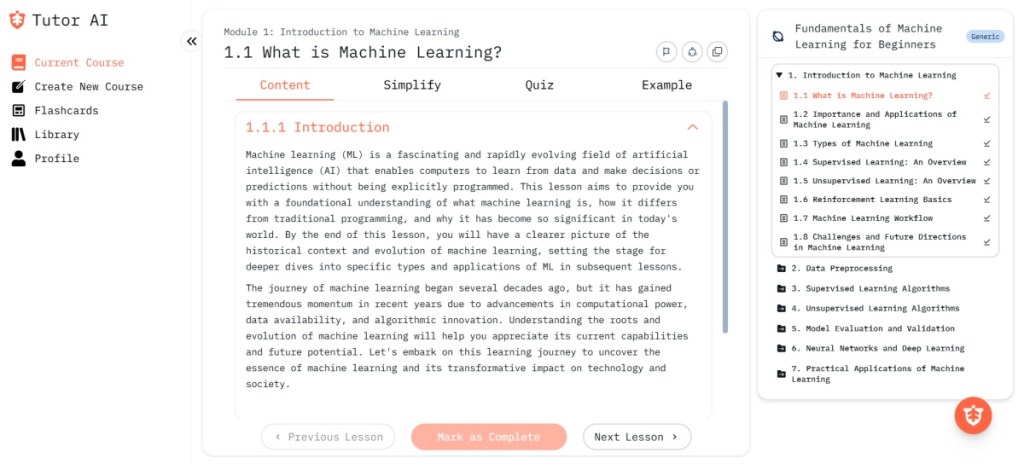
You can upload your documents to create a personalized course or let AI generate them for you. It also comes with flashcards for revision and an easy-access library for previous courses. However, bear in mind that there is a 4MB upload limit on the free plan.
| Pros | Cons |
|---|---|
| Create custom courses | 4MB upload limit on free plan |
| Generate study plans using AI | |
| Includes flashcards for revision |
Pricing: Free, Premium plan for $16/month (€15.20)
5. AskCode
Getting the hang of coding can feel overwhelming, but AskCode steps in as a reliable guide. This AI tool helps students learn coding, understand their work, and address questions efficiently.
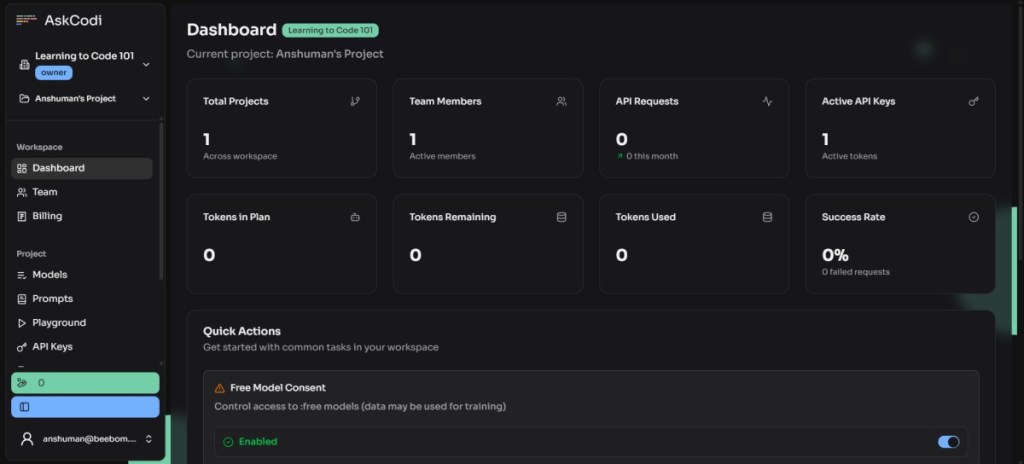
AskCode supports over 55 programming languages and even has the capability to create documentation. Bad news? The free tier doesn’t include any tokens for use.
| Pros | Cons |
|---|---|
| Supports 55+ coding languages | No tokens in free version |
| Can code, test, and document | |
| Encourages follow-up questions |
Pricing: Free, Premium plan for $20/month (€19).
6. Quillbot Paraphrasing Tool
Quillbot has become a go-to tool for students looking to refine their essays and improve their writing. It helps you adjust the tone of your writing for better communication, especially useful for college applications.

It also offers other helpful tools like plagiarism checks and grammar checking. With these features, Quillbot is a must-have for students aiming to enhance their writing skills.
| Pros | Cons |
|---|---|
| Variety of writing styles | Word limit in free version |
| Instantly change tone of paragraphs | |
| Includes other helpful writing tools |
Pricing: Free, Premium plan for $9.95/month (€9.45)
7. Gamma AI
Whether you’re juggling assignments in business school or need quick presentations, Gamma AI has you covered. It’s perfect for last-minute projects as it allows you to draft outlines and create beautiful presentations efficiently.
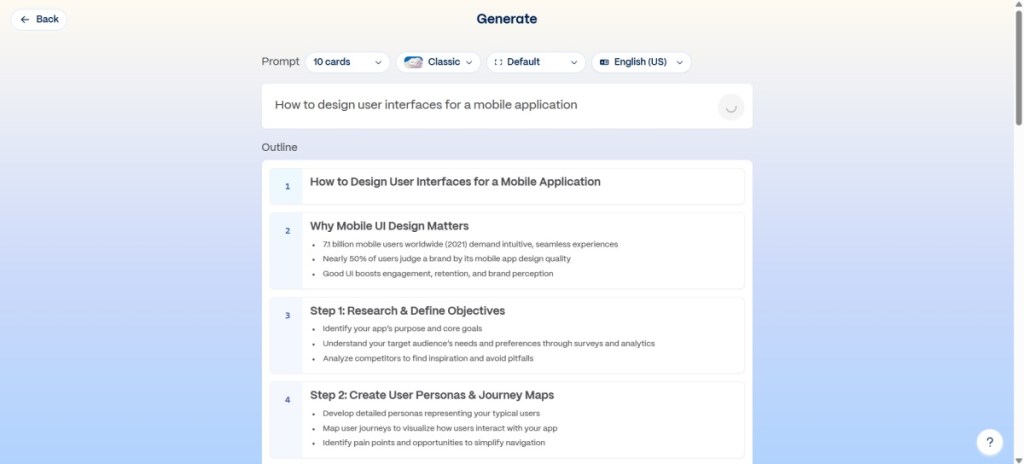
You can customize presentation slide themes, choose the number of slides, and pick image styles. Plus, you can edit any content later making it a solid choice for students.
| Pros | Cons |
|---|---|
| Create presentations with a single prompt | Limited slide creation in free version |
| Choose slide styles and themes | |
| Upload documents for presentation creation |
Pricing: Free, Pro plan starts at $10/month (€9.50)
8. SudoWrite
For those diving into the world of creative writing, SudoWrite proves to be an invaluable asset. It helps overcome writer’s block, offers suggestions for plot development, and improves your storytelling.
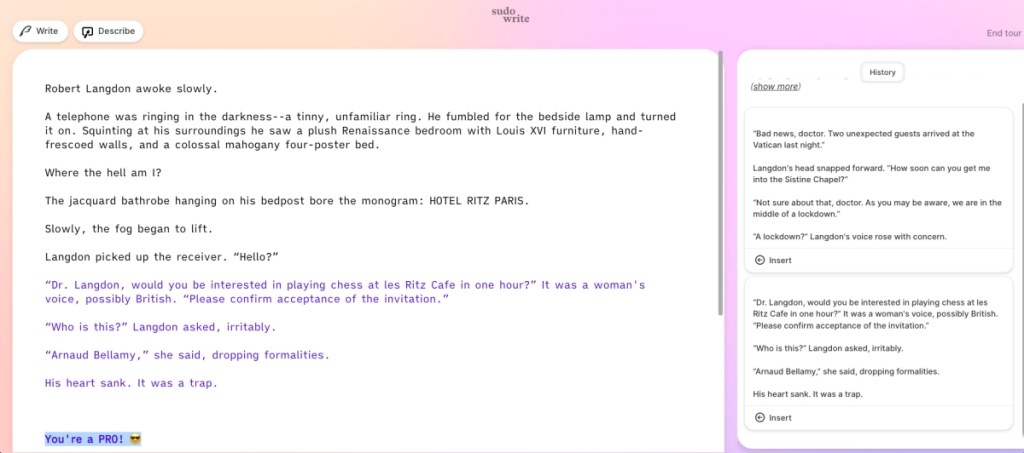
SudoWrite generates ideas and provides suggestions that help plot developments, making it an excellent resource for budding novelists.
| Pros | Cons |
|---|---|
| Assists in brainstorming ideas | Only generates limited text in free version |
| Suggests multiple plot lines | Could feel uninspired at times |
Pricing: Free, Pro plan starts at $29/month (€27.50)
9. SciSpace
For those who need in-depth research, SciSpace is like having a research assistant at your disposal. It provides you with quick access to research papers, datasets, and reliable sources on pretty much any topic.
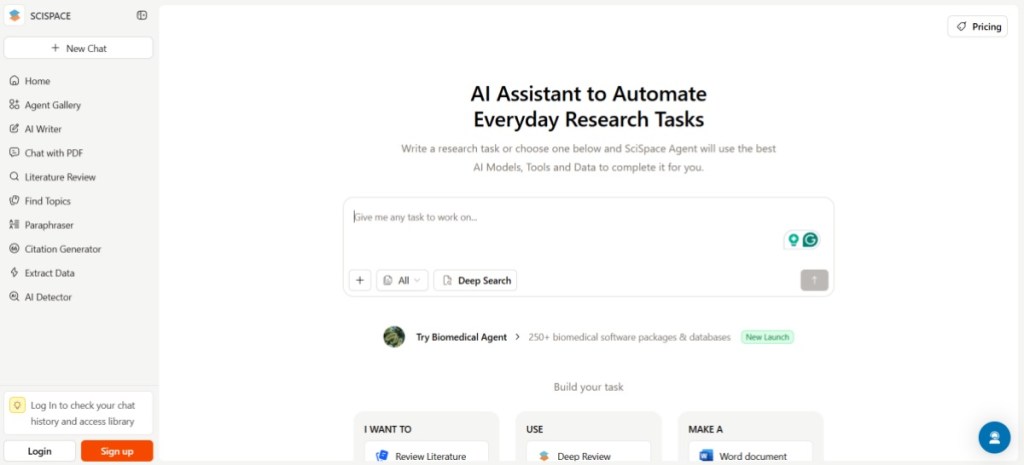
SciSpace allows you to extract essential sources and even convert drafts into a Word document or PDF instantly. It’s an excellent tool for last-minute reports.
| Pros | Cons |
|---|---|
| Quick and in-depth research | Limited uses in free tier |
| Extracts research papers and data sets |
Pricing: Free, Premium plan for $12/month (€11.40)
10. KickResume
If you’re preparing for internships or your first job out of school, KickResume is the tool you need. It offers a variety of professional-looking templates to make your resume stand out.
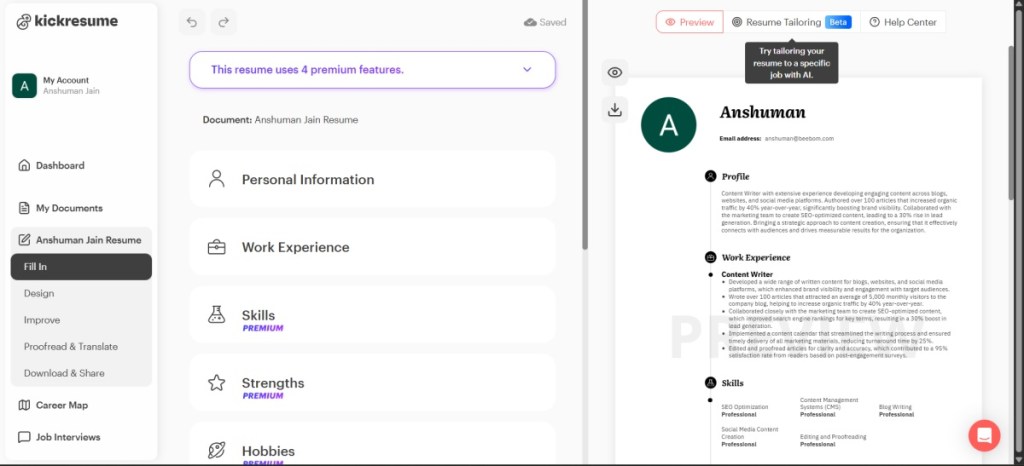
KickResume helps you write effective goals and achievements, which can really enhance your application. I’ve even helped my niece craft a better resume using it!
| Pros | Cons |
|---|---|
| Professional resume templates available | Some templates locked in free version |
| AI assistance in writing CVs | |
| Export your resume for free |
Pricing: Free, Premium plan at $24/month (€22.80)
These are some of the top tools I’ve uncovered to ease your studies and help with various tasks. Imagine having access to these resources back in my school days; I’d have aced every test! Just remember, while these tools are incredibly helpful, they should complement your learning, not replace it.
What are the best AI tools for students?
Some of the best AI tools include Google NotebookLM, Natural Reader, and Tutor.AI, among others geared towards enhancing studying, learning, and productivity.
Are AI tools free for students?
Many AI tools offer free versions with limited features. It’s worth checking the specific tool to see what’s included for free and what requires a subscription.
How can AI tools improve studying for students?
AI tools can streamline research, enhance understanding, and provide personalized learning experiences, making studying more efficient and effective.
Can AI tools replace teachers?
While AI tools can support and enhance learning, they are not a substitute for teachers, who provide emotional support and personalized feedback.
Which of these AI tools have you tried, and how did they transform your learning experience? Let me know in the comments below!