
The taunts flew across the screen as quickly as your avatar fell. You hit the respawn button, a knot forming in your stomach: was this supposed to be “fun”? Maybe the problem wasn’t your skill, but the server settings. If you’re a Hytale player ready to test your mettle against friends, or maybe even forge rivalries, you’ll need to know how to flip the right switches.
If the AI-controlled creatures of Hytale no longer offer a satisfying challenge, player-versus-player combat (PvP) introduces a new layer of excitement. PvP opens doors to friendly duels, intense tournaments, and even large-scale faction wars. Here’s how to activate PvP and prepare for player-driven conflict.
Activating PvP in Your Local Hytale World
Ever notice how some game nights explode into laughter and playful trash talk? A similar vibe awaits in Hytale once you enable PvP on your own server. Here’s how to do it:
- Start Hytale and go to the Worlds area from the main menu.
- Choose to create a new world, or tweak an existing one.
- If creating, find the gear icon. It opens the world settings.
- In the settings, find the PvP toggle, switch it on, and save.

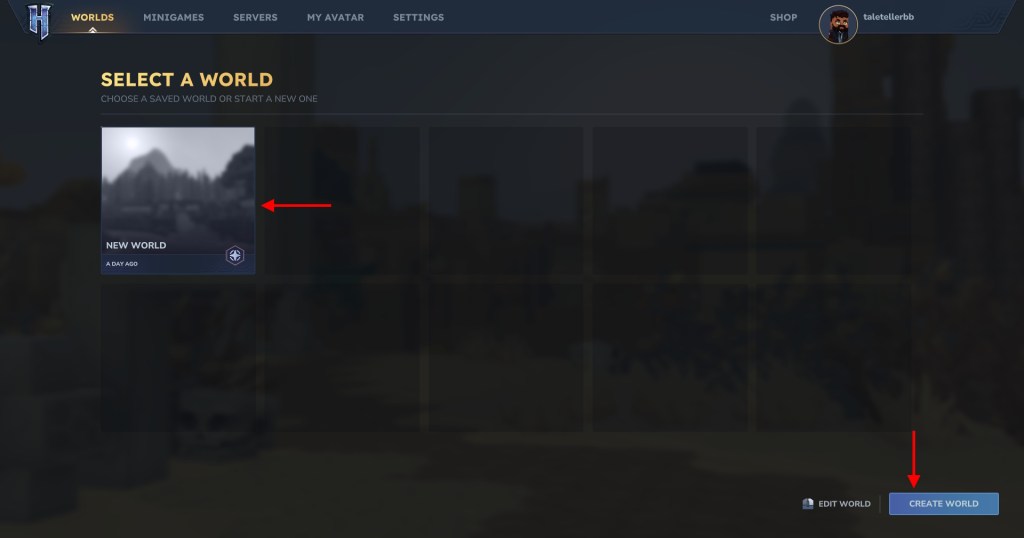

That’s it. Once enabled, players in your world can engage each other in combat.
Enabling PvP on a Dedicated Hytale Server
Think of a dedicated server as your own personal gladiatorial arena. If you’re running a dedicated Hytale server for a larger group, you’ll manage PvP through configuration files. The process may vary slightly depending on your hosting provider, but here’s a general guide, using Apex Hosting as an example:
- Shut down your server.
- Access the FTP File Access and log in.
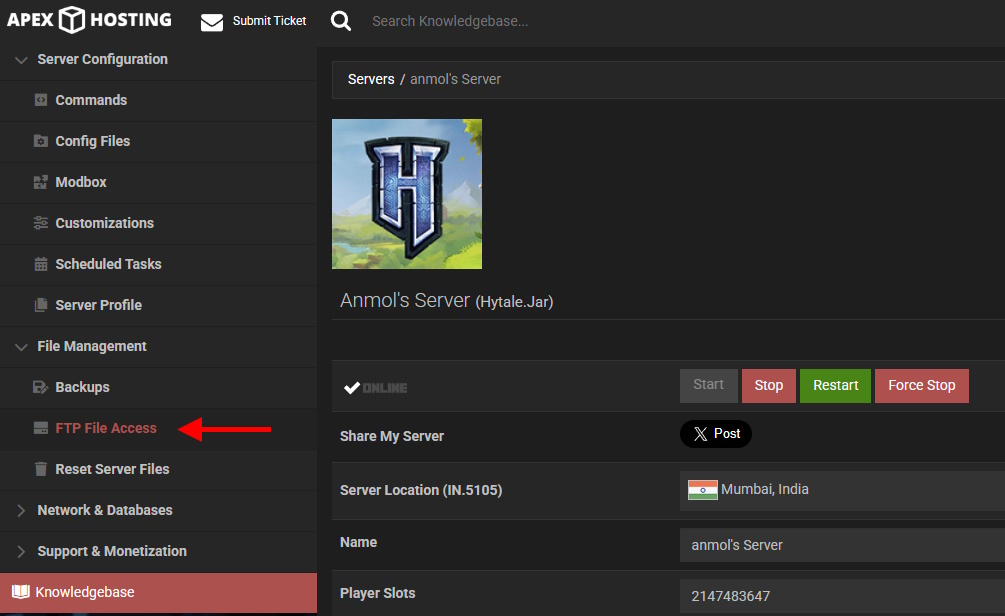
- Find the universe folder, then the world folder.
- Locate config.json and open it. Search for the line: “IsPvPEnabled”: false.

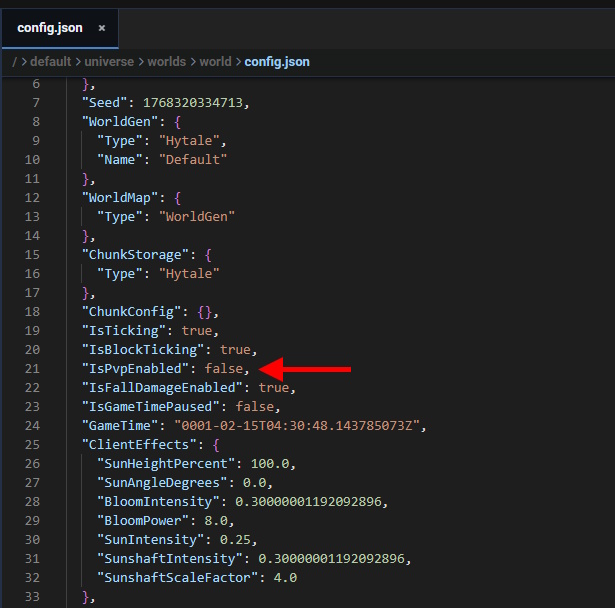
- Change ‘false’ to true, then save.
- Admins can also use this command in-game: /world config pvp true.
What if my Hytale server is lagging?
Server lag in Hytale can ruin a good PvP match. It often boils down to bandwidth. A server straining under the weight of too many players and their actions is like a pipe with too much water trying to flow through it at once. Consider limiting the number of concurrent players or upgrading your server’s resources to improve performance.
Why can’t anyone join my Hytale multiplayer server?
Connection issues are common. If friends struggle to connect to your in-game Hytale server, UPnP settings could be the culprit. Either manually forward the necessary ports on your router, or access your router’s admin panel and enable UPnP to resolve the problem.
How many people can play on a Hytale server at once?
An in-game Hytale server can host up to 100 players simultaneously.
With PvP enabled, your Hytale server transforms into a dynamic battleground. Will you establish ground rules for duels, or let chaos reign?