
The airlock hissed open, revealing a survivor with desperate eyes. He coughed, a wet, rattling sound that sent a chill down my spine. Was it just a cold, or was something far more sinister lurking beneath the surface? In Quarantine Zone: The Last Check, the Matioscope is your most sophisticated tool for answering that question, allowing you to cut through doubt and reveal the hidden dangers within.
In the field, a quick glance at a survivor’s eyes might be your only clue. The Matioscope amplifies this basic check, scanning the retina to reveal telltale signs of infection invisible to the naked eye. Think of it as a specialized microscope, designed to catch subtle symptoms that would otherwise slip through the cracks.
Let’s explore how to acquire and master the Matioscope, transforming you into an expert in Quarantine Zone: The Last Check.
Gaining Access to the Matioscope in Quarantine Zone: The Last Check
In the real world, specialized equipment isn’t always available when you need it most. Similarly, in Quarantine Zone, access to the Matioscope depends on your game mode. In endless mode, the Matioscope is available from the start. In campaign mode, you’ll have to survive until day 16 to access it. Depending on your investigative thoroughness, reaching day 16 should take several hours.
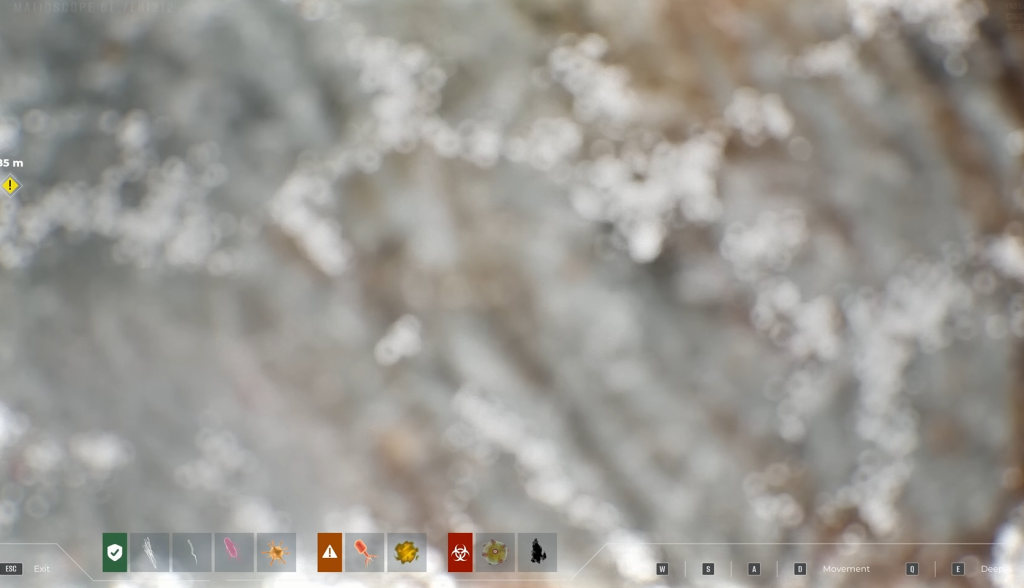
To use the Matioscope, first select it from your item wheel by pressing Q and choosing the appropriate icon. Then, use the left mouse button (LMB) to zoom and pan across the survivor’s retina. Your goal is to identify specific symptoms that categorize the survivor as infected, potentially infected, or safe (more details on specific symptoms below). The WASD keys control camera movement, and you can switch between layers as needed.
What does each symptom look like?
Decoding Matioscope Symptoms in Quarantine Zone: The Last Check
Like any diagnostic tool, the Matioscope presents you with a series of clues. Most tools in Quarantine Zone: The Last Check conceal at least one hidden symptom. With the Matioscope, however, the key indicators are relatively straightforward.
The following symptoms are considered safe:
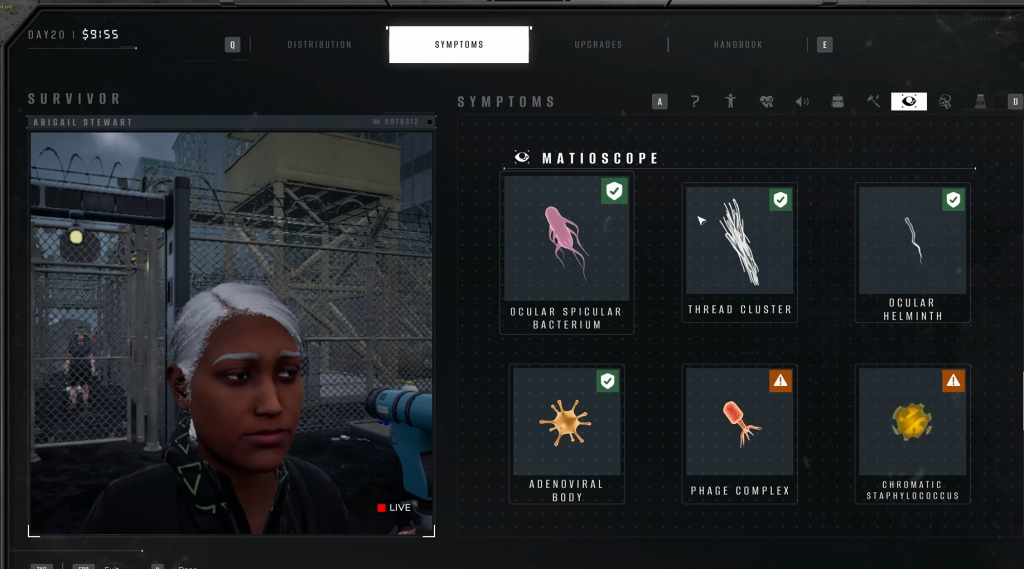
- Ocular Spicular Bacterium: Common, dense, white hair-like organisms.
- Thread Cluster: Similar to Ocular Spicular Bacterium, but less densely packed.
- Ocular Helminth: Harmless purple-colored bacteria.
- Adenoviral Body: An orange-yellow formation with horn-like protrusions.
When should I start to worry?
The following symptoms represent a potential threat, indicating that the survivor may soon transform into a zombie:
- Chromatic Staphylococcus: A red-colored head with neuron-like structures extending outwards.
- Phage Complex: A gold-colored organism with a distinct band across its center.
The presence of the following symptoms confirms that the survivor is infected and will inevitably become a zombie:
- Necrotic Plume: A circular organism with an amoeba-like body.
- Corneal Infiltrate: Charcoal-black pigments signaling the onset of necrosis.
Are some symptoms harder to see than others?
Mastering the Matioscope is not just about identifying symptoms; it is about understanding their progression. The early stages of infection are like whispers in the wind, easily missed if you are not paying close attention. Over time, these whispers turn into screams, impossible to ignore. However, by then, it might be too late.
The difference between a potential suspect and a confirmed carrier is often a matter of timing. Knowing what to when the clock is ticking becomes the difference between order and chaos in the Quarantine Zone.
The Matioscope is more than just a tool; it’s a lifeline. But will mastering it be enough to keep the darkness at bay?