
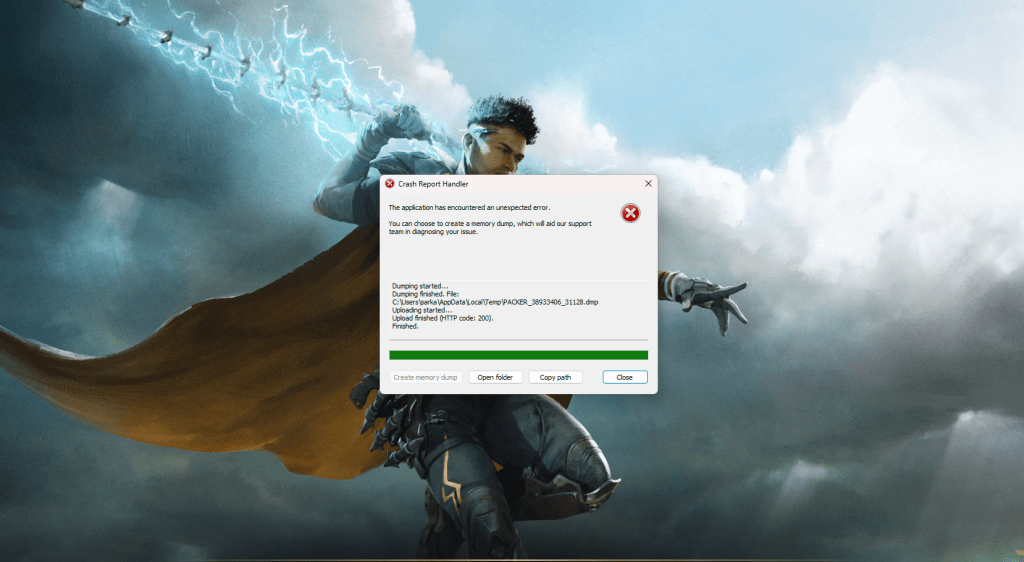
Highguard, the new free-to-play title, dropped, and the forums immediately lit up. I spent half an hour creating my character, only for the game to freeze mid-cutscene. Turns out, I wasn’t alone; opening night for Highguard seems to be plagued by PC crashes.
The causes are all over the place, from easily fixed to “wait for a patch.” Some issues you can resolve yourself. For the rest? Patience is your only ally while Wildlight gets those fixes rolling. Let’s break down the possible culprits behind these crashes and what you can do to get back in the game.
Highguard PC Crash Fixes: A Helping Hand
The solution shifts depending on the problem. Let’s run through the main suspects that are causing the crashes.
- Secure Boot disabled: No Secure Boot? No Highguard. The game simply refuses to load. You’ll need to jump into your BIOS settings and manually flip that switch. If you’re not familiar with BIOS tweaks, I suggest finding a good walkthrough; it can get complicated.
- Graphics: Highguard’s visual optimization is, shall we say, a work in progress. I’ve had a couple of crashes myself, even with a rig that meets the listed requirements. For now, dialing down those video settings seems to be the most reliable solution.
- Internet connectivity: The servers seem to be under pressure; a dropped connection might equal a crash. It’s not widespread, thankfully, but prepare for online errors, especially during these launch-day server strains.
These are the main culprits behind the current wave of crashes. Wildlight has shared their 2026 plans, and a post-launch patch feels inevitable. Let’s hope it arrives sooner rather than later.
Why Does My Highguard Keep Crashing?
Imagine your PC as a finely tuned race car, and Highguard is the new, experimental fuel. Sometimes, that fuel isn’t quite right, causing the engine to sputter and stall. The reasons Highguard crashes are diverse, but they often come down to conflicts between the game’s demands and your system’s capabilities.
Outdated drivers are a common offender. Think of them as worn tires on that race car, unable to grip the road properly. Similarly, insufficient RAM can cause bottlenecks, slowing everything down and leading to instability. Beyond hardware, software conflicts can also trigger crashes. Firewalls, antivirus programs, or even other running games might interfere with Highguard’s processes.
How Do I Update My Graphics Drivers for Highguard?
Keeping your graphics drivers current is like giving your car a regular tune-up; it helps maintain performance and prevents unexpected breakdowns. Nvidia users can utilize the GeForce Experience application to automatically detect and install the newest drivers. AMD offers a similar utility called AMD Radeon Software Adrenalin Edition.
Manually updating drivers is also an option. Visit the manufacturer’s website (Nvidia, AMD, or Intel), find the drivers section, and locate the appropriate drivers for your graphics card and operating system. Download the installer and follow the on-screen prompts. After updating, restart your computer to finalize the installation.
Will a Highguard Patch Fix My Issues?
Patches are the medicine that can cure a game’s ills. Wildlight is aware of the crash issues and future patches may resolve many of the underlying causes. These updates often include optimizations that improve performance, fix bugs that lead to crashes, and enhance overall stability.
However, remember that patches are not a magic bullet. Some crashes stem from hardware limitations or software conflicts on the player’s end. A patch might improve the situation, but it might not completely eliminate crashes for every player. Regular updates from Wildlight, combined with keeping your own system clean and updated, offer the best chance for a smooth gaming experience.
The issues are frustrating, no doubt. But are they enough to keep you away from the game for good?