
The frantic ping of your squadmate’s callout echoes as you round the corner, only to be met with a wall of enemy fire. You react, but too slow; the narrow field-of-view on your console betrays you. This frustration, familiar to many Highguard players, is now a relic of the past.
Wildlight Entertainment’s swift response to player feedback demonstrates a commitment seldom seen. Just days after its January 26, 2026 launch, Highguard received its 1.0.4 update, addressing criticisms head-on with impactful changes and additions. It’s a bold move, almost like rewriting the script while the play is still running.
While this update doesn’t introduce any new Wardens or weapons, it does deliver a brand-new limited-time mode and many quality-of-life improvements that will significantly impact the Highguard experience. Here’s a breakdown of everything new in the 1.0.4 update.
Highguard Update 1.0.4 Full Patch Notes
5v5 Mode

Empty maps can kill a multiplayer game fast. The original 3v3 format in Highguard sometimes felt sparse on its intricately designed maps. Addressing this directly, Wildlight has introduced an Experimental 5v5 game mode. This new mode is a separate queue designed to test the impact of a higher player count on the game’s infrastructure while delivering a more chaotic, intense experience. The Raid lives have been increased from 6 to 10, and respawn timers have been slightly increased to balance the increased action.
Console FOV Sliders
Few things are as universally expected in online shooters today as FOV sliders. With the Highguard 1.0.4 update, console players can finally adjust their peripheral vision. The locked FOV was a consistent complaint at launch. Now, console players can crank their FOV slider up to 110, providing a significant advantage in situational awareness when scouting Shieldbreaker locations or engaging in open combat.
Why are FOV sliders so important for console players?
FOV sliders let you see more of the game world at once, which is hugely important. A wider field of view can mean the difference between spotting an enemy flanking you and getting taken out from the side. It makes the game feel faster and more responsive, and it’s something PC players have enjoyed for ages.
New Base Construct: Soul Well
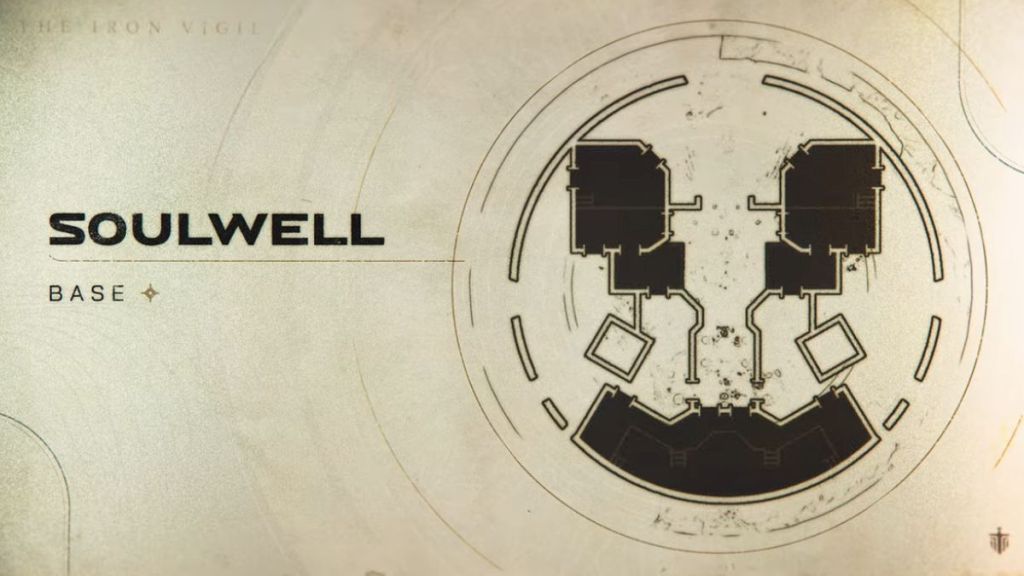
Wildlight has introduced a new base construct called the Soul Well. Described as a “dark relic from a lost age,” it has been added to the rotation for all modes. The Soul Well offers a unique layout, encouraging fresh tactical raids and fortification strategies. Think of it as a chess board with slightly different pieces; familiar, yet demanding new approaches. For builders, this is a game-changer.
Input Toggles for ADS and Crouch
The Highguard 1.0.4 update allows players on all platforms to switch Crouch to a Toggle setting instead of “Hold.” PC players also gain the option to set Aim Down Sights (ADS) to Toggle. The developers caution that Toggle ADS might be disorienting for controller players, making it a PC-exclusive feature for the time being.
Are toggle controls really better than hold?
It really depends on your play style. Toggle can free up your fingers for other actions, but it can also lead to accidental activations in the heat of battle. Many pro players using custom controllers like the SCUF or Xbox Design Lab prefer “hold” for maximum control and faster reaction times.
Advanced Video & Performance Scaling
Beyond the new mode and input improvements, the Highguard 1.0.4 update adds individual toggles for the following settings:
- Chromatic Aberration
- Bloom
- Anisotropic Materials
Players on lower-end hardware can adjust their “View Distance Quality” setting to reduce the load on their CPU and GPU. PC players using NVIDIA’s DLSS (Deep Learning Super Sampling) can now choose between specific presets to fine-tune their upscaling.
The developers added an option to turn Global Illumination to “Off,” while setting shadows to “Low” will now disable Volumetric Fog automatically. These additions will be useful if you have a hard time meeting the recommended system requirements for Highguard.
How much performance can I gain by tweaking these settings?
The performance gains will vary depending on your hardware, but you can typically expect anywhere from a 10-30% increase in frame rates by disabling Chromatic Aberration, Bloom, and Volumetric Fog. Adjusting the View Distance and DLSS settings can also provide significant improvements, especially if you’re running a lower-end graphics card from AMD (€100-€1000) or NVIDIA (€120 – €2,500).
That’s everything for the Highguard 1.0.4 update patch notes. With console FOV sliders finally here and a new 5v5 mode shaking things up, is Highguard poised for a resurgence, or is this too little, too late?