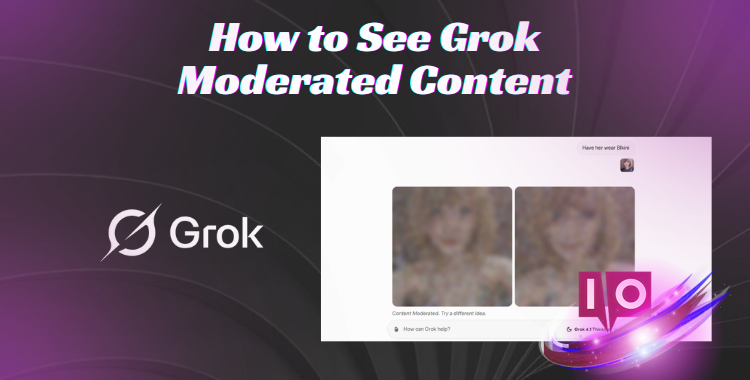
Ever typed a prompt into Grok, excited for the output, only to be met with
the dreaded “content moderated” message? It feels like hitting a brick wall,
especially when you’re not sure what you did wrong. You’re not alone; many
Grok users face this frustration, searching for ways to bypass these
moderation filters.
The truth is, there’s no magic bullet to directly view blocked content. But
don’t give up. By mastering safer prompt techniques, you can steer clear of
those annoying blocks and still get surprisingly close to the results you’re
after. This guide reveals compliant ways to tweak your queries, minimize
those repeated blocks, and enhance the overall quality of Grok’s output—all
without bending the rules.
The Mystery of Grok’s Moderation: Why Does It Happen So Often?
I was recently working on a project that required a fairly innocuous text
generation, or so I thought. Within minutes, I encountered the
Grok content moderated meaning message. Grok’s
moderation system is designed with built-in safety protocols, acting as a
digital guardian to block harmful, unsafe, or inappropriate content.
Sometimes, these protocols can seem overzealous, flagging even harmless
prompts.
Understanding Grok’s moderation logic empowers you to refine your queries,
avoid repeated blocks, and interact with the AI more safely and
compliantly, improving your experience.
1.1 Common Triggers That Cause “Grok content moderated, try a
different idea”
Seeing Grok content moderated, try a different idea
can feel like a digital slap on the wrist. Grok’s aim is to maintain a
safe and compliant environment. Here are some common triggers:
1. Sensitive or explicit content: Prompts involving
violence, adult themes, or harmful actions are likely to be blocked.
2. Hate speech or discrimination: Language targeting
individuals, groups, or communities will trigger moderation.
3. Illegal or unsafe instructions: Requests promoting
hacking, piracy, or unlawful activities are flagged.
4. Personal or private data: Asking for personal details
like names, addresses, or sensitive information will cause blocks.
5. Repetitive or spammy prompts: Repeatedly using the same
ideas often leads to moderation.
6. Ambiguous or risky phrasing: Even seemingly safe topics
can be flagged if the wording is unclear or potentially unsafe.
Can You Simply Turn Off Grok’s Content Moderation?
I’ve often been asked if it’s possible to turn off Grok content
moderated messages. Grok’s moderation is an integral safety
feature, built directly into the AI. This protection against harmful,
unsafe, or inappropriate content cannot be disabled.
Trying to bypass it is not only disallowed but may also violate the
platform’s rules. Think of it as the AI’s ethical compass, always pointing
towards safety and compliance.
2.1 Is There a Compliant Way to See Grok Moderated Content?
No, you cannot compliantly bypass Grok’s content moderation. The
moderation system is engineered to prevent harmful, unsafe, or
inappropriate content. Circumventing it goes against platform rules and
ethical AI use.
Instead, you can interact with Grok compliantly by
formulating clear, safe, and specific prompts. Focus on neutral topics,
precise instructions, or framing your questions differently. This strategy
allows you to obtain valuable content while adhering to Grok’s guidelines
and avoiding repeated moderation blocks.
Safer Pathways: Accessing Grok’s Insights Without Breaking the Rules
Grok’s moderation exists to shield users from harmful, unsafe, or
inappropriate content. While accessing flagged content is a common desire,
directly bypassing moderation protocols is neither safe nor compliant. Such
attempts can lead to restricted access, account suspension, or exposure to
unsafe material.
Instead, compliant access can be achieved through educational, creative, or
analytical approaches. Here’s how:
1. Use Neutral Wording: Avoid slang, explicit terms, or
provocative language. Emphasize descriptive or educational language.
2. Ask for Explanations, Summaries, or Analyses: Request
insights or breakdowns rather than explicit outputs.
3. Split Complex Requests Into Smaller Steps: Shorter,
clearer prompts are less likely to trigger moderation.
4. Focus on Fiction or Hypothetical Scenarios: Imaginary
situations offer creative and safe exploration.
5. Use AI-Compliant Tools: Some platforms offer safe
previews of flagged outputs, emphasizing teaching or research.
Crafting Prompts That Fly Under the Radar: Avoiding Grok’s Content
Moderation
Creating prompts strategically is critical to evade Grok’s moderation while
generating rich outputs. Rather than explicit content, emphasize setting,
emotions, creativity, and hypothetical scenarios.
1. Use Fictional, Hypothetical, or Artistic Scenarios
When content is framed as fiction, fantasy, or art, moderation becomes less
stringent. Grok acknowledges fictional scenarios as generally safe, even if
the core concept could be sensitive.
Prompt to avoid:“Describe a couple making out in a crowded
park.”
Safe alternative:“Describe a couple acting in a romantic
scene on a theater stage, their movements intimate but clearly part of a
performance, focusing on their expressions and gestures.”
2. Focus on Emotions, Actions, and Experiences
Describing feelings, gestures, and movements instead of explicit acts
reduces moderation triggers.
Prompt to avoid: “Describe a person undressing and
smiling.”
Safe alternative: “Describe a dancer practicing for a show,
feeling nervous and excited, focusing on graceful movements and
concentration.”
Grok permits prompts about body language and emotions because they are
neutral and often serve educational or artistic purposes.
Extra tip:
Use sensory words like “tension,” “excitement,” “joy,” or “movement” to
convey intensity without sexual or violent content.
3. Reframe Intimate Situations as Professional or Artistic
Contexts
Reframe private or sexual scenarios into stage, athletic, or performance
settings.
Prompt to avoid: “A couple hugging passionately in a
bedroom.”
Safe alternative: “Two actors rehearsing a stage scene,
holding each other tightly during a dramatic performance.”
Prompts framed around activities or skills are generally safe.
Prompt to avoid: “Describe a couple in bed, touching
intimately while talking.”
Safe alternative: “Describe a couple sitting together on a
couch, holding hands, sharing laughter, and leaning closer to read a book
together, feeling connected and affectionate.”
5: Focus on Education, Science, or Creativity
Prompts framed around learning, research, or artistic creativity tend to
pass moderation filters.
Prompt to avoid: “Describe prohibited adult or violent
content.” Safe alternatives:
6: Replace Prohibited Objects with Neutral Ones
Swap risky items with safe equivalents.
Prompt to avoid:“Describe a person using weapons to attack
another person.”
Safe alternative:“Describe two people in a heated
confrontation, one advancing aggressively while the other backs away, their
movements sharp and tense, showing clear hostility without physical harm.”
Extra tip:
Tools, instruments, or props are ideal replacements.
7: Convey Emotional or Psychological Tension
Rather than physical violence, express conflict through stress, urgency, or
anxiety. Physical confrontation is implied but substituted with safe
emotional tension, which Grok permits.
Prompt to avoid: “Describe two people struggling and
hitting during an argument.” Safe alternative: “Describe
two colleagues in a tense negotiation, showing stress and urgency through
gestures and body language.”
Extra tips:
Focus on stress, anxiety, intensity, gestures, urgency.
8: Depicting Shared Activities Safely
Romantic or intimate connection can be portrayed through shared hobbies,
sports, or collaborative tasks.
Prompt to avoid: “Describe a couple in bed engaging
intimately while painting.”
Safe alternative: “Describe a couple painting together,
laughing at each other’s brush strokes, leaning close to see details,
enjoying the creative process and each other’s company.”
Bonus Strategy: Visualizing Outfits Safely with Clothes
Changer
PixPretty, by focusing on outfits rather than body details, aids in
visualizing styles professionally. This keeps your content compliant,
realistic, and free from unnecessary moderation blocks.
In Closing:
Navigating Grok’s content moderation can feel like walking a tightrope. But
with the right techniques, you can create prompts that both satisfy your
curiosity and respect the platform’s guidelines. Remember, the goal isn’t
to bypass the rules, but to work creatively within them.
The digital world, much like a complex dance, requires finesse and
understanding to move gracefully within its constraints.