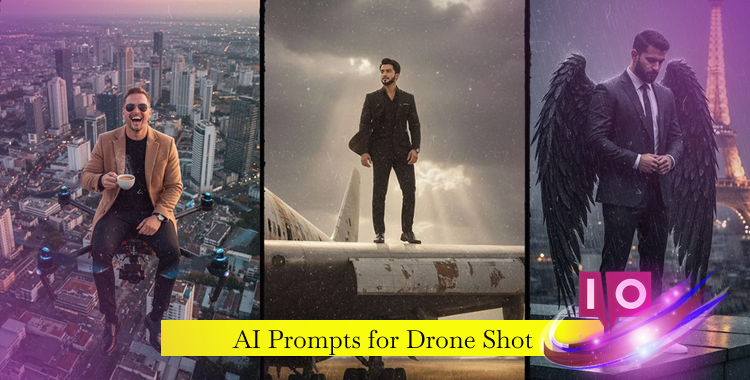
As I maneuver my drone over a breathtaking landscape, I feel the pulse of creativity stirring within me. Each click of the shutter captures moments that linger like a breath of fresh air. The secret? The right AI prompts for drone shots can transform ordinary frames into cinematic masterpieces.
This guide offers ready-to-use prompts, insightful creation tips, and essential best practices to craft stunning aerial imagery with generative AI tools like Gemini, Midjourney, Stable Diffusion, and more.
Part 1. 20+ AI Prompts for Drone Shot Copy & Paste
1. Epic Landscapes & Natural Environments


2. Urban, Cityscape & Architecture


3. Dynamic Movement & Action Shots

4. Human-Centered & Emotional Aerial Shots

5. Creative, Stylized & Conceptual Shots

Part 2. How to Create Cinematic Drone Images
Transforming text prompts into impressive visuals is more straightforward than you might think:
1. Choose Your AI Tool
Select from powerful image generators like Midjourney, Stable Diffusion, or Gemini AI. Each platform interprets natural language prompts to produce stunning images from your ideas.
2. Use Clear Prompts
Whether you copy the provided prompts or create your own, clarity is key. A strong prompt encompasses:
Conciseness and specificity help the AI grasp your vision, leading to higher quality outcomes.
3. Adjust for Output Size
Specify the resolution for desired quality, like “8K UHD,” to get sharper images.
4. Refine with Negative Prompts
If undesired elements like noise or blur appear, instruct the AI about what to steer clear of (e.g., “no blur, no noise”).
5. Use Iteration
The first output may not hit the mark. Tweak the details to refine your shots towards your vision.
6. Use AI Editing Tools
Part 3. Tips to Create Cinematic Drone Images
- 1. Keep Prompts Simple But Specific – Short, clear phrases outperform long descriptions in image AI interactions.
- 2. Focus on Angle and Movement Words – Terms like overhead, bird’s-eye view, fast move, and smooth pan inform the AI how to frame your shot effectively.
- 3. Mix Real-World Terms – Use descriptive phrases such as “golden hour,” “soft shadows,” and “cinematic grade color,” for more lifelike results.
- 4. Use Consistent Style Tags – To maintain a unified aesthetic, repeatedly apply style tags like “cinematic,” “ultra-realistic,” or “film grain.”
- 5. Test Often and Save Works – Produce small batches and retain the best versions as references for further refinement.
Conclusion
AI prompts for drone shots pave the way for fast and stunning aerial visuals. Mastering the art of prompt wording combined with a systematic approach lets you create cinematic scenes that resonate with authenticity and skill. How will you wield these tools to capture your own stunning aerial experiences?