Moments before the pitch, tension hung thick in the air. Your team just needed that one powerful visual to seal the deal. But how could you capture the magic of your product with just a few clicks?
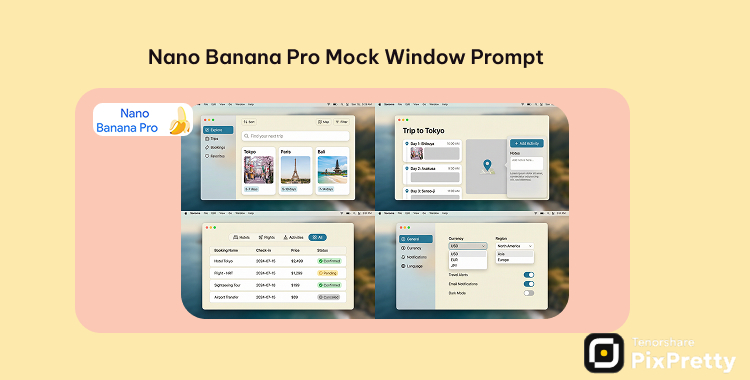
Nano Banana Pro prompts effortlessly generate realistic mock window screenshots, bringing your digital ideas to life in mere moments. With the right Nano Banana Pro prompt for mock window UI design, you can transform abstract concepts into polished visuals—perfect for landing pages and pitch decks. Below, you’ll find ready-to-use prompts designed to fuel your creativity while seamlessly aligning with your brand and product narrative.
Part 1. Elevating Your Designs with Nano Banana Pro
Picture the clarity of a beautifully composed piece of art, each stroke deliberate and intentional. Nano Banana Pro does just that, offering clean, realistic screenshots that mimic real software in action. By using a focused Nano Banana Pro prompt for mock window UI design, you can craft desktop app windows, browser frames, or sleek product dashboards. These polished visuals become indispensable assets for marketing pages, tutorials, or investor showcases.
What Exactly Is a “Mock Window” UI?
A “mock window” UI is like a stunning stage set for your digital product, created entirely through AI. Instead of painstakingly designing every element, simply describe the scene, and let Nano Banana Pro handle the rendering:
These mock window UIs shine in contexts such as SaaS hero images, step-by-step product tours, and refined pitch decks needing credible visuals without the lengthy design process.
Part 2. Specialized Nano Banana Pro Prompts for Desktop and Mobile
Utilize the Nano Banana Pro image model along with tailored prompts to generate stunning desktop mock windows and mobile app UI mockups.
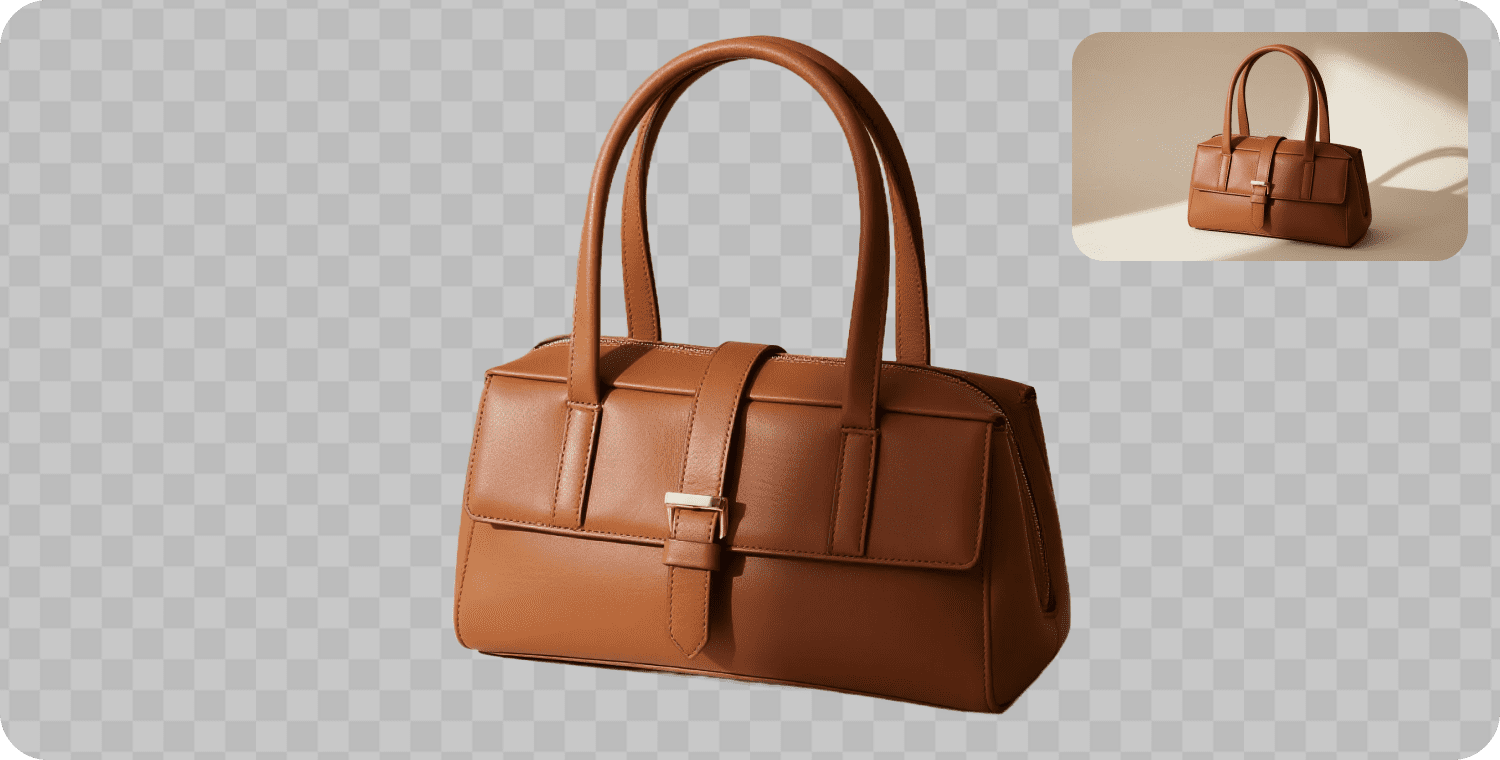
Simply copy, paste, and adjust app names or colors as needed. The secret lies in layering your design: start with the desktop background, outline the window frame (browser or app), then shape the inner UI layout (includes sidebars, navigation bars, cards, charts). Finally, sprinkle in text for buttons and headings.
Desktop Mock Window – Prompt Table (Nano Banana Pro)
|
Theme |
Prompt |
Copy |
|---|---|---|
|
Travel |
Use Nano Banana Pro prompt for mock window UI design to create a fake browser window screenshot for a travel booking website. Show a blurred macOS desktop with a Safari-style window centered on screen. The browser displays a landing page titled “Skyline Trips – Plan Your Next Adventure”. Include a top navigation with logo and menu items Destinations, Deals, Guides, My Trips. In the main area, show a hero banner with a large beach photo, headline “Discover your next city escape”, a date and destination search bar, and a “Search flights & hotels” primary button. Use light mode UI, clean grid layout, and fully legible English text. |
COPY
|
|
Work |
Create a realistic desktop mock window of a productivity app called “FocusDesk Pro”. Show a Windows 11 desktop with one application window in the center, having a modern title bar and soft drop shadow. Inside the window, design a work dashboard UI: a left sidebar with icons and labels (Dashboard, Tasks, Calendar, Teams, Settings) and a main content area showing a Kanban board with columns “Backlog”, “In Progress”, “Review”, “Done”. Add task cards with titles, due dates, and colored status tags. Use a neutral light theme with pastel accent colors and crisp, readable labels. |
COPY
|
|
Journaling |
Generate a fake app window screenshot for a digital journaling and habit tracking tool called “Daily Pages”. Show a macOS-style desktop with a single app window. The window has a simple title bar and a two-column layout: on the left, a calendar and a list of dated journal entries; on the right, an open page with today’s entry, including a big title, lined text area, and a small habit tracker section with checkboxes for Sleep, Exercise, Water, Reading. Use a soft beige background and subtle pastel highlights so the mock window feels like a cozy digital bullet journal. |
COPY
|
|
E-commerce |
Use an ai prompt for fake browser window screenshot to design an e-commerce admin dashboard for a store called “GlowMart”. Show a Chrome-style browser window with URL bar and tabs. Inside the page, create an analytics dashboard with cards for Today’s Revenue, Orders, Conversion Rate, and a chart showing sales over the last 7 days. On the left, add a vertical navigation with items Overview, Products, Orders, Customers, Marketing, Settings. Use a clean light theme, bold accent color for key numbers, and clear English text so the mock window looks like a real SaaS e-commerce admin UI. |
COPY
|
Mobile UI – Prompt Table (Nano Banana Pro)
Step-by-Step Guide:
Screen 1: “Choose Photo” – gallery view with photo thumbnails and a big button “Select this photo”. Screen 2: “AI Edit” – editor view with the photo in the center and AI tools row (Background Remover, Beauty, Doll, Filters). Screen 3: “Poster Layout” – the edited photo placed inside a poster template with text and decorations. Screen 4: “Export & Share” – options to save, share to Instagram, TikTok, and download as PNG.
Utilize iOS-style components, light mode UI, and fully legible English labels. The overall aesthetic should align with PixPretty’s bold neon pink and charcoal grey branding.
|
Theme |
Prompt |
Copy |
|---|---|---|
|
Travel |
Nano Banana Pro 4 screen mobile UI prompt: create a single image containing exactly four iPhone screens for a travel planner app called “TripNest”. Arrange the screens horizontally on a soft neutral background. Screen 1 shows an onboarding page with a hero illustration, headline “Plan smarter trips”, and a big “Get started” button. Screen 2 shows a trip overview with destination, dates, and a list of planned activities. Screen 3 shows a day schedule with time slots, map snippet, and notes. Screen 4 shows a budget summary with categories, charts, and total spent. Use iOS-style components, light mode UI, and fully legible English text on every screen. |
COPY
|
|
Work |
Use Nano Banana Pro for ai prompts for ui mockups to generate a single iPhone screen for a work task manager app called “TaskFlow”. Center the phone on a light gradient background. The screen shows a clean home view with a top bar (greeting text and filter icon), a segmented control for Today / Upcoming / Inbox, and a list of task cards with titles, colored tags, and due times. At the bottom, include a prominent rounded “+ New Task” button. Use a minimal light theme, subtle shadows, and crisp English labels so it looks like a real productivity app screenshot. |
COPY
|
|
Journaling |
Create a mobile UI mockup for a daily journaling and mood tracking app named “MoodJournal”. Show one iPhone screen with a calm pastel color palette. At the top, display today’s date and a mood selector using expressive emoji or icons. Below, include a large text area titled “Today’s reflections” with placeholder journal lines, and a small checklist section labeled “Gratitude” with three bullet items. Add a bottom navigation bar with icons for Home, Calendar, Stats, Profile. Design it in iOS style with rounded cards and readable English text. |
COPY
|
|
E-commerce |
Use Nano Banana Pro to generate a mobile shopping app UI for a fashion store called “StyleStreet”. The iPhone screen shows a category page for Summer Collection: a top search bar, horizontal filter chips (All, Dresses, Tops, Shoes, Accessories), and a grid of product cards with item photos, names, prices, and small rating stars. At the bottom, include a fixed cart bar showing “3 items · $129.00” and a “View Cart” button. Use a clean white background, bold accent color for CTAs, and clear, legible English text so the screen looks ready for an app store preview. |
COPY
|
Part 3. Crafting Website Mockups with Nano Banana Pro
With well-constructed ai prompts for website mockups, your vision can materialize into engaging homepage and landing page visuals that resonate with users, ready for refinement.
A recent comparison highlights that Nano Banana Pro consistently outperforms when it comes to UI layouts and text clarity, making it a powerful ally for mock window and website mockups.
To illustrate, consider PixPretty—a platform revolutionizing AI photo editing and creative imaging—as our guiding example.
| Theme | Prompt | Photo | Copy |
| PixPretty UI layouts |
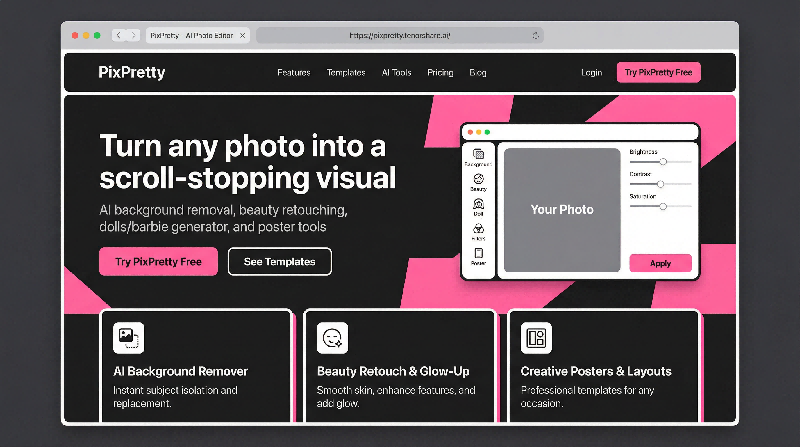
Use Nano Banana Pro to create a high-fidelity mock window UI design for the PixPretty website (pixpretty.tenorshare.ai). Show a clean macOS desktop with a Safari-style browser window centered on screen. In the browser frame, include a visible URL bar with the address “https://pixpretty.tenorshare.ai/” and one active tab. Inside the page, design a modern landing page for “PixPretty – AI Photo Editing & Creative Imaging Platform” using a playful neobrutalist style with neon pink, white, and charcoal grey. Style details: – Neobrutalist blocks, thick borders, subtle shadows and card shapes. – Use neon pink as the main accent color, with white and charcoal grey backgrounds. – All UI text must be sharp, readable English, no lorem ipsum. – Overall composition should look like a real browser screenshot that can be used on marketing pages or in product tours. |
|
COPY
|
Here are simple, ready-to-use examples you can directly integrate into Nano Banana Pro. They’re designed to be reusable ai prompts for website mockups, allowing you to cultivate a dynamic library of ai prompts for ui mockups.
|
Theme |
Prompt |
Copy |
|---|---|---|
|
SaaS Landing Page |
Generate a high-fidelity website mockup for a SaaS app called “FlowMetrics”. Show a clean desktop browser window with a modern landing page layout. At the top, include a navigation bar with logo and links: Product, Pricing, Resources, Login, and a “Start free trial” button. The hero section has a bold headline “Understand your product metrics in minutes”, a short subheading, and a primary CTA button “Get started”. On the right side of the hero, show a card-style dashboard preview with charts and stats. Below the hero, add a three-column features section, a testimonial strip, and a simple pricing preview. Use a light theme, plenty of white space, and fully readable English text. |
COPY
|
|
Portfolio Homepage |
Create a website mockup for a personal portfolio homepage for a UI/UX designer named “Alex Rivera”. Show a desktop browser-style frame with a minimal top nav: Work, About, Services, Contact. The hero section features a large heading “Product designer creating clean, conversion-focused interfaces”, a short intro paragraph, and a CTA button “View selected projects”. Below the hero, include a grid of project cards with thumbnails and project titles, followed by a small “Services” section with three simple icons and labels. At the bottom, design a footer with contact email, social icons, and copyright text. Use a neutral background, strong typography, and a subtle accent color for links and buttons. |
COPY
|
|
Blog / Content Hub |
Use Nano Banana Pro to generate a homepage website mockup for a tech blog called “Nano Insights”. The header includes the logo on the left and nav links: Articles, Guides, Tutorials, About, Subscribe. The hero section shows a featured article with a large thumbnail, title, and short description, plus a “Read now” button. Below, add a grid of recent posts with smaller thumbnails, titles, categories, and dates. On the right side, include a sidebar with a newsletter signup card and a “Popular topics” tag list. Add a simple footer with extra links and social icons. Use a clean, editorial style layout with good spacing and readable English text. |
COPY
|
Conclusion
Nano Banana Pro offers a speedy, versatile solution for turning ideas into vibrant UI visuals—whether you need a desktop mock window, a multi-screen mobile experience, or a stunning website mockup. With strategically structured Nano Banana Pro UI prompts, you can create credible visuals that breathe life into your product long before the design stage is complete.
These mockups serve as powerful visuals: they validate concepts, enhance landing pages, and enrich pitch decks, ultimately leading you to refine the best ideas in Figma or Sketch. Will you start building your own library of ai prompts for ui mockups that cater to future projects?