
The rain started the moment I hit Day 1 and my campfire stuttered. I yanked a Supply Crate, watched the flame change, and realized a single decision had rewritten the run. You will remember that pause: one choice, one consequence.
I’ve played enough runs to know when a system is asking you to think fast. In this guide I’ll show you the exact steps I use, why the timing matters, and which flames are worth gambling on.
I learned the hard way when my Day 1 campfire filled and the flames were gone. How to Use Modifier Flames in 99 Nights in the Forest
You only get one shot on Day 1. If the campfire bar hits full before you apply a Modifier Flame, it’s gone for that run.
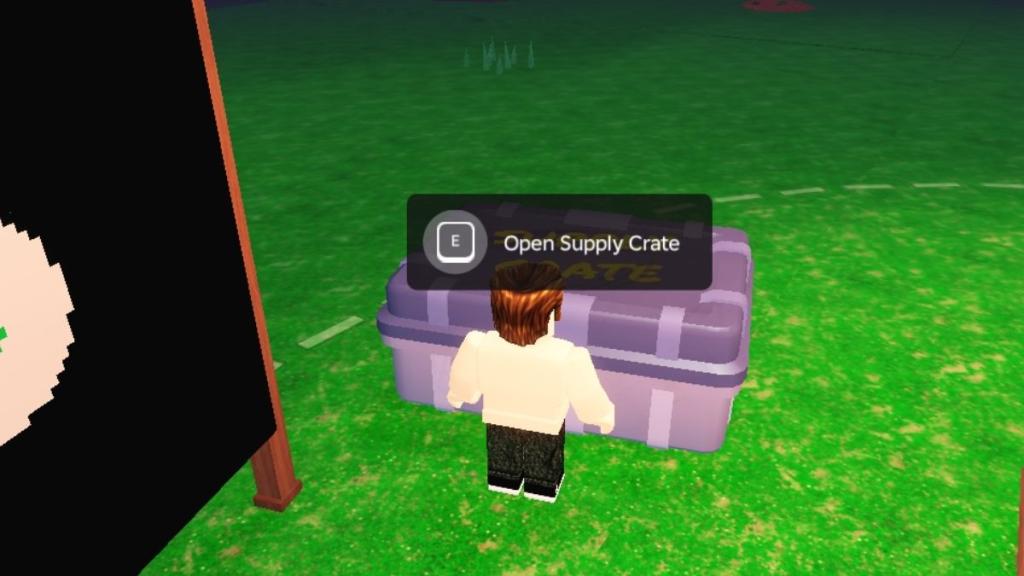
I treat the Supply Crate as a small toolkit: the Supply Crate is a Swiss Army knife for your run. Here’s the compact routine I follow so you don’t waste a flame.
- Chop wood until you have steady fuel; short, repeatable bursts beat a panic rush.
- Light the campfire and keep the progress meter roughly half full—don’t top it off.
- Craft a Supply Crate at the Crafting Bench (available once you start Day 1).
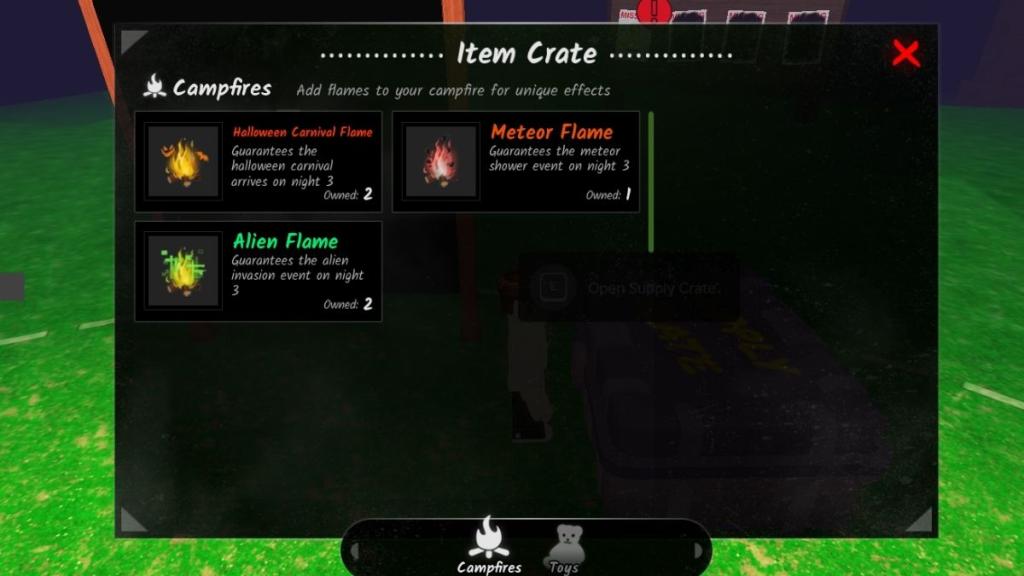
- Place the crate blueprint at camp, open it, then select the Modifier Flame you want to apply.
- Apply the flame, then fully light the campfire to lock the effect for that run.
Small timing details matter: apply the flame before the clock flips to Day 2, and avoid maxing the fire ahead of time. I recommend testing one flame per run until you know how it shifts your comfort zone.
What are Modifier Flames in 99 Nights in the Forest?
Modifier Flames are one-time campfire upgrades that change event spawns or behavior for that run. Use one on Day 1 and the campfire will carry the modifier into the coming days.
How do I use Modifier Flames?
Craft a Supply Crate at the Crafting Bench once you’ve started Day 1, keep the fire half-ignited, place the crate, pick a flame from your inventory, then finish lighting the campfire. If Day 2 begins or the fire is maxed before you apply the flame, you lose the chance.
At holiday events I watched a blue flame save a bad run. All 99 Nights in the Forest Modifier Flames (and How to Get Them)
I collect flames from seasonal shops and event rewards. You can also earn them through daily quests and badges, and you’ll often see discussions and trade hints on Steam and Discord communities for 99 Nights in the Forest.
Originally the game shipped with five flames; the update added eight more. Below is the current list and where most players find them.
| Flame | Effect | How to Get |
|---|---|---|
| Blue Flame | Reduced Campfire drain during Weather Events | Construct 50 structures badge |
| Carnival Flame | Carnival event will spawn on Day 1 and will open on Day 3 | Limited Time event |
| Alien Flame | Alien Event is guaranteed to appear on Day 3 | Limited Time event |
| Meteor Flame | Meteor Shower event is guaranteed to appear on Day 3 | Limited Time event |
| Frog Flame | Frog event is guaranteed to appear on Day 3 | Limited Time event |
| Valentine’s Flame | Valentine’s event is guaranteed to appear on Day 3 | Limited Time event |
| Thanksgiving Flame | Thanksgiving event is guaranteed to appear on Day 3 | Limited Time event |
| Coinsplosion Flame | NA | NA |
| Fishing Flame | NA | NA |
| Taming Flame | NA | NA |
| Red Chest Flame | NA | NA |
| Apple Tree Flame | NA | NA |
| Fairy Flame | NA | NA |
Note: I will update this list if new flames surface and the community reports reliable sources.
Practical tips from my runs: prioritize defensive flames if you habitually hit storms, choose event flames only if you can capitalize on Day 3 spawns, and track limited-time shops on Steam, Google Play, or the App Store so you don’t miss event-exclusive flames.
One more thing: when you pick a flame at camp, the fire can swing the run’s momentum—sometimes the campfire becomes a roulette wheel that decides whether your Mid-Game is calm or chaotic.
Which flame would you risk your Day 1 for?