I opened two image prompts and watched thumbnails load side by side — one small, one pro — and felt the weird thrill of a wager. You expect the bigger model to win by default; that assumption fell apart fast. I kept notes so you don’t have to repeat the experiment.
I tested Google’s new Nano Banana 2 (Gemini 3.1 Flash Image) against Nano Banana Pro (Gemini 3 Pro Image) across real tasks: naming landmarks, rendering text, following instructions, photorealism, in-image translation, character consistency, and anime design. I’ll tell you exactly where the smaller model surprises, where both trip up, and what that means if you use Adobe Photoshop, Midjourney, or run generation on Google Cloud TPU for production work.
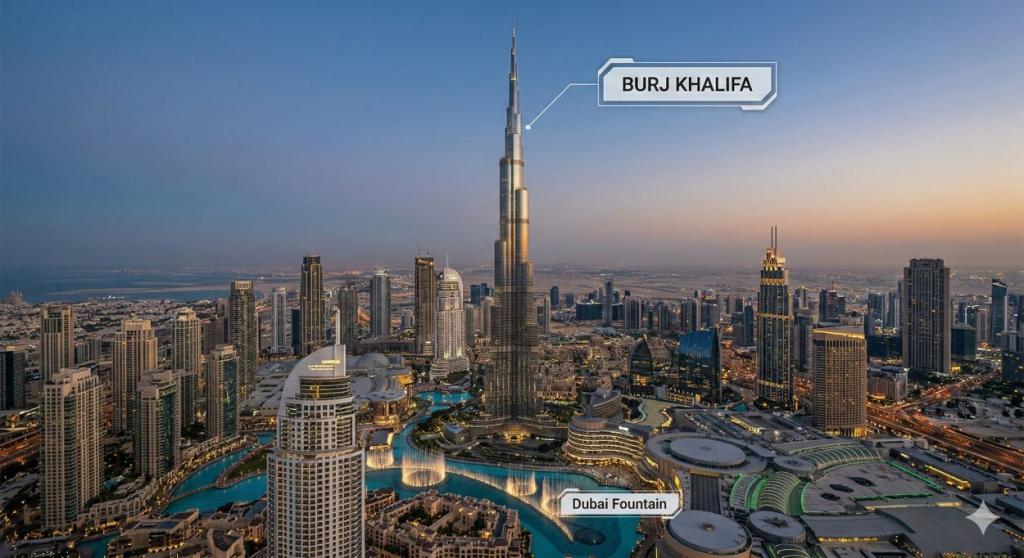
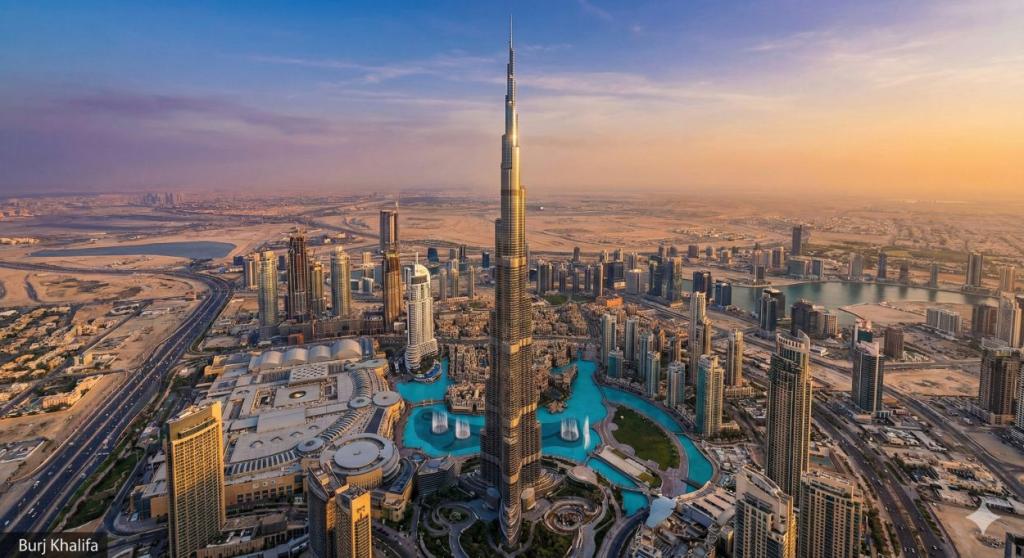
When I asked both models to label the tallest building, one got the name right instantly
I prompted each model to generate an image of the world’s current tallest building and label it. Nano Banana 2, despite being the smaller, cheaper model, labeled Burj Khalifa correctly. Nano Banana Pro rendered the tower well but added an intrusive text box in the corner. The result felt less like a misstep and more like a design choice that distracted from the output — which gives Nano Banana 2 the win for clarity and correctness on this task.
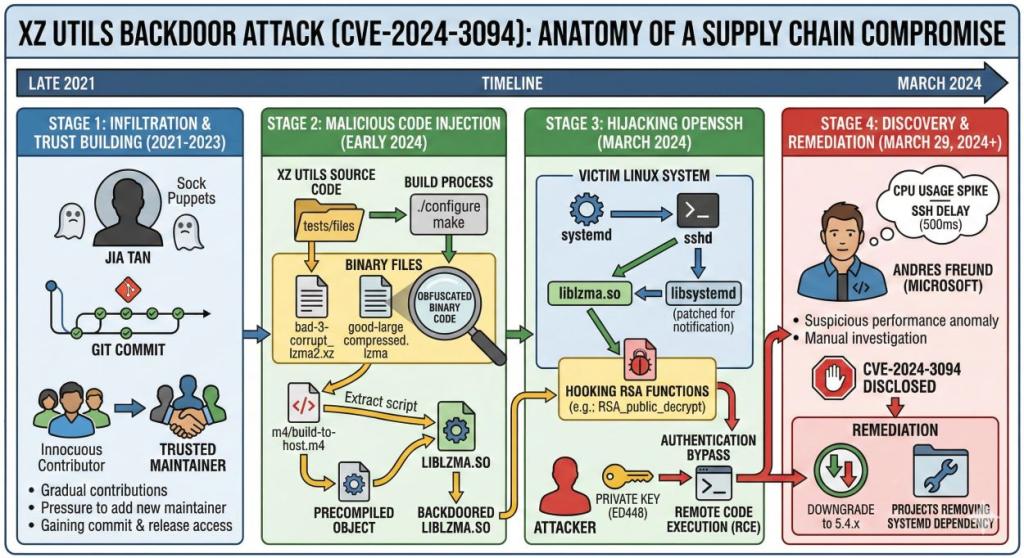
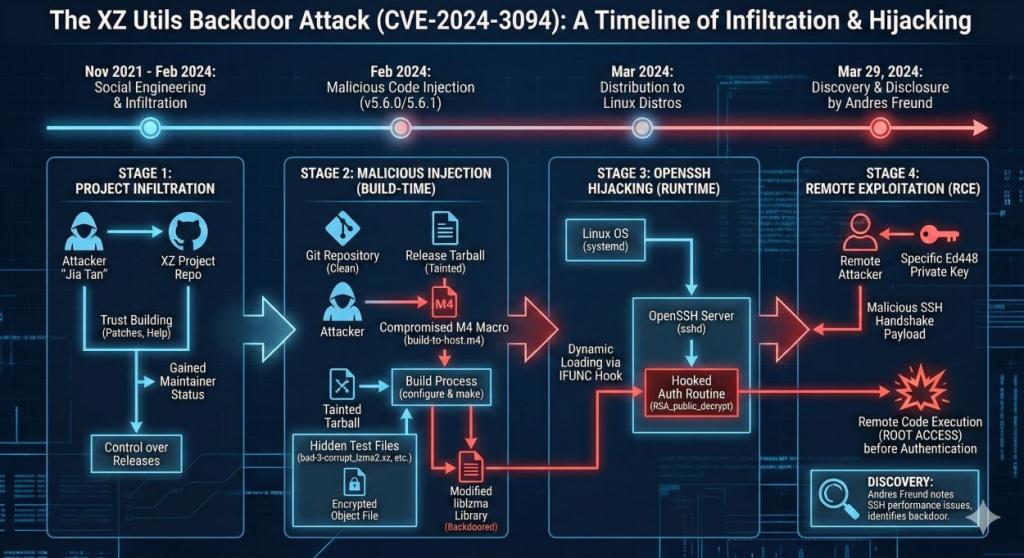
On a complex security infographic, the smaller model read the timeline better
I asked each model to create a detailed infographic about the XZ Utils backdoor discovered in Linux in 2024. Nano Banana 2 plotted a near-complete timeline and captured most technical milestones; Nano Banana Pro missed several transitions in the story. If you’re making briefings for engineers or managers, Nano Banana 2 produced a cleaner, more informative base that you can refine in Figma or Illustrator.
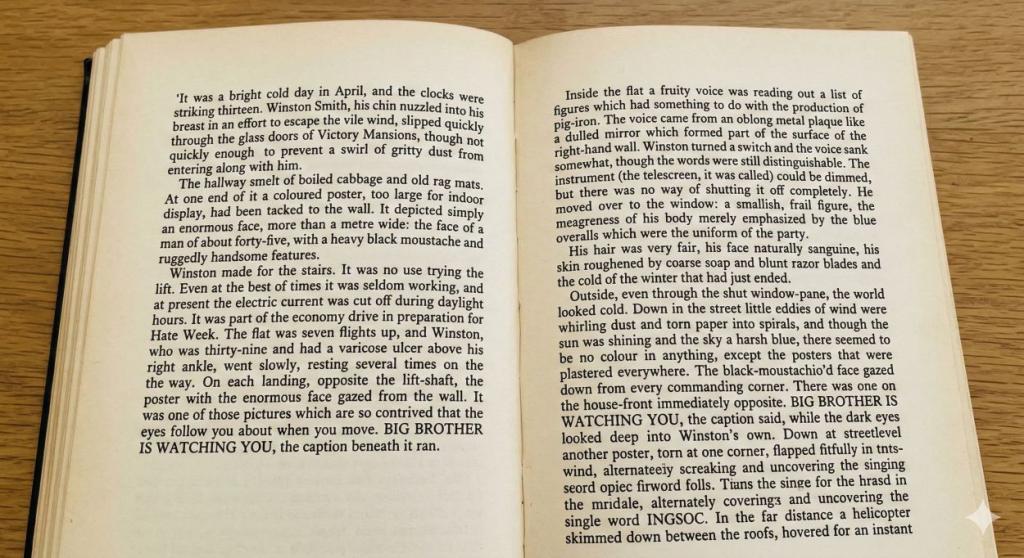
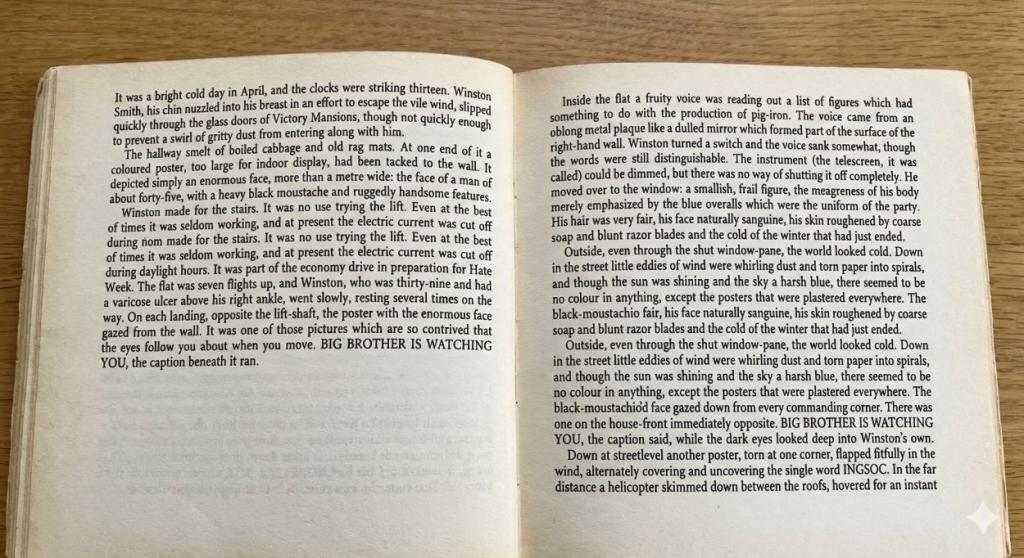
When I filled a page of dense text, one image was easier to read
I generated images of a book page with dense paragraphs to test text rendering. Both images were legible, but Nano Banana 2 delivered noticeably cleaner spacing and alignment. If you need readable in-image typography for posters or UI mockups, the smaller model saves you an extra round of manual fixes in Photoshop.
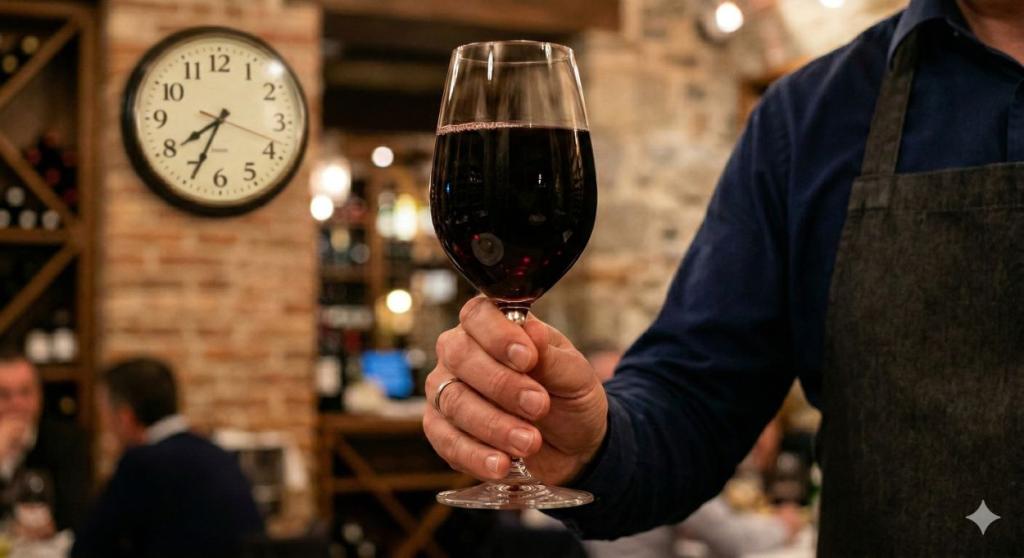
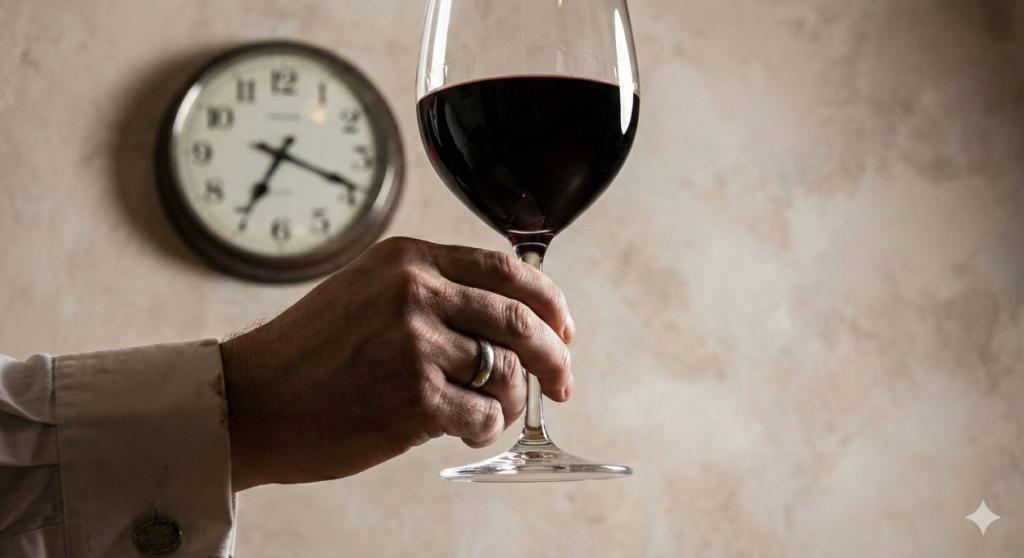
I asked for fingers, a full wine glass, and 7:42 on the clock; the models disagreed
I tested instruction following with a mixed prompt: visible fingers, a wine glass full to the brim, and a wall clock showing 7:42. Both models misrendered the clock and failed to display the full glass. Nano Banana 2 did show fingers; Pro did not. This exposes training biases that even Google’s Gemini family struggles with when prompts combine multiple precise constraints.
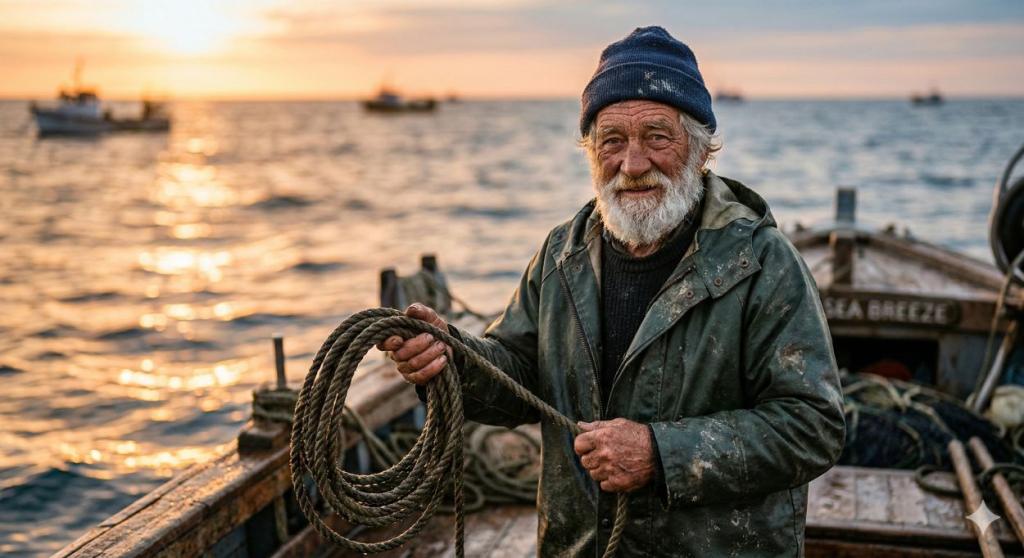
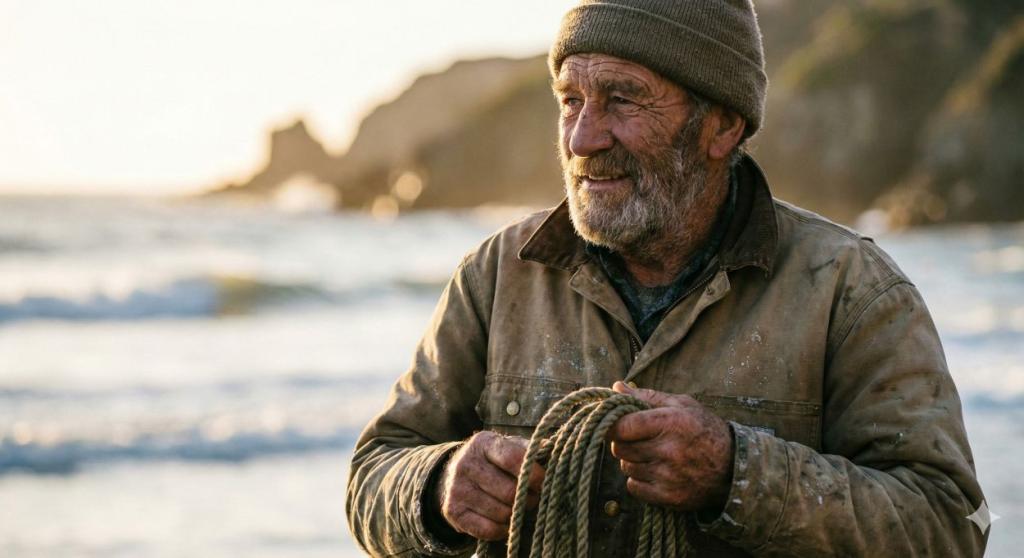
On photorealism, the small model rendered believable skin and light
I asked both to generate a golden-hour portrait of an elderly fisherman. Nano Banana 2 produced textured, believable skin, warm backlight, and cohesive color; the Pro output looked flatter in comparison. Nano Banana 2 was a scalpel across fine details, carving age and atmosphere with surprising economy.
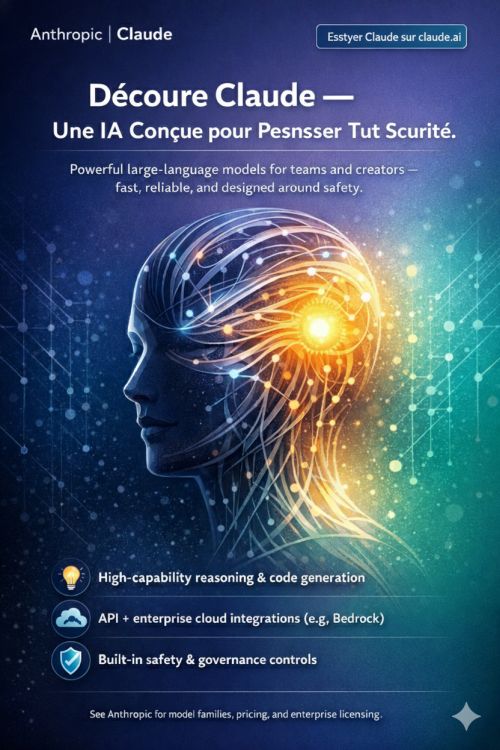
A poster translation test revealed both models miss side text
I uploaded an English poster and asked for French translation directly on the image. Both models translated the headline but left much of the body text untouched; Pro tried the description but stopped midway. If you’re localizing marketing assets instead of using dedicated OCR + CAT tools, expect manual cleanup.
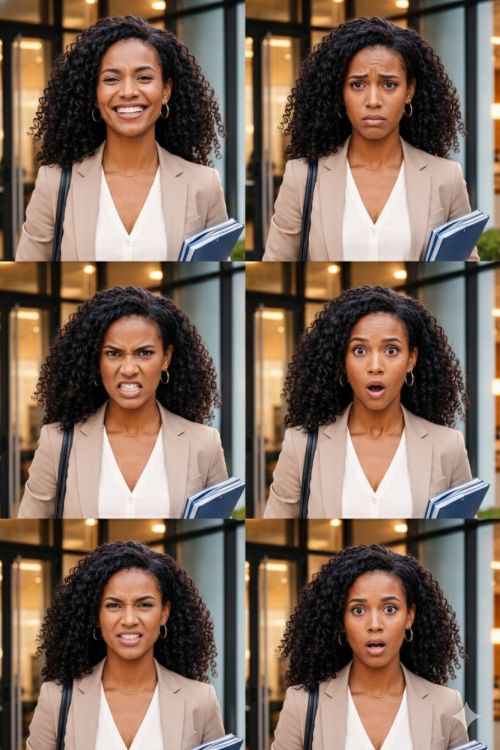
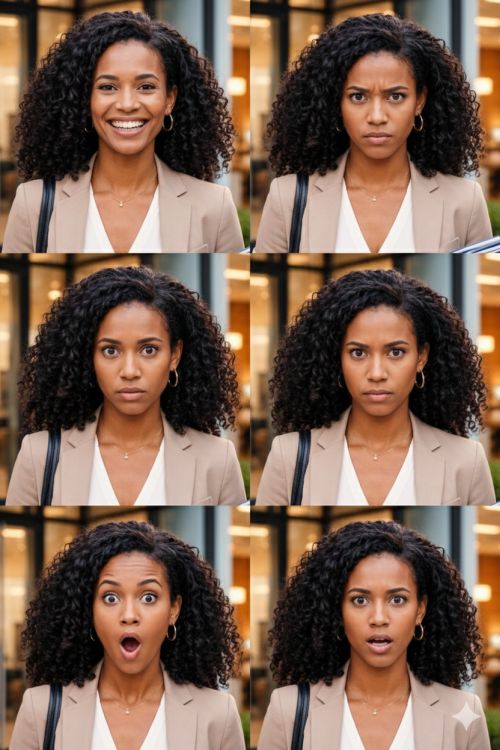
I tested character consistency with multiple emotions; one model kept the face stable
I uploaded a clear portrait and asked for a set of emotions. Nano Banana 2 kept the character consistent across expressions; Pro shifted facial features unpredictably. For storyboard work, that predictability matters — especially if you iterate in Clip Studio or Procreate afterward.
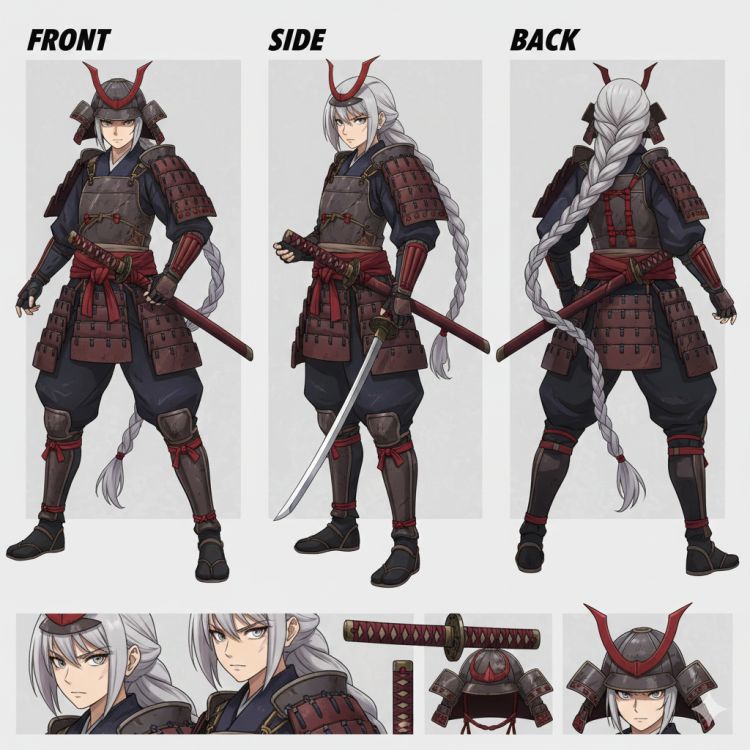
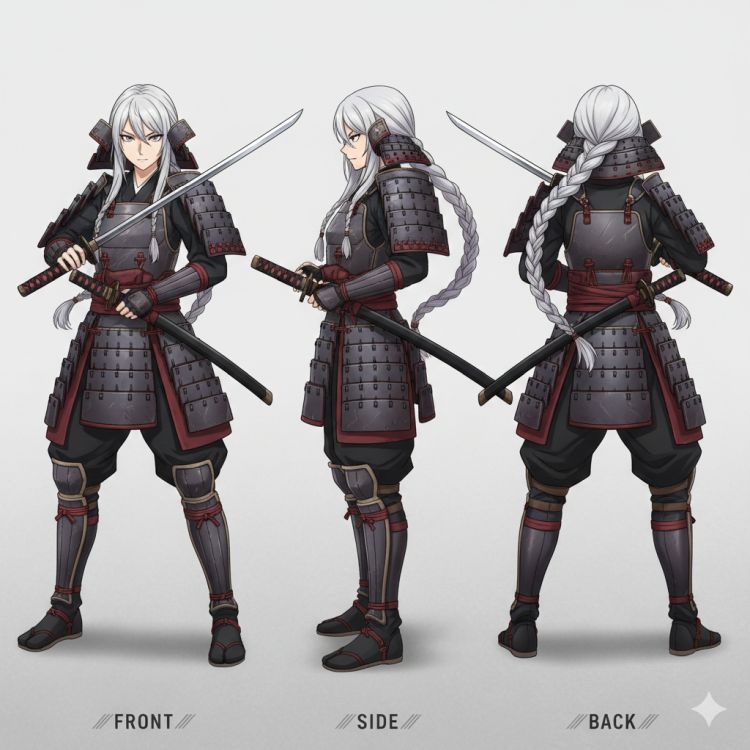
When I asked for a full-body female samurai sheet, one model nailed color and armor detail
I requested a multi-angle, full-body anime character sheet. Nano Banana 2 delivered stronger red accents, consistent armor details, and expressive face close-ups. Nano Banana Pro produced a competent sheet but lost coherence in some angles. Nano Banana Pro felt like a worn map of old strengths — reliable, but sometimes faded.
A quick read: why Nano Banana 2 outruns Pro more often than you’d expect
Observation: across my tests, the smaller Nano Banana 2 matched or beat Nano Banana Pro in most categories. The compact Flash model inherits knowledge from the Pro lineage but trades raw size for efficiency and latency. For teams managing budgets and cloud inference costs, that trade often favors Nano Banana 2 — lower compute and faster turnaround without a major sacrifice in quality.
Which model is better for photorealism?
Photorealism winner: Nano Banana 2. It produced more believable skin tones and lighting in my golden-hour tests. If you’re benchmarking against Midjourney or Stable Diffusion for photo-style outputs, Nano Banana 2 is a very competitive baseline.
Is Nano Banana 2 faster and cheaper than Nano Banana Pro?
Yes. Nano Banana 2 is designed from the Flash family for lower latency and cost per call. If your platform bills per inference (Google Cloud, AWS, or private GPU clusters), expect savings when scaling — and faster iteration when you’re refining prompts in production.
Should creatives pay for Nano Banana Pro?
It depends on your workload. If you need specialized high-fidelity edge cases or very large output batches where Pro’s specific strengths matter, Pro still has a role. For most deliverables — marketing assets, storyboards, UI mockups — Nano Banana 2 will get you there faster and cheaper.
Final note: Google’s knowledge distillation from Gemini 3 Pro Image into Gemini 3.1 Flash Image shows you can compress capability without losing the useful parts of modeling. If you’re a creative lead, engineer, or product manager deciding which model to deploy to clients or pipelines, which side of the trade-off will you bet on?