
I loaded Hytale for the first time and stood in a quiet village while a new sword appeared in my hand—created by a stranger on the internet. My heart flipped: a tiny change, a huge shift in how the game felt. By the time my friends joined, the world had already become something else.
I write guides like this because I want you to control that change, not be surprised by it. I’ll walk you through installing mods, turning them on for a world, and choosing the kinds that actually make play better.
How to Install Mods in Hytale
I noticed my desktop cluttered with launchers and tools before I even started modding. The easiest path to mods runs through the CurseForge app and the Hytale Launcher—both free tools you need on your PC.
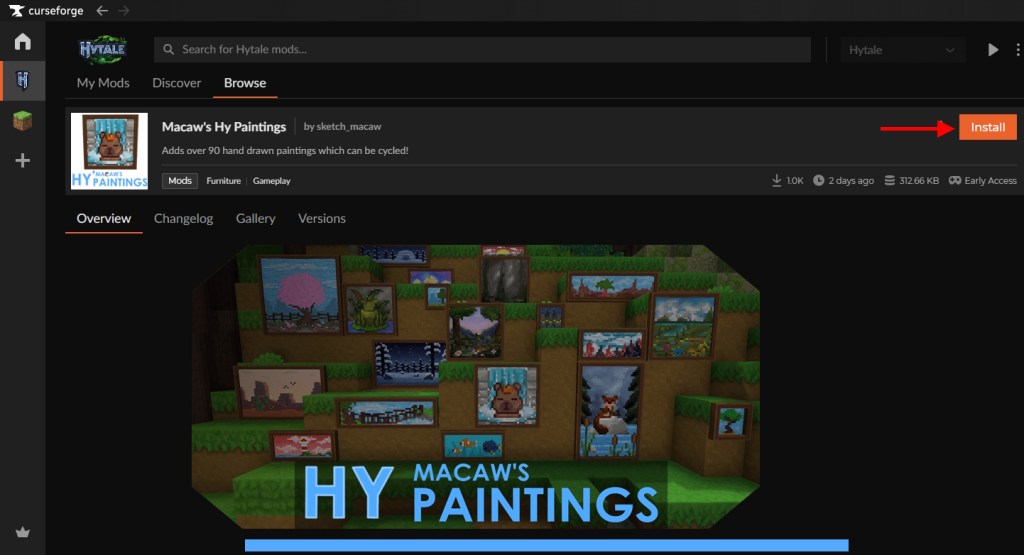
- Download and open the CurseForge app (available at curseforge.com). It’s the single best place to browse user-made Hytale packs and plugins.
- Make sure you already have the Hytale Launcher installed and the game added to your library.
- In CurseForge, select Hytale from the game list, then hit Browse for Mods.
- Find a mod or pack you want, click Install, then go to My Mods and press Play at the top-right to launch Hytale with that mod profile.
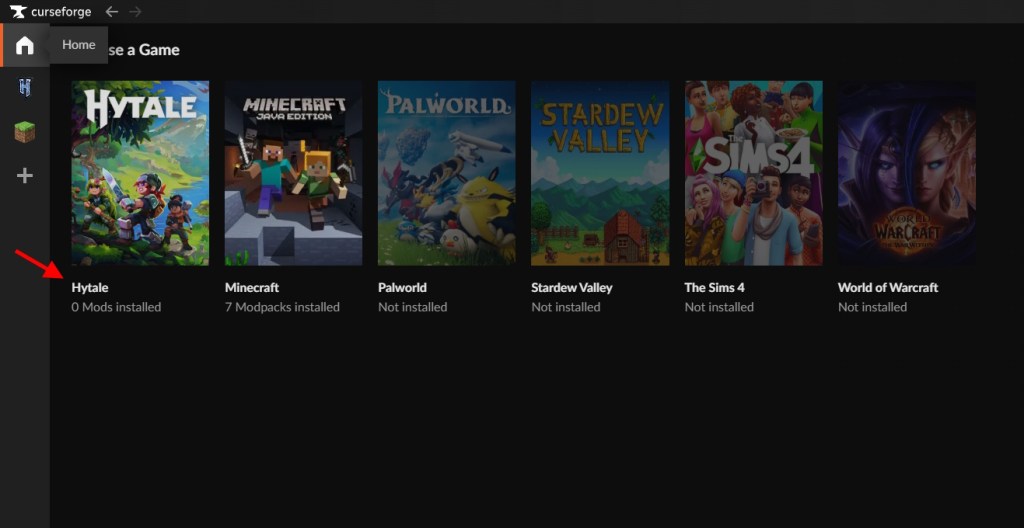
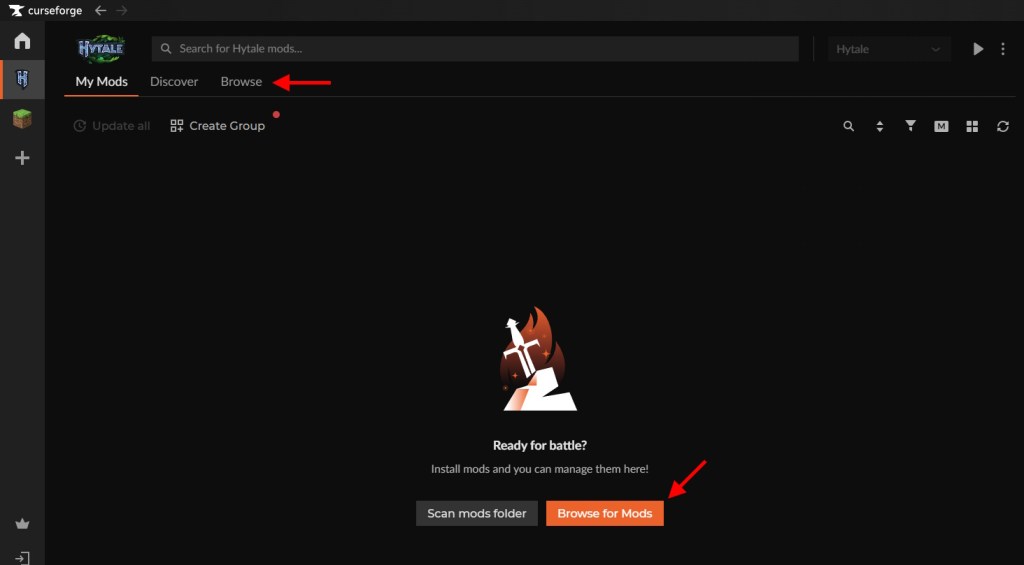
How to install mods in Hytale?
You open CurseForge, pick your mod, install it, then launch Hytale from that profile. That’s the short version; the practical detail is that mods are installed per-profile, which keeps your base game clean while letting you test experimental packs.
How to Run Mods in Hytale
On my first try I installed a creature pack and then forgot to enable it—nothing changed until I flipped the switch in world settings. Mods are server-side, so enabling them in a world changes the experience for anyone who loads that world.
- Open Hytale and go to the Worlds tab.
- Create a world or right-click an existing one to open its settings.
- Toggle the mods you want active for that world and click Save World Settings.
- Left-click the world to start it; the game will load those packs and plugins as the world boots.
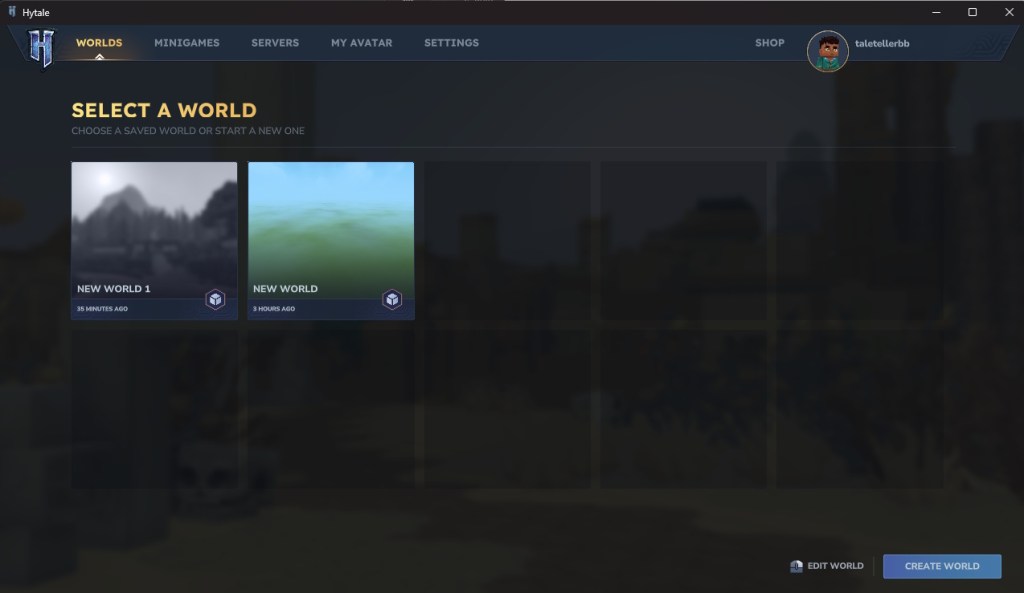
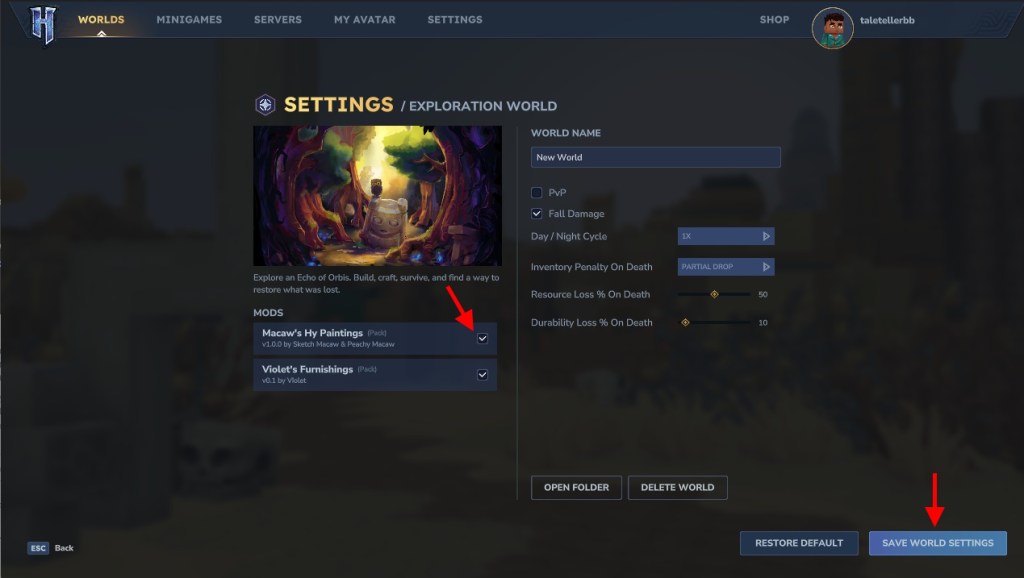
Does Hytale support mods?
Yes. Hypixel Studios designed Hytale to accept community content, and the current ecosystem includes packs (assets and content), plugins (Java-based systems), and early plugins that touch core systems and performance. Because mods run on the world, any player who joins sees the same changes.
What Are Hytale Mods?
In a crowded Discord I watched modders announce new creature packs and tiny QoL tools; that’s how the categories emerged quickly. Packs add blocks, items, animations, and behaviors; plugins script new systems; early plugins tune internals like chunk loading and performance.
Packs are content-focused: new weapons, furniture, or creatures. Plugins are closer to game logic and can introduce new rules or systems. Early plugins often work at a lower layer to improve speed or memory handling.
What are the best Hytale mods to install?
Good mods depend on how you play. If you want quality-of-life, try Advanced Item Info or Simple Claims. For variety, community packs like Lucky Minin add new loot and experiences. I follow creators on CurseForge and Discord to spot rising projects early—the main hubs are CurseForge, the Hytale subreddit, and Hypixel Studios’ official channels.
Think of mods like swapping Lego bricks: small pieces fit into a structure you already love. Pick a single change, test it in its own world, then expand. If a mod misbehaves, roll back the profile in CurseForge and you’re back where you started.
Plugins written in Java can be powerful but ask for more trust—read descriptions, check update notes, and favor creators with active communities. Early plugins that touch core systems should come from known authors or official community projects; they have more impact on performance and saves.
I run a short checklist before installing anything: scan the comments, confirm the mod author, note the last update date, and back up my world. The backup takes seconds and saves hours.
Curious: which mod changed the way you play, and did it improve things or break everything?