
I remember juggling three downloads the night before a launch, watching speeds flicker like a bad neon sign. My pulse quickened as the clock hit the preload window and I hit download—no room for error. If you’re racing to be in-game the second Crimson Desert goes live, you want that install finished before the servers become a stampede.
How to Preload Crimson Desert On PC, PS5, and Xbox
My hard drive warned me with that familiar low-space beep as I considered another triple-digit gigabyte install.
I’m going to walk you through exactly when the preload should appear, how big the download will be, and the fastest way to get it queued on Steam, Epic Games Store, PlayStation, and Xbox. Think of this as the checklist you wish someone handed you at midnight—short, direct, and practical.
Preload Start Date and Size
I checked Pearl Abyss’ announcements and countdown timers like a hawk; release dates have a way of slipping if you blink.
Crimson Desert launches on March 19, 2026. Based on typical publisher behavior and the team’s notes, the preload window is expected to open about 48 hours prior—so plan for around March 17 at 3 PM PDT, though Pearl Abyss or Valve may confirm a specific hour. The preload will hit Steam and the Epic Games Store, and Sony and Microsoft will mirror those windows on PlayStation Store and Xbox Store respectively.
When does the Crimson Desert preload start?
Short answer: plan for March 17 (48 hours before launch) and watch official channels from Pearl Abyss, Valve, Sony, and Microsoft for a firm timestamp. I recommend refreshing the Crimson Desert Steam and PlayStation pages an hour before that window.
The download requires roughly 150 GB of free space—treat that as a minimum. The game’s installer demands room to expand during setup, so clear an extra 10–20 GB if you can. The preload is a ticking time bomb of bytes; if your drive is a mess, it will blow your plans.
How to Preload Crimson Desert on PC
My Steam library is a graveyard of unplayed games, but I never let a big release sit unprepared.
On PC you have choices: Steam or Epic Games Store. Valve’s Steam page (developer: Valve) is the usual hub for Windows users; Epic may host a separate build. Here’s the clean path:
- Open Steam or Epic Games Store and load the Crimson Desert product page (Valve’s Steam page is a reliable place to watch).
- Pre-purchase the edition you want so the preload unlocks for your account when the window goes live.
- When the pre-download option appears in your Library, click Pre-download or Install. For Steam, right-click the game and choose Install to queue it.
- Monitor the download in Steam’s Downloads or Epic’s Library. If speeds lag, pause other large downloads or switch to a wired connection.

How big is the Crimson Desert preload?
The expected install footprint is about 150 GB. Make room ahead of time, because partial installs or juggling multiple updates will slow you down.
How to Preload Crimson Desert on PS5
My PS5 sits under the TV, disk drive humming while updates crawl—familiar territory for console players.
Sony’s PlayStation Store will host Crimson Desert on PS5. The sequence is straightforward:
- Open the PlayStation Store page for Crimson Desert (Sony lists store entries ahead of launch).
- Pre-purchase the game so the system recognizes your license when the preload appears.
- Go to your Library, find Crimson Desert, and select Download when the pre-download becomes available.
- Let the console finish the install. If you use Energy-Saving settings, make sure background downloads are allowed.
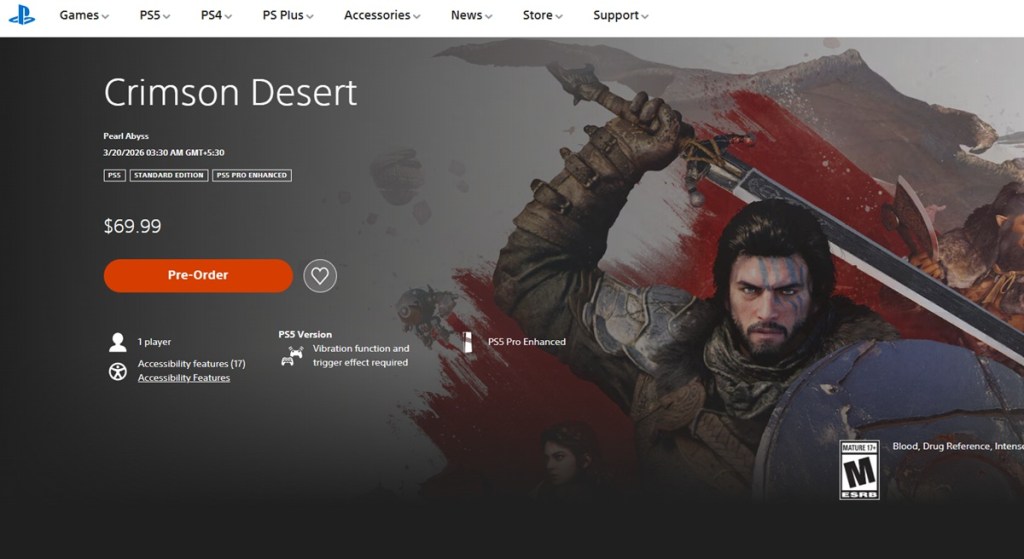
Can I preload Crimson Desert on PS5 without pre-purchasing?
Usually no. PlayStation ties pre-download permissions to purchase or pre-order ownership, so you’ll want to buy the edition you plan to play ahead of the preload window.
How to Preload Crimson Desert on Xbox Series X/S
My Xbox updates while I sleep; when it works, it feels like magic. When it doesn’t, it’s a lesson in patience.
Microsoft’s Xbox Store will list Crimson Desert and typically offers a preload option for those who pre-purchased. Steps:
- Open the Crimson Desert page on the Xbox Store (Microsoft publishes store entries weeks ahead of release).
- Pre-purchase the game so the preload becomes available to your account.
- When the preload button appears, select it to queue the download to your console.
- Check your storage and clear space if required; fast external SSDs can be used with Series X/S for quicker installs.
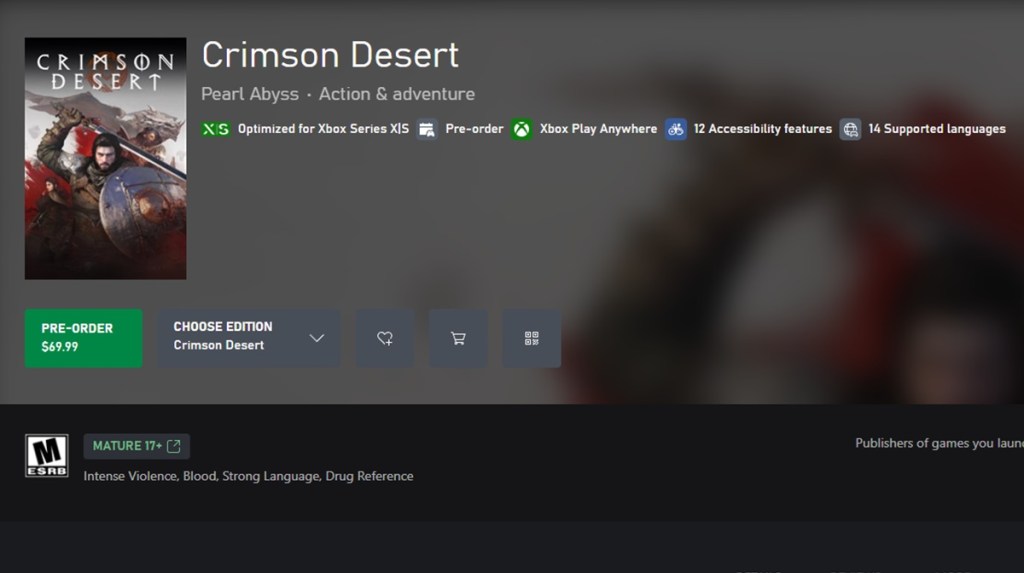
Do preloads go live at the same time across platforms?
Not always. Publishers like Pearl Abyss announce a global window, but regional store timings and platform policies (Steam/Valve, Epic Games Store, PlayStation/Sony, Xbox/Microsoft) can shift the apparent start by an hour or two. Watch the official Crimson Desert pages on Steam, PlayStation Store, and Xbox Store for the definitive cue.
Final Notes and Quick Troubleshooting
My router has betrayed me more than once, so I prepare for plan B.
- Wired Ethernet is faster and more stable than Wi‑Fi—use it if you can.
- Close other heavy apps and pause cloud backups during the preload to maximize bandwidth.
- Clear at least 170 GB if you can to avoid mid-install failures.
- If a preload doesn’t appear when expected, check official Pearl Abyss social channels and the game’s store pages—publishers sometimes change windows at the last minute.
Your SSD is a crowded subway at rush hour; give it room to breathe and it will deliver you to the launch platform on time. Ready to fight the server queues on day one or will you wait for patches to calm the chaos?