
You’re two innings into a season and your inbox is empty. The club keeps you in the same lineup while your name buzzes in the trading rumor mill. I’ve been on both sides of that screen — the quiet player bench and the player the phone finally rings for — and I’ll walk you through how to make the latter happen.
I play RTTS and I’ve seen how one conversation with your agent can change a career. You don’t need a miracle; you need procedure, timing, and a little impatience. Follow these steps and you’ll force the market to notice you.
At the top-right of the RTTS hub sits a small Message Box most people miss — How to request a trade in MLB The Show 26
Open the RTTS hub and scan the screen: that Message Box is the portal. Click it, pick communications, and you’ll talk to your agent. Say you want out, then give it a few in-game days.
Conversations have cooldowns. If you spoke to your agent recently, you can’t spam requests; you’ll need to wait for the next dialogue prompt. When the option appears, tell your agent you want a move. That sends a signal to the AI and the franchise offices — and then you wait for return offers.
Think of asking your agent like nudging a manager for a clubhouse meeting: subtle, persistent, and timed. Tip: don’t reopen the same dialogue immediately. Patience raises the odds of substantive offers.
How do you request a trade in MLB The Show 26?
Use the Message Box in RTTS, choose communications, and select the agent conversation about trades. Wait a few days, then check messages for offers. If nothing appears, keep playing and improve your metrics — teams respond to performance as much as requests.
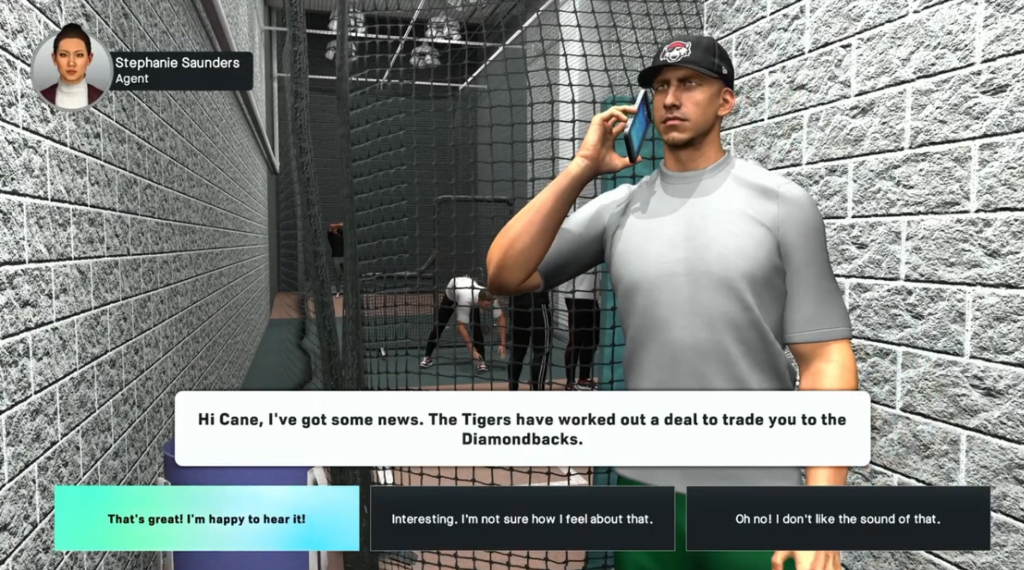
Other teams watch box scores like scouts watch spring training — How to get trade offers in MLB The Show 26
Good play makes you visible. If you’re hitting, fielding, or closing games consistently, other clubs will generate automatic trade interest and your agent will ping you with offers.
Stats drive attention: hot streaks accelerate growth and cause AI-controlled teams to target you. That’s how a player moves from a weaker squad to one stacked with talent — performance creates demand.
There’s also an in-game knob you can tweak: the Trading Frequency slider in Settings. Turn it up and AI teams make more deals, which raises your odds of moving. But don’t crank it to maximum — too many trades will make your RTTS save feel like a fantasy GM simulator rather than a believable season.
Can you get automatic offers in RTTS?
Yes. Playing well triggers AI interest and your agent will deliver unsolicited offers. The Trading Frequency slider nudges that behavior further, and consistent statistical improvement makes the offers sweeter.
I recommend combining both paths: ask your agent when the option appears and keep your numbers healthy. A trade feels less like being swept off your feet and more like a domino chain in a diner — one nudge and the rest follow.
San Diego Studio’s systems (and PlayStation’s RTTS framework) reward visible players, so make the market see you: play games, stay consistent, and use the Message Box wisely. Ready to test the market or will you ride out the season where you are?