
The truck door slams and the dashboard light carves a pale circle across the cab. I see a small lamp wedged beside the screen and realize the map I signed into is crowded with false threats. You lift the Angel Lamp and the game suddenly asks whether you will cut through confusion or feed it.
I’ve hunted dozens of Phasmophobia events and watched players waste time on red herrings. Below I’ll show you where that lamp lives, how to use it, and why the score matters—fast, practical, and written like I’m standing beside you in the truck.
Tools hide in busy workspaces: Where to find Angel Lamp in Phasmophobia
The Angel Lamp sits on the dashboard next to the screen in the truck. You can grab it before you step into any of the four event maps: Elderwood Palace Lodge, Coffee World, Oh Deer Diner, and Cauldron Lake. If you open the truck and the lamp isn’t there, double-check the map list—it only appears during the Alan Wake event.
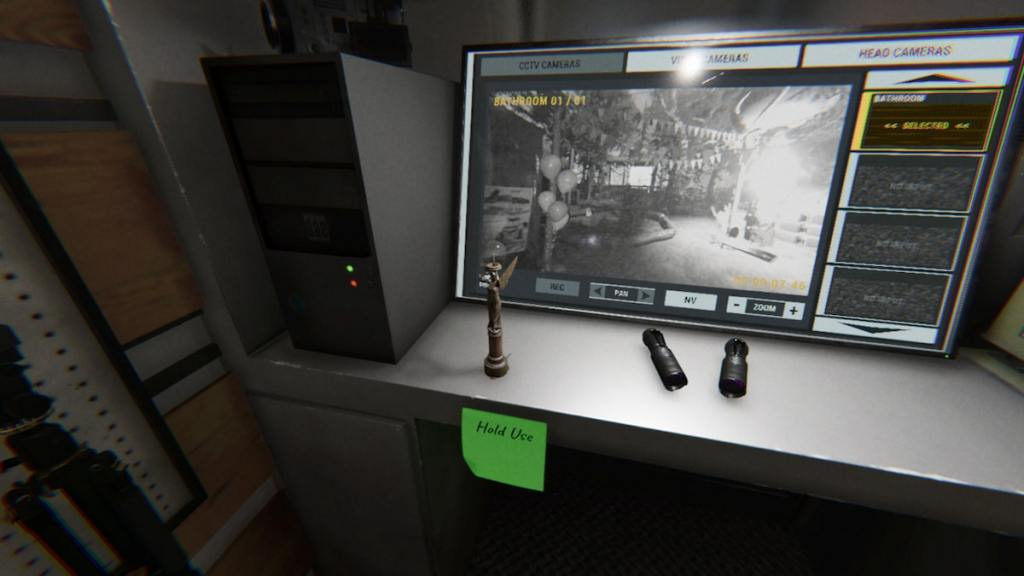
Where to find Angel Lamp in Phasmophobia?
Open the truck, glance at the dashboard, pick up the lamp. If you play on Steam, the pickup is the same as other objects—press the Use key or mapped controller button and carry it like any other tool.
Shadowed props confuse investigations: What does the Angel Lamp do in Phasmophobia?
Maps in the event are populated with shadow figures that look ominous but don’t behave like the real ghost. The Angel Lamp removes those figures when you aim it at them, clearing visual clutter and preventing misreads during hunts.
The lamp is like a lighthouse cutting fog: it doesn’t scare the real ghost away, but it separates scenery from evidence so you can focus on actual threats.
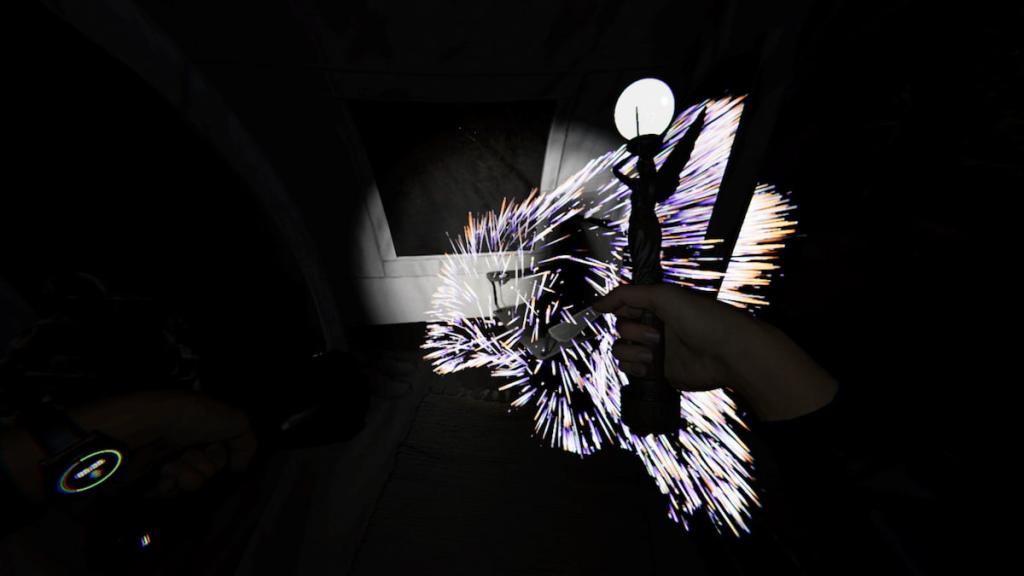
What does the Angel Lamp do?
It banishes shadow figures and awards event points when it hits them. The lamp won’t interact with EMF readings, fingerprints, or other evidence—its job is strictly visual cleanup.
Physical controls are predictable: How to activate Angel Lamp in Phasmophobia
Once you pick the lamp up, hold the Use button while facing a shadow figure. That’s the trigger: point, hold, and watch the silhouette dissolve. The lamp works from a distance—line-of-sight matters more than proximity.
On PC via Steam, the default Use key is E; on controller, use the mapped interact button. If you stream or clip with OBS or Twitch, start the clip right when you clear a cluster—those moments get played in community highlight reels.
How do you use the Angel Lamp?
Grab it in the truck, aim at a shadow, hold the Use button until it fades. Repeat—there’s no cooldown or ammo limit, so you can sweep every map and stack the event points.
Real teams clear the stage: How to banish shadow figures in Phasmophobia Alan Wake event
Shadow figures only disappear when you point and activate the Angel Lamp directly at them. There’s no substitute: smudges, crucifixes, or the UV light won’t affect these shapes. Bring the lamp out early, or you’ll waste time trying other tools.
Coordinate with your squad: one player can hold the lamp while others gather evidence. That split lets you chase traditional objectives—EMF, freezing temps, spirit box—while the lamp removes confusion.
Points add up fast: How many points does banishing shadow figures grant in the Phasmophobia Alan Wake event?
Each shadow cleared grants two event points, multiplied by difficulty. Play higher difficulties and those little twos become meaningful progress toward rewards. Check the end-of-round stats on the Steam overlay or the in-game summary to see your totals.
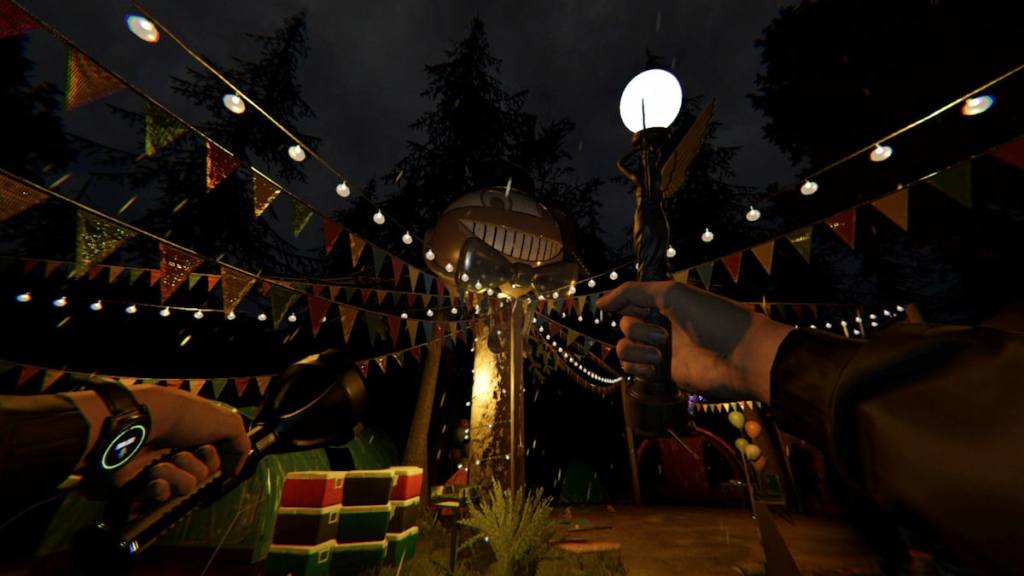
If you want extra points beyond shadow-clearing, work through Charm locations and the Doll Puzzles while someone holds the lamp. Players on Reddit, YouTube, and Twitch are already sharing route clips—watching a quick montage on YouTube can shave minutes off your plan. I lean on community clips and the Kinetic Games patch notes to confirm behavior changes; Remedy’s Alan Wake lore gives the event its tone but Kinetic Games builds the mechanics.
The lamp is as helpful as a magnifying glass in a crime scene—small, obvious, and often overlooked; so will you carry it every round or let the shadows win this event?