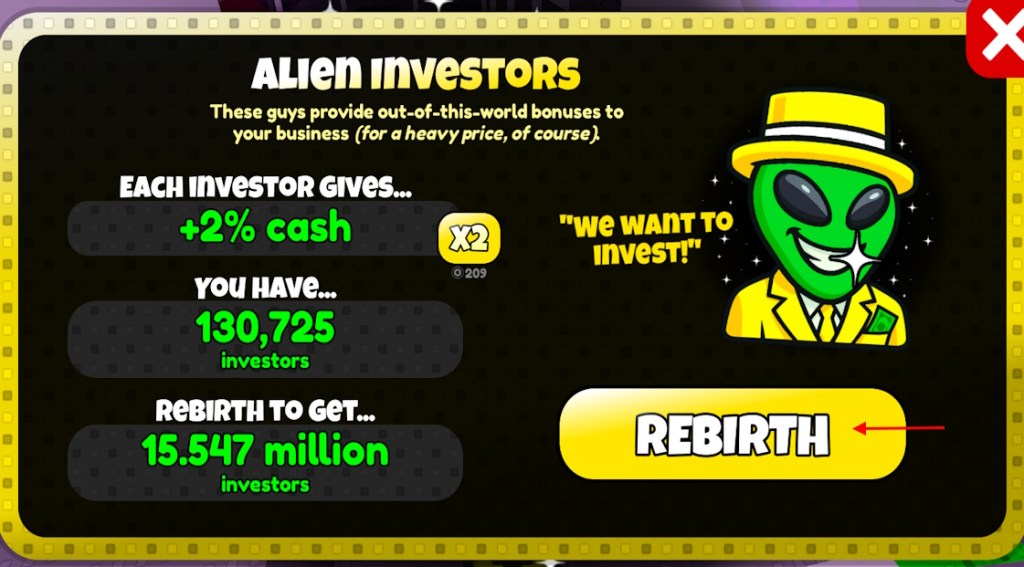
I hit the rebirth button and watched a week of progress disappear in a blink. You know that hollow pause—when the green BUY button stares back and nothing you own survives the reset. I’ve chased shortcuts and paid for permanence; here’s what I learned.
You check the menu every time you spawn back into the game, counting upgrades you don’t want to rebuild. How to get Remote Buy in Sell Lemons
Remote Buy gives you the power to tap the green BUY button from anywhere in the map in the Roblox game Sell Lemons. Remote Buy is a remote control for your storefront: it keeps purchases fast when you’re moving between counters or juggling investors. I’ll show the exact steps, costs, and the trade-offs so you can decide if it fits your playstyle.
How Much Is Remote Buy in Sell Lemons
There are two ways to get Remote Buy: spend investors (the in-game currency you earn while playing) or buy the permanent Robux version. The investor price scales painfully high—players report astronomical requirements at the late stages—while the Robux option stays with you after rebirth. If you plan to rebirth a lot, the Robux route saves time; if you grind solo and never rebirth, investors will do the job.
How Many Investors for Remote Buy in Sell Lemons
The free investor route can demand truly massive numbers—think in extreme scientific terms: the game lists costs like 1 Trigintillion investors for certain free unlocks. I recommend checking the number visible in the clipboard menu before you hit confirm; you can see exactly how many investors the purchase will consume.
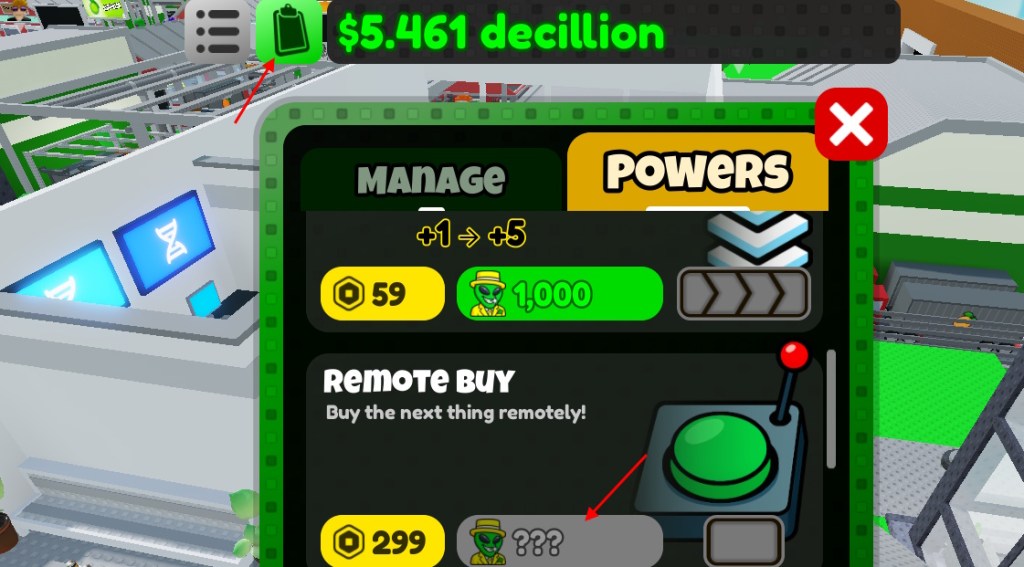
You open the top menu and hover over the clipboard before deciding to spend. Purchase Remote Buy in Sell Lemons
- Click the clipboard icon in the top menu (that’s where the game lists permanent and investor purchases).
- Scroll until you find Remote Buy listed among the perks.
- Click the button beside the Robux icon if you want the permanent Robux version, or the investor button if you want the in-game currency route.
- Confirm the purchase — once you buy the Robux version it stays after rebirth; investor purchases are removed when you rebirth.
When you’re mid-run and customers pile up, Remote Buy saves you steps. How to Use Remote Buy in Sell Lemons
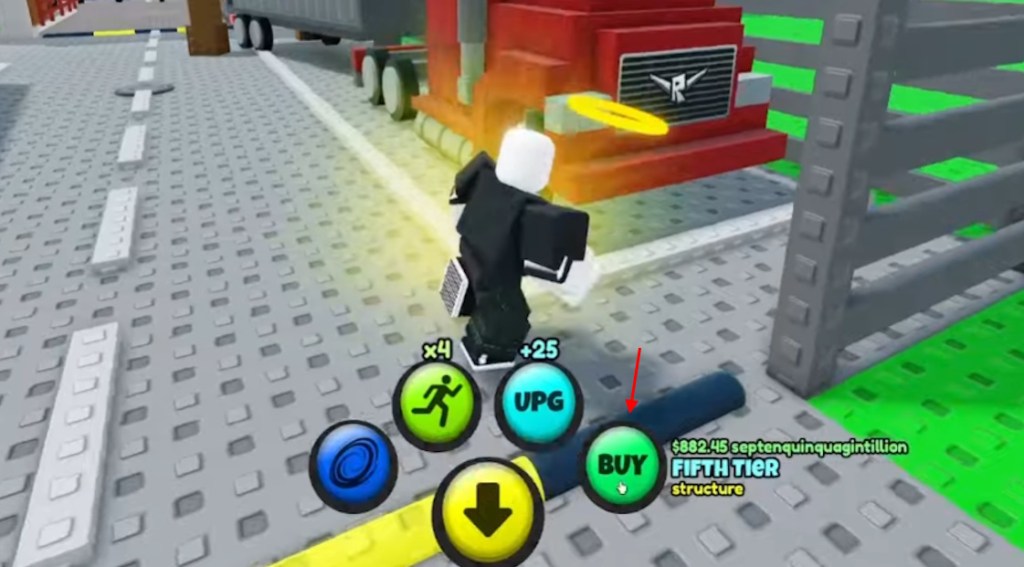
Once Remote Buy is active, walk up to any counter or station and press the green BUY button to purchase upgrades from anywhere on the map. It removes the travel time between counters, so you can focus on stacking investors, hiring assistants, and evolving lemons. If you rely on speed-runs or efficiency, Remote Buy cuts friction out of every loop.
You’ve lost upgrades to rebirth before and felt the sting of rebuilding. Should You Get Remote Buy in Sell Lemons?
- It lets you buy upgrades from anywhere using the green BUY button — that’s raw time savings in Roblox play sessions.
- It reduces the grind after every rebirth, so your next run starts stronger and faster.
- The free investor version can require absurd totals (players report numbers like 1 Trigintillion investors for certain perks).
- Only the Robux purchase remains after rebirth; investor-bought Remote Buy is removed when you reset.
If you value permanence and you rebirth frequently, the Robux option is the sensible investment. If you enjoy the grind and hate spending real money, be prepared for massive investor goals. Rebirthing can feel like a guillotine for your upgrades — sometimes paying a small fee buys back hours of repetition.
I’ve tracked purchases, tested runs, and weighed the math in Roblox communities; now it’s your call: will you pay for permanence or grind for pride?