
I clicked the community page and felt the clock tighten: the voting window closes in days. I realized any single click could tilt the final house from quaint to iconic. You can cast that click, or let someone else decide what every player will get for free.
I’m going to walk you through the exact steps I used to vote on the official Disney Dreamlight Valley page, explain the choices that matter, and show how this free item will likely land in your game. This isn’t a random poll — it’s a staged design process where every round counts, and Gameloft and Disney will bake the most popular picks into the final skin.
A friend messaged me asking how to actually vote. How to help create a future house skin in Disney Dreamlight Valley
You won’t vote from inside the game; this happens on the web. Go to the official create-a-house-skin page on the Disney Dreamlight Valley site and log in if prompted: https://disneydreamlightvalley.com/community-house-voting. I recommend using a desktop browser or a mobile browser with desktop mode — the form loads cleaner and you can avoid missed clicks.
Important: your ballot only counts if you complete every round. That means stepping through each phase and choosing one option per phase. Treat it like a multi-step form on Steam, the Nintendo eShop, or PlayStation Network — if you quit early, your choices won’t be tallied.
Small pro tip from my own experience: use a browser you’re already logged into for Disney/Gameloft or the platform where you play DDV; session errors are rare that way.
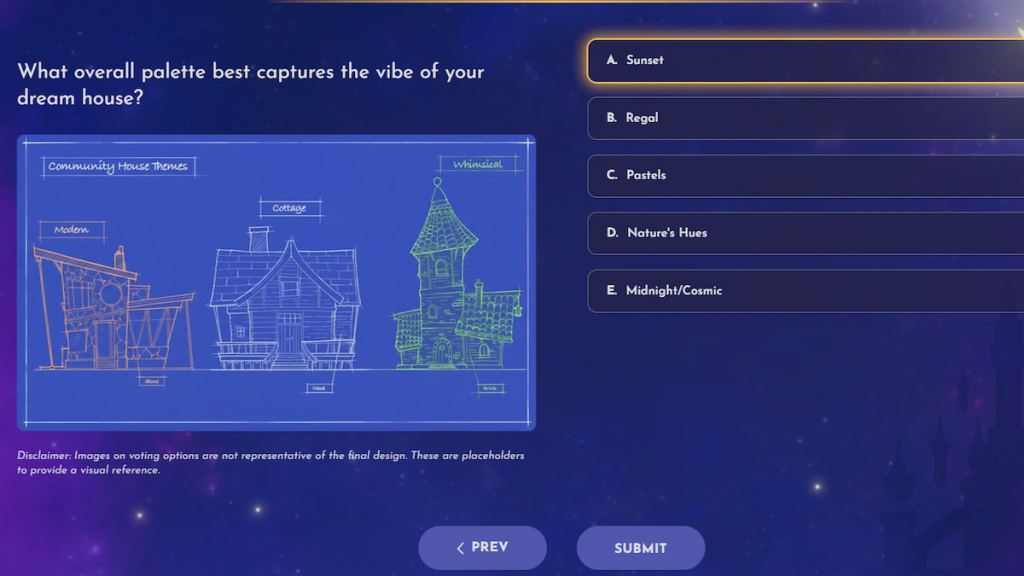
I scrolled through the first round and felt choices stack up like paint swatches. All house skin voting options in Disney Dreamlight Valley
There are seven voting phases, each refining the final build from silhouette to color. Vote in every phase to have your voice counted; the community-wide winners will be combined into one free house skin.
- Overall visual style
- A. Cozy and inviting
- B. Grand and sophisticated
- C. Magical and nature-inspired
- D. Bright and breezy
- E. Mysterious and quiet
- Overall shape
- A. Tall
- B. Short
- C. Wide
- D. Multi-levelled
- E. Round
- F. Crooked
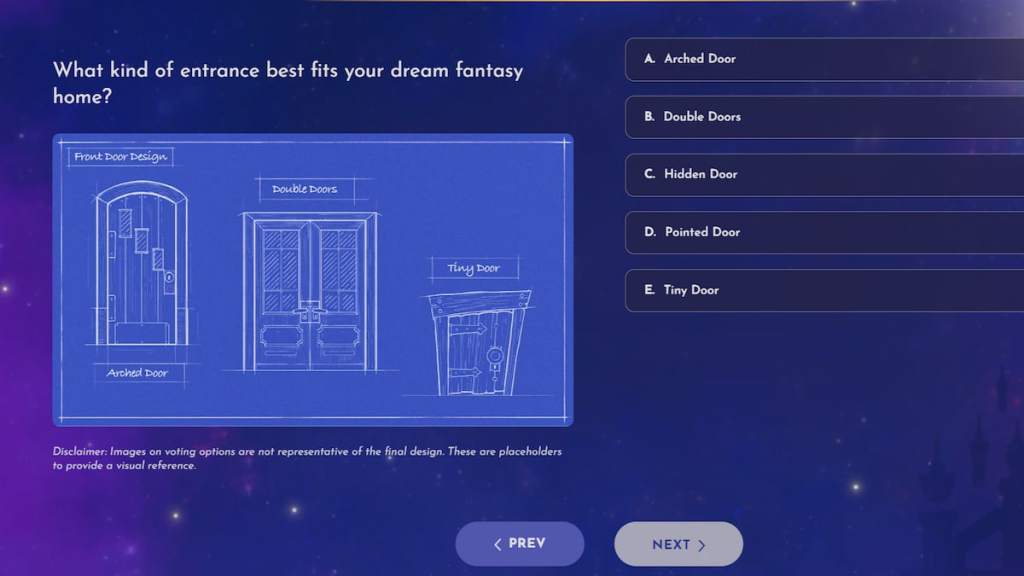
- Entrance
- A. Arched Door
- B. Double Doors
- C. Hidden Door
- D. Pointed Door
- E. Tiny Door
- Window design
- A. Peek-a-Boo Window
- B. Oval Window
- C. Stained Glass Window
- D. Half Moon Window
- E. Off-Center Window
- Material
- A. Wood
- B. Corals
- C. Metal
- D. Stone
- E. Glass
- Standout element
- A. Veranda
- B. Porch Columns
- C. Tower
- D. Outdoor Staircase
- E. A Roof Garden
- Overall palette
- A. Sunset
- B. Regal
- C. Pastels
- D. Nature’s Hues
- E. Midnight/Cosmic
This process feels like leaving a fingerprint on a shared canvas, so think about combinations that read well together instead of picking only your favorite item in isolation.
How do I vote for the community house skin in Disney Dreamlight Valley?
Visit the official voting page, step through each phase, and submit once you choose an option in every round. You must complete all seven phases in one session for your vote to count.
My calendar was already circled for this week. Community house skin voting period in Disney Dreamlight Valley
The voting runs from June 17 to June 26. That gives you a little over a week to act — not enough time to procrastinate if you care what the result looks like in September or later.
If you track Dreamlight Valley on Twitter/X, Reddit, or the official Discord, you’ll see reaction threads and tips — these communities often influence final turnout, so jump in and vote early if you want momentum on your picks.
Do I need to own Disney Dreamlight Valley to vote?
No. Voting takes place on the web page and typically doesn’t check whether you own the game. That said, Gameloft and Disney sometimes ask for basic account info to prevent botting, so keep a valid email or linked account on hand.
A friend dug up the Sakura Blossom Dragon code as proof it works. How to get community house skin in Disney Dreamlight Valley
The finished community house skin will be free ($0 / €0) for all players. Based on how Gameloft handled the Sakura Blossom Dragon, expect a special redeem code or an in-game mail distribution when it ships.
Codes usually work across platforms if the developer distributes them as global keys: Steam, Epic Games Store, Nintendo eShop, PlayStation Network, and Microsoft Store can all accept codes in different ways. If you play on Switch, PS, or Xbox, watch the official Dreamlight Valley channels for platform-specific instructions.
I watched the Summer Showcase clip and timed the announcement. When will the community house skin be released in Disney Dreamlight Valley?
During the June 2026 Summer Showcase, Disney and Gameloft confirmed the community house skin will arrive sometime before the end of 2026. They didn’t lock a date; expect it as part of a seasonal update in the back half of the year — possible windows are around September or December.
Keep an eye on the official Dreamlight Valley site, Gameloft social feeds, and the game’s update notes on Steam or console storefronts. If you want an alert, follow Gameloft or Dreamlight Valley on Twitter/X and join the Discord for the earliest code drops and distribution details.
The community picked the pieces — will you treat your vote like a single pixel or the brushstroke that shapes the valley’s next home?