
I was two gardens away when the sound cut through the lobby—equal parts triumphant and rude. You can feel the moment: someone claimed the sonic space and every head turned. I’ll show you how to snag that moment, tame it, and bait reactions without sounding like a broken radio.
I’ve been testing the Megaphone in Grow a Garden 2 across crowded servers, private farms, and that odd late-night lobby where memers gather. Below I walk you through getting it, wiring up Roblox sound IDs, and the handful of codes that make people stay, leave, or ask for the link to your inventory.
The lobby is noisy and someone always has a playlist: How to Get Megaphone in Grow a Garden 2
The Megaphone sits in the Gear Shop and stays with you forever once bought. Here’s the quick route to owning it:
- Click the seeds or sell button to teleport to the middle lobby.
- Walk to the Gears counter and talk to George.
- Scroll the list and spend 8,000 Sheckles (≈€8) to buy the Megaphone.
- The gear is permanently added to your inventory; no renting, no timers.
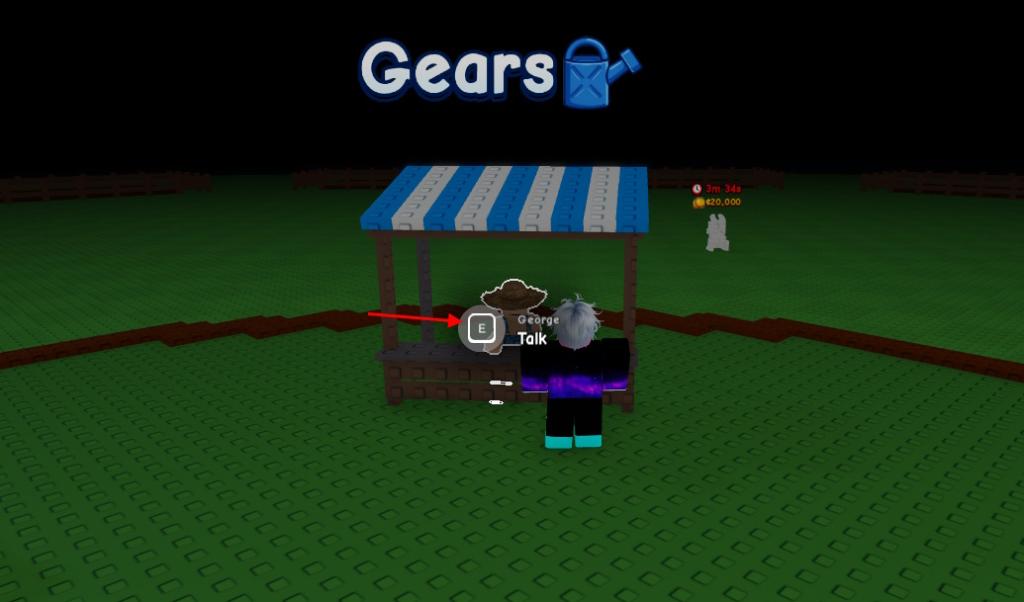
How do I get the Megaphone in Grow a Garden 2?
Short answer: buy it from George at the Gears counter in the lobby for 8,000 Sheckles (≈€8). It appears in the shop 24/7, and once it’s yours it remains in your gear list across sessions.
The first time you equip a gear it feels powerful: How to Use Megaphone in Grow a Garden 2
Equipping the Megaphone is the same as any other gear — but the payoff is louder. Follow these steps to equip and configure it:
- Open your hotbar and click the slot assigned to the Megaphone, or return to the Gears shop and press Equip under the Megaphone entry.
- Tap the gear icon on-screen to open the Megaphone menu.
- Type a Roblox music code into the Song ID field and press Enter.
- Adjust volume from that same menu or from the main audio settings if you need to scale back community chaos.
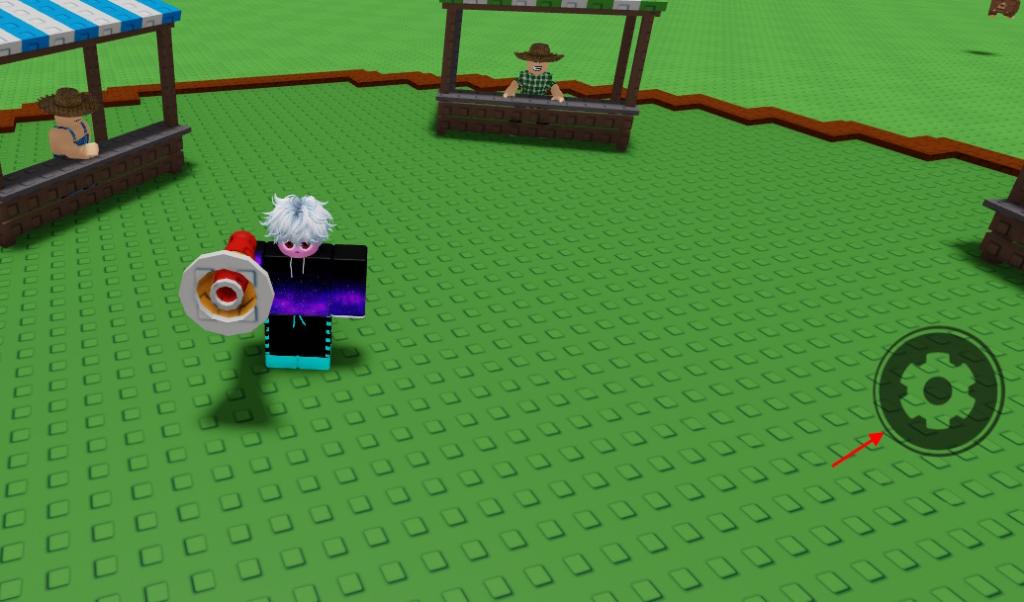
How do I use Roblox sound IDs with the Megaphone?
Use any valid Roblox audio ID. You can search the Roblox Audio Library or copy IDs from trusted lists and paste them into the Song ID slot. If you use a custom upload, test it in a private server first so you don’t end up broadcasting a muted file.
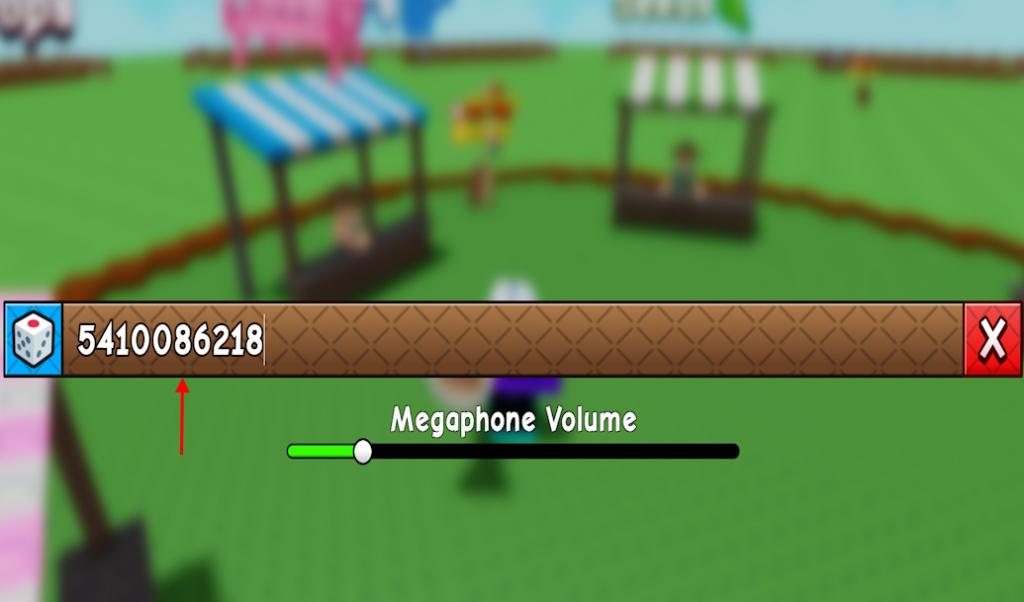
When music stops being background noise people react: Best Grow a Garden 2 Megaphone Sound IDs and Codes
Audio choices tell a compact story about you — prankster, DJ, or pure chaos agent. Below are solid IDs that work across crowds and server types.
It hits like a foghorn in a quiet harbor. Sometimes it feels like dropping a boombox into a library.
- 5410086218: Noisestorm – Crab Rave
- 142376088: Raining Tacos
- 1837015626: Tokyo Drift
- 1626996526: Windows XP Theme
- 168208965: Whatcha Say
- 1846368080: Stadium Rave (SpongeBob SquarePants)
- 515669032: Spooky Scary Skeletons
- 7363412529: You’ve Been Rick Rolled
- 9106904975: Better Call Saul Theme
- 9119119619: Elevator Music
How much does the Megaphone cost in Grow a Garden 2?
The Megaphone costs 8,000 Sheckles (≈€8) and is sold by George at the Gear Shop. It’s a one-time purchase and doesn’t vanish between sessions.
Pro tips: use Roblox Studio or the Audio Library to preview clips before you go public, and keep a short list of fallback IDs in case a server mutes a track. If someone reports a file, Roblox’s moderation tools may remove it, so prefer verified uploads for longer runs.
I’ve tested dozens of IDs across private and public servers; now it’s your turn to provoke a reaction—what will your signature song be?