
I dropped onto the south end of the island with a single goal: find the celebrity NPC before the storm rolled me into a bush. The map felt spread out and random until I spotted a pink swing under a lone tree, and everything snapped into place. That tiny detail changed the match — and my free prize — in an instant.
I’ve chased seasonal NPCs across Epic Games’ islands for years, and I’ll walk you straight to Olivia without fluff. You’ll get the Loading Screen, the post-chat Jam quest, and the exact button presses for PlayStation, Xbox, Switch, and PC. Read this once and you’ll save time in every future search.
On the south edge of the map a single tree has a pink swing attached. Olivia Rodrigo location in Fortnite
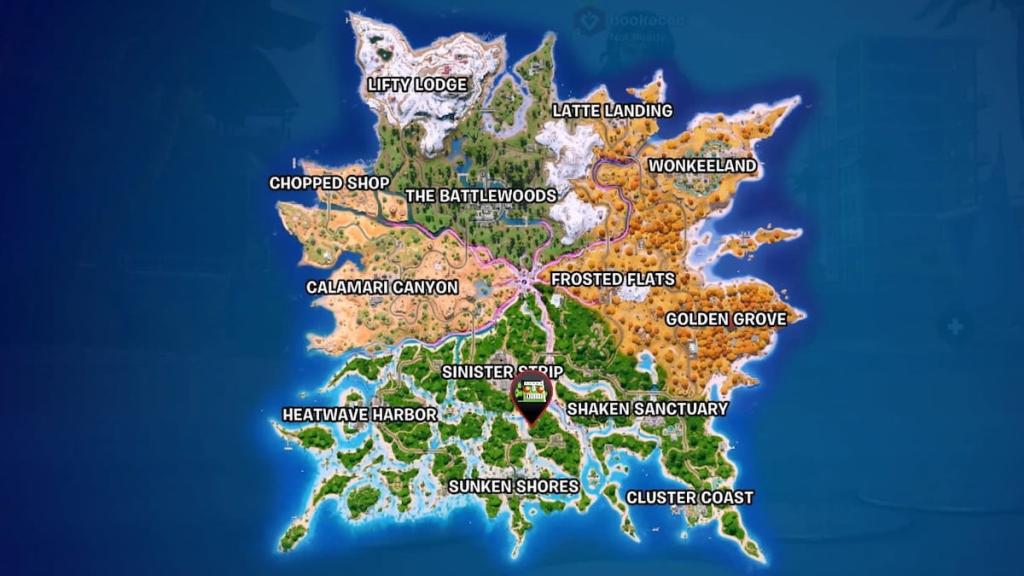
Find the island south of Sinister Strip, west of Shaken Sanctuary, north of Sunken Shores, and east of Heatwave Harbor. It sits near the map’s south end and blends with a cluster of trees — but only one tree wears a pink swing. The map can feel like a scatterplot, and that swing is like a neon compass pointing you to the right tree.
Where is Olivia Rodrigo in Fortnite Chapter 7 Season 3?
She’s standing under that pink-swing tree. If you’ve visited the Easter-egg tree before Olivia’s arrival, you already have a head start; otherwise, drop near the coordinates above and hunt the south shoreline until you spot the swing.
The scene looks unremarkable until you get close. Say hi to Olivia in Fortnite
Walk up, interact once, and the quest completion pops. I mean literally — approach Olivia, press the interact key, and the mission marks complete. That single interaction nets you the free Loading Screen.
How do I get the Olivia Rodrigo loading screen?
The Loading Screen, labeled The Duality of Olivia, is granted immediately after you complete the simple “say hi to Olivia” objective. No kills, no build tricks — just the interaction. If you use a controller, the interact button is your standard “use” input; on PC it’s E by default.
The reward arrives the moment your chat registers. How to get free Olivia Rodrigo Loading Screen in Fortnite
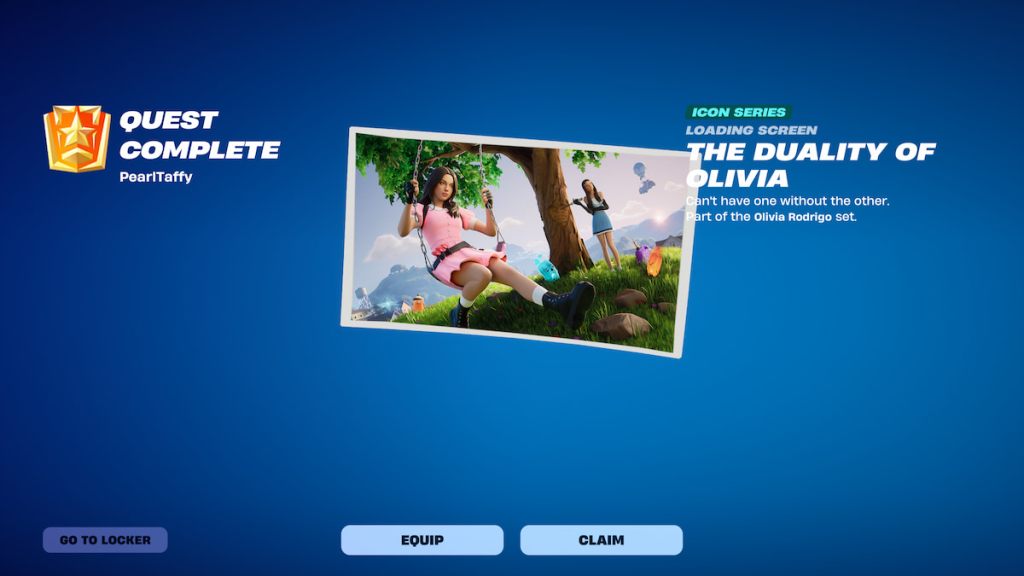
After the talk, the Loading Screen appears in your Locker like any other reward from Epic Games. If it doesn’t show, check your Quests tab — the mission will be listed there as completed. I recommend checking your internet connection and Epic Account status if the reward is missing; cross-platform sync between PC, PlayStation, Xbox, and Switch is usually seamless but occasionally delays.
There’s a small circle of space around Olivia where music triggers count. Jam near Olivia in Fortnite
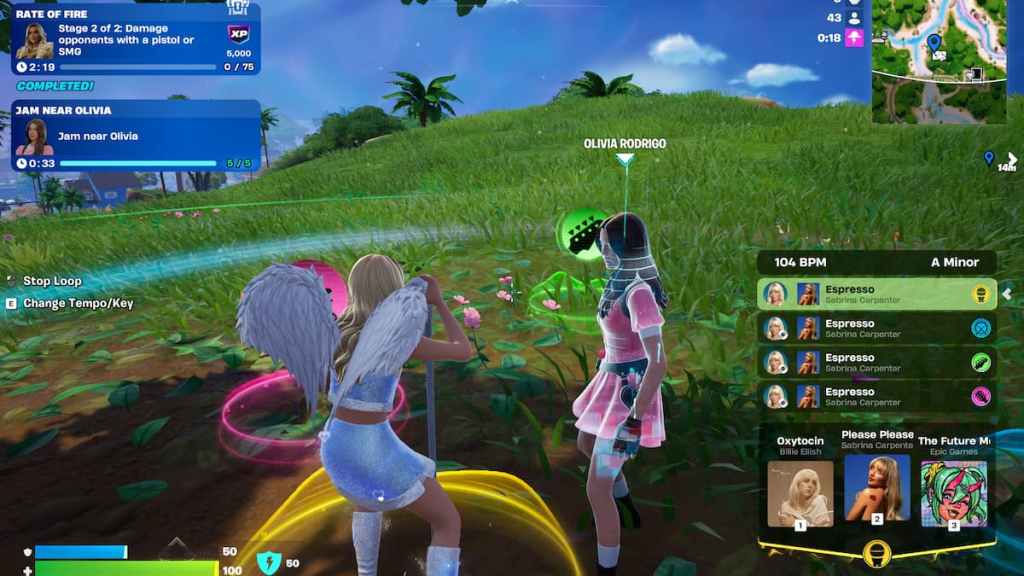
After you chat with Olivia she gives an optional task: perform any Jam Loop for five seconds while near her. Complete that and you finish the bonus objective. If you struggle, follow these platform-specific cues.
- Press the emote button. Defaults: B on PC, down on the D-Pad for PlayStation/Xbox/Switch controllers. If your controls are remapped, check your Fortnite settings in the Input section.
- Select Jam Loops or Locker Jam Loops. The emote page opens first; switch to Jam Loops or Locker Jam Loops to pick a song.
- Choose a song and perform for five seconds. Any Jam Loop counts; start the loop and hold position until the mission updates. The window around Olivia is forgiving but don’t wander off while performing.
How do you jam near Olivia in Fortnite?
Open emotes, pick Jam Loops, and keep performing for five seconds inside her detection circle. If you get interrupted, restart the loop quickly. For playlist management, Spotify or your platform’s music tools aren’t involved — this is handled entirely in Fortnite’s Jam Loop system.
Her spot is small and cozy; it feels like a paper stage under a willow, so land close if you want a fast grab. After the Jam quest and your Loading Screen, you can move on to Sprite Chests, Striker Sprite, or Fishy Sprite missions with that low-effort reward already in your Locker.
If Epic patches Olivia’s spawn points or Jam Loops change in a future Fortnite update, who gets blamed more: the devs or the players who missed the pink swing?