
I crouched behind the NPC crowd, phone raised, and the quest still didn’t tick. You’ve been there — a tiny asset refuses to register while the rest of the valley mocks you. I’ll show you the fast, practical way to clear this duty without wasting Tokens or time.
You’ve stood in front of a stage at a real show and felt the bass through your ribs. Here’s how to finish the Take Picture: Rock Concert Stage duty in Disney Dreamlight Valley without guessing.
For this Pop City Star Path objective you need one single photo that includes the Rock Concert Stage item. You can shoot from a distance, frame the stage with your character in front of it, or even stand on the stage — the duty checks for the stage being visible in the photo.
Photo tasks in DDV are picky. If your first attempt doesn’t register, try a couple of quick variations: shift left or right, step closer, crouch, or look straight at the frame. I recommend taking three or four shots; the system often accepts one of them. Think of it like finding a vinyl in a packed crate — one swipe usually does the trick.
Will any photo with the stage count?
Short answer: yes, but with caveats. Any image containing the Rock Concert Stage should register, but lighting, camera angle, and whether the game recognizes the placed prop can affect detection. If a photo doesn’t count, try:
- Standing on the stage and snapping a selfie.
- Removing heavy overlays (dialogue boxes, menus) before taking the shot.
- Moving the camera to get the whole stage in-frame instead of a cropped edge.
You’ve scanned a flea market table and known instantly which items are rare. Here’s where the Rock Concert Stage comes from and how you get one into the valley.
The Rock Concert Stage first appeared as a reward in The Night Show Star Path. If you completed that event on Steam, Nintendo Switch, PlayStation, or Xbox, there’s a good chance you already own it — check your furniture inventory by searching “Rock.”
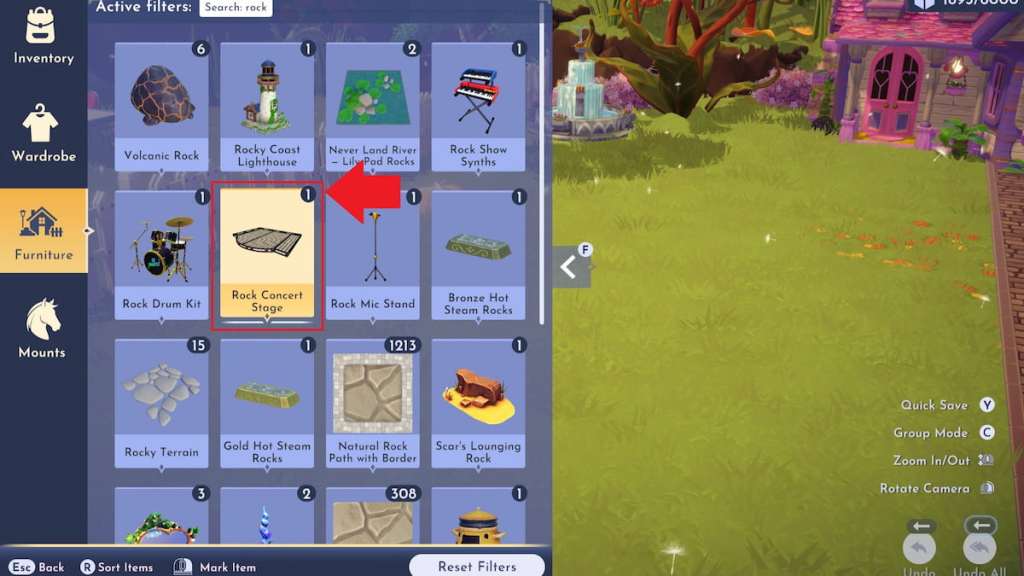
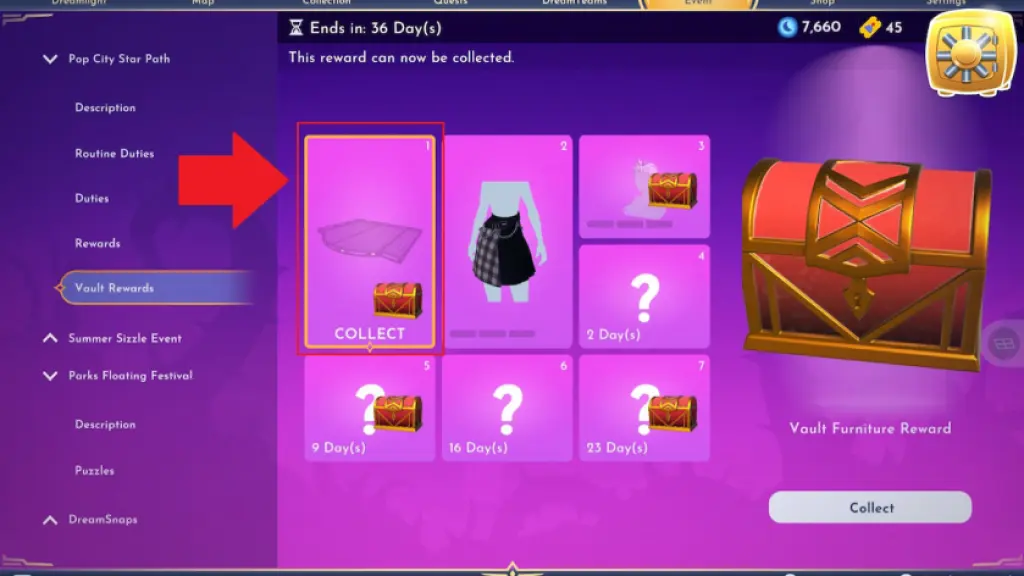
If you skipped The Night Show event, the stage is available again as a vault reward in the Pop City Star Path routine. It is the first vault prize you can grab after completing any three routine duties. If the vault gives you a red chest instead, that means you already own the stage and it may already be placed somewhere in the valley — a quick furniture search will show it.
How do I get another Rock Concert Stage if I misplaced it?
Buy another from Scrooge McDuck’s shop. Open his store and search “Rock” to purchase additional copies. If you’re on Steam or console editions, the process is identical: buy in-game and place the item in your world, then take the required photo.
You’ve felt the sting of missing a small reward after a long grind. Here’s why this 50-Token task matters and what to do next.
Completing Take Picture: Rock Concert Stage awards 50 Tokens toward the Pop City Star Path vault. That’s a tidy bump for a single screenshot, and Tokens add up fast for seasonal rewards. If you want more quick wins, pair this duty with other simple photo or crafting tasks like Neon Koi Lantern, Neon CD Demo Player, or building a DJ Booth Rig.
Want to avoid a wasted effort? Place the stage somewhere visible, take several angles, and check your routine tracker after each shot. If one fails, another will almost always stick — as obvious as a spotlight on stage.
Reference: Moyens I/O coverage and in-game testing on Steam, Nintendo Switch, PlayStation, and Xbox editions help confirm behavior — Scrooge McDuck in-game remains the easiest source for extra copies. Ready to trade a few quick snaps for 50 Tokens, or will you let a stubborn screenshot stand between you and the vault?