
You and three friends show up in voice chat, each on a different console, and the plan is suddenly fragile: who hosts, who drops, who can actually join? I remember staring at a steam of join codes and version numbers until someone said two words that changed everything: “It works.” I want to save you the time I burned figuring out what that “works” really means.
I’ve been testing Valheim across PCs, consoles, and a few rented servers so you don’t have to. I’ll walk you through what’s possible, what’s not, and the few quirks that make or break a session. Trust me: once you understand the rules, getting a crew together is faster than hunting a boar.
Does Valheim Have Crossplay?
Observation: My Discord exploded the day the 1.0 update landed — messages from players on PS5, Xbox, and Switch asking the same question. The short, useful answer is: yes. Since the 1.0 release, Valheim supports multiplayer across its officially supported platforms.
- PC (Steam and Microsoft Store)
- Mac
- Linux
- Xbox One and Series X/S
- PlayStation 5
- Nintendo Switch 2
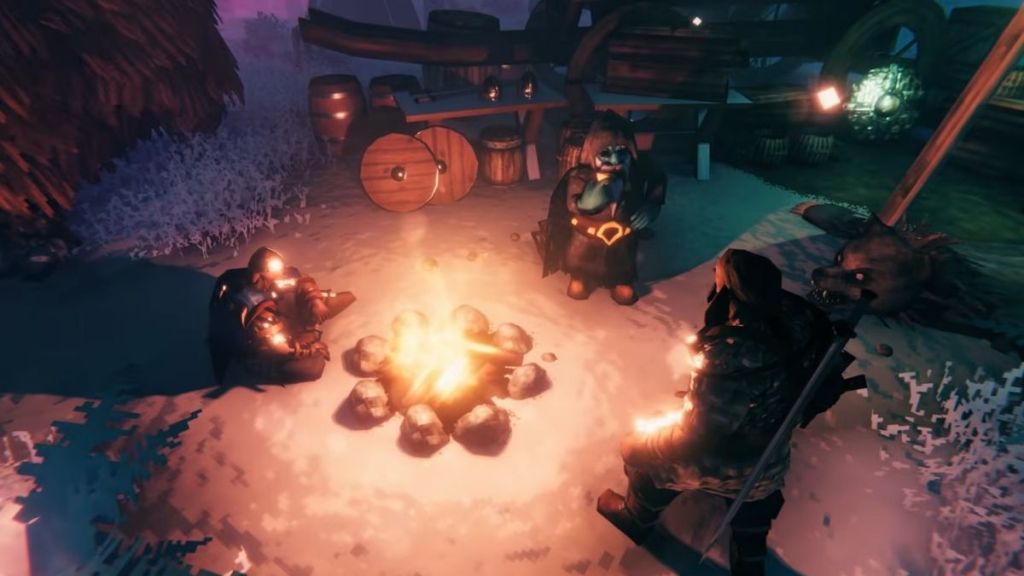
How it actually works: crossplay lets players on the platforms above join the same multiplayer world. The implementation is straightforward: servers advertise a join code and password, and clients enter that code to connect. In practical terms, crossplay is a bridge between platforms — but bridges still need matching versions and the right code at the right time.
Is Valheim crossplay between PS5 and PC?
Yes. PS5 players can join PC players, including those on Steam and supported Microsoft Store builds. Make sure everyone runs the same game version and has crossplay enabled when the host creates the session.
Does Valheim Have Cross-Save?
Observation: Players often assume that being able to play together means you can move your character and world wherever you want. That’s not the case. Cross-save is limited.
The only native cross-save option in Valheim links Xbox and Microsoft Store PC accounts through the same Microsoft account. So you can load an Xbox-hosted world on a PC if you sign in with the same Microsoft Store account. PS5 and Nintendo do not support cross-save with PC or Xbox.
Your save files are a patchwork quilt of accounts — some pieces fit together, most do not.
| Platforms | Cross-Save | Crossplay |
|---|---|---|
| PC | Only with Xbox via the same Microsoft Store account | Yes |
| Xbox | Only with PC via the same Microsoft Store account | Yes |
| PS5 | None | Yes |
| Nintendo | None | Yes |
| Mac/Linux | None | Yes |
Does Valheim have cross-save?
No universal cross-save exists. Only Xbox Microsoft Store PC via the same Microsoft account supports saving and reloading the same world across devices.
How to Crossplay with Friends in Valheim
Observation: The best sessions begin before anyone boots the game — with a plan for host, join code, and password. Here’s the quick, reliable routine I use when gathering players across platforms.
- Start Valheim and create or select your world.
- Enable crossplay when setting up the multiplayer session.
- Start the multiplayer server in your world and open the pause menu.
- Find your server join code and share it with your friends.
- Your friends open the Join Game menu, choose to add a server, and paste the join code and password.
- Once connected, you’ll be playing cross-platform.
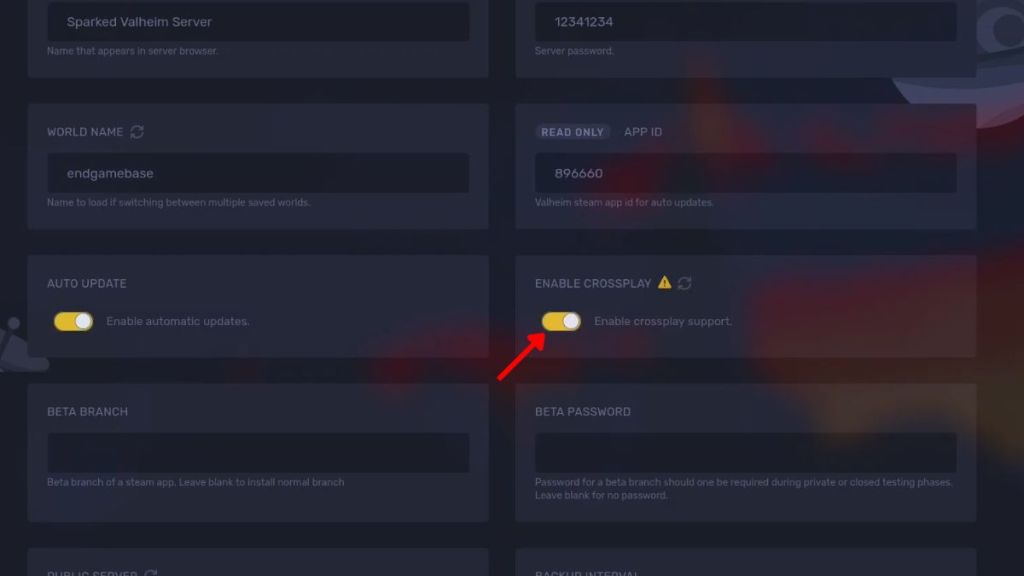
If you want a session that keeps running when the host signs off, use a dedicated server. You can rent hosts from providers like Sparked Host or run one on a cloud VM. Dedicated servers remove the single-point-of-failure problem of player-hosted games.
Is Valheim crossplay between Xbox and PlayStation?
Yes. Xbox players can join PS5 players in the same world. The joining flow is the same as between any supported platforms: match versions, share the join code, and enter the password.
Why Is Valheim Crossplay Not Working?
Observation: When a session fails, the first message in the chat is usually “It’s not working.” The real causes are almost always one of a small set of issues.
- Mismatch in game version — everyone must run the same Valheim build.
- Crossplay not enabled on the host’s session.
- Server not visible — use the join code to connect directly.
- Typos in the join code or password.
- Temporary glitches — restart the server or the client if necessary.
If you still have trouble after checking versions and codes, try hosting the world on a small rented server to isolate variables. Iron Gate AB’s official support pages, community threads on Steam, and hosting guides from providers such as Sparked Host are good places to check for platform-specific quirks.
So: you can play across PS5, PC, Xbox, and Nintendo, but transferring saves is mostly an Xbox/Microsoft Store affair — will your group settle for crossplay alone, or demand true cross-save portability?