
The tavern went quiet as a griffin tore the caravan to pieces and I stood there with no silver sword and half a potion left. I opened the debug console because sometimes the game asks more of you than it should. You learn fast which shortcuts are clever and which are regrets.
I’ve seen players rage-quit over a cursed fiend — Full List of The Witcher 3 Remastered Console Commands and What They Do
I’ll spare you the lore lecture: this is about practical fixes, quick experiments, and the rare bit of mischief. You can treat the console like a surgeon’s scalpel — precise, sometimes risky — if you know what you’re doing.
Below is the complete PC list of console commands and what each does in The Witcher 3 Remastered (including Songs of the Past content). These work on the Remastered build and are the same commands modders and speedrunners still use in 2026.
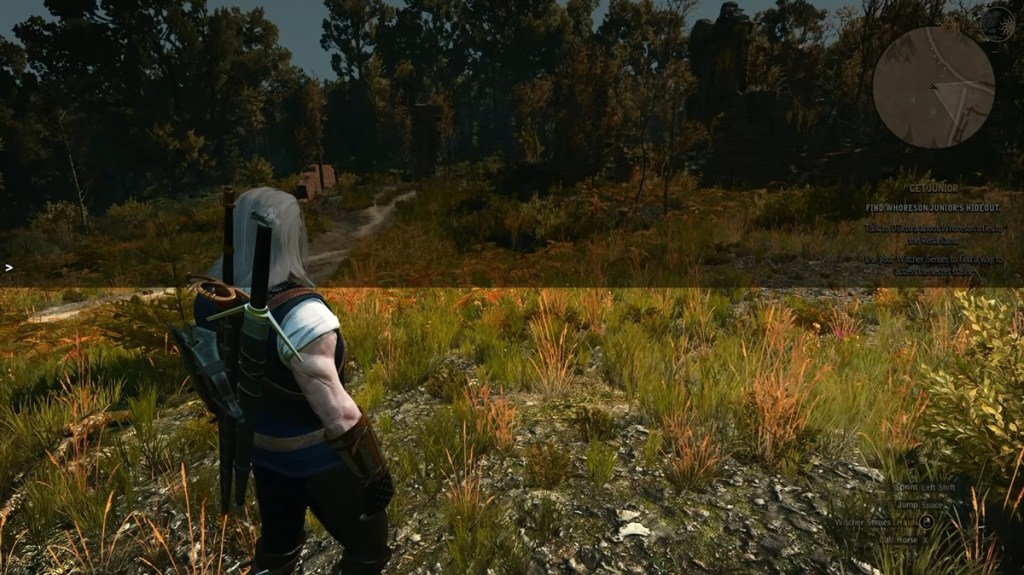
| Category | Command | Description |
| Player | god | Toggles invincibility mode; you will not take damage |
| Player | healme | Fully replenishes your health bar |
| Player | likeaboss | Toggles mode where all damage dealt equals 40% of the target’s maximum health |
| Player | Ciri | Switches player character to Cirilla |
| Player | Geralt | Switches player character back to Geralt |
| Player | fadeout | Fades out the screen using a cutscene effect |
| Player | fadein | Fades the screen back in after using fadeout |
| Character | setlevel(Level) | Sets player level to the specified number |
| Character | levelup | Increases player level by 1 |
| Character | addexp(Amount) | Grants specified amount of experience points |
| Character | addskillpoints(Amount) | Grants specified number of skill points |
| Character | learnskill(‘Skill ID’) | Unlocks skill matching specified ID, for example, learnskill(‘sword_s3’) |
| Character | Cat(0 / 1) | Enables (1) or disables (0) night vision |
| Character | Drunk(0 / 1) | Enables or disables ‘Drunk Mode’, distorting vision and dialogue |
| Character | addHair1 | Sets hairstyle to the default style |
| Character | addHair2 | Sets hairstyle to a ponytail |
| Character | addHair3 | Sets hairstyle to long, loose hair |
| Character | addHairDLC1 | Sets hairstyle to a loose, short haircut |
| Character | addHairDLC2 | Sets hairstyle to a mohawk with a ponytail |
| Character | addHairDLC3 | Sets hairstyle to Elven Rebel’s haircut |
| Character | WitcherHairstyle(‘1’ / ‘2’ / ‘3’) | Sets hairstyle to the specified number (‘1’, ‘2’, or ‘3’) |
| Character | setbeard(#, #) | Sets beard style or forces beard growth |
| Character | shave | Cleans facial hair |
| Character | settattoo(0 / 1) | Shows (1) or hides (0) the The Witcher 2 tattoo |
| Character | setcustomhead(‘Head ID’) | Applies a custom head using a head ID |
| Character | removecustomhead | Removes custom head and reverts to default |
| Character | addabl(‘Buff ID’) | Grants the specified buff, for example, addabl(‘ForceCriticalHits’) |
| Character | rmvabl(‘Buff ID’) | Removes the specified buff |
| Character | buffme(‘Effect Type ID’, Seconds) | Applies specified effect for a set duration in seconds |
| Character | cleardevelop | Resets Geralt to level 1, clears inventory, and restores starting gear |
| Inventory | addkeys | Gives all keys required to open all doors |
| Inventory | additem(‘Item Code’, Amount) | Spawns specified item code and quantity into inventory (e.g., additem(‘Dye Red’, 1)) |
| Inventory | removeitem(‘Item Code’) | Removes specified item from inventory |
| Inventory | addmoney(Amount) | Adds specified amount of Crowns |
| Inventory | removemoney(Amount) | Deducts specified amount of Crowns |
| Inventory | witchcraft | Grants one copy of every item in the game (may take time/crash) |
| In-Game / World | spawn(‘NPC ID’, Amount, Distance, true/false) | Spawns specified NPCs with quantity, distance, and hostility options |
| In-Game / World | killall(Distance) | Defeats all nearby enemies (distance optional) |
| In-Game / World | dismember | Dismembers the currently targeted NPC |
| In-Game / World | appearance(‘Appearance ID’) | Changes the visual appearance of the targeted NPC or character |
| In-Game / World | SpawnHorse | Spawns a standard horse |
| In-Game / World | staminaponystamina | Spawns a horse with unlimited stamina |
| In-Game / World | instantMount(‘NPC ID’) | Spawns and instantly mounts specified NPC, for example instantMount(‘horse’) |
| In-Game / World | spawnBoatAndMount | Spawns a boat and immediately mounts you to it |
| In-Game / World | makeitrain | Starts a storm |
| In-Game / World | stoprain | Stops ongoing rain or storms |
| In-Game / World | changeweather(‘Weather ID’) | Changes world weather to a specific type, for example changeweather(‘Winter Epilog’) |
| In-Game / World | settime(Day, Hour, Minute, Seconds) | Sets environmental time of day |
| In-Game / World | TM(Multiplier) | Adjusts time passage speed (default is 1, 0.5 is half speed, 2 is double speed) |
| Map & Travel | AllowFT(0 / 1) | Enables (1) or disables (0) the ability to fast travel from any location |
| Map & Travel | ShowAllFT(0 / 1) | Shows all Fast Travel pins on the map |
| Map & Travel | ShowPins(0 / 1) | Shows all map pins |
| Map & Travel | ShowKnownPins(0 / 1) | Reveals (1) or hides (0) all question mark (?) locations |
| Map & Travel | gotoWyzima | Teleports character to Wyzima |
| Map & Travel | gotoNovigrad | Teleports the character to Novigrad |
| Map & Travel | gotoSkellige | Teleports the character to Skellige |
| Map & Travel | gotoKaerMorhen | Teleports the character to Kaer Morhen |
| Map & Travel | gotoProlog | Teleports the character to Prologue |
| Map & Travel | gotoPrologWinter | Teleports character to Prologue Winter |
| Map & Travel | xy(X, Y) | Teleports character directly to entered X and Y coordinates |
| Gwent | secretgwint | Starts a Gwent match instantly anywhere |
| Gwent | winGwint(true / false) | Instantly wins (true) or loses (false) the current Gwent match |
| Gwent | addgwintcards | Grants one of every Gwent card (except Katakan) |
| UI & System | activateAllGlossaryCharacters | Unlocks and reveals all characters in the glossary |
| UI & System | activateAllGlossaryBeastiary | Unlocks and reveals all monsters in the bestiary |
| UI & System | dlgshow | Hides the in-game HUD/GUI (use dlghide to reveal) |
| UI & System | testpause / testunpause | Pauses or unpauses the game |
| UI & System | ToggleCameraAutoRotation | Toggles automatic camera rotation following the character |
The file system is where most players trip up — How to Enable and Use The Witcher 3 Debug Console for Cheat Codes
If you want the console open, you must edit one tiny file. I’ll walk you through the safe path I use on PC with Steam and GOG installs.
- Open Steam or GOG Galaxy and find The Witcher 3 Remastered in your library.
- Right-click the game (or use the three-dot menu in GOG) and choose Manage → Browse local files.
- Open the bin folder, then the config folder, then base.
- Right-click general.ini and open it with Notepad (or Notepad++ / VS Code).
- Keep
ConfigVersion=5as-is. On the next line add DBGConsoleOn=true. Save and close. - Launch the game and press the tilde (~) key; if that fails try @ or #. The console should pop up.
If you prefer a one-click solution, reputable mod hubs like Nexus Mods host console-enabler mods. I use manual edits because they’re simple and avoid extra tools. If you’re on Steam and haven’t bought the Remastered edition, it’s often priced around $39.99 (€38) during non-sale windows, but watch seasonal discounts.
How to enable console commands in Witcher 3?
Yes—you enable them by editing general.ini as shown or installing a trusted mod from Nexus Mods. Always back up the file before you change it, and keep a save before running risky commands.
Every platform has its limits — Are The Witcher 3 Console Commands Available on PlayStation, Switch, and Xbox?
I’ve tested this across hardware generations: consoles block the tweak. You can’t edit game files on PlayStation, Nintendo Switch, or Xbox, and official builds on those platforms ship with the console disabled.
That means PC is the only place to run commands or install the mods that make them easier. If you want a modded experience, Nexus Mods, ModDB, and community tools on Reddit and Discord are where modders publish scripts and installers. CD Projekt Red and GOG are the publishers and platforms most players mention when buying or reinstalling the Remastered edition.
Can I use Witcher 3 console on PlayStation, Switch, and Xbox?
No. Console commands only work on PC because only PC players can edit the general.ini file or add mods.
Does using console commands in Witcher 3 disable achievements?
Short answer: it generally does not. Achievements in The Witcher 3 Remastered remain intact after using most console commands, but certain mods or invasive scripts can corrupt saves. Keep an extra save and test before you cheat your way through an important playthrough.
Players experiment for many reasons — Practical tips, caveats, and a few warnings
If you use these commands, treat your saves like heirlooms: copy them before testing. I’ve seen careers ruined by a single typo in a spawn command.
- Commands can crash the game or break quests—test on a throwaway save.
- The witchcraft command gives every item but can hang or crash—use with patience.
- Use numeric arguments carefully—wrong coordinates can teleport you into voids.
- Trusted tools: Notepad++, Steam, GOG Galaxy, Nexus Mods, and community Discord servers.
For role-players: use cosmetic commands (hair, beard, custom head) rather than invasive resets unless you want to redo progression. For experimenters: the spawn, killall, and additem family will feel like a Swiss Army knife for the impatient player.
Want to keep exploring? A quick checklist before you type anything
Back up your save, back up general.ini, and don’t run commands you don’t understand. If you’re running mods, check the comments on Nexus Mods or the GOG forums for compatibility notes.
If you have questions about a specific command, an item code, or a Gwent trick, ask below—but tell me which mod manager or platform you’re using so I can tailor the answer. Which command would you try first?