
Rain hisses off your visor. You tuck behind a burned walker, finger on the gadget wheel, and realize the best loot isn’t a weapon but a lens. That sudden urge to capture the moment is why the Camera gadget arrived with the Frozen Trail update.
I’ve been tracking how players adopt new tools in live-service shooters, and here’s a clear, no-fluff guide so you can get the Camera into your kit fast — then use it without getting deleted by a roaming ARC threat.
How to Get the Camera Gadget in Arc Raiders
You often find the best gear where other players move on too quickly — a half-open crate, a cupboard under rubble, a vendor stall someone skipped. The Camera comes in two models: Basic and Advanced, and it behaves like any other gadget in the inventory system.
- Find it in world loot: crates, cupboards, and the usual spawn points for gadgets.
- Buy it from Shani – Security: Basic costs 1.9K coins; Advanced costs 3K coins.
- Claim it free by accepting Celeste’s quest “Sizing Things Up.”
- Steal it: eliminate another raider who has one equipped and pick it up.
How do I get the Camera gadget in Arc Raiders?
Short answer: loot, buy, quest, or PvP theft. If you want reliability, vendor stock (Shani) is the fastest route; if you’re patient, loot tables will hand you a Basic at random.
If you hang out on Steam Community, Discord channels, or the Arc Raiders subreddit, players often mark vendor stock and spawn patterns — a quick check there saves time. And if you post your best shots, tag NVIDIA GeForce Experience or X for reach.
How to Use Camera to Access Photo Mode in Arc Raiders
When you pull a camera, treat it like a compact tool you’ll reach for midfight; keep it within easy reach because moments fade fast. Basic and Advanced behave similarly, but the Advanced adds finer controls.
- Move the Camera to your Quick Use slot.
- Hold Q to open the gadget wheel and select the Camera.
- Equip and aim with the right mouse button to enter Photo Mode.
- Press the left mouse button to take photos.
- Press R to switch to Selfie mode and capture character shots.
The Advanced Camera unlocks extra settings — aperture, autofocus toggle, and zoom — giving you more control over framing and exposure.
Can I take selfies and use advanced controls?
Yes. Selfie mode is mapped to R. Advanced controls behave like a photographer’s quick toolkit, as steady as a metronome, so you can compose without fumbling during a skirmish.
Treat the Camera like a tactical asset: quick-use slot, don’t wander exposed while fiddling with settings, and buy a backup from Shani if you plan to lead a photo raid. The gadget fuels content — sharing on Steam, Discord, or X helps build reputation — but it also paints a target on your back if you get greedy.
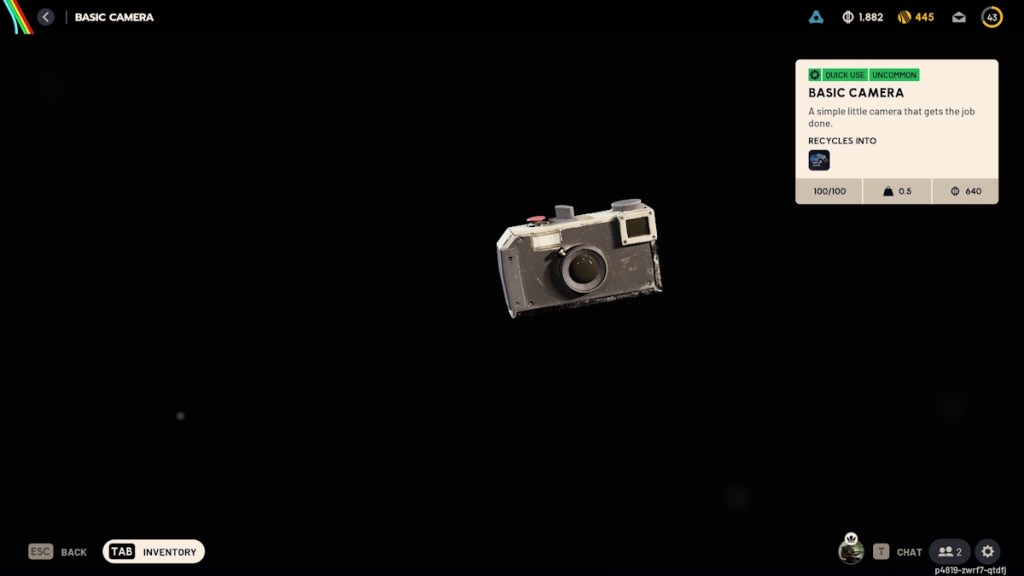
Where can I buy the Camera gadget?
Head to Shani – Security in any hub. The Basic is 1.9K coins; the Advanced is 3K coins. If you need to conserve coins for weapon mods, pick the Basic and hunt for the Advanced in loot or via Celeste’s quest.
Think of the Camera as a content generator and a tactical decision rolled into one, like a Swiss Army knife. Use it to document runs, advertise strategies on Discord, or farm aesthetic screens for community threads on Steam. But every time you lift it up, you risk becoming a target — so front-load your shots and move.
What will you do with the Camera when you get it — make art, farm screenshots for gear trading, or bait other raiders into chasing you for the gadget?