
I stood on a rain-slick pier as a half-finished hull creaked against its ropes, the crew muttering about missing timber and a mysterious mission. You feel the tug — the game has given you a doorway, but the ship is still on the other side. I’ll show you how to walk through that doorway without wandering in circles.
I’ve chased every port in Crimson Desert across PC and consoles, traced forum posts on Steam and guides on YouTube, and read Moyens I/O’s screenshots until details popped. You’ll move from the first quest cue to a finished vessel faster if you follow a clear path. Your ship is a stitched leather atlas that promises places you’ve yet to stand.
A villager points at a strange ledger and says “there’s work to be done.” How to start shipbuilding in Crimson Desert
First, you must open the Wider World questline and take the A Call from Beyond the Horizon quest. Follow the objective marker — it’s not optional. Along the way you’ll meet Greymanes; when they speak about “seeking new horizons” finish the conversation with them and shipbuilding becomes available to you.
How do you get a ship in Crimson Desert?
Complete the A Call from Beyond the Horizon quest in the Wider World chain, chat through the Greymanes dialogue, then return to the main map. That sequence kicks off the port-based Shipbuilding missions you’ll use to actually assemble the hull.
Do ship parts spawn at specific ports?
Yes. Open your in-game map and inspect each port: available parts and missions are listed per port. There is no single mandatory port — pick whichever port’s missions and required materials suit your current squad and resources.
At the map screen you realize every port hides a promise or a problem. How to build your ship in Crimson Desert
- Open the in-game map and zoom to any port you prefer; ports are not locked to a single region.
- Click a port and open Details to find Shipbuilding listed under Missions.
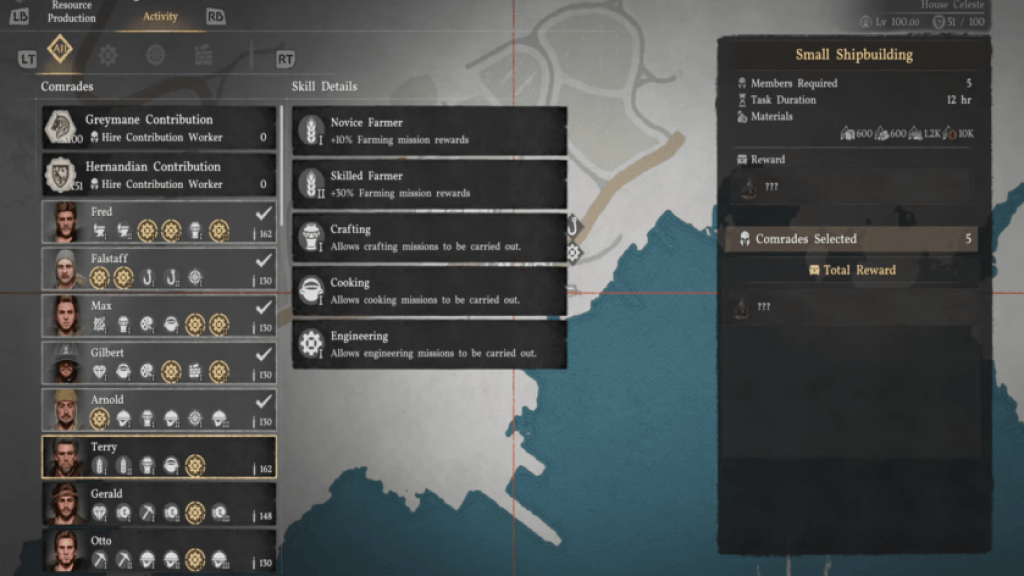
- Review the requirements on that screen: required materials, currency, and the number of comrades needed.
- Spend the required in-game currency and assign comrades to the mission to begin construction.
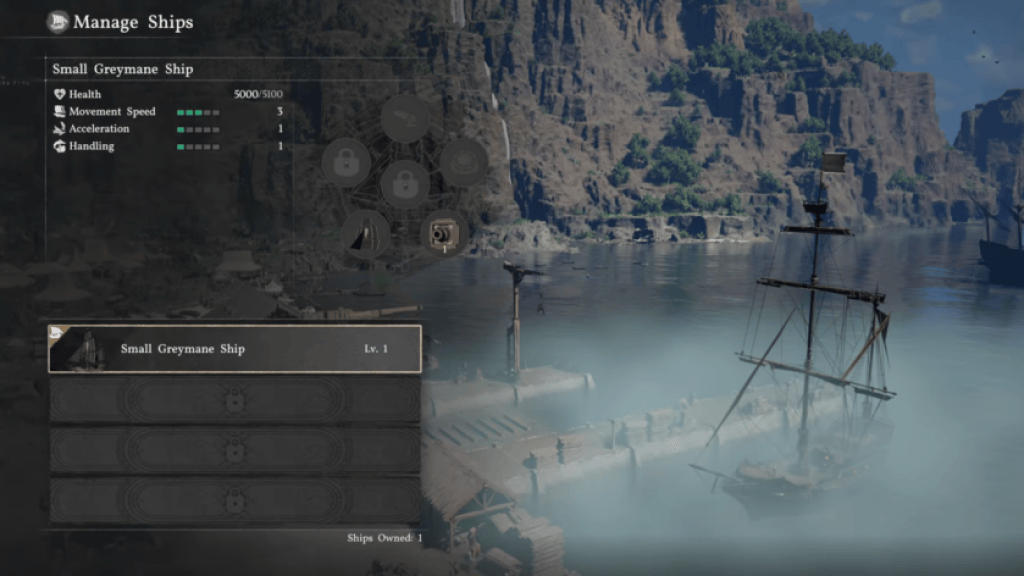
When construction finishes, go to the Harbor Notice Board. Speak with your comrades to see related bounties and collect supplies. Visit the docks and speak with your Ship Manager — they finalize provisioning and hand you the keys to set sail.
If you get stuck, check community resources: Steam Guides, Pear Abyss patch notes, YouTube clips from creators who test ports, and Moyens I/O’s screenshots for UI cues. Also track mission timers and comrade assignments — little delays stack quickly if you shuffle people around.
Shipbuilding becomes a small theater where every comrade plays a precise role, so assign workers based on mission duration and skill rather than impulse. Treat the Harbor Notice Board like a tactics manual and the Ship Manager like a last checkpoint before launch.
Pro tips: pick a port with short mission timers if you want the ship fast; choose a port with richer materials if you want upgrades. Use Steam community guides or console-specific forums on PlayStation and Xbox to compare which ports players favored this week. Pearl Abyss patch notes will flag any mission changes that break a run.
You can finish a basic hull and be sailing within the same play session if you plan missions and crew assignments ahead — what will you prioritize first on your maiden voyage?