
I slammed the car door and the city folded into my lap. For a long beat the camera stayed stubbornly third-person. Then the view switched, sudden and wrong in the best way: my hands were on the wheel and the street was at eye level.
I tried the sequence myself, and you can too. I’ll walk you through what I did, what actually works, and where the glitch still trips up the game.
How to Play GTA 6 in First Person (with a Glitch)
Players noticed on day one that GTA 6 only offers first-person in tiny pockets — using the phone, aiming guns — not as a full camera option. That observation matters because the exploit piggybacks on those limited states and stitches them together into a semi-stable first-person experience.
Before I give the steps, two quick orientation notes: this was captured by YouTuber oneboyler and the screenshot credit below references Rockstar Games via Moyens I/O. I needed more than 10 attempts to land it reliably; expect finger gymnastics.
- Open the GTA 6 Pause menu and go to Settings → Controller.
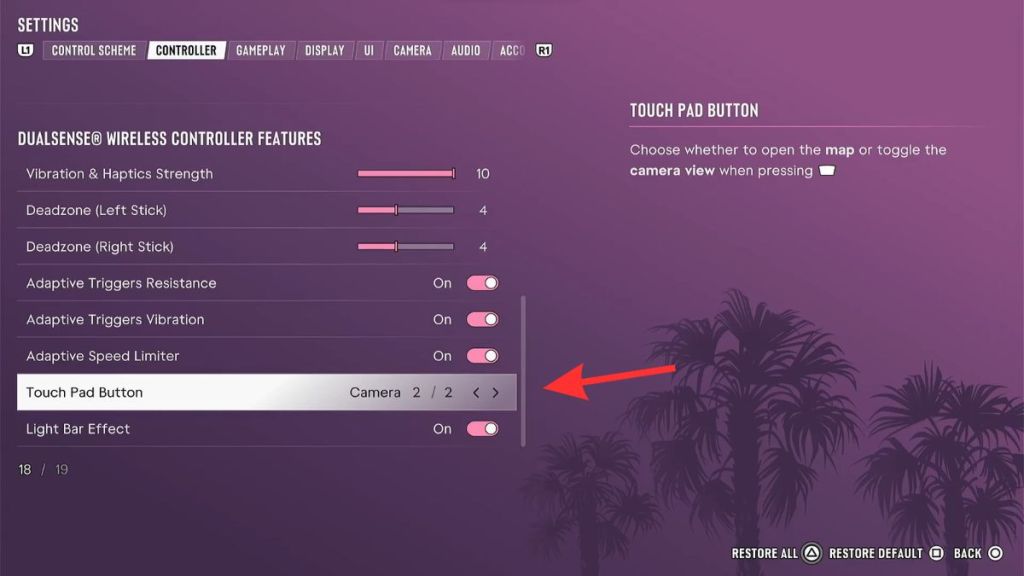
- Scroll down and change the Touch Pad Button setting from Map (1/2) to Camera (2/2).
- Sit in the driver’s seat of any vehicle.
- Press Up on the D-pad to pull up your in-game phone.
- Put the phone away by pressing Circle on PS5 or B on Xbox, then immediately spam the touchpad (PS5) or Back button (Xbox).
- Repeat that last press a few times until the camera snaps to first-person.
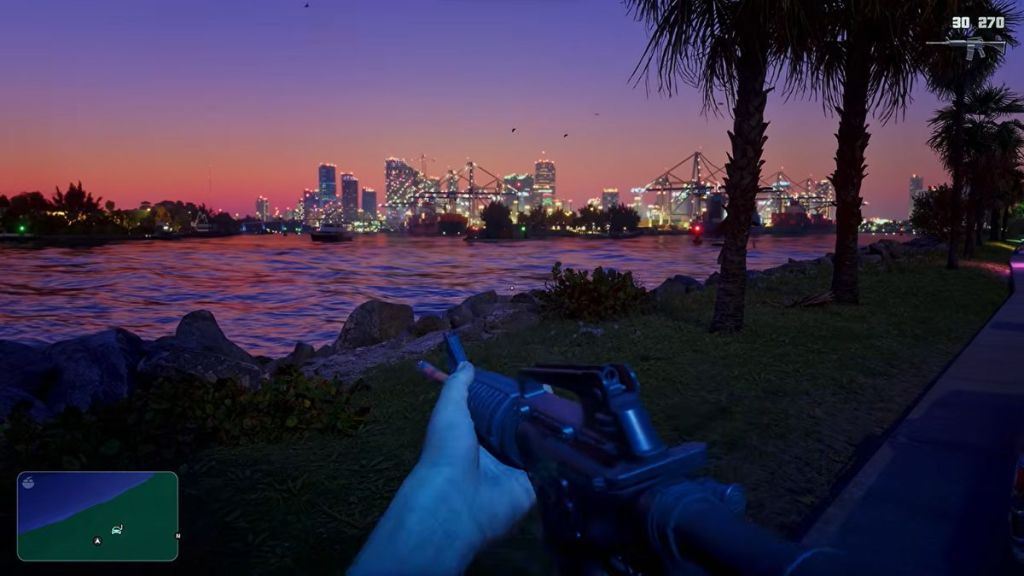
Once it flips, you can exit the car and walk the map in first-person. Weapon draw and firing animations are surprisingly intact — the footage shows hands, recoil, and vehicle controls behaving like an intended mode rather than a thrown-together hack. That said, some animations stutter or clip, and there’s no in-game toggle to go back: you must reload your save to return to regular third-person.
GTA 6 is a locked attic with a secret staircase, and this glitch is that thin stair that leads upstairs. The code already contains most of what a full first-person mode needs; someone just left the lights on in a corridor.
Can you play GTA 6 in first person?
Short answer: yes, but only through this glitched sequence. Rockstar shipped GTA 6 without a full camera option like GTA 5’s dedicated first-person mode. What you’re exploiting are the small first-person states (phone, aiming) and forcing the camera to remain there.
How do I switch to first person in GTA 6?
Follow the controller setting change, sit in a vehicle, pull the phone, put it away, and spam the touchpad/back button until the camera flips. If it doesn’t work immediately, don’t give up — persistence matters. On PS5 and Xbox Series X/S the inputs are the same as listed above; PC players using a controller can mirror those steps through Steam or the platform you use.
Will Rockstar add an official first-person mode?
Rockstar Games has not confirmed plans for an official first-person toggle. The glitch shows most of the visual plumbing is present, which makes an addition plausible. If history is any guide — take Grand Theft Auto V’s later updates and mod-community pressure — official support could arrive through a patch or a later update, or it might stay an underground trick while Rockstar focuses on other fixes.
If you try this, be ready to reload saves and expect odd animations; treat it like a curiosity rather than a stable option. Do you think Rockstar will patch the exploit or bake it into a future update?