
The ATM screen glows as sirens close in—Jason’s pockets are empty and the mission timer ticks. I watched him hesitate, then open the BuckMe app and breathe. You’ll feel that same small rush when this short job saves your run.
Below I’ll walk you through the Deposit Cash Into BuckMe mission in GTA 6: what to do, where to go, and a few money-savvy habits that keep your cash safe. I’ve played this beat enough times to point out the hidden friction and the clean wins, and you won’t waste time fumbling the controls.
Note: Unlike previous GTA titles, missions in GTA 6 do not come with Gold Medal objectives.
Quick roadmap of the mission:
| Info | Details |
|---|---|
| Mission Number | GTA 6 Mission 14 |
| Story Chapter | GTA 6 Chapter 1 |
| Mission Type | Mandatory (required for 100% completion) |
| Mission Giver | BuckMe App |
| Protagonist | Jason |
| Location | Key Lento, Mariana County (Any ATM) |
| Unlocked items | – |
| Rewards | – |
There’s an ATM on almost every corner. Where to Find the Deposit Cash Into BuckMe Mission?
First: finish the BuckMe tutorial mission. I don’t mean skimming it—complete the BuckMe step after Clean Up After Donnie and the app appears on Jason’s phone.
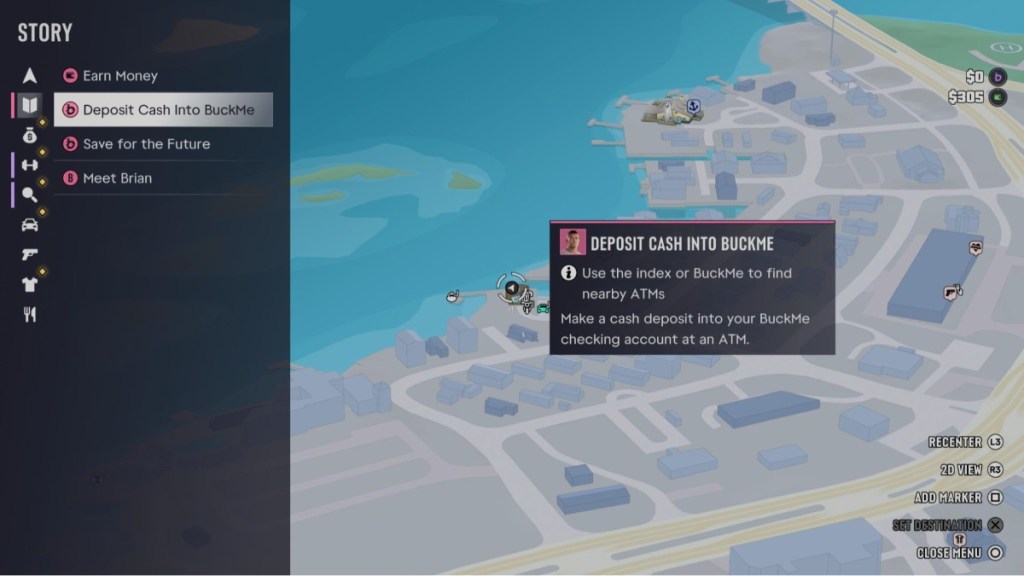
Open the quest list from the map menu (press Right on the D-pad to the book icon). The mission has no waypoint on the main map, so you have to start it from that list and then head to any ATM.
I treat ATMs like a quick pit stop. GTA 6 Deposit Cash Into BuckMe Mission Walkthrough
How do I find the nearest ATM using BuckMe?
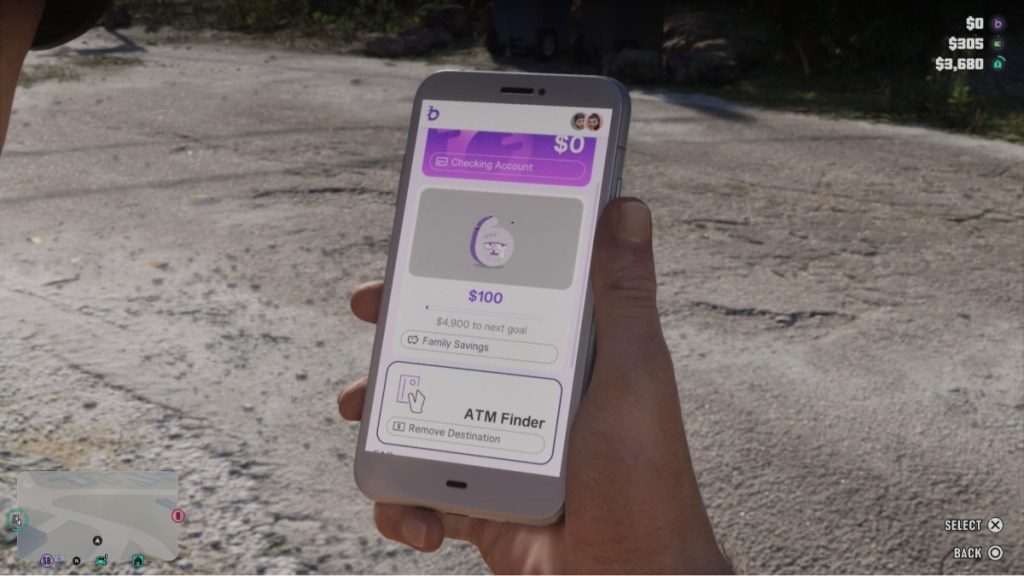
Open Jason’s phone (D-pad Up), choose the BuckMe app, then pick ATM Finder. The app will mark the nearest machine on your HUD—easy to follow whether you play on PlayStation, Xbox, or PC.
How do I deposit money into BuckMe at the ATM?
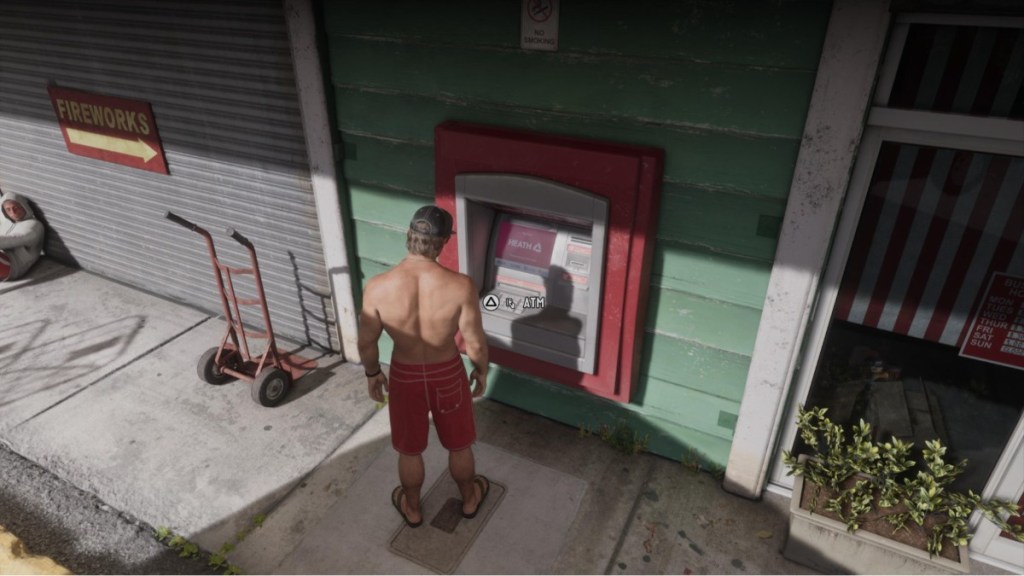
Stand near the ATM and press Triangle (PS) / Y (Xbox). Choose Deposit, pick the amount, and press Confirm. The cash moves instantly into your BuckMe Checking Account.
Most players carry less cash than you think. Important Tips for Managing Your BuckMe Account
The BuckMe system behaves like a digital vault tucked into your pocket — deposit early and often.
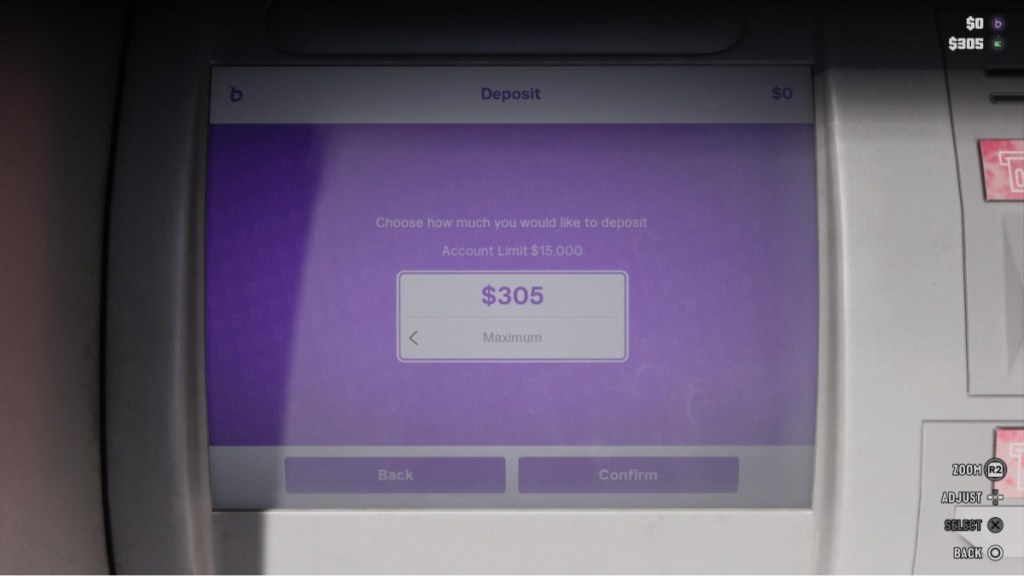
- Deposit and withdraw from your BuckMe Checking Account at any ATM marked by the BuckMe app.
- Money transferred from Checking to Family Savings can never be withdrawn or lost—treat it like putting cash behind a locked safe.
- Each Family Savings tier raises your Checking Account limit and adds perks such as discounts. Keep saving with Lucia and Tomas—those balances affect the ending.
- When you hit your Checking Account limit, either spend or move cash to Family Savings so incoming deposits aren’t held back.
- Vendors won’t accept pocket cash for purchases over $999 (€919), and BuckMe covers purchases of $1,000 (€920) or more automatically—so frequent deposits keep you liquid.
- There’s little reason to carry a ton of pocket cash; BuckMe covers purchases even if your wallet reads $0.
If you die or get busted, you lose all pocket cash but only a portion of your Checking Account. That makes BuckMe the safer place for big stacks—don’t be the player who treats the open world like a loose floorboard for cash.
Finish the mission, and the game returns you to open play—no fanfare, just the quiet relief of a smart deposit. How often are you moving money into Family Savings and changing the story it tells?