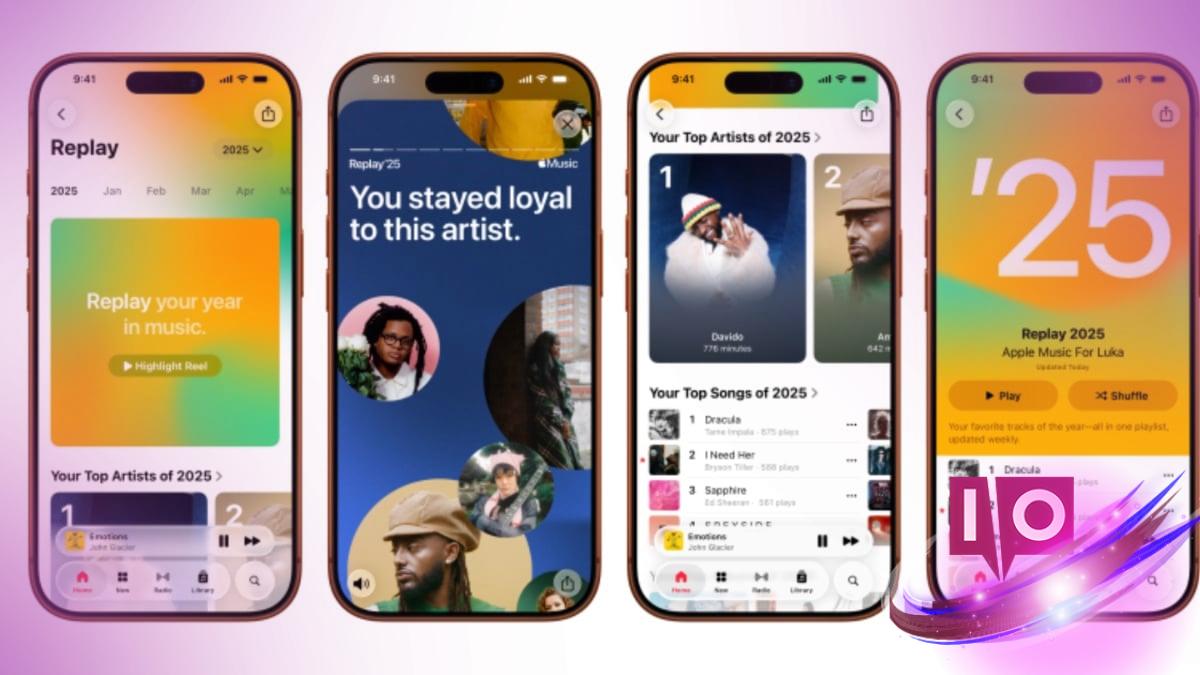
The Apple Music Replay 2025 is officially live, giving iOS users a chance to revisit their favorite tracks from the past year. Just in time for December, Apple has rolled out this feature, allowing fans to celebrate their musical journey.
Whether you prefer navigating through the Apple Music app or accessing it via the official website, checking your annual recap is straightforward. Here’s a comprehensive guide to ensure you don’t miss out on your musical highlights.
1. How to Check Your Apple Music Replay 2025 on the App
Accessing your Replay 2025 through the Apple Music app is a breeze. Just follow these simple steps:
- Make sure your iOS or Android device is updated to the latest version.
- Ensure the Apple Music app is also up to date.
- Your Apple Music Replay 2025 will be prominently displayed at the top of your home screen.
- Click on the section to explore detailed statistics about your listening habits.
2. How to Access Your Apple Music Replay 2025 on the Web
If you prefer using a web browser, you can access your Replay 2025 by clicking on this link. Ensure you log in with the same Apple account you use for Apple Music. This way, you’ll gain access to all the same stats and highlights available on the app.
3. What’s New in Replay 2025?
This year’s Replay brings fresh insights compared to previous editions. You can now track how many different artists you listened to, how many hours you spent enjoying music, and even discover your favorite genres. Want to share your musical preferences? You can create a custom highlight reel for social media that reflects your unique taste in music.
4. Why Is the Annual Replay Better Than Monthly Recaps?
While Apple Music has offered monthly recaps for some time, the annual recap provides a comprehensive overview, allowing users to reflect on their listening experiences over the year. It feels satisfying and rich in data, making it a more enjoyable experience.
Are there any special features in Replay 2025 compared to previous versions? Yes, Replay 2025 introduces new statistics about listening habits that enrich the user experience.
Do I need to be a paid subscriber to access Apple Music Replay 2025? While premium features offer enhanced experiences, anyone with an Apple Music account can check out their annual recap.
How do I ensure my app is updated to see my Replay 2025? Check the updates section in the App Store or Google Play Store for the latest version of the Apple Music app.
Can I share my Replay 2025 on social media? Absolutely! Apple Music allows you to create and share highlight reels based on your favorite tracks and artists.
As you dive into your music history, take the time to explore what made your listening experience unique this year. Enjoy the nostalgia and insights that Apple Music Replay 2025 brings.
For more engaging content related to music and technology, be sure to visit Moyens I/O.