
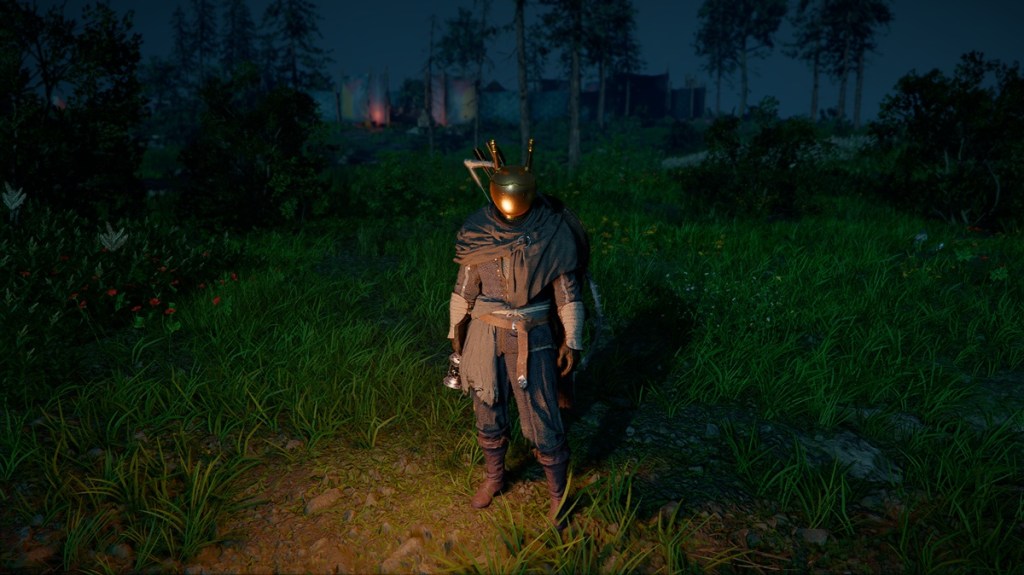
I logged into Crimson Desert for a routine run and froze at my reflection: a bulky helmet had turned my sleek character into a medieval blender. You know that pinch — great defense, terrible selfie. My question was simple: can you hide that helmet without losing the stats that keep you alive?
Players hate ugly helmets — Can You Hide Your Helmet In Crimson Desert? Answered
I’ll be blunt: no, the game doesn’t let you keep a helmet’s stats while hiding its appearance. Armor in Crimson Desert must be either equipped or removed; there’s no toggle to keep the defensive numbers but hide the model. That sucks if you’re chasing a clean silhouette, but there’s a practical workaround that most players use.
Pearl Abyss designed Crimson Desert with a quick-swap system meant to reduce menu time. Think of it like a coat check key at a noisy bar — you swap in what you need and grab the face-revealing option when you want to look good.
Can you hide your helmet in Crimson Desert?
No — you can’t hide the helmet while retaining its stats. Helmets are either equipped (you get the stats and the model) or unequipped (no stats, no model). I tested this on the Steam PC build and verified the behavior matches reports from players on Reddit and the official Pearl Abyss forums.
Inventory screens slow you down — How to switch helmets quickly in Crimson Desert
If you don’t want to parade around in an ugly helm, don’t fight the system — outsmart it. Crimson Desert’s quick action bar is your friend. I use it every session to swap between aesthetics and protection in seconds.
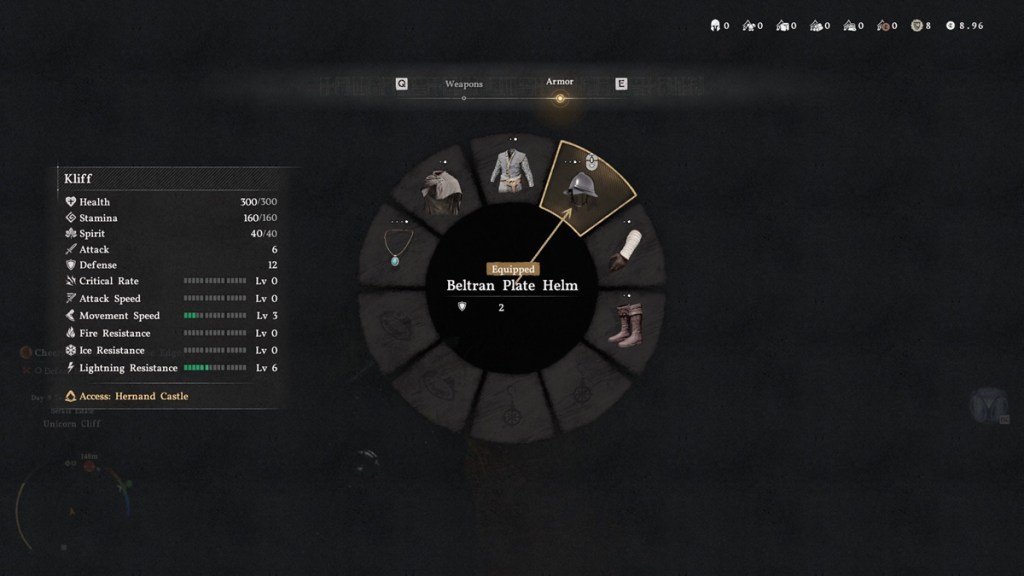
- Press F2 on PC to open the quick menu (this is how it works on the Steam client).
- Select the Armor option and hover the cursor over the helmet slot.
- Rotate the middle mouse wheel on that slot to cycle helmets or to an empty slot.
- Pick a stylish hat or leave the slot empty when you’re exploring; switch back to the heavy helmet before combat.
Will removing my helmet affect combat performance?
Yes. Unequipping a helmet removes its defensive stats. If you choose style over protection and then run into an unexpected fight, you’ll feel it. I often swap to a defensive helm the moment I see health bars flash or enemies cluster; it’s a small habit that keeps me alive.
On PC the F2 quick menu and middle mouse wheel are the fastest route. Console players should find a similar quick-gear option in the radial menus — the control mapping varies by PlayStation and Xbox layouts but the idea is the same.
If you want more polish, keep an eye on Pearl Abyss patch notes and community posts on Steam and Twitter; the devs sometimes adjust UI shortcuts and quality-of-life features that affect how quickly you can change gear.
Two final thoughts: the helmet restriction feels like a locked mask — you either wear it or you don’t — and quick-swapping is as satisfying as changing jackets between meetings and nights out. So will you keep the stats or the look next time you log on?