
I was three invites deep when my PS5 friend sent one more—then nothing. You stared at the spinning wheel while your PC teammate typed, “I can’t join.” That tiny pause is where crossplay either saves the night or ruins it like a busy train station at rush hour.
At 2 a.m., players are split across consoles — How to Enable Crossplay on Fortnite
I’ve fixed this for dozens of squads. You can have crossplay working in under a minute if you follow a few precise taps.
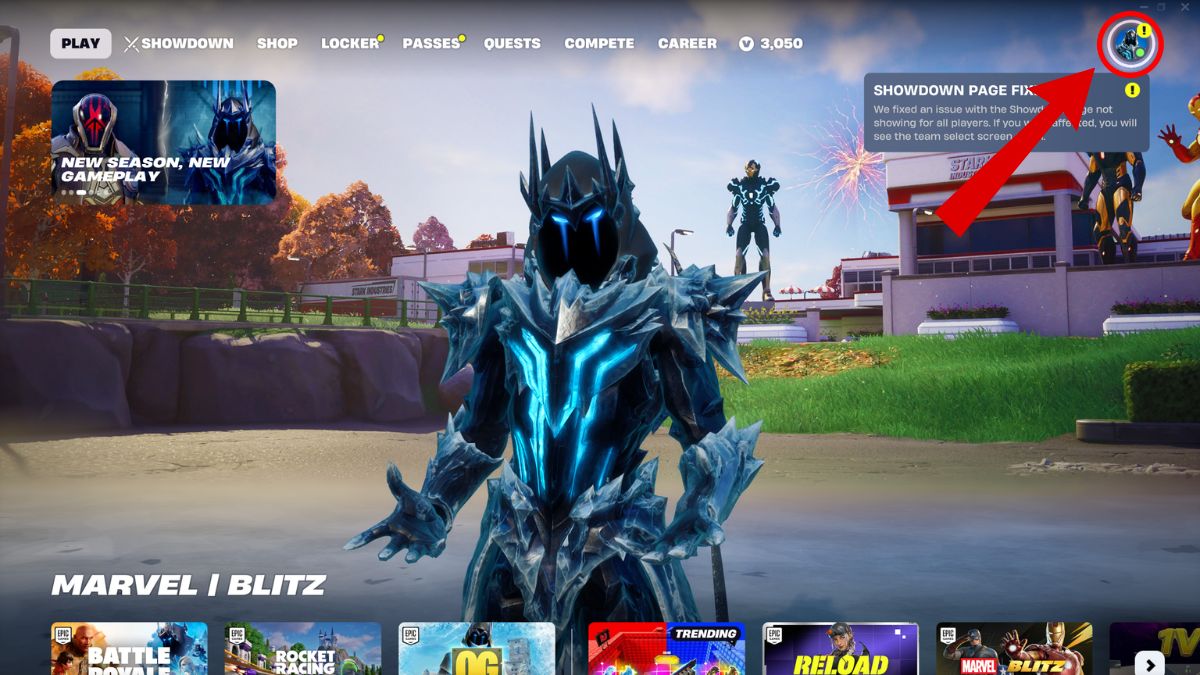
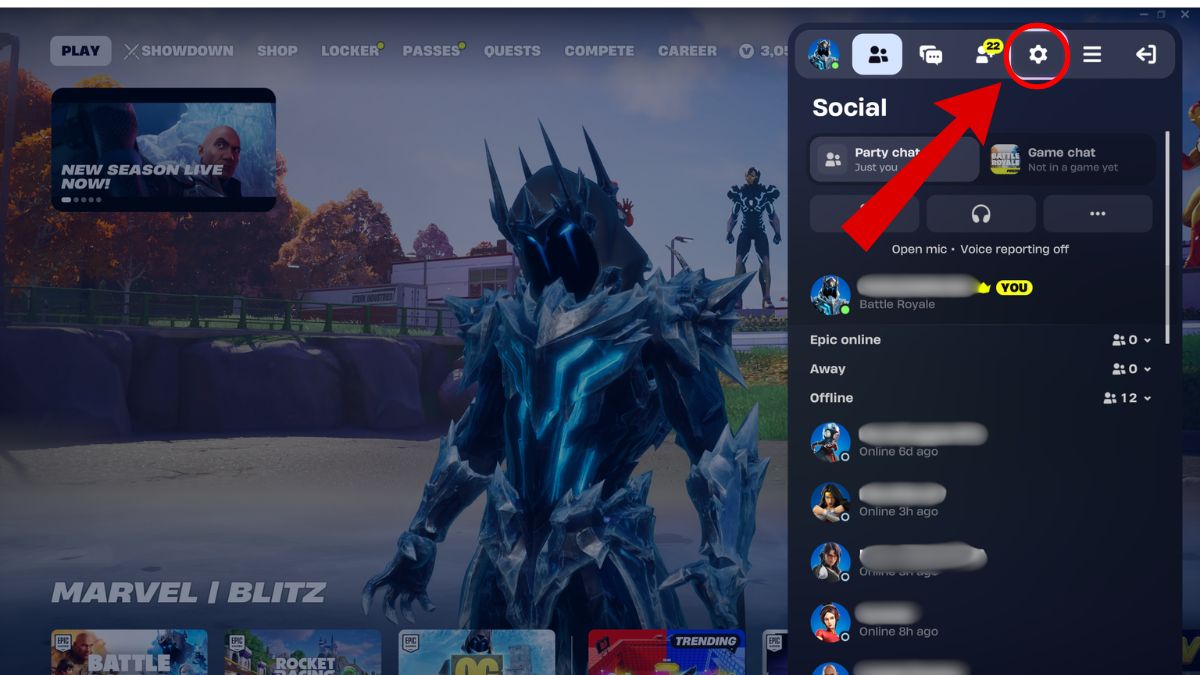
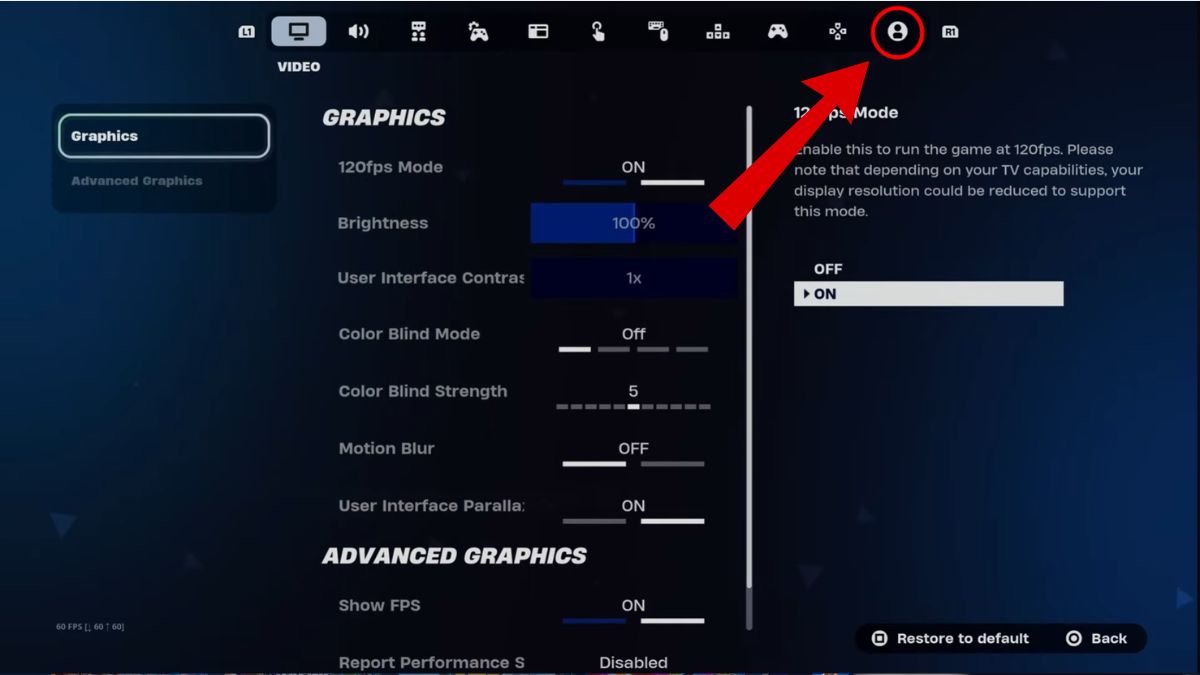
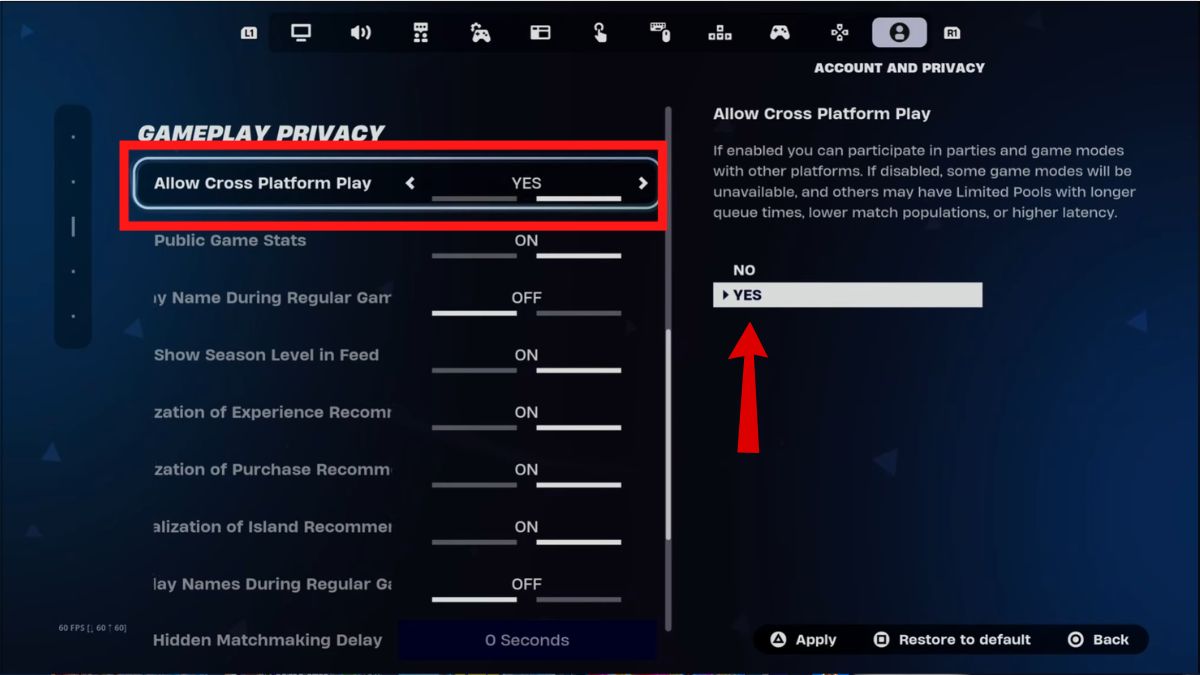
Follow these quick steps in Fortnite to check or enable crossplay. I recommend you save after changing anything; it’s the small misses that break a squad.
- Open Fortnite and click your profile icon in the top-right of the lobby.
- In the sidebar, click the Gear icon to open Settings.
- Tab to the far right to the Account and Privacy section (person icon).
- Scroll to Gameplay Privacy.
- Set Allow Cross-Platform Play to Yes and save.
How to turn on Crossplay in Fortnite?
Short answer: it’s usually already on. Since Chapter 7 Season 2, Epic Games ships crossplay enabled by default to speed up matchmaking. If a friend can’t join, these steps are the fastest fix.
Note: on PC and mobile crossplay is mandatory and cannot be disabled. If you want to squad with someone on PlayStation, Xbox, or Switch, add them using their Epic Games Display Name from the Friends tab or the Epic Games launcher on PC or Steam.
When match queues drag and your lobby fills with bots — Does Crossplay Affect Fortnite Lobbies?
Someone on PC often pulls the match quality upward — that’s the real-world effect. Fortnite prioritizes the highest-performance platform in a party, so inviting a PC player will usually place the whole squad into PC-dominant lobbies.
Does crossplay affect my Fortnite lobbies?
Yes. The game’s platform hierarchy and skill-based matchmaking (SBMM) mean your lobby makeup shifts when platforms mix. If you turn crossplay off on a console, expect longer queue times while the system looks for 99 other players on that exact console with crossplay disabled. That often ends in lobbies heavy on bots and light on challenge, which feels like a pressure cooker for serious players.
Can you turn off crossplay in Fortnite on PC and mobile?
No. PC and mobile are forced into crossplay. Consoles have the toggle, but disabling it isolates you from the wider pool and inflates wait times. If you’re on older hardware—PS4 or Xbox One—keeping crossplay on is the practical choice for healthy matchmaking.
I use this checklist when I coach friends: keep crossplay on for speed and variety, add teammates via Epic Display Name, and don’t forget to save settings. Epic Games, PlayStation, Xbox, Nintendo Switch, Steam and the Epic Games Store all play a part in how your session assembles; knowing that gives you leverage in party decisions.
So, will you keep crossplay active and accept mixed-platform lobbies, or will you gamble on waiting alone for a perfect console-only match?