
I once tried to move a prized Mewtwo and froze on the menu screen—two accounts, one app, and a nagging warning about irreversible transfers. My hands hovered as if the Switch had asked me to sign a contract. You don’t want to lose a rare catch because of a missed checkbox.
I’ll walk you through the exact steps I use when I link Pokemon Champions to Pokemon HOME, how to pull Pokemon into Champions, and how to send them back without surprises. I keep it practical, short, and honest—think of this as the field notes from someone who’s already made the mistakes so you won’t have to.
On my coffee table this morning: How to connect Pokemon HOME to Champions
Most transfers happen in the living room: Switch on the dock, phone nearby, and the nagging question of whether both apps use the same Nintendo Account. The rule is simple—both apps must share one Nintendo Account to link.
Pokemon HOME Nintendo Switch App
If you play on Switch, this is where most people link everything. I do this every time I want a clean, one-way flow from HOME into Champions:
- Open Pokemon HOME on your Switch and sign in with your Nintendo Account.
- Launch Pokemon Champions on the same console and choose the Pokemon Champions option on the title screen.
- Double-check the Nintendo Account name shown, then select Yes to link Pokemon HOME with Champions.
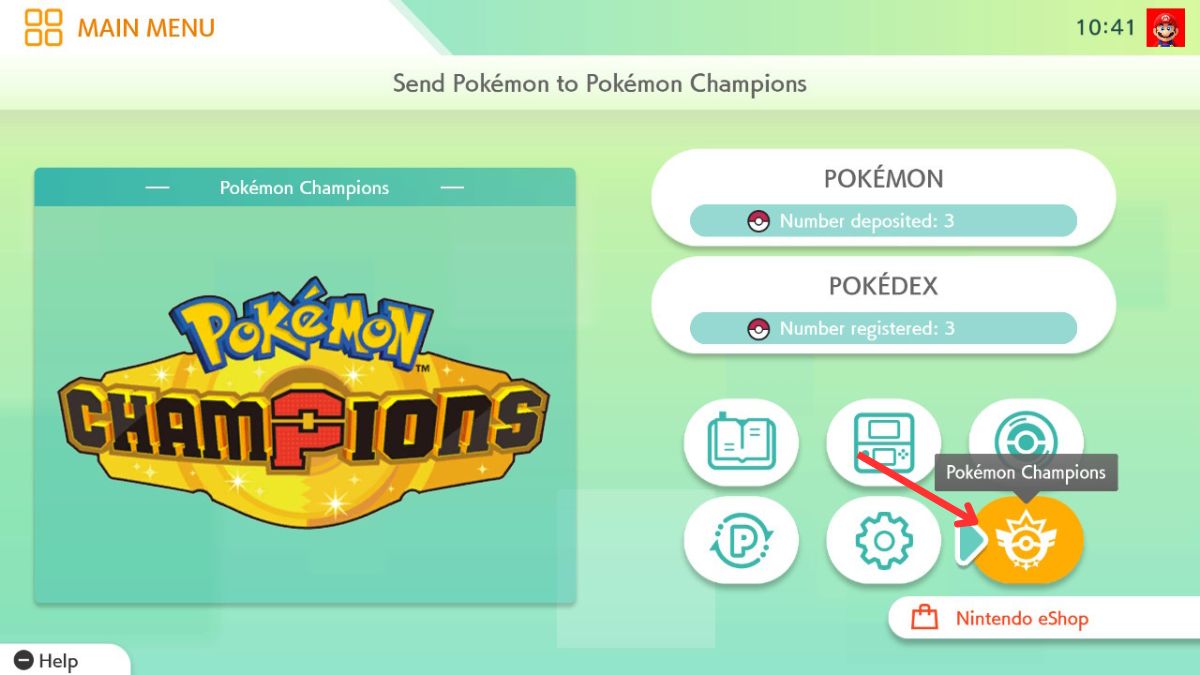
Pro tip: when you link, check for any active mystery gift code in Champions—you often get a free Pokemon for completing the link.
Pokemon HOME Mobile App
With Champions on mobile still rolling out, the mobile HOME app acts as the dispatcher while your Switch is the destination. If your accounts aren’t identical you’ll hit an error, so sign in to the same Nintendo Account on both devices.
- Open Pokemon HOME on your phone and tap Menu.
- Choose Options, then find Link with Pokemon Champions.
- Tap Send for a Visit and follow the prompts—make sure the Nintendo Account matches the one on your Switch.
How to connect Pokemon Champions to Pokemon HOME?
Short answer: sign into both apps with the same Nintendo Account and confirm the link from the Champions title screen. If Championship mobile isn’t live for you yet, use the Switch flow and the mobile HOME app as a companion.
At my desk with a spreadsheet open: How to collect Pokemon from HOME in Champions
I keep a list of which Pokemon I plan to move before I touch the transfer button—this saves me from regret. Not every Pokemon in HOME can go to Champions, and there are rules that matter.
Before transferring, remember these limitations:
| Pokemon Transferring Restrictions | Details |
|---|---|
| Pokemon HOME Restrictions | When a Pokemon is sent to Pokemon Champions, you cannot perform the following actions in Pokémon HOME: – Send it to other Pokemon HOME games – Trade it (GTS / Wonder Box / Room Trade / Friend Trade) – Release it from your Boxes – Mark or unmark it as a Favorite – Assign labels to them – Cannot send Pokemon that do not appear in Champions – Pokemon obtained in Champions cannot be sent back into HOME |
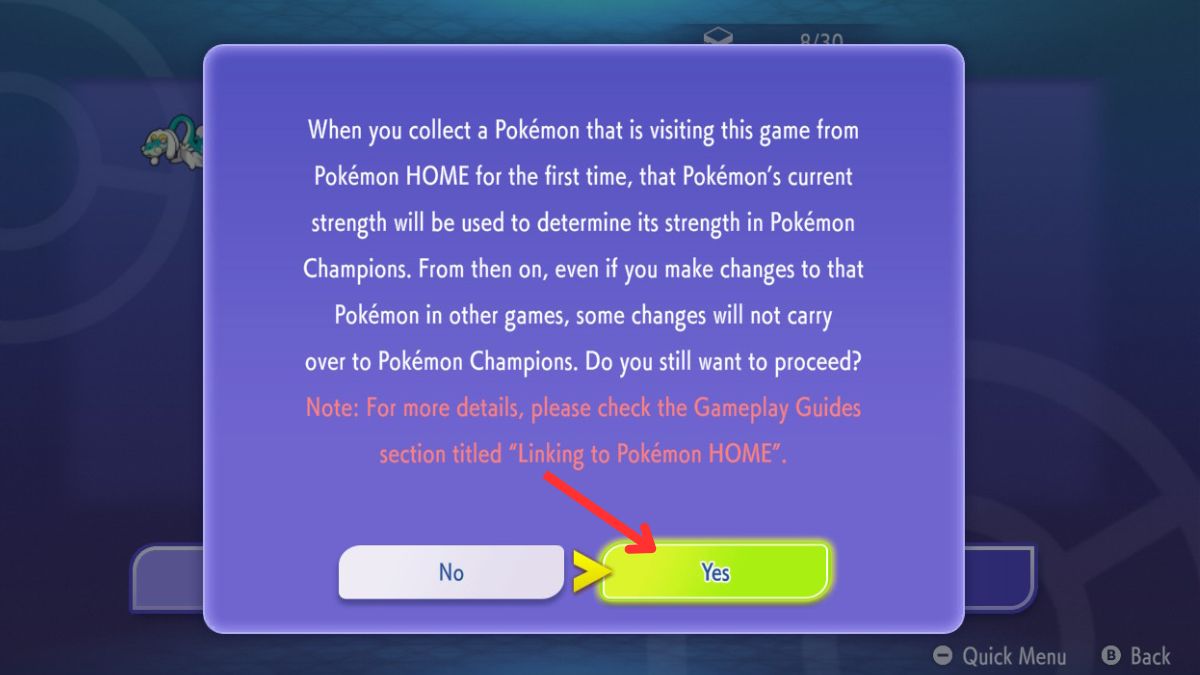
| Strength Restrictions | The Pokemon’s current strength will be used to determine its strength in Pokemon Champions. |
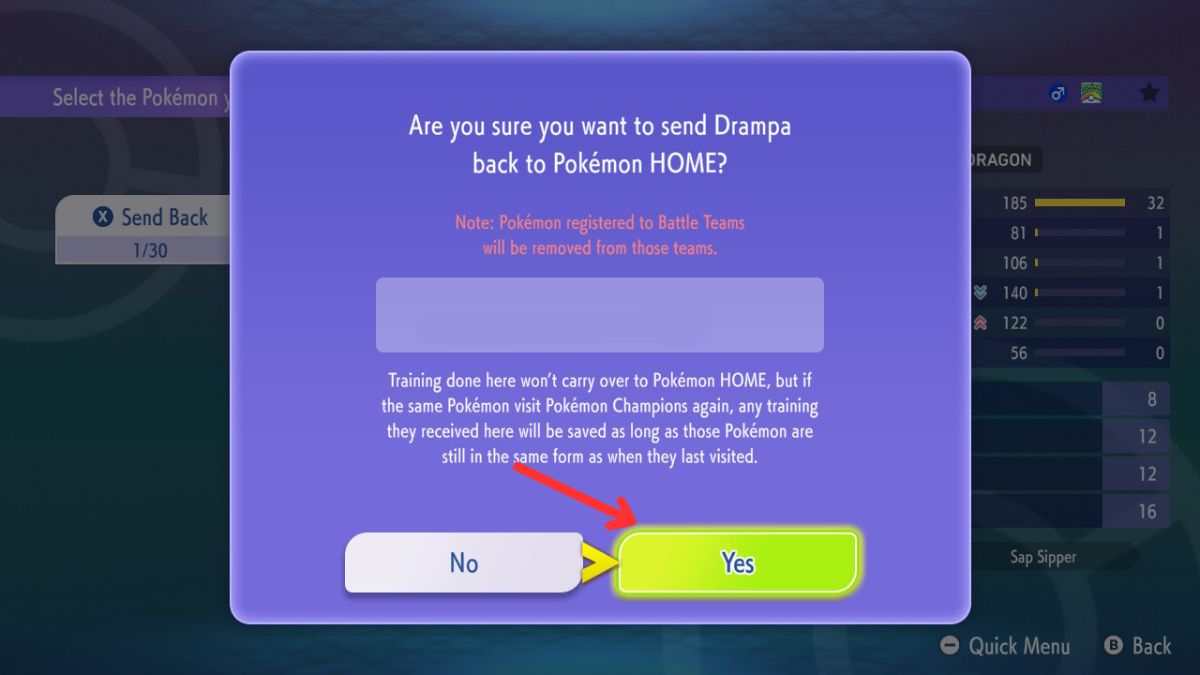
| Stat Restrictions | Pokemon training in Champions won’t carry over to HOME. However, when they return to Champions in the same state, their training will be retained. This is applicable only once. |
| Team Restriction | Pokemon registered in Champions Battle Teams will be removed after sending them back to Pokemon HOME. |
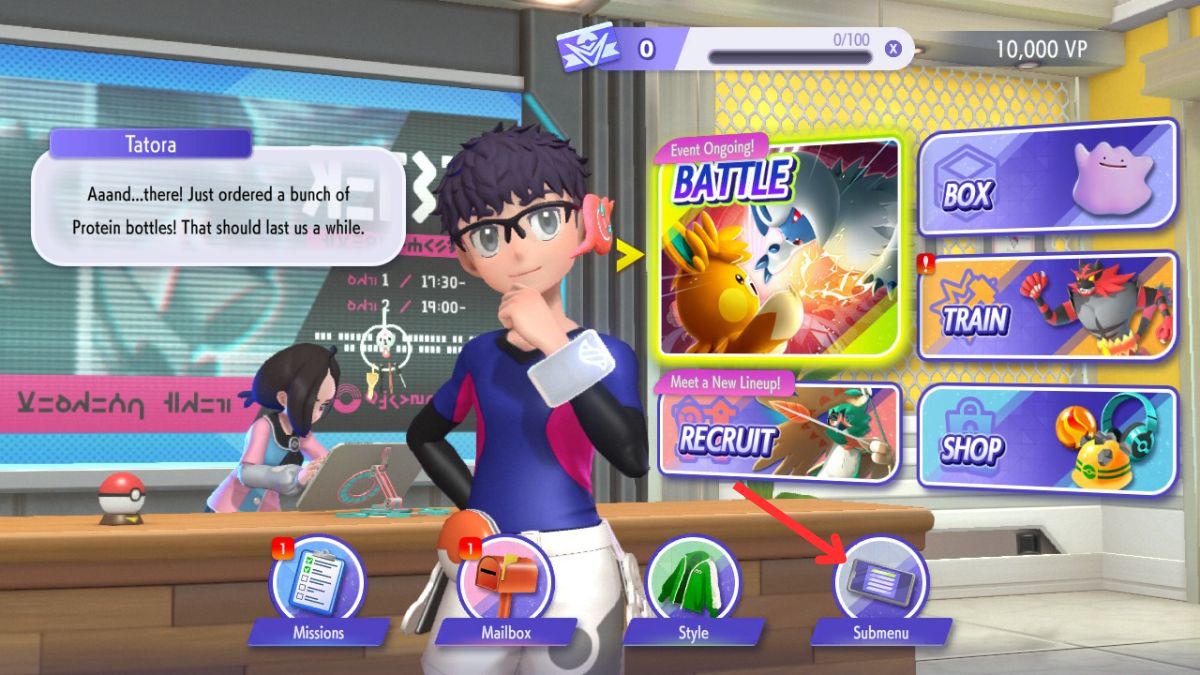
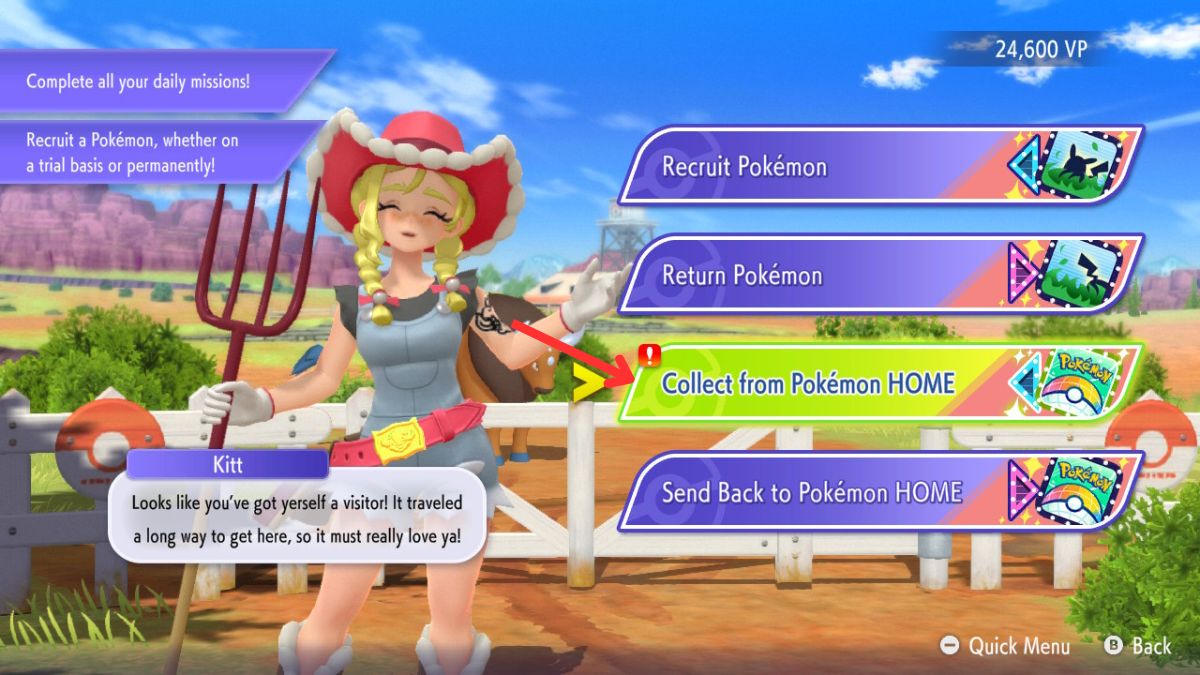
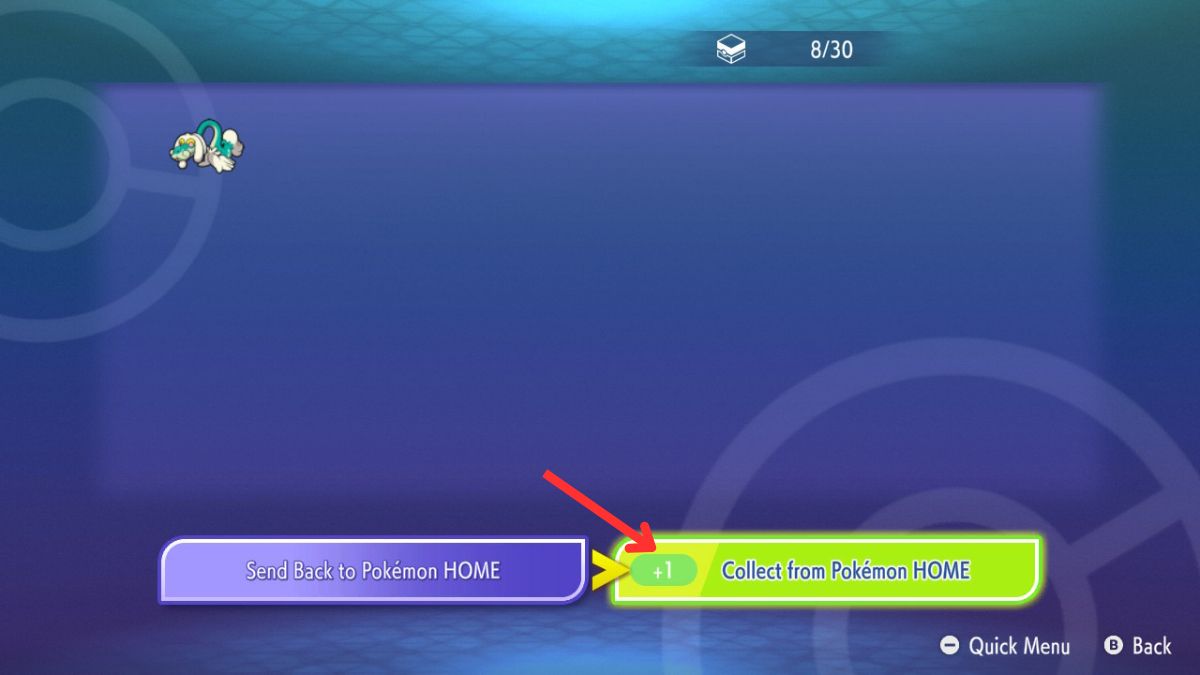
To pull Pokemon from HOME into Champions:
- Open Champions and choose Recruit from the main menu.
- Select Collect from Pokemon HOME.
- Hit Collect, read the transfer conditions, and confirm Yes.
-
Image Credits: Pokemon Champions Nintendo Switch app (screenshot by Arnamoy Das / Moyens I/O) -
Image Credits: Pokemon Champions Nintendo Switch app (screenshot by Arnamoy Das / Moyens I/O) -
Image Credits: Pokemon Champions Nintendo Switch app (screenshot by Arnamoy Das / Moyens I/O) -
Image Credits: Pokemon Champions Nintendo Switch app (screenshot by Arnamoy Das / Moyens I/O)
I often move rare catches from Pokemon GO into HOME first, then into Champions—plan that chain before you act.
On the couch after a long run: How to send back Pokemon from Champions to HOME
After you train, polish, or test a Pokemon in Champions, you might want it back in HOME. The system lets you return Pokemon—but there are limits, and a catch or two.
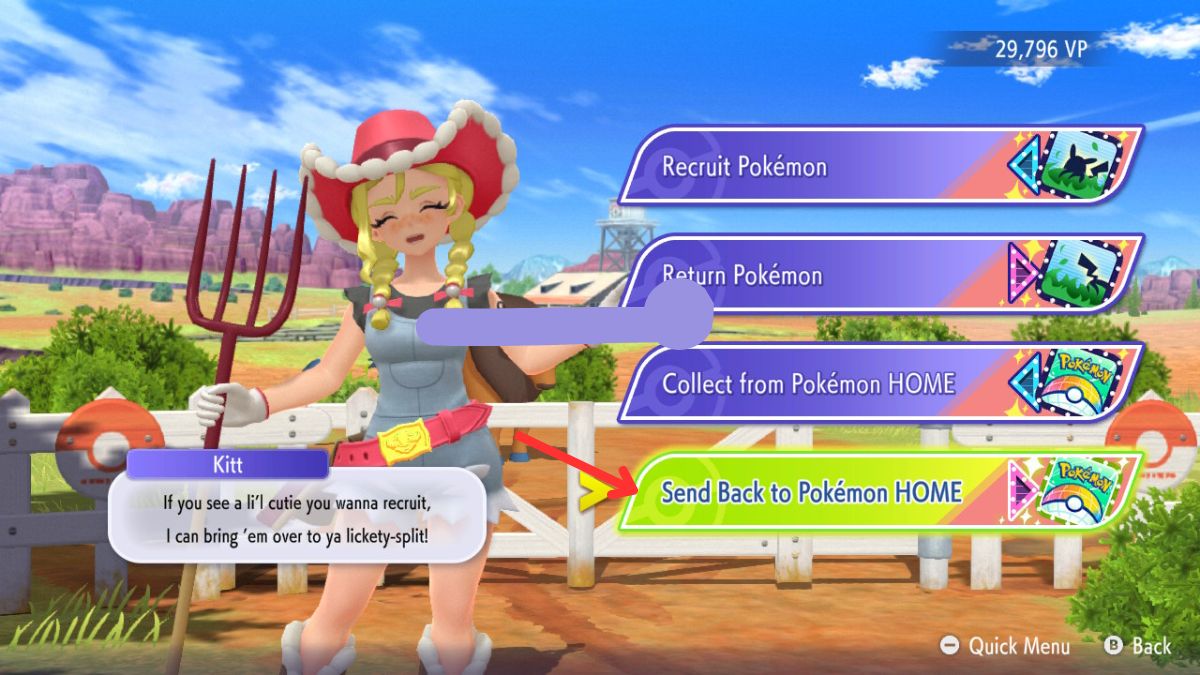
- Open Champions and pick Recruit from the main menu.
- Select Send Back to Pokemon HOME.
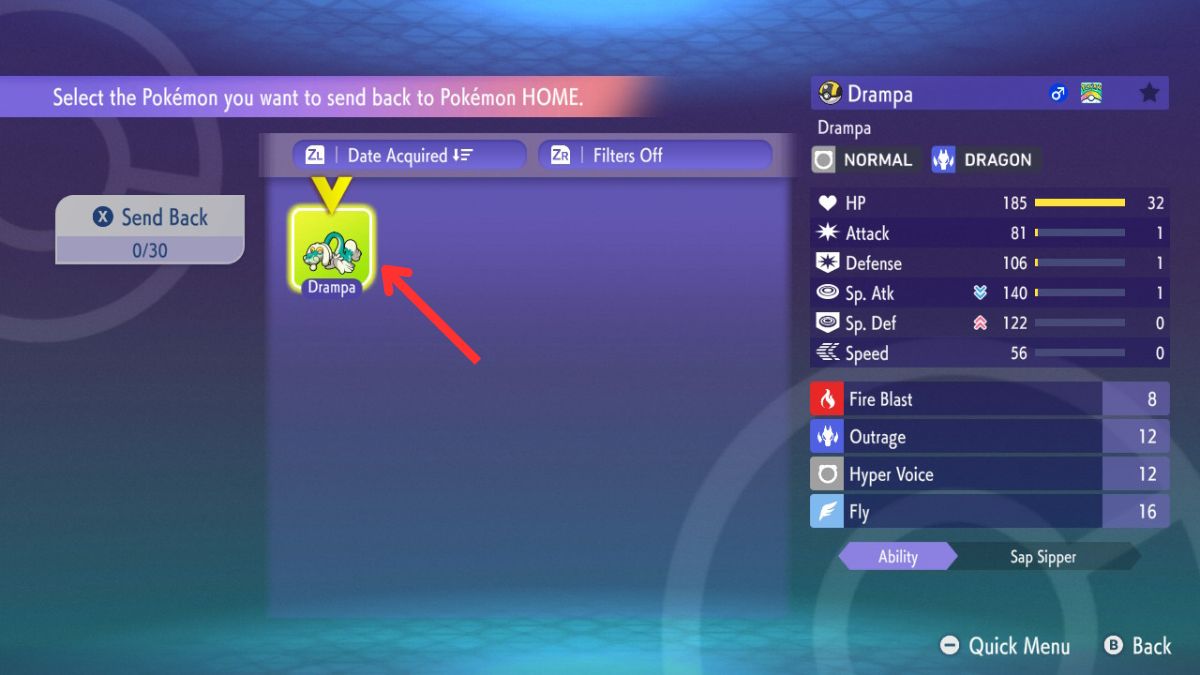
- Choose the Pokemon you want to send.
- Press X on your controller and confirm Yes.
-
Image Credits: Pokemon Champions Nintendo Switch app (screenshot by Arnamoy Das / Moyens I/O) -
Image Credits: Pokemon Champions Nintendo Switch app (screenshot by Arnamoy Das / Moyens I/O) -
Image Credits: Pokemon Champions Nintendo Switch app (screenshot by Arnamoy Das / Moyens I/O) -
Image Credits: Pokemon Champions Nintendo Switch app (screenshot by Arnamoy Das / Moyens I/O)
Can you send back Pokemon from Champions to HOME?
You can, but only if the Pokemon didn’t originate from Champions itself. Pokemon created or obtained inside Champions can’t return to HOME, so plan your moves before you train them to max.
Does the stat remain the same after moving Pokemon from Champions to HOME?
No. Stat changes that happen while a Pokemon trains in Champions won’t transfer back to HOME permanently. If you send the same Pokemon back into Champions in the same state, that training persists once, but it does not change the values in HOME.
I’ll close with one image that helps me think: treat HOME as the mailbox and Champions as the lab—you can send specimens to test, but some samples don’t come back the same. What’s the boldest team swap you’ve tried and did it pay off?