Roblox utilizes recommendations to highlight popular games, making it easier for gamers to discover exciting titles. Many games offer small rewards or exclusive Roblox code redemptions simply for liking them. This guide walks you through the easy steps to like a game on Roblox across various platforms, allowing you to claim those bonuses or show your support for developers effortlessly.
As someone who has navigated the world of Roblox, I can assure you that liking a game is not just a small gesture; it’s a way to enhance your gaming experience while supporting talented creators.
How to Like a Roblox Game on PC
Liking a Roblox game on a PC is straightforward. Just follow these simple steps:
Website
- Open the Roblox website in your browser.
- Find the game you want to like by searching for it or accessing it from your home page.
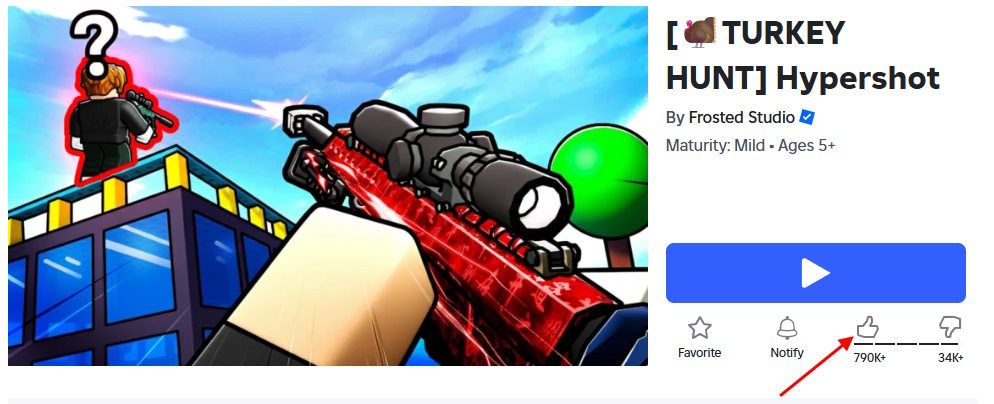
- Locate the Like button, which is situated just beneath the Play button.
- Click the thumbs-up icon to register your like.
- Ensure the icon turns black, confirming that your like has been recorded successfully.
App
- Launch the official Roblox app on your PC.
- Navigate to the game’s home page and scroll down.
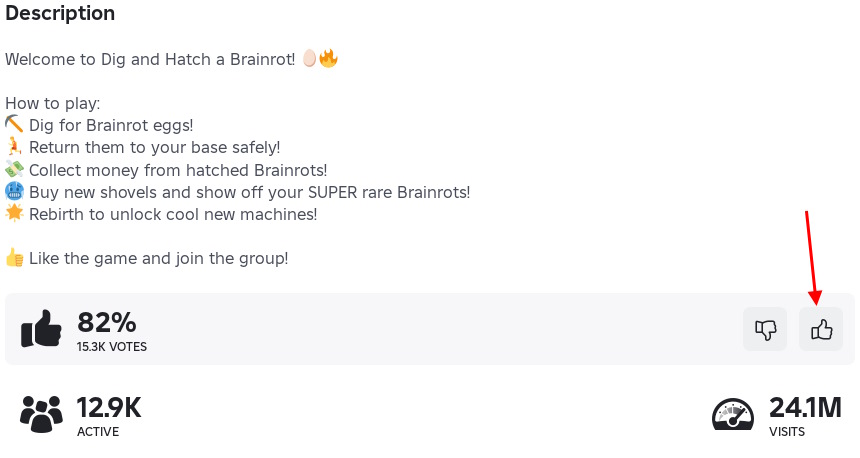
- Click the thumbs-up button in the game stats section.
- Verify that the icon turns black to confirm your action.
How to Like a Roblox Game on Mobile
Users of iOS and Android must download the Roblox app before they can like games. Once installed, follow these steps:
Android
- Open the Roblox app on your Android device.
- Search for the game or choose it from your recommended list.
- Go to the game’s page without starting it.
- Tap the Like button situated just below the title.
- Verify that the icon changes color to indicate success.
iOS
- Open the Roblox app on your iPhone or iPad.
- Search for the game or tap it from your home screen.
- Stay on the game’s main page.
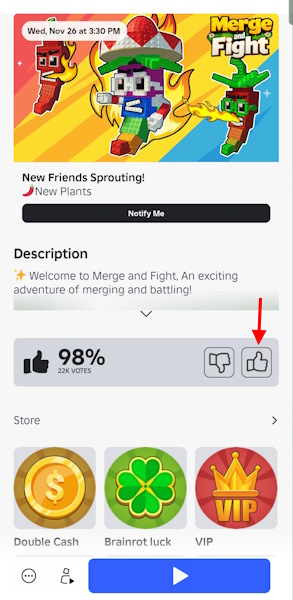
- Tap the thumbs-up icon located beneath the title.
- Confirm that the icon fills to indicate your like was successful.
How to Like a Roblox Game on Console
Console players can also like games on Roblox, though the cursor controls require an additional step. Here’s how:
Xbox
- Launch Roblox on your Xbox.
- Go to the main page of the game by pressing the Menu button on its tile.
- Use the left stick to navigate the cursor over the thumbs-up icon.
- Press A to register your like.
- Look for a highlight change indicating your like is active.
PlayStation
- Start Roblox from your PS5/PS4 home screen.
- Access the game’s page through search or your recently played list.
- Use the touchpad or joystick to move the cursor to the Like button.
- Press X to like the game.
- Check for a color change confirming the like.
Liking a game on Roblox is easy and rewarding. What games will you like first? Share your favorites in the comments section!
Can you like a Roblox game without playing it first? You need to launch the game to be able to like it. Liking a game is an integral part of showing support for the developers.
Is it possible to unlike a Roblox game after liking it? Indeed, tapping the same thumbs-up icon again will revert it to its original state, allowing you to change your mind at any time.
Engage with the Roblox community and enhance your experience by liking your favorite games. Find more tips and tricks at Moyens I/O. Happy gaming!