
Fortnite Chapter 7 has launched, bringing exciting gameplay enhancements designed to accelerate the action, featuring advanced movement mechanics and quicker reload times. For fans of the classic Builds mode, there’s plenty to explore.
Epic Games has consistently evolved Fortnite to help newer players navigate the building aspect of the game, ensuring they can enjoy the classic Battle Royale without feeling overwhelmed. One significant addition has been the Simple Edit option, which simplifies crafting by allowing players to make pre-selected edits with just a button press.
If you’re struggling with the basics of building in Fortnite and often find yourself eliminated even in public matches, Epic has unveiled a new feature called Simple Build that can significantly enhance your building skills. Here’s how to enable or disable it.
What is Simple Build in Fortnite?
Simple Build is a fresh setting introduced in the Chapter 7 update, enabling players to construct predefined structures like towers and boxes with a single button press, all while just changing their direction. While it operates similarly to Simple Edit, it doesn’t offer the detailed control some players might desire during intense 1v1 encounters.
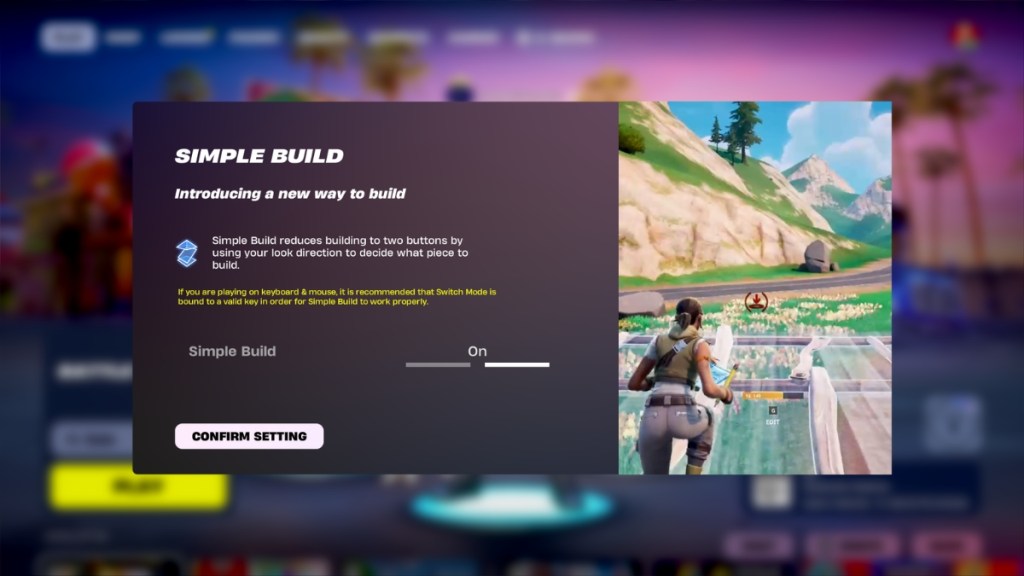
If you prefer the traditional building method or want to try out Simple Build, here’s how to toggle it on or off.
How to Turn On or Off Simple Build in Fortnite
When you launch Fortnite Chapter 7 Season 1, Simple Build is enabled by default. As you start, a message will introduce you to this feature, allowing you to keep it active or disable it.
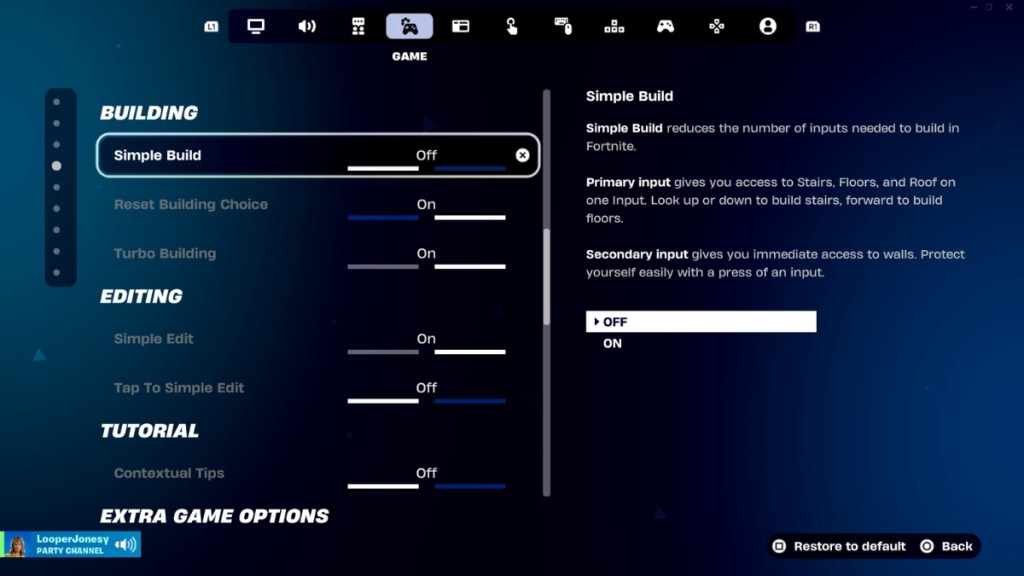
If you accidentally close this window and want to adjust the setting, follow these steps:
- Launch Fortnite
- Click on your Profile Image in the upper right, then select Settings from the left pane
- Navigate to Game Settings by clicking the controller icon (fourth icon) on the menu bar
- Select Building from the options on the left side or scroll to find Building settings
- Look for Simple Build at the top, then click the arrows to toggle it on or off
- Click Apply to save your changes
Now that you know how to adjust your Simple Build settings, let’s explore how to effectively use this feature.
How to Use Simple Build in Fortnite
As a reminder, Simple Build helps you create structures like towers and boxes faster than before. To start, gather materials in your surroundings as you explore the island.
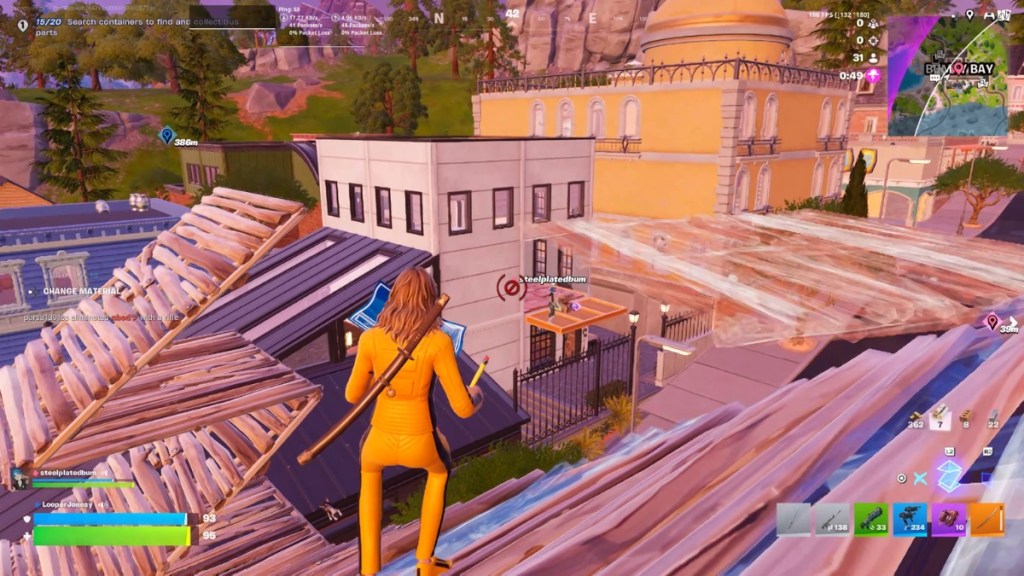
Next, open the build menu by pressing the Build button. Then, by looking around and pressing the right click (or LT/L2), you can generate structures based on where you direct your gaze. For example, gazing straight builds a wall; looking down creates a floor; and directing your view upwards can place a roof or cone. If you look at a 45-degree angle, you can build a ramp.
Ensure you have enough resources to craft more complicated structures like towers while moving and varying your direction. As you practice, you’ll find that mastering the classic Fortnite building becomes easier, especially once you familiarize yourself with the key bindings and learn where to place your structures accurately.
A question that often arises is, “How does Simple Build improve gameplay experience?” Its simplicity allows players to focus on strategy and combat rather than getting bogged down by complex building mechanics.
Many players wonder how to optimize their building speed without sacrificing accuracy. By blowing through low-pressure interactions while getting accustomed to the mechanics, Simple Build lays a solid foundation for improving your skills.
As you become comfortable with Simple Build, will it enhance your Battle Royale experience in Chapter 7? Share your thoughts in the comments below!
If you’re looking to deepen your Fortnite journey, consider exploring more related content at Moyens I/O.