Modifying game data in My Winter Car can feel like trying to solve a puzzle without all the pieces. However, there’s a backdoor method to tweak your in-game stats and make your experience a bit more exciting.
This is made possible through the My Summer Car Editor, which is known as MSCEditor. Although it isn’t a perfect fit for My Winter Car, it still offers some useful functionalities. Let’s dive into how you can set this up!
How to Install the MSCEditor for My Winter Car
Getting started with MSCEditor is a straightforward process. Just keep in mind that while it can be useful, it’s not fully operational for My Winter Car.
- Download the app from NexusMods.
- Extract the downloaded files and run the application.
- In the app, select “Open” from the top-left corner. Then find the default save file for My Winter Car. You can locate this in the saves folder: Users-Username-AppData-LocalLow-Amistech-MyWinterCar.
- The file you need is typically labeled ‘savefile’ at the top of the folder.
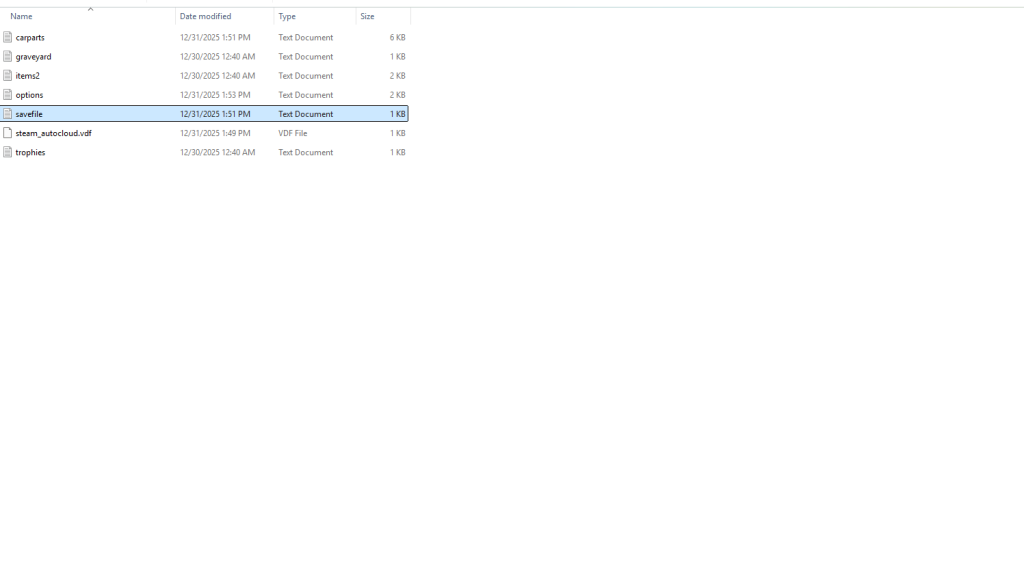
To modify any values, make sure to open the save file specifically through MSCEditor. If you try to open it directly, you’re likely to run into roadblocks that prevent you from making changes.
Will There Be a New App for My Winter Car?
Since My Winter Car is built on the same engine as My Summer Car, there’s a chance a dedicated editor could come along in the future. As of now, however, no such app is available. If a new editor emerges, editing save files will become much more straightforward.
When it comes to a timeline, that’s anyone’s guess. It mainly hinges on the community’s involvement and the speed at which a developer steps up to create the mod.
How can I modify my game data in My Winter Car?
You can modify your game data by using the MSCEditor. Make sure to open your save file within the app to successfully change any values.
Is MSCEditor safe to download?
Yes, MSCEditor is available on trusted sites like NexusMods, making it a safe choice for modifying your game data.
What should I do if I experience errors while using MSCEditor?
If you encounter errors, double-check that you opened the correct save file within MSCEditor. If problems persist, consulting online forums for troubleshooting tips can be beneficial.
Will modifications affect my game experience?
Yes, tweaking game data can significantly alter your experience, providing new challenges or making it easier to progress in the game.
Are there any restrictions on using mods in My Winter Car?
Currently, using MSCEditor has limitations since it wasn’t developed exclusively for My Winter Car, but you can still make some adjustments.
Exploring the modding world can enhance your gaming experience. Don’t hesitate to share your thoughts or experiences below. What changes are you excited to make in your game?