
As December rolls around, it’s time for the annual recap of our digital highs and lows. Just like Spotify Wrapped and YouTube’s yearly summaries, Discord is jumping into the spotlight with its own Discord Checkpoint for 2025. This feature lets you reflect on your activity within the app, highlighting everything the platform has been tracking throughout the year.
Want to see what your Discord experience looked like in 2025? Here’s how to access your personal Checkpoint.
What is Discord Checkpoint?
Discord Checkpoint is essentially the ‘Spotify Wrapped’ for Discord users. If you’ve enabled data collection on the app, it gathers information like the number of messages sent, hours spent in voice chats, and even your favorite channels.
For instance, when I experimented with the settings, I found that without enabling the data collection feature—available under Settings > Data & Privacy—I ended up with an empty Checkpoint recap. It was eye-opening to see how much I missed just because of a toggle.
How to View Your Discord Checkpoint
To check your Discord Checkpoint, simply click the flag icon located in the top right corner of the Discord window on your desktop, just to the left of your Inbox button. When you open the app, the recap should pop up as shown:
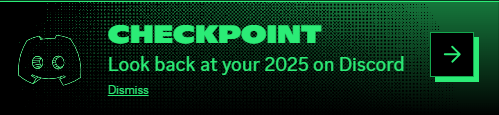
As for mobile users, the feature isn’t available right away—Discord’s initial launch states it may take some time. When it becomes accessible, you can view your Checkpoint by tapping your profile icon and then selecting the Checkpoint banner that appears. Quick tip: if it doesn’t show up, try closing and reopening the app to prompt its visibility.
I found myself excited at the prospect of seeing my activity from the whole year but had to wait, since the feature was temporarily disabled at launch on December 4. Patience is key!
For more information, check out the official announcement from Discord.
What does Discord Checkpoint track?
Discord Checkpoint tracks your messages, voice chat hours, and activity in servers, allowing you to understand how you engaged with the community.
Is my Discord Checkpoint viewable if I didn’t enable data collection?
Unfortunately, if data collection isn’t turned on, your Checkpoint will be unavailable. Re-enabling it will not grant access to previous data.
When will Discord Checkpoint be available on mobile?
Discord has stated that the mobile feature is being prepared, but users should expect delays. Keep an eye on updates!
Can I access my Checkpoint from older versions of the app?
Yes, but make sure you’re using the latest Discord version for the best experience. Older versions may not support the feature correctly.
Have you explored your Discord Checkpoint yet? What surprised you about your yearly summary? Don’t hesitate to share your thoughts in the comments below!