
The siren wails, and another wave of desperate faces shuffles toward your checkpoint. Each one carries a story—some true, some carefully constructed lies. But it’s your job to see through the facade, to decide who gets a bed and who gets turned away into the infected night.
In *Quarantine Zone: The Last Check*, the X-Ray machine is your most reliable tool for separating the sick from the merely desperate, and the smugglers from the truly innocent. This guide will show you how to use this powerful piece of tech to keep your outpost safe.
Mastering the X-Ray: A Guide for New Inspectors
I remember the first time I used the X-Ray; it felt like trying to decipher an alien language. But with a little practice, you’ll be spotting contraband and infections like a seasoned pro.
You’ll get access to the X-Ray machine on the 16th day. To fire it up, select it from the tool wheel (usually by pressing Q). Then, hold down the primary action button (LMB/RT/R2) and move the screen to scan different parts of the body. Fine-tune your view by scrolling (mouse wheel/RB+Y/R1+Triangle button).
What are the different X-Ray layers, and how do I use them?
Think of the X-Ray’s layers like different lenses on a microscope, each revealing a different level of detail. There are four crucial X-Ray modes.
Base
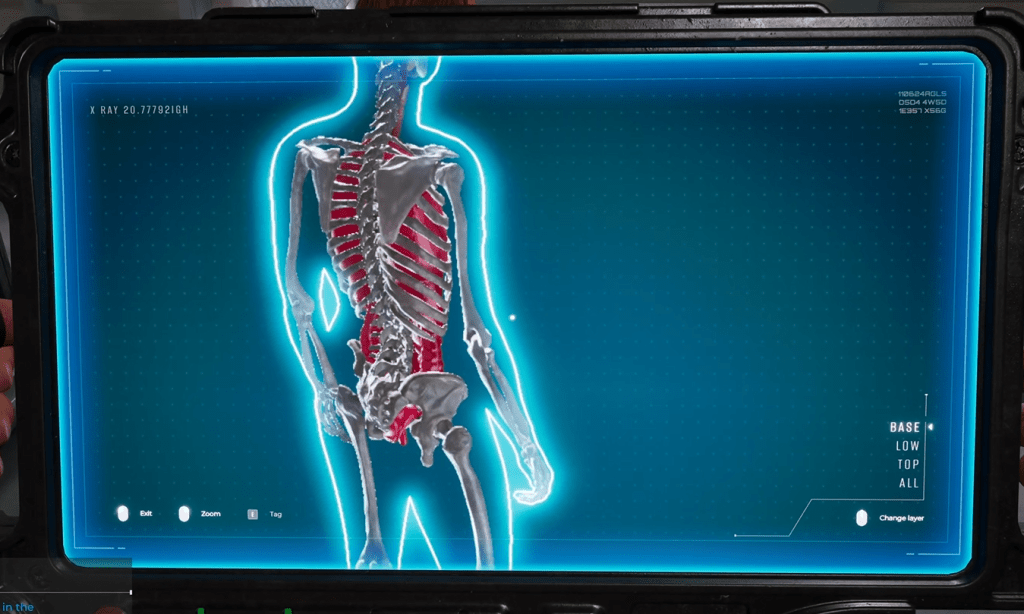
This mode displays all organs at once. It’s good for a quick overview, a general sense of what you’re dealing with.
Low
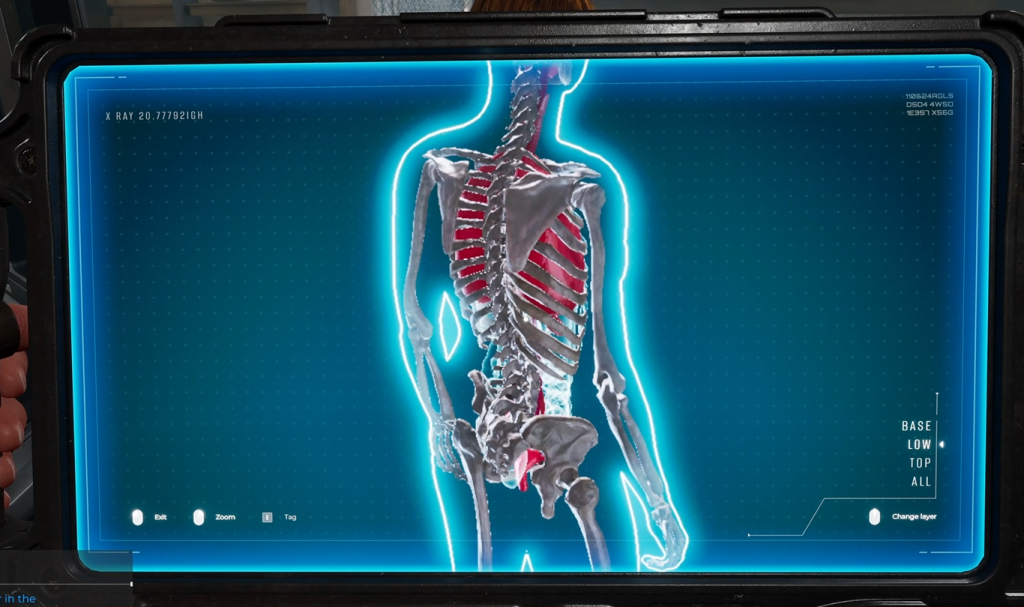
This focuses on the organs closer to the surface, such as the lungs. Ideal for respiratory ailments.
Top
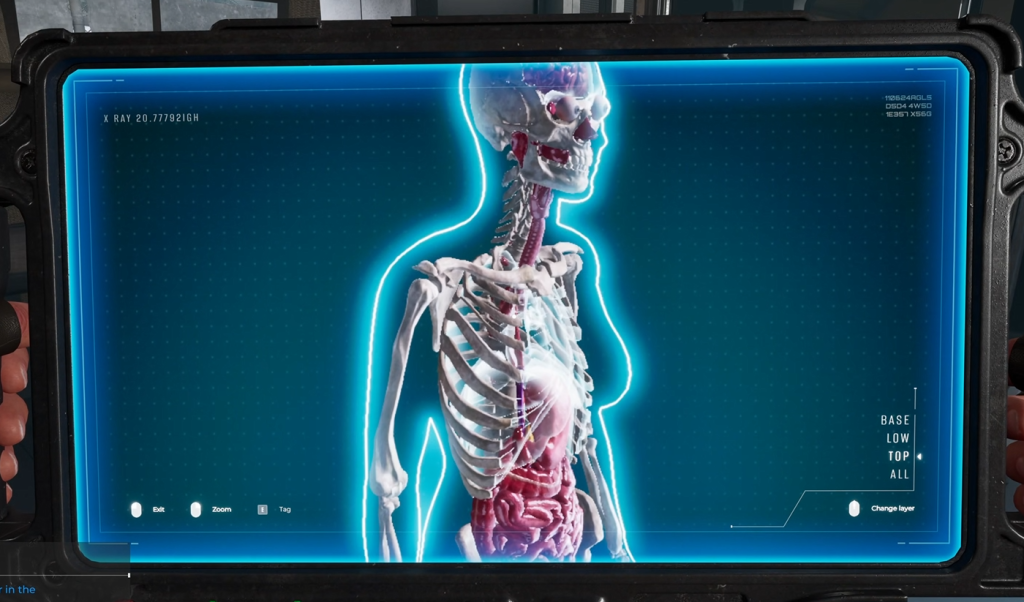
This shows the lower organs and the brain, filtering out everything else. Head trauma or stomach issues? This is your go-to.
All
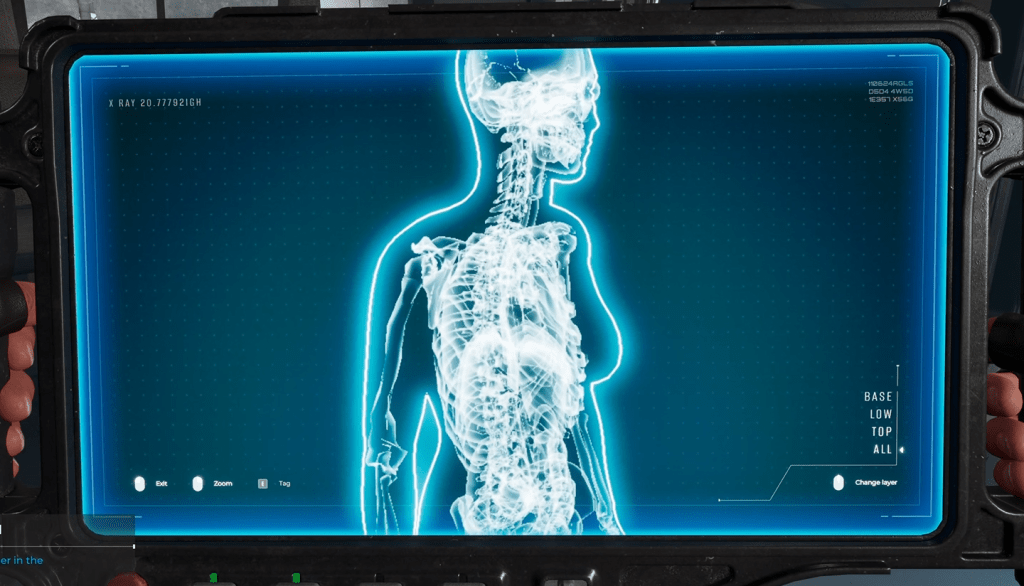
The “All” mode strips away the organs, revealing only the hidden items people are trying to sneak past you. This is your contraband detector.
Decoding the X-Ray: Symptoms and Their Meanings
The first time I saw “Internal Bleeding” on the scan, I nearly panicked. But knowing what each symptom *means* is the key to effective triage.
Initially, you’ll only encounter Internal Bleeding. But as the days wear on, you’ll see far worse. Here’s what to watch for:
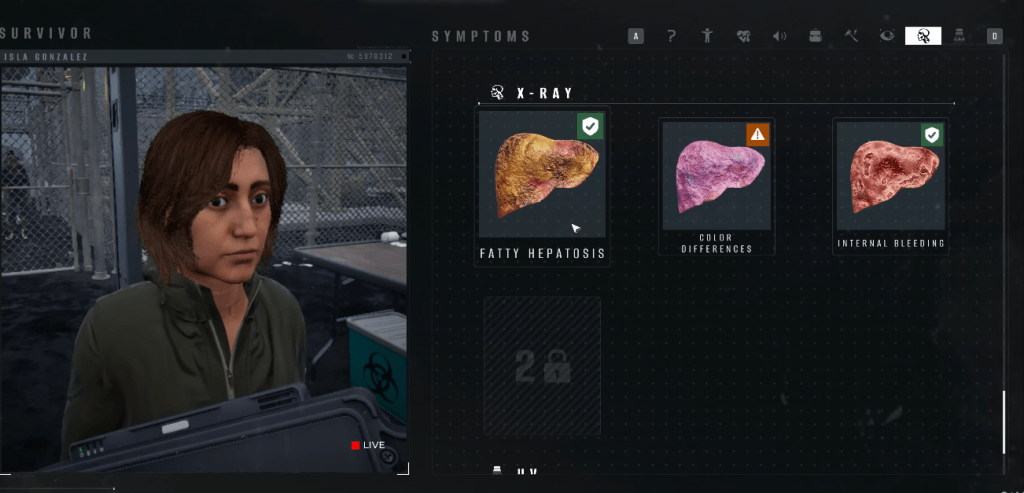
- Internal Bleeding: Damaged internal organs appear red with blood marks. The survivor is injured, but not infected.
- Color Differences: An organ displays an abnormal color or shade. This *could* be the zombie virus, but also other infections, so keep an eye out.
- Moldy Organ: Blue/green spores and small bumps cover the organ. This means the victim is infected.
- Fatty Hepatosis: The organ has a yellow appearance. This just means the person is overweight.
And finally, Organ Necrosis: Black marks on the organ indicate the victim is infected and should be dealt with accordingly.
What’s the best way to spot hidden contraband?
I’ve seen everything from weapons to medicine to family heirlooms being smuggled through the checkpoint. People get desperate, but you can’t let it compromise your outpost.

When you’re alerted to potential smuggling, switch to “All” mode. This will highlight any foreign objects hidden on the person. Once you spot something suspicious, mark it with the interact button (usually E). The item will then be flagged for removal.
Identify everything you can find, and a hazmat team will appear to extract the items. The contraband will then be placed on a tray for your review.
With practice, the X-Ray becomes second nature, a sixth sense that separates truth from lies. But even with the best technology, can you ever truly know what’s in a person’s heart?