
The wind howled as I clung to the pylon, the chasm yawning below. One wrong move, and my precious cargo would be lost. Then I remembered: the zipline, a fragile thread across the void, but my only hope for reaching the next outpost.
Ziplines in Arknights Endfield aren’t just traversal tools; they’re lifelines. You can even build your own to overcome the treacherous terrain of Talos-II.
Early in the game, you’re introduced to pre-built ziplines during the tutorial. These teach you the basics, but soon you’ll be ready to construct your own network of aerial pathways.
From Mountains to Valleys: Zipline Freedom
Remember that feeling when you first built with LEGOs, connecting disparate pieces to create something functional and fun? Building ziplines in Arknights Endfield offers a similar satisfaction. To start creating your own ziplines, you’ll first need to gain the ability to do so. It comes in the form of a talent, but acquiring it requires some gameplay progress.
- Progress far enough in the main storyline to begin the Paving the Way quest. It’s unmissable, but requires a few hours of playtime.
- Make sure you have at least two talent points ready.
- Access the Building Talent tree.
Talent points are earned by interacting with unique objectives and finding Protocol Dataloggers. The world rewards curiosity.
Where can I find more Talent Points in Arknights Endfield?
Don’t overlook side quests and exploration; many hidden areas contain objectives that grant talent points. Completing daily challenges can also be a consistent source of these points.
The method for getting Ziplines from the Building Talent tree is straightforward.
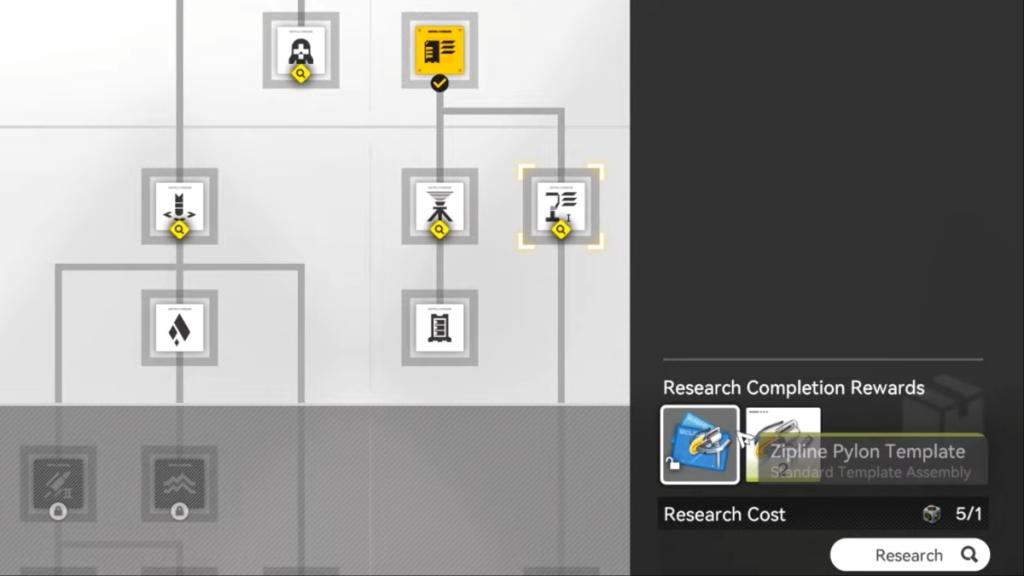
- Press T to access the building talent interface.
- Find the tab that displays infrastructure and construction talents.
- Navigate to the far-right of the talent trees. The zipline talent, sometimes called the Field Mobility talent, starts hidden.
- Spend two talent points to acquire it.
With the talent acquired, you can now place ziplines across the landscape.
Bolts From the Blue: Laying the Foundation
Think of building a zipline network as writing a story. Each pylon is a sentence, and the arrangement creates the narrative of your traversal. Getting the talent is just the first step. To create a useful network, you’ll need a series of ziplines placed strategically.
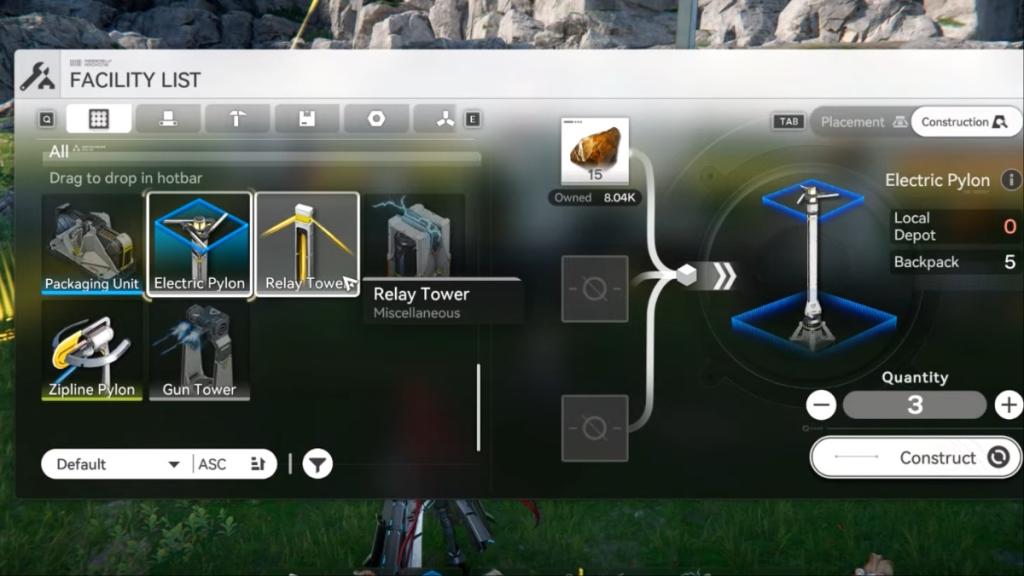
- Open the construction menu to place infrastructure buildings.
- You’ll need zipline pylons, electric pylons, and relay towers.
- Ensure you have the necessary materials in your inventory.
- Zipline pylons must be within 80 meters of each other. Consider the terrain, elevation, and other environmental factors.
- Start by placing the first zipline pylon at your base, then continue placing pylons in the direction you want to travel, maintaining the 80-meter distance.
What happens if a zipline pylon is placed incorrectly?
Don’t worry, you can deconstruct it and try again. The resources will be returned to your inventory, allowing you to adjust your placement strategy. Take the time to experiment and find what works best.
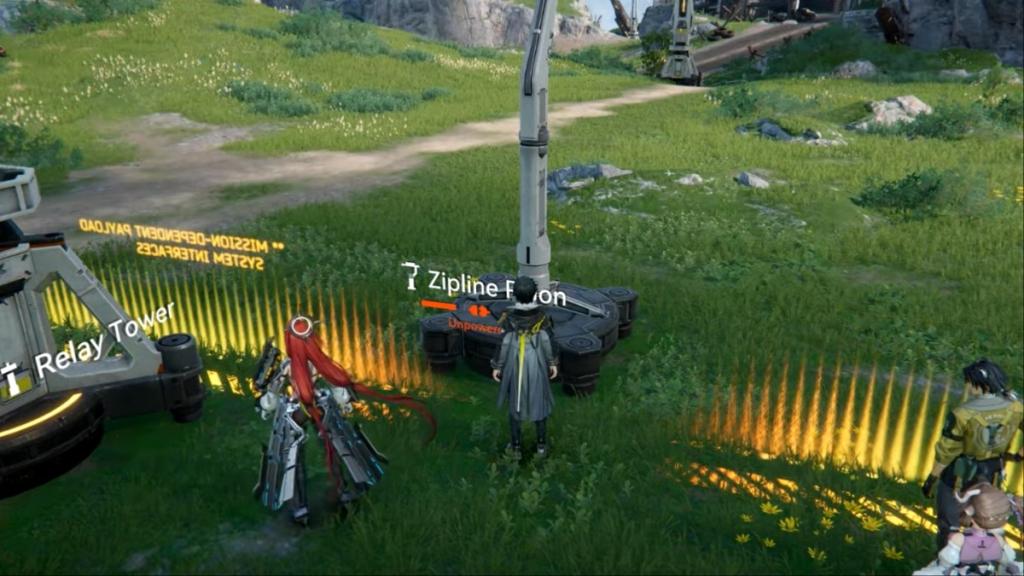
Next, you’ll need to provide power to the zipline pylons.
- Place electric pylons near the zipline pylons.
- Use relay towers to extend power to distant electric pylons.
- Interact with the relay tower to initiate power transmission, routing power cables as needed.
- Connect the electric pylon to the zipline pylon.
Can other players use my ziplines?
Yes, zipline networks are shared across all players in the same world. Players can also repair damaged ziplines, earning Reputation Points for doing so.
Once powered, the zipline is fully functional, allowing you to travel across Talos-II. Remember that ziplines can be damaged, requiring repairs. Will you become known as the master architect or just another pylon in the machine?