
As you stand before your factory in Arknights Endfield, the excitement is palpable. Each design you create, every flick of your virtual pen, has the potential to transform everything. Yet, in the social landscape of this game, there’s more than just your creativity on the line; community-generated blueprints await, tempting you with their efficiency and ingenuity.
At their core, Blueprints are detailed production chain designs tailored for your AIC base. These intricate designs ensure you don’t start from zero each time you seek to innovate. With just a flick of your wrist, you can elevate your factory’s performance, and the best part? You get to borrow brilliance from fellow players.
How Community Creations Shape Your Factory Strategy
Thanks to the vibrant community engaged in Arknights Endfield, a treasure trove of codes has begun to emerge across social media. I’ve personally relished experimenting with these designs and will probably add more in the coming days. These aren’t just static blueprints; each can be reshaped to incorporate your unique style, creating a blend of functionality and flair.
Most codes are functional on the EU/NA servers, while others listed with usernames cater specifically to SEA players. Knowing this can save you from jumping through hoops later on.
| Production Chain | Creator | Code | Plan |
|---|---|---|---|
| Batteries, Seeds, Plants, Ore Crushing | (Rio)#5106 | EFO01ouiI7eOEu6AIieO | 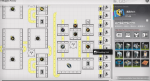 |
| Ferrium Components | @hanayagi_ayumu | EFO01eAo0O2A684Aoui8 | 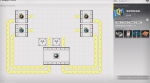 |
| Electricity Generator | BellWether#7631 | EFO014E62EU5OA3aE71A | 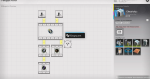 |
| Buckwheat Flower Powder, Industrial Explosives, Acetone Powder, Charcoal Lump, Amethyst Component, and Amethyst Equipment | (Ao)#8603 | EFO019aEu8UUiae45uI2 | 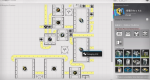 |
| Integrated Industrial Blueprint (early game) | @Migerubahha | EFO013o72eiA67aU0579 | 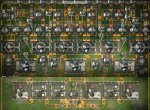 |
| Back Capsules and LC Valley Batteries | @onetiredkayla | EFO01O3E220E91IA9oe4 | 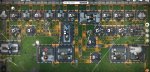 |
| Xiranite Components | @cannaaaa7 | EFO01U4Ai53304O97Oa8 | 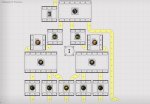 |
| Purple Battery | @braxophone | EFO01iOe7E613u2A72U4 | 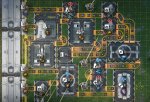 |
| Medium Batteries and Medicinal Capsules III | @Ninjago9101 | EFO019aEu1UAiae15ul2 | 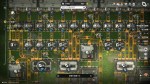 |
Turning Your Creativity into Action: Crafting Blueprints
Creating your own Blueprint is an exhilarating experience, akin to sketching out a masterpiece. But before you reap the benefits of others’ designs, you’ll need to bring your own vision to life.
- Head into AIC Mode and bring up the Top View.
- Select Bulk Action to choose the specific section of your design to preserve as a Blueprint.
- Once you’ve made up your mind, save your work by hitting Ctrl+S.

Feel free to personaliz your creations with unique names and descriptions, along with tagging and icon options for easier tracking in the future.
Importing Brilliance: How to Load Community Blueprints
Crafting a Blueprint is gratifying, but tapping into the ingenuity of fellow players elevates your game even further. Imagine capitalizing on a design that harnesses a level of efficiency that only the community can provide.
- To bring in Blueprints, begin by securing the alphanumeric codes that each design carries.
- Head over to your Core AIC (or Outposts).
- Access the Top View with Q/R3 (for controllers).
- Hit F1 to access the Blueprint menu.
- Navigate to the Shared Blueprints tab and paste the code you copied.
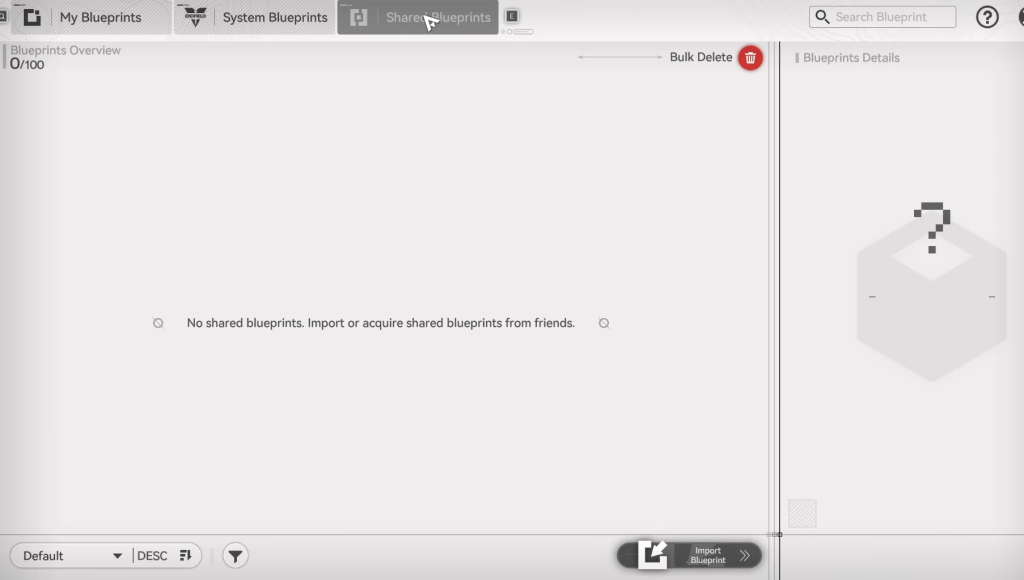
You also have the opportunity to visit another player’s base in Arknights Endfield, where a simple copy-paste will capture their Blueprint automatically.
In a world filled with innovative designs, will you stick to the ordinary or embrace the extraordinary by leveraging the community’s creative prowess?