
Imagine stashing away a rare loot drop in Diablo 2 Resurrected, feeling that rush of triumph, only to watch it disappear amidst the chaos of clutter. The thrill of the hunt turns to frustration as the screen floods with items you don’t need. You’re not alone; many ARPG fans are discovering the power of the revamped Loot Filter, designed to streamline your loot collection experience.
Exclusively introduced in the Resurrected version, the Loot Filter offers a clean way to control what catches your eye. And if setting it up feels like a Herculean task, fret not—you can import filters from fellow players with ease. This guide is your roadmap to mastering the Loot Filter, ensuring you snag only the most coveted treasures.
Spotting the Loot Filter in Diablo 2 Resurrected
You’ll find that locating the Loot Filter is a breeze. Blizzard has crafted an intuitive experience where anyone can dive right in. Just hit the Esc key to open your menu, and you’ll spot the dedicated Loot Filter option without breaking a sweat.
From this point, you’re all set to create a filter tailored to your needs.
Crafting Your Custom Loot Filter
Creating your Loot Filter is straightforward, but it requires a bit of finesse. Think of it as fine-tuning a machine designed to amplify your gaming experience.
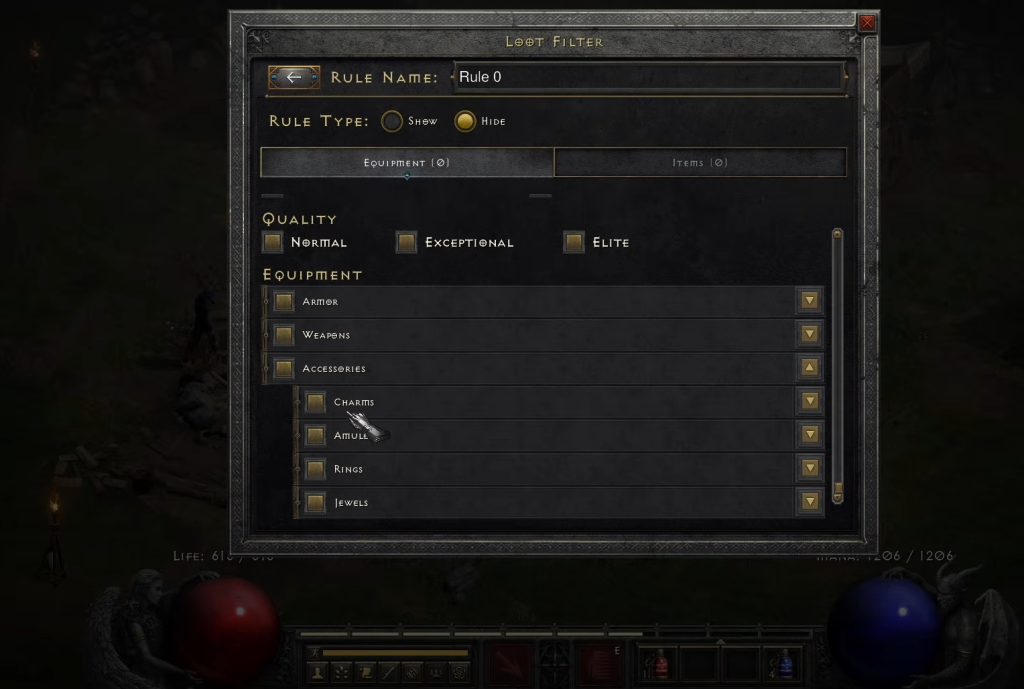
- Click the + button to initiate a new profile, or utilize an existing one.
- Select a Rule type: Hide or Show.
- Pick the Rarity types corresponding to your selected rule.
- Determine the Quality types.
- Add any specific equipment you want to highlight or obscure.
- Close the Rule and repeat if you wish to set up additional filters.
Remember, in Diablo 2 Resurrected, Show always takes precedence over Hide. If there’s an item or rarity you don’t want cluttering your screen, ensure it’s hidden from all views. If a particular rarity has even one Show rule applied, it will make an appearance—so choose wisely what you wish to see.
Importing a Loot Filter in Diablo 2 Resurrected
The procedures for importing a Loot Filter are refreshingly simple. Head to the Loot Filter option, then click the Import button. After copying a filter code, paste it in, and your profile will update instantly. You can also use the Import from Clickboard feature—just confirm, and voilà, the new filter is active.
Feeling generous? Share your own Loot Filter with friends or on social media. Once you’ve copied the code, the benefits can extend beyond your own gameplay.
With the Loot Filter at your disposal, how will you refine your adventure in Diablo 2 Resurrected? Will you risk the satisfaction of old habits for a streamlined experience?