
You sprinted across Perimeter with UESC fire snapping at your heels. I watched the objective stay ghosted until I was nearly at the door. You have fifteen seconds of calm before the runners close in.
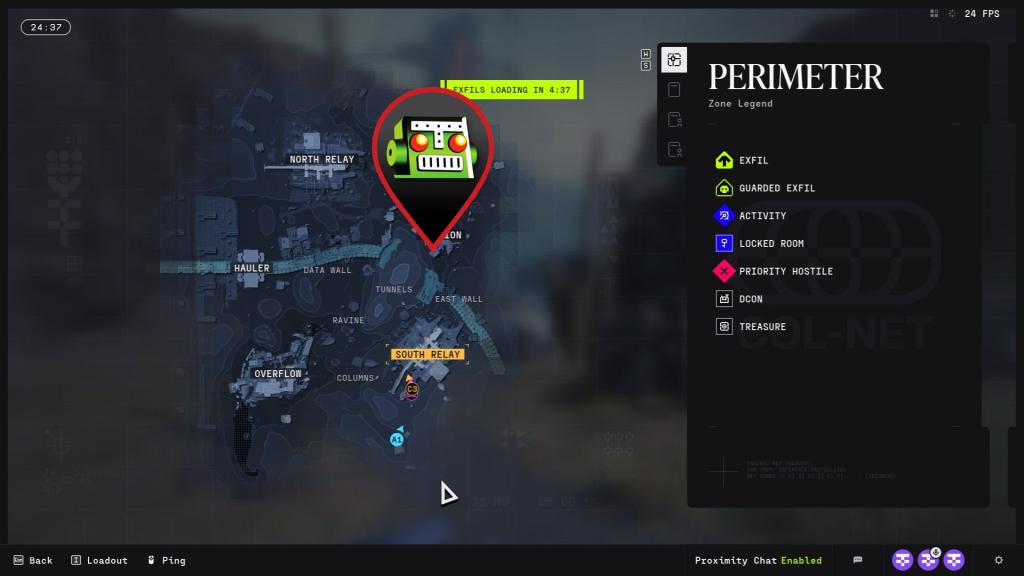
Short guide: the geological survey sits inside the southeast building at the Station POI on Perimeter. I’ll show you the exact approach, the ladder or rock-jump entry, and how to finish the download without wasting time or gear. Read fast; the marker only reveals itself inside 100m and the map becomes a fog the longer you hesitate.
You pass the Station POI every time you run Perimeter’s south-eastern spawn.
The southeast building sits inside that POI, but the game hides the objective until you close the gap.
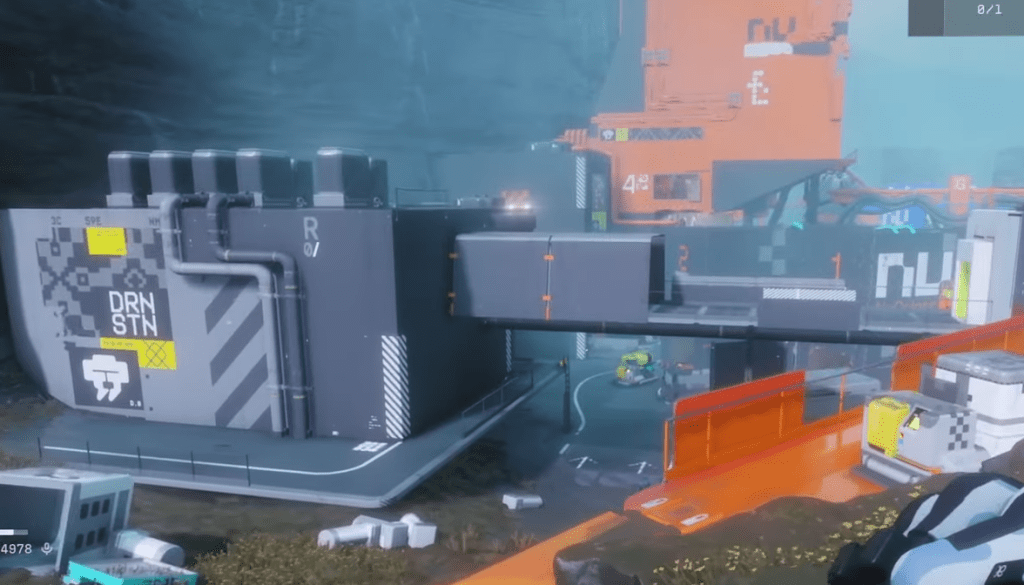
Start from Perimeter’s usual south-eastern spawn and take the main path toward the Station POI. When you hit the scene shown below, scan left for a black-and-yellow building stuck to the edge of the path — that’s the southeast building where the exfil spawns. I’ve marked the spot in the screenshot so you don’t circle aimlessly while the UESC tightens the noose.
Where is the geological survey located in Marathon?
It’s in the Station POI on Perimeter, inside the southeast building. The contract prompt points you toward the general area, but the objective icon only appears once you’re within roughly 100 meters.
The building has a ladder and a deck route that players use all the time.
Choose the right entrance and you skip combat chokepoints and get to the terminal faster.
Approach the building from the front. On the right-hand side you’ll see a ladder that leads up to a deck — the ladder is a lifeline when the main entrance is hot. If you prefer parkour, you can jump from the nearby rocks up onto the deck and drop into the same room. Either route puts you in the nearest room with the terminal.
How do I download the geological survey in Marathon?
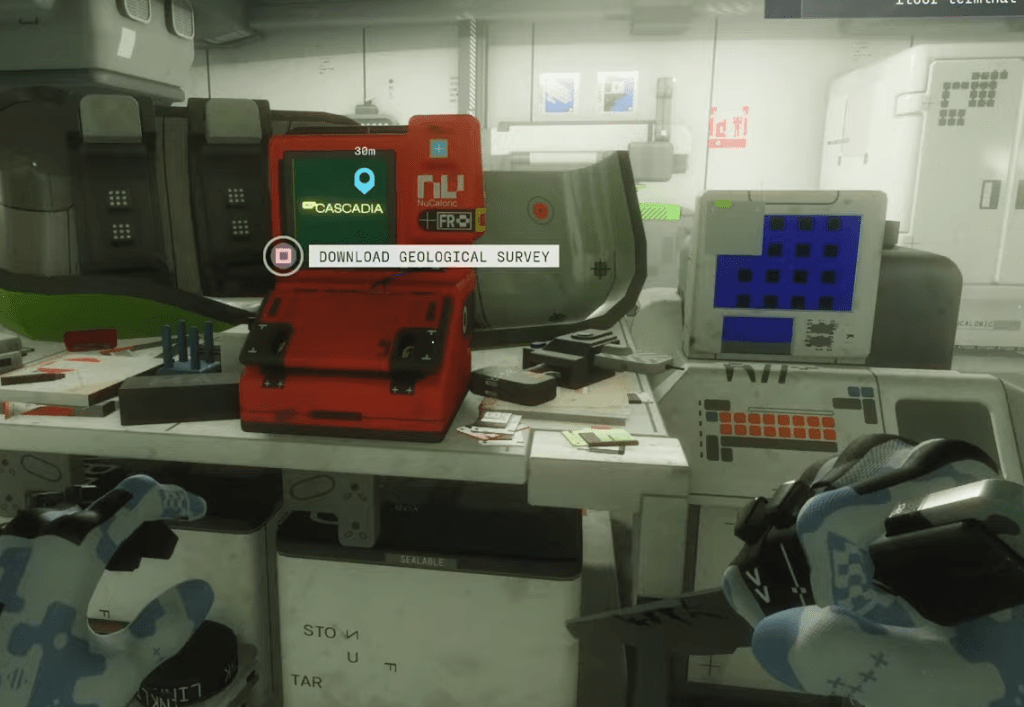
Move to the terminal and interact. The prompt is a simple hold-to-complete; once the data transfers the contract finishes. Don’t hang around — the UESC and other runners will treat an active extractor as a target. I recommend a quick scout with a sniper or a suppressive weapon, then sprint to the terminal when the zone is clear.
What rewards do you get for downloading the geological survey?
Completing the contract grants the normal contract rewards: reputation progress, materials, and occasional gear or consumables tied to that contract tier. You still need to exfil to claim the loot — stall and those rewards will go to someone else.
I use Bungie.net to check contract details and DIM or Light.gg to prepare a fast loadout. If you want a clean run, bring a mobility-focused subclass and light weapons for quick clears; Traxus faction contracts often want you in and out quick, and the Station POI runs draw attention fast.
Small detail that matters: the objective marker won’t glow on your HUD until you’re inside the 100m bubble. Treat that moment as the signal to switch from scout to closer. The ladder or rock-jump saves you time and angles, but it also funnels you into a single room — consider a flashbang or cover before you start the download.
So, will you sprint up the ladder like a ghost and leave enemies asking what happened, or sit and plan while the Zone gasses the area and someone else walks off with your rewards?