
You log in at launch, eager to claim the Deluxe Edition skins. The Rewards Pass slot is empty and your inbox is a dead zone. I’ve tracked launch-day rollouts enough to tell you what likely happened and what to try next.
Don’t panic or repurchase. I’ll walk you through what to check, how Bungie is handling the rollout, and when to raise a ticket — without wasting your money or time.
On social feeds, players posted screenshots of empty mailboxes within minutes of launch. Marathon Rewards Pass and Deluxe Edition items missing
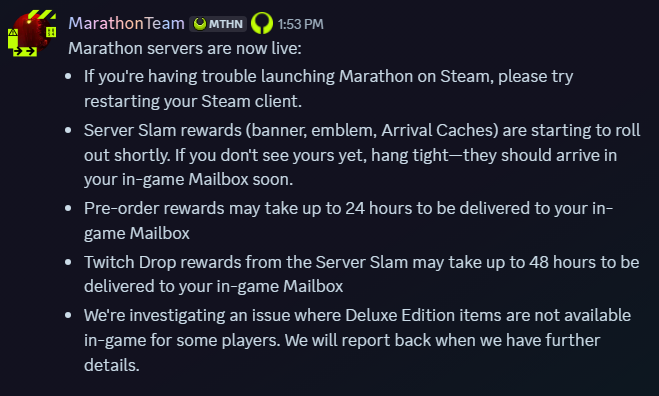
Right after Marathon went live, reports flooded Discord and Reddit: Deluxe Edition owners had no Rewards Pass voucher, no pre-order cosmetics, and no Server Slam drops in their in-game Mailboxes. Bungie acknowledged the problem on the game’s official Discord: “We’re investigating an issue where Deluxe Edition items are not available in-game for some players. We will report back when we have further details.”
The Rewards Pass is a sealed envelope refusing to open. This is almost always a server-side permissions rollout problem — ownership flags exist on Bungie’s end but haven’t propagated to every platform account yet.
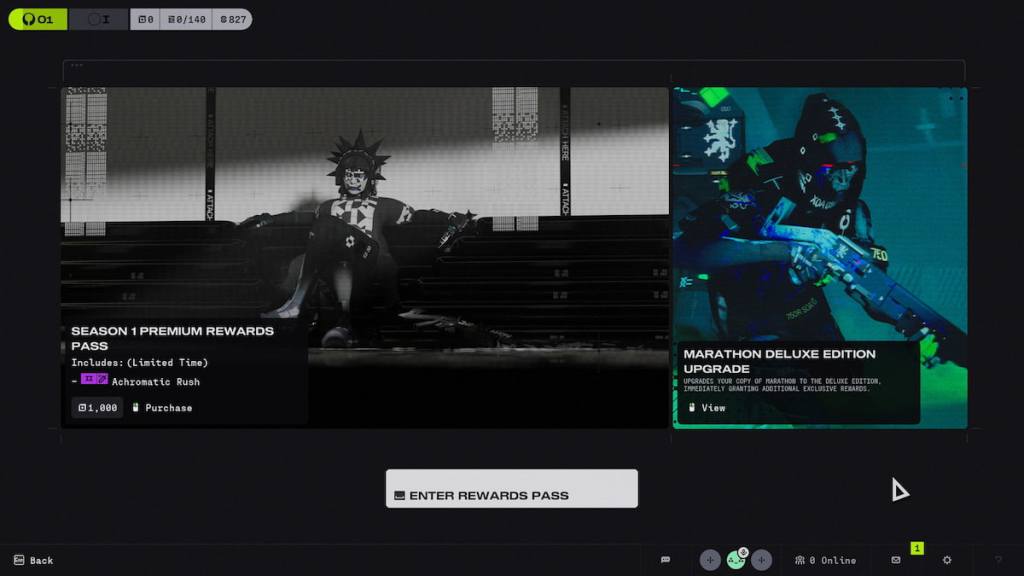
Why are my Deluxe Edition items missing?
Bungie planned a staggered rollout for Deluxe Edition items, Server Slam rewards, and Twitch drops. When the backend doesn’t mark every account immediately, those items won’t show up in-game even if your platform store shows the purchase. The official word from Bungie: some cosmetics and Arrival Caches “will roll out during the first day of launch.”
In chats and thread comments, players debated whether to repurchase or wait. What to do now — immediate steps
First rule: do not buy the Rewards Pass or repurchase the Deluxe Edition if your account already shows ownership. If you already paid $39.99 (€37) for the Deluxe Edition, spending again risks losing money and creating support headaches.
Quick checklist you can run through in five minutes:
- Check your platform purchase history (Steam, Xbox, PlayStation) to confirm the transaction.
- Open the in-game Mailbox and Notifications — items often arrive there when the server flag flips.
- On PlayStation/Xbox, use “Restore Licenses” or “Verify Content” options; on Steam, check DLC and game properties.
- Sign into Bungie.net and confirm your account is linked to the correct platform profile and cross-save settings.
- Restart the game and your console/PC. Sometimes a fresh auth handshake pulls the missing entitlement.
- Check Twitch and Prime Gaming claim pages if you expected Twitch drops; those can be separate claim flows.
The launch was a jammed printer, spitting error messages — but that doesn’t mean your items are gone forever. Most reports show rewards appearing within hours.
How long will the items appear in my mailbox?
Bungie’s timeline: items should roll out during the first day. For many players this means minutes to a few hours; for others it could stretch to most of the day. If nothing shows after 24 hours, escalate (steps below).
When patience runs thin, you start opening support tickets. When to escalate — who to contact
If 24 hours pass with no Rewards Pass or Deluxe items, gather screenshots of your purchase receipt, platform transaction ID, and your Bungie.net profile page showing linked platforms.
Who to contact:
- Bungie Help — submit a ticket with screenshots and transaction IDs. Mention the exact items missing (Rewards Pass voucher, Server Slam cosmetics, Arrival Caches).
- Platform support (Steam/Xbox/PlayStation) if the store shows no record of purchase; they can verify the purchase and provide receipts.
- Check Bungie’s official Discord and the Marathon server status page for live updates before opening duplicate tickets.
If you’ve already repurchased or made a duplicate purchase, include that receipt and clearly state the timeline — support can consolidate claims faster with a clear paper trail.
Across forums and DMs, community fixes circulate fast. How to follow rollout signals and community reports
Watch Bungie’s official channels first: Discord, Twitter/X, and the Bungie Help site. Community threads on Reddit and the Marathon subreddit often surface patterns (platform-specific issues, region delays, or cosmetic-specific problems).
Don’t rely on third-party tools for entitlement fixes; the answer lives in Bungie’s backend and platform stores. If you need a temp sanity check, compare a friend’s mailbox who owns the Deluxe Edition on a different platform to spot platform-wide vs account-only problems.
Still waiting — will Bungie push a fast fix, or will this linger until tomorrow?