I was in Hernand with my pack stacked full of odd-shaped crates and a ticking inventory bar. Every regular trader I approached shrugged and shut their window—those Unpackaged Trade Goods were taboo. You’ve probably felt that mild panic: useful loot you can’t sell and no place to put it.
I spent hours poking at menus, chatting with NPCs, and scanning community threads on Steam and Reddit before I found the pattern. Here’s the clean map for getting rid of those items—fast, safe, and without sacrificing time you could be spending on combat or exploration.
All Unpackaged Trade Goods (Black Market) vendor locations in Crimson Desert
On the minimap they appear as small red tent icons—if you train your eye, they practically jump out. These are Goldleaf Trading Posts, and inside each one is a Black Market Trader who will accept Unpackaged Trade Goods. I’ve found confirmed vendors in Hernand and Pailune; the images below come from a Moyens I/O play session and point straight to the booths.
Hernand
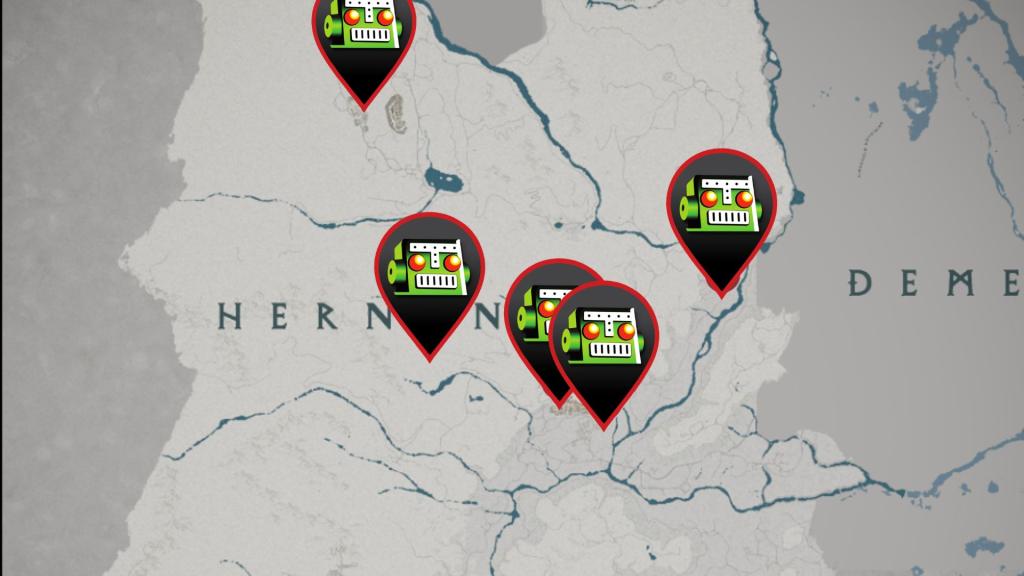
The Hernand trading post sits near the market stalls—small, cluttered, and run by gremlin vendors. I sold my first stack here after Chapter 3, and the interface behaved exactly like any other trader’s Sell menu. These items feel like a dusty suitcase at customs: awkward, frowned upon, but not impossible to move if you find the right counter.
Pailune
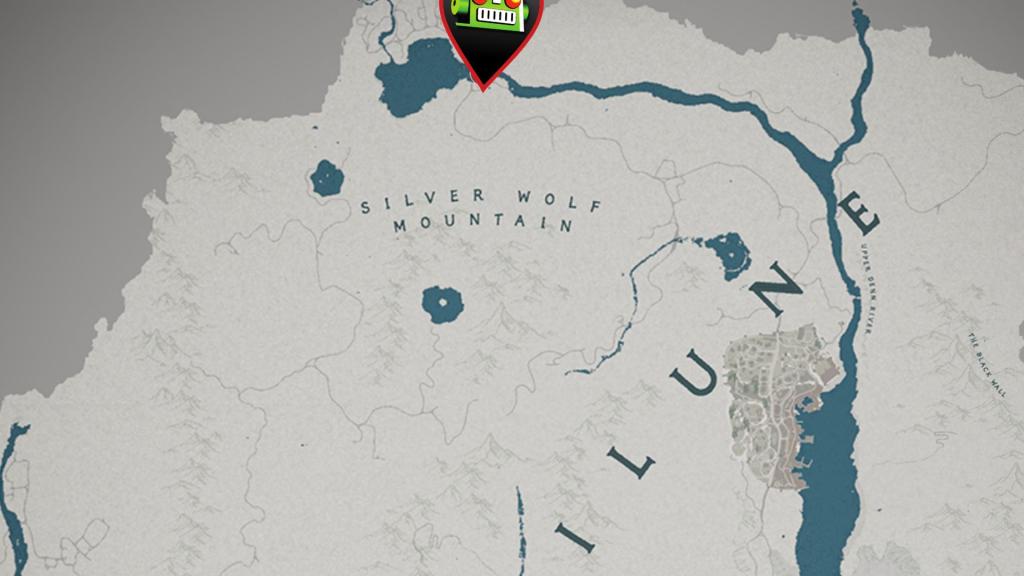
Pailune’s spot is quieter but just as straightforward—the gremlin vendor sits under a red tent and the Sell window works the same. I’ve pinned both locations on community maps and cross-checked reports on GameSpot and IGN threads; players on PC and consoles see the same behavior.
How to sell Unpackaged Trade Goods at the Vendor
The trader interface shows a compact Sell menu—small UI, big consequence. Once you find a Goldleaf Trading Post and speak to the Black Market Trader, selling is mechanical but you’ll want to follow the right steps so you don’t waste time or inventory slots.
How do I sell Unpackaged Trade Goods?
Open the vendor and choose the Sell tab. Pick the Unpackaged Trade Goods entry, set the quantity, and confirm the sale. The items leave your inventory and you receive coin in return; the process also clears any occupied storage spaces those items were taking up.
When will Black Market traders accept these items?
You need to reach the story moment where you deal with a corrupt Goldleaf merchant—this happens in Chapter 3 after defeating Hornsplitter. That sequence introduces the first Goldleaf Trading Post and flips the script: Black Market Traders become available to trade Unpackaged Trade Goods. Players who haven’t passed that beat will find the items unsellable at normal merchants.
Practical tip: if your inventory is tight, prioritize a short run to the nearest red-tent trader between missions. The sale feels like sliding a note across a back-alley table—quick, quiet, and immediately useful.
I’ll add more pins as I find additional posts, and community map tools on Steam Workshop and third-party sites like Fextralife often mirror my findings. Do you hoard these odd goods for curiosity or clear your bags and feed them to the black market—what’s your move?