
I was rifling through my Greymane camp chest when I noticed a new slot count staring back at me. My first thought: I can finally stop deleting purple junk mid-raid. By the time I logged off, I had planned three new hauls and one questionable fashion choice for my cat.
I’ll walk you through what changed in Crimson Desert 1.02.00, which systems moved, and how those changes will shape time spent in Pearl Abyss’s world. I play the game; you get the map — short, practical, and aimed at keeping your inventory from becoming a headache.
I checked the patch notes the moment the update hit my launcher. What matters right away
The 1.02.00 update is live across PC, PlayStation 5, Xbox Series X/S and Mac. The fastest, most tangible change is private storage expansion: your camp growth directly increases how many items you can stow. That one tweak rewrites how you plan trips, sells, and seasonal hoarding—like Tetris for hoarders.
- Headgear visibility toggle — more control over your look in cutscenes and combat.
- Private storage boosted to as many as 1,000 slots — scales with Greymane camp expansions.
- Alternate movement controls — Basic and Classic options to match your input style and stamina feel.
How much private storage does 1.02.00 add?
Your private storage now begins at 240 slots and increases through five camp expansion stages. The progression is: start at 240, then +100, +100, +100, +100, and a final +360 — totaling up to 1,000 slots when your Greymane camp is fully expanded. If you grind camp resources or prioritize expansions, you’ll notice immediate relief hauling loot between towns and Abyss runs.
I opened the camp upgrade screen to confirm the math. Content and quality-of-life additions
Storage is the headline, but there are smaller changes that smooth play and reduce friction. I tested a few Abyss nodes and expedition interactions to verify fixes that matter in practical play.
- Private storage increases tied to Greymane camp expansion stages (240 → up to 1,000 slots).
- Added an Abyss Nexus in Pailune for faster access to Abyss content.
- Explosive barrels now stand out better when using the Light Reflection skill or lantern.
- Fixed comrades stuck until mission timer expired after early mission completion.
- Fixed Abyss puzzle state resets when viewing node details via map.
- Fixed issues with character invisibility if an Abyss Artifact was taken before completion cutscene.
- Skills Healing Force Palm and Aerial Force Palm no longer get reset when you reset all skills.
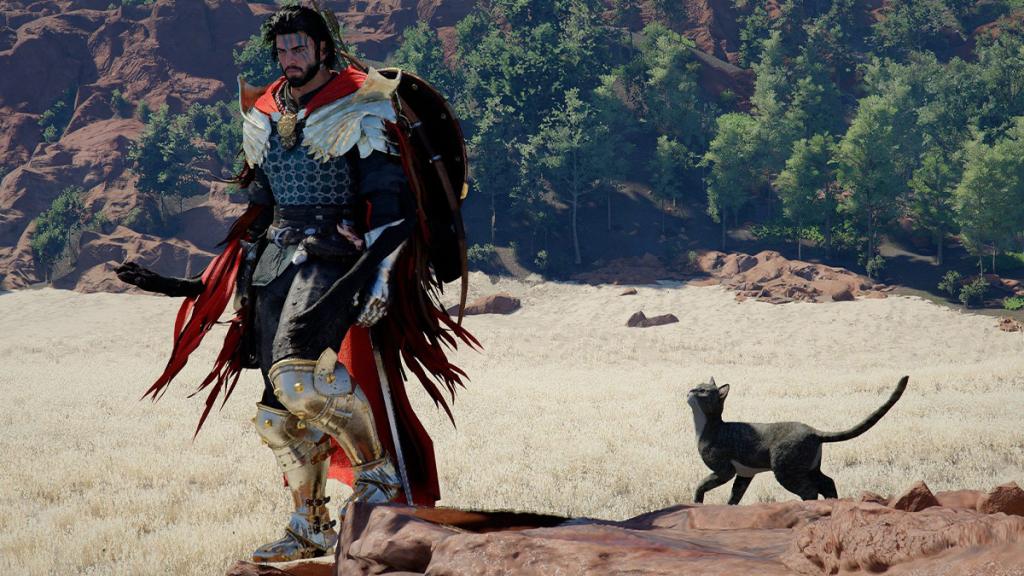
- Changed designs of certain gimmick monsters and added a new armor set and helmet for cats.
- Abyss Skybridge Gates restored in Patch 1.01.00 are now teleportable.
How do I toggle headgear visibility?
Go to Settings > Language & Gameplay and you’ll find a new Headgear Visibility option. Choices are: Always Show, Show in Combat, Hide in Cutscenes, or Always Hide. Pearl Abyss also said hiding weapons on characters’ backs is planned soon — a request many players on Steam and console forums have been posting about for months.
I tested sprinting, tapping and holding to see the difference. Controls and combat updates
The patch adds a Movement Controls toggle so you can match sprint behavior to your muscle memory. Small input changes can stop deaths from missed boosts or awkward stamina drains.
- New Movement Controls option: Main Menu > Others > Settings > Input > Movement Controls — choose Basic (hold sprint to accelerate) or Classic (tap sprint repeatedly to accelerate).
- Stamina behavior adjusted for mounts: Basic consumes stamina at set intervals when held; Classic consumes per tap.
- Abyss Nexus use conditions improved so activation works while slightly moving (not while mounted or in Flight).
- Flight skill can be activated even when holding jump mid-air; jump input after attacks is more responsive.
- Added Escape key guide when affected by elemental status effects.
- Fixed: Focus not cancelled when using Aerial Roll during flight; weapons not drawable inside Demeniss Castle under conditions; bosses teleporting too far; Double Boost horse ability not activating; parry during Focus with two-handed swords; camera snapping when aiming with a tool; some interactions unavailable with specific tools; and repeated sprint taps making a horse run at max speed regardless of stats.
What are the new movement controls and how do they affect stamina?
Basic = hold to sprint, with stamina removed in steady intervals; Classic = tap to sprint, stamina removed per tap. This matters on long travel runs and mounted combat. If you stream or record gameplay on PC using tools like OBS or capture on PS5, expect slightly different stamina rhythms depending on which mode you choose.
I replayed a few chapters to confirm fixes. Quest stability and progression
Several quest bugs that could block progress have been patched. If you hit a quest wall in Chapters 6 or 11, reinstalling or reloading won’t be your first move anymore.
- Fixed an issue in Chapter 6 where progress could halt after defeating a boss following a save/load.
- Fixed progress failure if a related item was sold before starting the ‘A Rumor Fueled by Greed’ quest.
- Fixed Chapter 11 issue where the Inserted Key could disappear from the bag, blocking progression.
- Fixed cases where quest-related NPCs would not appear.
I opened menus during combat and on mounts to validate UI fixes. Interface polish and usability
UI adjustments remove tiny annoyances that stack into frustration over dozens of hours. The Save/Load separation alone makes life less fiddly.
- Item use notification improved so selecting the popup uses the item directly.
- Shop UI prioritizes sellable items for faster vendor runs.
- Key guide positions reorganized for visibility; Save and Load menus separated and save slots labeled.
- Fixed minimap scale resetting when riding at max speed; mouse cursor disappearing in storage on Keyboard/Mouse; item movement issues when entering horse inventory; unresponsive or visually awkward menus; crashes when entering/using some UIs in certain situations.
- Stow Weapon key guide now appears while in combat when mounted.
I toggled graphical presets on PC and Pro consoles to check clarity. Visual settings and platform specifics
Graphics work focused on fidelity and platform parity. Frame upscaling and frame generation improvements are front-and-center for players who care about sharper image and smoother frames when using AMD FSR or NVIDIA DLSS.
- Added Headgear Visibility option in Settings > Language & Gameplay with four choices (Always Show / Show in Combat / Hide in Cutscenes / Always Hide). Weapon-hiding for backs planned soon.
- [PC/PS5/Xbox] Improved FSR upscaling quality; [PC] FSR SDK 2.2 applied and FSR Frame Generation quality improved.
- [PC] Fixed GPU memory increase when DLSS RR option configured; improved GPU load and reduced shimmering when FSR-RR/DLSS-RR enabled.
- Fixed rendering of foliage and elements in ray-traced reflections when FSR-RR/DLSS-RR enabled; fixed top-of-screen flicker with DLAA + HDR; fixed character face rendering indoors on Low preset.
- [PS5] Applied Upgraded PSSR Sharpen and Native AA to Quality Mode on PlayStation 5 Pro.
- [Xbox] Fixed V-Sync behavior when pressing Home; added 4K upscaling option to Performance Mode on Xbox Series X.
These tweaks aim to make visuals run as precise as a Swiss watch on supported hardware.
I forced crashes and monitored logs to verify fixes. Performance, stability, gameplay
Multiple stability and crash fixes across PC, console, and Mac reduce the odds of an interrupted session. Expect fewer hard stops and smoother open-world play when juggling mounts, Abyss runs, and cinematic moments.
- Fixed a range of stability, performance optimization, and crash issues across all platforms.
I skimmed non-English tooltips and quest text to confirm clarity. Localization improvements
Localization errors and game advice text were corrected across languages — a practical relief for multilingual players coordinating on Discord, Reddit, or Squads in-game.
- Fixed various localization errors and improved quality across all languages.
I walked Corridors of the Void to verify structural fixes. Miscellaneous and audio
Small world fixes and audio tweaks reduce immersion-breaking moments so your sessions stay focused on play rather than odd bugs.
- Fixed missing walls in Corridors of the Void.
- Improved audio so sound positions match camera perspective; fixed low NPC minigame win volume and background audio distortion in some locations.
- Fixed weapon visibility when using the ‘Stab’ ability while Unarmed is equipped as secondary.
- License information now viewable in Credits.
- Fixed various other in-game issues.
If you value tidy inventories and fewer mid-run interruptions, this patch is a clear win. Which change will make you play longer: the extra 760 slots when your camp is maxed, the headgear toggle, or the movement control you already prefer — and why?