
I was two minutes from a planet’s gravity well when the jump option vanished and the cockpit went deathly quiet. I could feel the game asking me to choose: teleport and skip the silence, or sit in it and see what appears. You’ll want to try the latter—because that silence is where the best stories begin.
I’ve been flying ships in Bethesda’s worlds since Morrowind, and Cruise Mode in Starfield feels like a new language for a familiar instrument. I’ll walk you through the buttons, the small decisions that change an outing into an encounter, and how Free Lanes turns travel into content you didn’t expect.
How to use the Cruise Mode in Starfield
On a long highway drive, you shift into a steady gear and let the scenery do the work; Cruise Mode asks for the same patience in space.
You need to be aboard your ship, launched into open space. When the prompt appears, press L1 (PlayStation) or LB (Xbox) to activate Cruise Mode. The camera opens up, giving you a wider field of view so you can set a bearing instead of instantly jumping.
Push L3/LS to accelerate while in Cruise, which shortens travel time without breaking the relaxed pace. Keep an eye out for on-screen markers—these are hints that a point of interest is nearby. Highlight one and hit R1 (PS) or RB (Xbox) to engage autopilot toward that marker; the ship will automatically slow as it reaches the destination.
While the ship cruises you can step out of the cockpit with Circle (PS) or B (Xbox). That opens the option to wander your vessel, speak with crew members, or check cargo—small roleplay beats that make a trip feel lived-in.
How do I activate Cruise Mode in Starfield?
Press L1 / LB when prompted while in open space. If nothing appears, make sure you’re above a planet’s atmosphere and not inside a starport or during a scripted sequence.
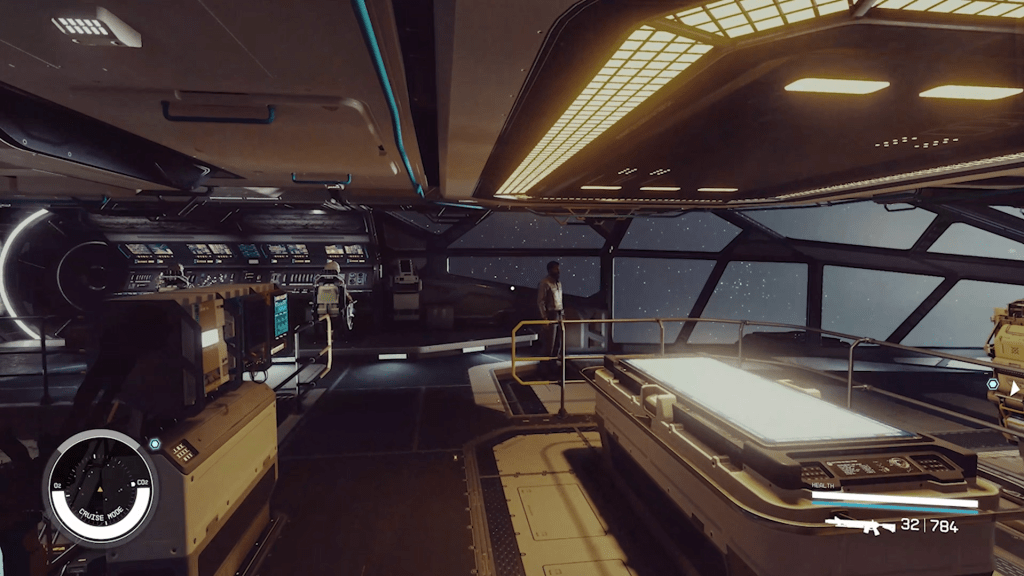
Can I leave my ship during Cruise Mode?
Yes. Press Circle / B to step out of the cockpit and move through your ship while it’s in Cruise. Crew dialogue, vending, and ship systems remain available—treat the time as an opportunity to manage small tasks.
The mechanics work the same whether you’re playing on Xbox Series X|S or PC via Steam and Bethesda.net; controller prompts adapt to your hardware. If you use mods on PC or GPU features like NVIDIA’s drivers, expect visual tweaks but not changes to the core Cruise controls themselves.
Starfield Free Lanes encounters explained
At a truck stop you sometimes spot a roadside performer telling a strange tale; Free Lanes encounters are similar little theatrical moments along your route.
While Cruise is active, the Free Lanes system can spawn random points of interest—derelict freighters, drifting NPC ships, distress beacons or conversational vignettes. These are not always combat; many are short scripted scenes that offer rewards, lore shards, or simple flavor that rewards the player who slows down.
Think of it as a second layer on travel: autopilot gets you there, Free Lanes gives you reasons to pause. One metaphor fits here like an instrument tuned to static—sometimes you reel in a signal and sometimes you hear only noise, but either way the act of listening matters.
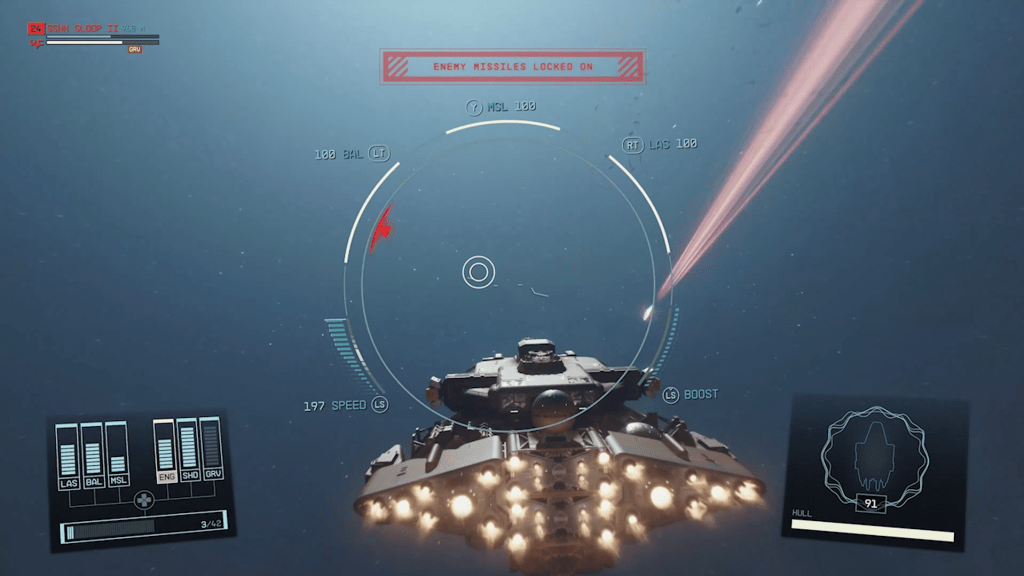
What are Free Lanes encounters?
They are random, travel-time events that appear while in Cruise Mode. Some yield loot or quests, others are short character moments. If you’re a player who likes side stories, these will feel like miniature missions dropped into travel time.
Play them slow if you want the stories; rush and you’ll miss the nuance. For streamers on Twitch or content creators on YouTube, Free Lanes are great bite-sized pieces of emergent content that viewers appreciate—small surprises that break the monotony of long trips.
If you’ve got a preference for efficient play, Cruise Mode still trims travel time with autopilot markers and faster acceleration via L3/LS. If you want flavor and random moments, leave the prompts alone and let Free Lanes paint the trip for you.
I’ve shown you the buttons, the behavior, and the reasons to try the slower option—now tell me: which moment will you chase first, the quiet salvage job or the stranger asking for help?