Have you ever stumbled upon a video that effortlessly transforms old photos into mesmerizing animations? This trend is sweeping across social media, yet many remain unaware of the AI tools behind these captivating creations. Fear not! I’ve scoured the digital landscape to find the best AI image-to-video generators, allowing you to breathe life into your cherished memories with just a few clicks.
Best AI Image to Video Generators Compared
Among the sea of AI platforms claiming to create videos from images, many fall short. That’s why I’ve compiled a list of the top-performing AI image-to-video generators, testing each one to evaluate use cases, limitations, and pricing.
| Image to Video Generator | Best Suited for | Limitations | Pricing |
|---|---|---|---|
| Google Gemini Veo 3.1 | Creating realistic videos from images | Limits to 3 videos per day | Free, Pro plan at $20/month |
| Open AI Sora 2 | Generating lifelike videos with dialogue | Invite-only access | Free, ChatGPT Plus at $20/month |
| Grok AI Imagine | Quick image to video generation | Occasional misinterpretations of prompts | Free, SuperGrok plan starts at $30/month |
| Kling AI | Creating stylish short clips | May misinterpret complex prompts | Free, Standard plan starts at $6.99/month |
| Runway ML | Creators looking for consistent AI-generated scenes | Not suitable for quick videos | Free, Standard plan available for $15/month |
| Meta AI Vibes | Casual users interested in fun video creation | Inconsistencies in video quality | Free to use |
| Wondershare Filmora | Video editors needing a built-in image to video generator | Less advanced capabilities than dedicated tools | 7-day free trial, Basic plan starts at $9.99/month |
Overview of the Best AI Image-to-Video Generators
Here’s a detailed look at today’s leading AI image-to-video tools, including both free and premium options. Let’s check them out together!
1. Google Gemini Veo 3.1
Google Gemini isn’t just a chatbot; its latest Veo 3.1 model can craft engaging videos. By attaching images, you can easily set the tone without needing extensive text prompts. This feature stands out, delivering strikingly natural motions while respecting the integrity of the original photo.
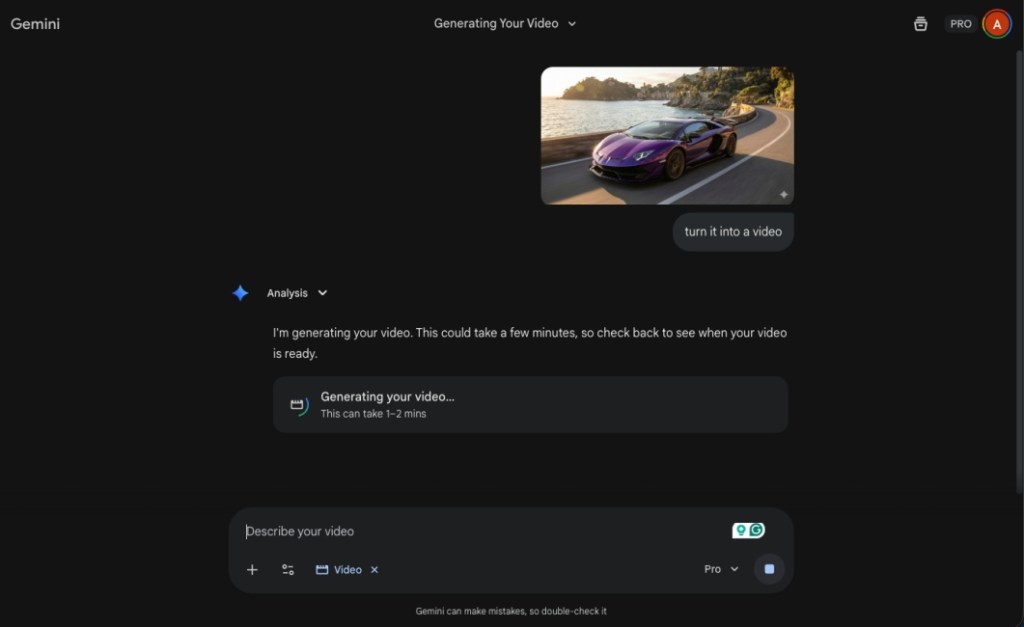
During tests, I was impressed by how well Gemini’s AI understood context, creating videos that felt connected to the images. The free version allows 3 videos per day, making it an unmatched tool for casual users.
| Pros | Cons |
|---|---|
| Generates captivating videos from images | Best results require text prompts |
| Remembers image context | Some videos may appear slightly distorted |
| User-friendly and accessible everywhere | |
| Free tier includes 3 daily video creations |
Pricing: Free, Pro plan at $20/month
2. Open AI Sora 2
OpenAI’s Sora 2 is perfect for those who prefer a mobile experience; this TikTok-style app lets users generate convincing videos for free. Its unique feature, Cameos, allows users to incorporate likenesses of other accounts in their videos, which adds flair.
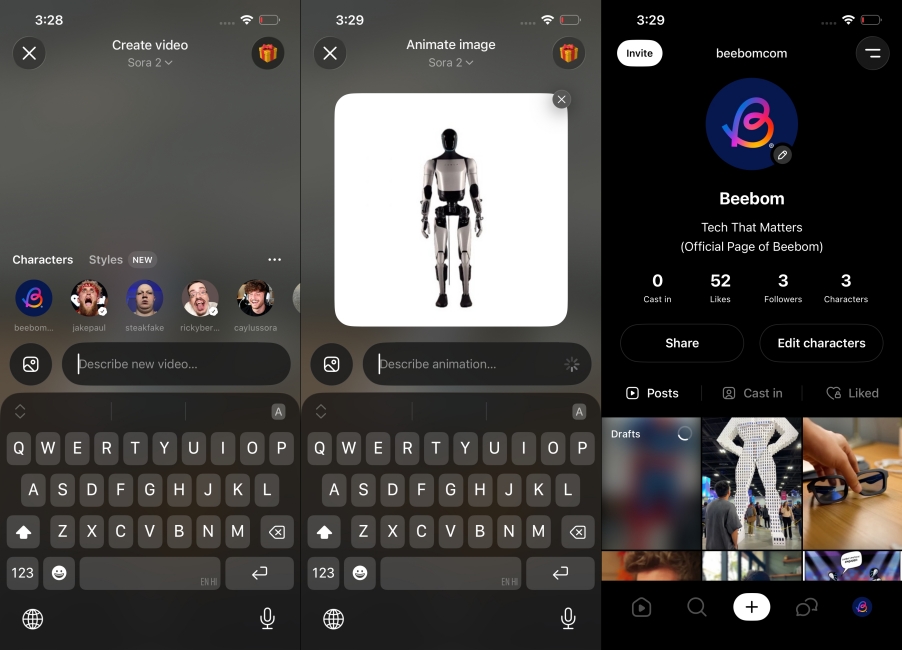
When I tested this app, it not only understood context but could also expand upon it in imaginative ways, all while maintaining the photo’s essence.
| Pros | Cons |
|---|---|
| Creates realistic motion | Less detail leads to weaker results |
| Incorporates sound and dialogue | |
| Good at grasping image context | |
| Ideal for quick, casual videos |
Pricing: Free, ChatGPT Plus at $20/month
3. Grok AI Imagine
Elon Musk’s Grok AI app is known for its speed, letting users create quick clips from images without limits in the free version. Its Imagine feature stands out, transforming basic inputs into eye-catching videos swiftly. However, the quality may vary based on the image.
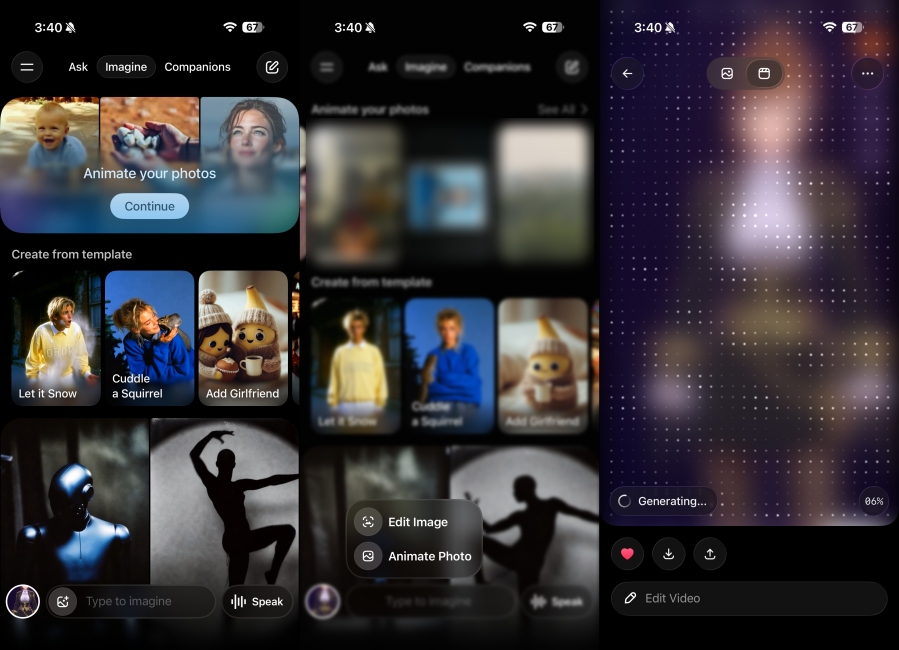
Nonetheless, Grok can sometimes produce results that are less polished compared to its rivals, like Sora or Gemini. Also, the app lacks guidelines, which can result in unpredictable content.
| Pros | Cons |
|---|---|
| Results closely tied to the image | Videos may feel overly artificial |
| Fast video generation | Occasional misinterpretation of prompts |
| Great for quick clip ideas | |
| Unlimited free video creation |
Pricing: Free, SuperGrok plan starts at $30/month
4. Kling AI
Kling AI is gaining recognition for its quality and user-friendly interface, allowing users to enhance their video results with multiple images. It also enables you to provide face references for better output.
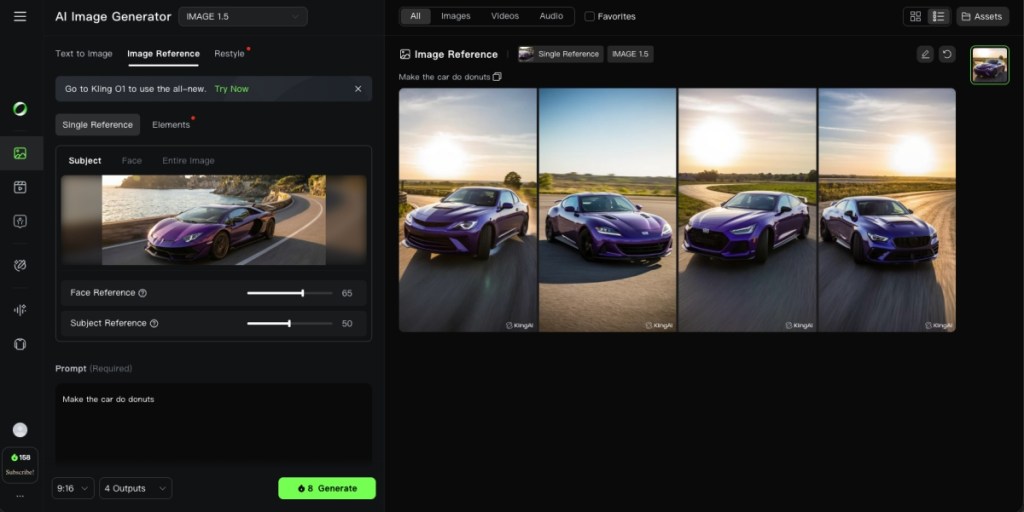
My tests showed that Kling can produce videos quickly, but output consistency is still a work in progress. Paying attention to detail in prompts can improve results significantly.
| Pros | Cons |
|---|---|
| User-friendly interface | May exaggerate effects at times |
| Flexible control over video creation | |
| Effective for generating short clips | |
| Supports multiple image inputs |
Pricing: Free, Standard plan starts at $6.99/month
5. Runway ML
Runway ML is a robust tool, perfect for creative minds desiring flexibility in video generation. You’ll appreciate the advanced options to manipulate motion, scene transitions, and maintain consistent output across multiple videos.
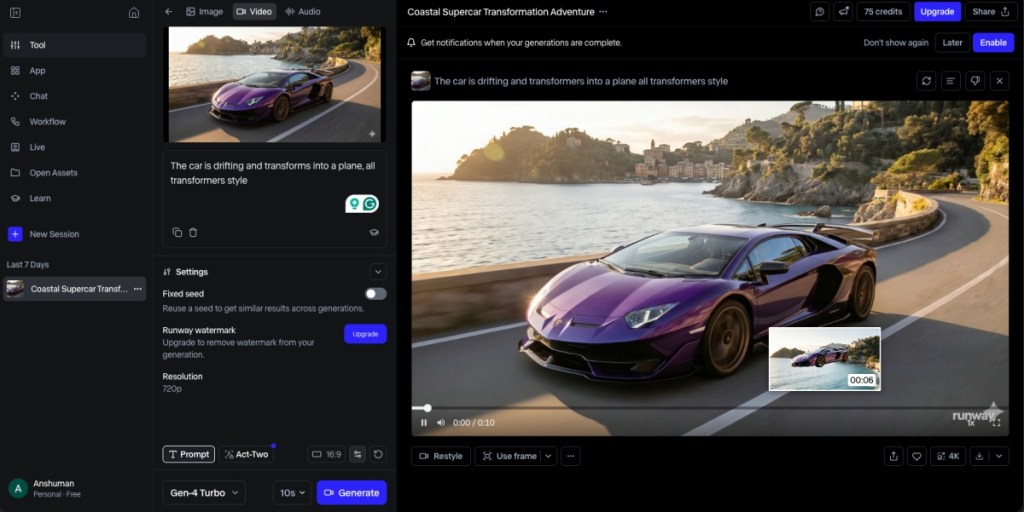
By feeding the AI an image along with specific prompts, you can choreograph visuals as if you were directing a film. While the output is impressive, it can take a while due to its expansive features.
| Pros | Cons |
|---|---|
| High creative control through prompts | Depends on prompt quality for best results |
| Supports various models | Simpler prompts yield basic outputs |
| Handles complex scenes effectively | |
| Consistency across multiple videos |
Pricing: Free, Standard plan available for $15/month
6. Meta AI Vibes
Meta AI offers a more casual take on video creation, complete with its own social media feed. Quick clips can be made from images with minimal prompt effort, perfect for users who want to have fun.
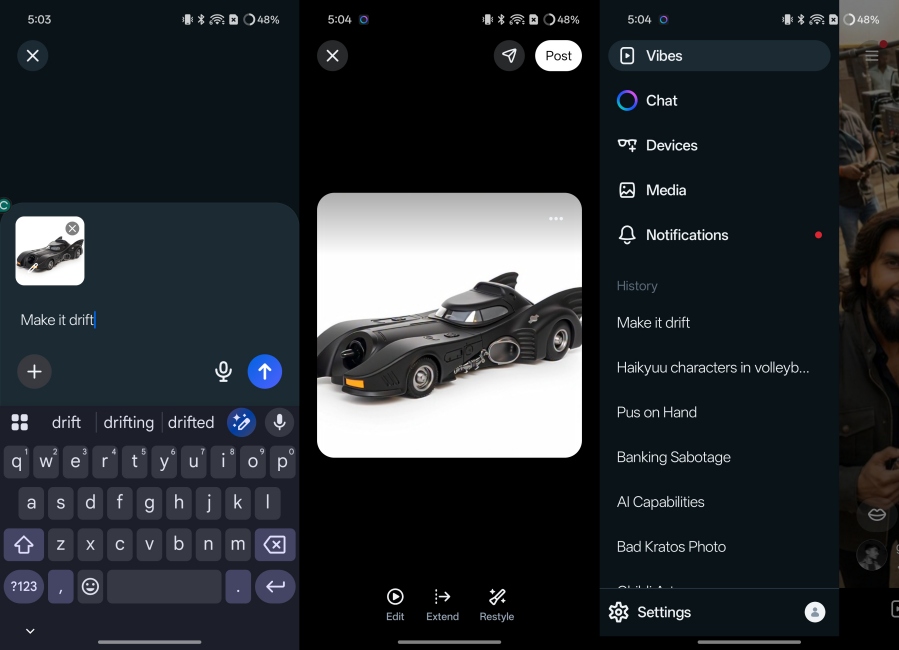
While I found the output a bit hit-or-miss, it’s worth trying out if you’re just looking to play around and share some light-hearted content.
| Pros | Cons |
|---|---|
| Quick video creation with image prompts | Inconsistent video quality |
| Decent output visually | Glossy appearance may seem unrealistic |
| Options to add music or extend clips | |
| Share easily on Meta’s platform |
Pricing: Free to use
7. Wondershare Filmora V15
Wondershare Filmora isn’t solely an AI tool, but a comprehensive video editing platform. The latest version includes an AI image-to-video generator for those looking to add flair to their projects.
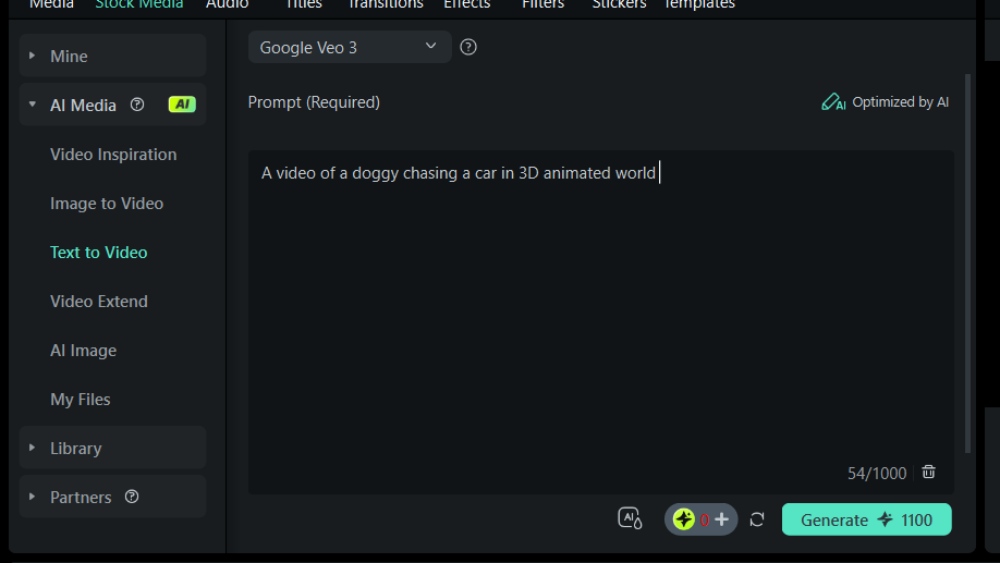
While the tool offers decent features, the realism of its outputs doesn’t quite match what you’d find with Gemini or Runway. Nonetheless, it’s perfect for anyone seeking an all-in-one editing solution.
| Pros | Cons |
|---|---|
| User-friendly interface | Less control over motion dynamics |
| Comprehensive video editing tools | Output quality can be inconsistent |
| Good for polishing final edits | |
| Compatible with various image inputs |
Pricing: 7-day free trial, Basic plan starting at $9.99/month
These AI image-to-video generators provide terrific options to enhance your content. As technology evolves, we can anticipate even more powerful tools to embellish our memories with lasting visual narratives. Have you tried any of these generators? If you have suggestions for others I may have missed, let me know in the comments below!
What are the best AI image to video generators?
The best AI image to video generators include Google Gemini Veo 3.1, Open AI Sora 2, and Grok AI Imagine, each with unique features designed to enhance your video creation experience.
How does AI convert images to videos?
AI converts images to videos by analyzing the content and context of the image, then generating animations and motion sequences that align with the original visual data, often enhancing it with sound or dialogue.
What features should I look for in an AI image to video generator?
When selecting an AI image to video generator, consider ease of use, quality of output, speed of generation, and any unique features like sound integration, multiple image support, or editing tools.
Are AI image to video generators free to use?
Many AI image to video generators offer free versions, but they may come with limitations, such as the number of videos you can create per day or missing advanced features found in paid plans.
Can I use these videos on social media?
Absolutely! Most AI image to video generators allow you to share your creations directly on social media platforms, making them perfect for engaging with friends and followers.