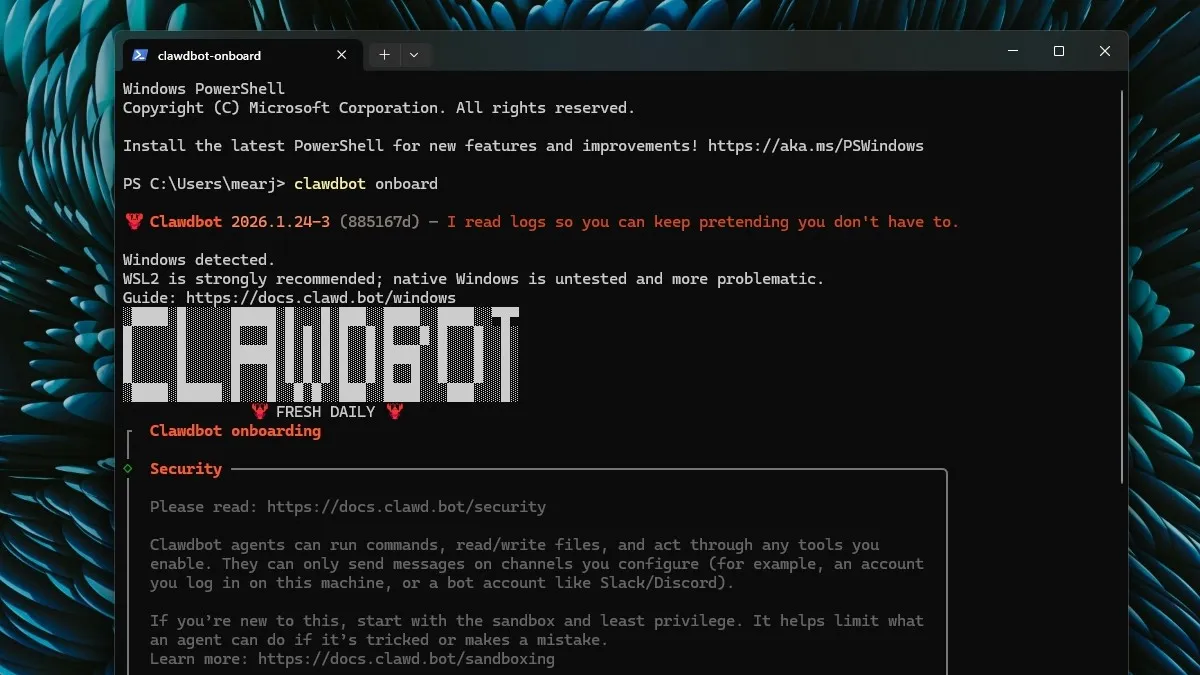
The cursor blinked on a blank document, a deadline looming. My editor wanted a how-to guide, and I needed an angle that hadn’t been covered a thousand times already. Then it hit me: Clawdbot, the open-source AI agent that was making waves across the internet. And guess what? It’s not related to Anthropic’s Claude, despite the name similarity.
Clawdbot (now MoltBot) is designed to act as your personal AI, always on and ready to execute tasks directly on your computer. And it’s not just for Mac devotees; Windows users can join the party too. Here’s how to get it running on your Windows PC.
Installing Clawdbot (or MoltBot) on Windows
I remember the first time I tried setting up a similar AI agent. It felt like wrestling an octopus – wires and dependencies everywhere. Clawdbot offers a smoother experience, and while the core software is free, you’ll need to connect it to an AI model provider. I suggest OpenAI’s API, which gives you a free credit to start experimenting. The steps are very similar to the Mac setup, so you can use this guide whether you’re team Mac or PC:
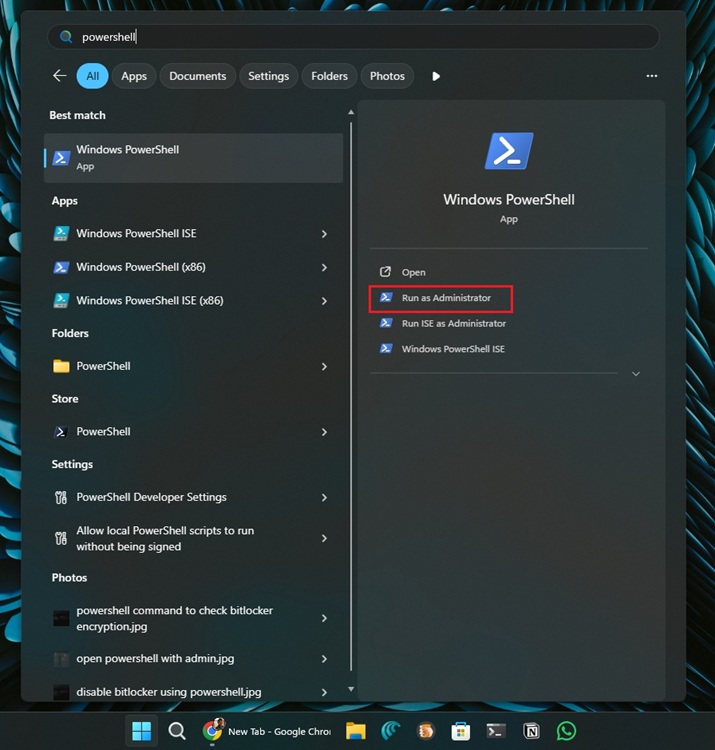
- First, click on the Start menu and type “PowerShell“. Right-click and select Run as Administrator.
- Next, copy and paste the following command into the PowerShell window, then press Enter.
iwr -useb https://molt.bot/install.ps1 | iex
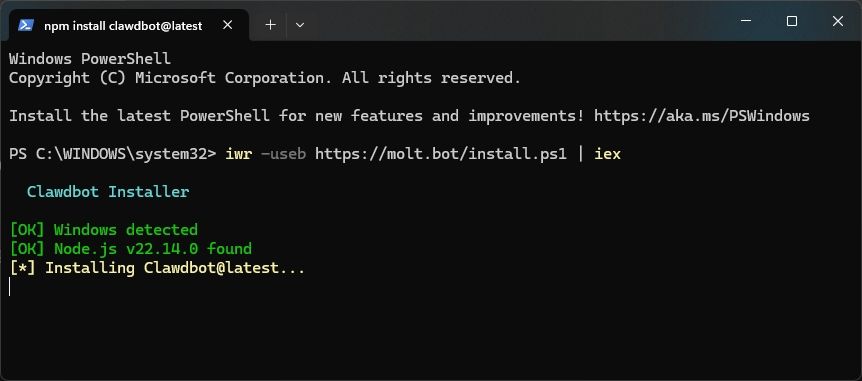
- This command will install Node.js and Clawdbot on your machine.
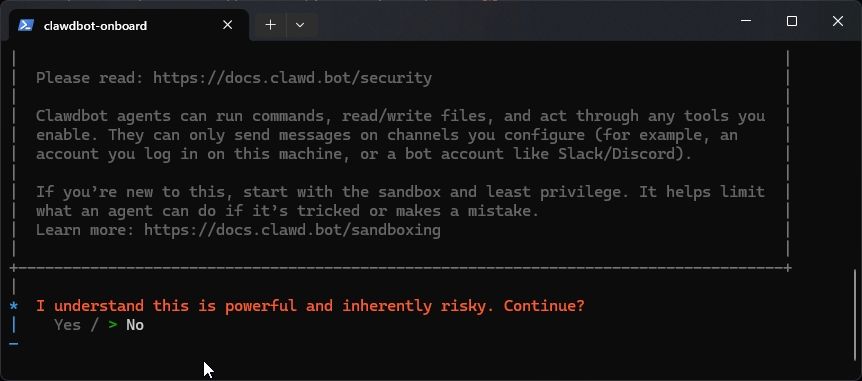
- When prompted, select Yes to continue.
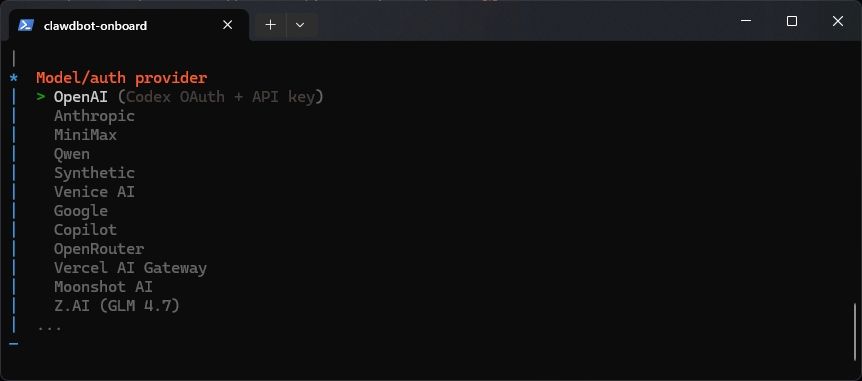
- Next, choose your preferred model provider to power Clawdbot.
- I chose OpenAI, but Anthropic is another solid choice.
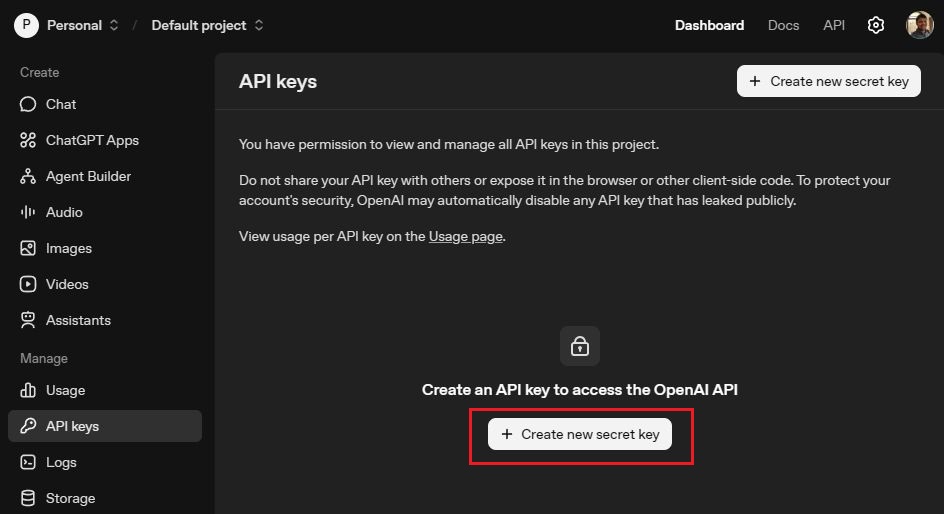
- To get your OpenAI API key, go to platform.openai.com/api-keys and log in.
- Click Create new secret key and copy the key.
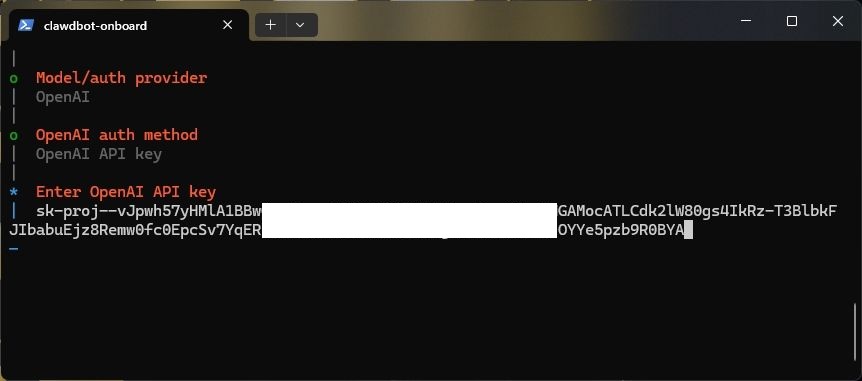
- Paste the API key into PowerShell and hit Enter.
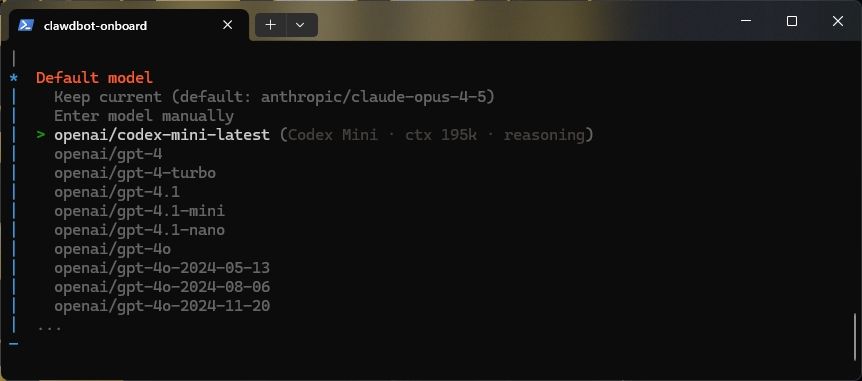
- Select your AI model. I went with codex-mini-latest.
- You might be prompted to select a channel; you can skip this.
- Choose No when asked to configure skills. You can always do this later.
- Skip adding hooks. The Gateway service installation will begin.
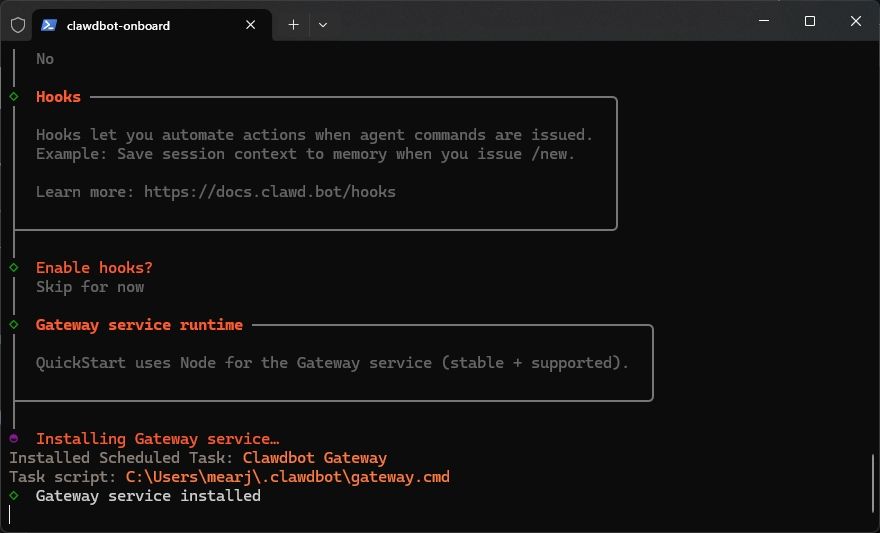
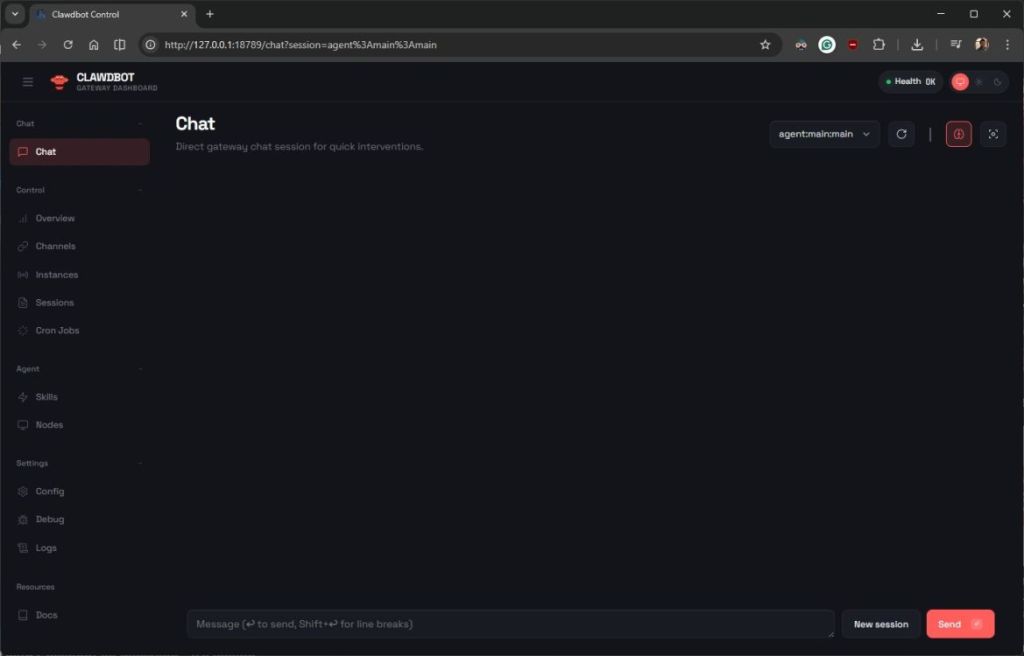
- Once installed, you’ll see “Onboarding complete” in PowerShell, and a new browser tab will open.
- Voilà! Clawdbot is up and running on your PC.
- In the future, just type
clawdbot gatewayin PowerShell to start the service.
What kind of tasks can Clawdbot perform?
Imagine Clawdbot as your digital assistant. It can automate repetitive tasks, manage your calendar, draft emails, summarize documents, and even control smart home devices, depending on the skills you configure. It’s like having a Swiss Army knife for your digital life, each tool ready to deploy at your command.
That’s it! You now have Clawdbot (MoltBot) working on your Windows system. While I suggest Claude Opus 4.5 for agentic AI, be aware of the cost. As of today, Claude Opus costs around $700 per million tokens (approximately €640), significantly more than other models. But now you tell me, with AI agents becoming so accessible, are we on the cusp of a new era of personal productivity, or are we just creating sophisticated digital pets?