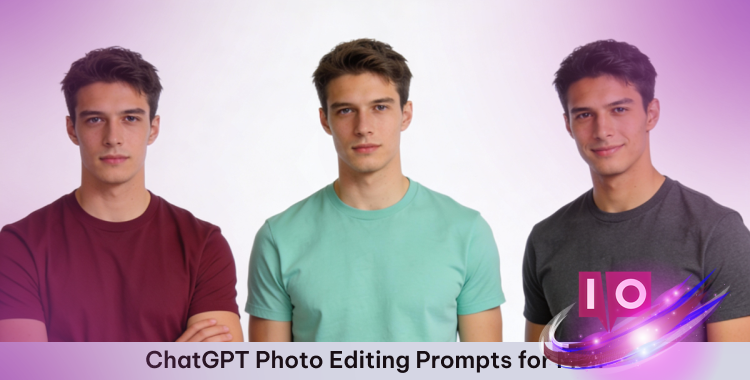
The photographer said, “Next!” but you hesitated. Your headshot was for a new job, and the pressure felt immense. What if you could transform that ordinary photo into something extraordinary? With ChatGPT photo editing prompts for men, your photos can go from “blah” to “bam” in minutes, enhancing every detail with AI-powered assistance and creative styles.
From subtle touch-ups to noticeable transformations, your portraits can attain a professional finish rapidly. Keep reading to discover prompts and tips to craft amazing portraits.
Part 1: Free ChatGPT Photo Editing Prompts for Men
Discover some useful ChatGPT photo editing prompts for men to
improve your portraits and generate impressive AI transformations. Below are
some ideas to get you started.
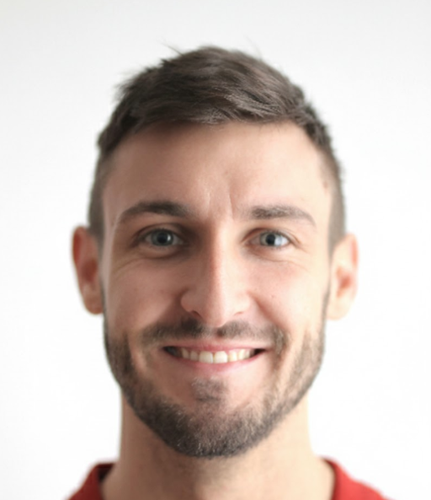
1. Natural Enhancement Prompts
Improve your photos while preserving a realistic, natural quality. Perfect for
professional headshots, social media profile photos, or everyday portraits.
Prompts:
-
1. “Improve my portrait with soft, even lighting, natural skin tones,
subtle shadows, and realistic texture. Keep details like hair and eyes
sharp while avoiding an over-edited appearance.” -
2. “Brighten the photo moderately, enhance facial features naturally,
smooth minor skin imperfections, and keep authentic expressions for a
professional yet approachable appearance.” -
3. “Apply a natural retouch that balances color tones, reduces minor
imperfections, sharpens eyes and lips slightly, and maintains the
overall realistic impression of the original image.”

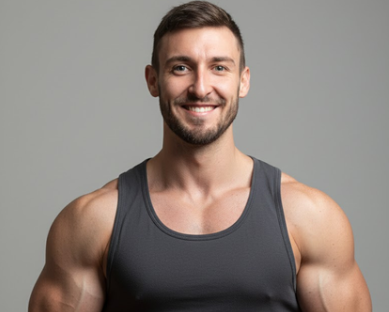
2. Fitness & Muscular Transformation Prompts
These prompts are ideal for displaying better definition, toned muscles, or an athletic
physique while keeping the face and photo realistic.
Prompts:
-
1. “Transform this portrait to highlight muscular definition in the arms,
chest, and shoulders, while keeping skin texture and facial features
natural. Maintain realistic lighting and proportions.”
-
2. “Apply a subtle fitness enhancement that makes muscles more prominent,
improves posture, and gives a healthy, toned appearance without making
it seem artificial.” -
3. “Edit the photo to emphasize athletic features, slightly enhance
muscle tone, and adjust shadows and highlights to create a more defined,
natural physique.”

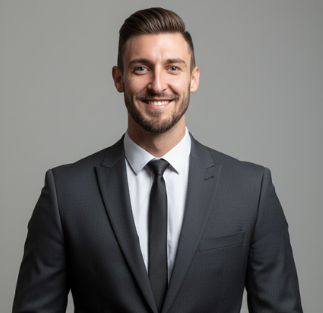
3. Style & Fashion Upgrade Prompts
Elevate your style with trending outfits, hairstyles, and fashion-forward
edits.
Prompts:
-
1. “Change my outfit to a modern suit, adjust hair to a stylish
haircut, and enhance colors to create a professional and fashionable
portrait with realistic lighting.”
-
2. “Transform my casual outfit into a high-fashion style, adding subtle
accessories, polished shoes, and adjusting posture to match the new
outfit naturally.” -
3. “Apply a trending, stylish makeover with a clean haircut, fitted
clothes, and enhanced color contrast, keeping proportions and facial
details realistic.”


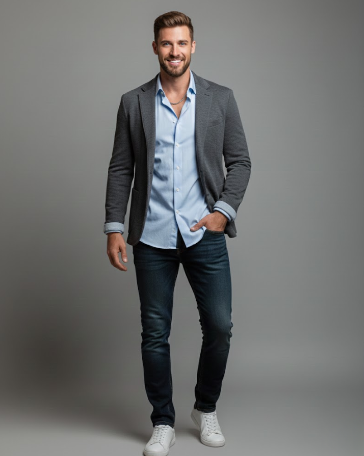
4. Skin & Facial Retouch Prompts
These are ideal for skin smoothing, subtle facial enhancements, or minor anti-aging
effects.
Prompts:
-
1. “Smooth the skin texture naturally, remove minor blemishes, enhance
jawline and cheekbones slightly, and maintain realistic facial
expressions without over-editing.” -
2. “Brighten eyes, subtly whiten teeth, balance skin tones, and refine
facial highlights for a fresh, professional appearance while keeping natural
details intact.”
-
3. “Apply gentle facial retouching to reduce redness or shadows, improve
symmetry, and maintain a polished yet realistic appearance suitable for
portraits or social media.”

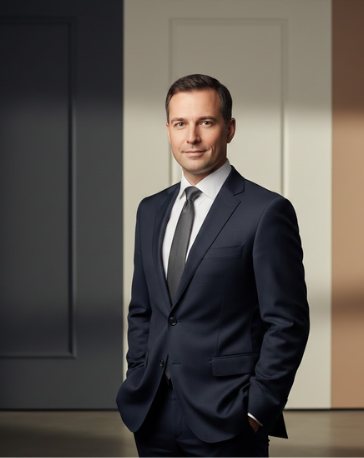
5. Background and Mood Editing Prompts
Modify the background, lighting, or overall mood to create visually
striking photos.
Prompts:
-
1. “Replace the background with a soft, blurred cityscape, keeping the
subject in sharp focus. Adjust lighting so shadows and highlights appear
natural on the subject.” -
2. “Add a warm, golden-hour glow to the photo, enhancing shadows and
highlights to create a cinematic and inviting mood.” -
3. “Transform the background to a modern studio setup with neutral tones,
proper lighting, and realistic shadows to make the portrait appear
professional and polished.”

Part 2: Popular Male Photo Transformation Ideas
Explore these male photo transformation prompts to elevate
your portraits. Use them with AI tools to create impressive results.
1. Classic Portrait Retouch – AI Photo Editing Prompts for Men

Prompt 1:
“A highly detailed professional male portrait with soft, natural lighting
that gently highlights facial features, perfectly even skin tone with
subtle blemish removal, defined jawline and cheekbones, bright clear eyes
with natural sparkle, realistic hair strands slightly tousled, subtle soft
shadows on face, neutral smooth background, full HD, photorealistic style,
realistic textures, minimal editing that maintains authenticity.”

Prompt 2:
“Male headshot portrait, natural light coming from the side, smooth yet
realistic skin, slight touch-up on minor wrinkles and blemishes, lips and
eyes slightly enhanced for clarity, authentic expression, soft shallow
depth of field, blurred neutral background, professional photography
style, ultra-realistic, crisp focus on eyes and facial features, realistic
shadows and highlights.”
Prompt 3:
“Realistic close-up portrait of a man, balanced warm and cool tones,
subtle skin smoothing, natural highlights on forehead, nose, and cheeks,
sharpened eyes and hair, soft background with gentle bokeh, photorealistic
lighting and textures, facial details fully intact, clean professional
studio photography aesthetic.”

2. Dramatic Fitness Transformation – Male Photo Transformation
Prompts
Prompt 4:
“Full-body male portrait with athletic build, emphasizing toned arms,
chest, and core muscles, realistic skin texture with natural pores and
veins, soft dramatic lighting to highlight muscle contours, slightly
flexed posture, subtle shadows and highlights for depth, natural facial
expression, casual athletic wear, neutral studio background,
photorealistic details, ultra-high resolution, realistic body
proportions.”

Prompt 5:
“Male fitness transformation portrait, enhanced muscle definition in arms,
chest, and torso, slight increase in physique without making it seem artificial,
soft sunlight highlighting body contours, realistic skin tone, detailed
face with natural expression, light shadowing under muscles, neutral
background with soft bokeh, photorealistic style, cinematic quality
lighting.”
Prompt 6:
“Close-up of male upper body, well-defined muscles, natural skin texture,
enhanced definition of shoulders and arms, subtle veins visible, lighting
angled to emphasize contours, soft shadows, slight color grading for warm
healthy skin tone, neutral blurred background, ultra-realistic
photorealistic style.”
Prompt 7:
“Male portrait showing toned full body, athletic stance, subtle sweat
highlights on skin, realistic muscle shadowing, detailed facial features
preserved, natural hair, studio background slightly blurred, professional
photorealistic lighting and shading.”

3. Fashion Makeover – ChatGPT Prompts for Male Portraits
Prompt 8:
“Male fashion portrait in high-end tailored suit, modern haircut with soft
highlights, polished leather shoes, subtle accessories like watch and
bracelet, realistic skin tone and texture, natural lighting from studio
setting, soft shadows on face and body, photorealistic textures in
clothing fabric, slightly blurred background, professional fashion
photography style, full-body ultra-HD, attention to every clothing
detail.”
Prompt 9:
“Stylish male casual outfit, modern streetwear with fitted jacket and
sneakers, hair styled naturally, soft sunlight creating dynamic shadows,
subtle depth of field, photorealistic textures in fabric, facial features
realistic and sharp, realistic color grading, professional photography
aesthetics.”

Prompt 10:
“Male portrait with high-fashion outfit, layered clothing with coat, scarf,
and shirt, neutral background slightly blurred, subtle studio lighting
highlighting textures and folds in clothes, hair neatly styled, skin tone
natural, photorealistic clarity in eyes and facial features, cinematic
composition.”
Prompt 11:
“Modern professional outfit for male portrait, wearing blazer and crisp
shirt, subtle accessories, soft side lighting for depth, fabric textures
and folds visible, photorealistic shadows and highlights, natural facial
expressions, ultra-realistic, high-definition style.”

4. Fantasy / Cinematic Styles – Male Photo Transformation Prompts
Prompt 12:
“Epic cinematic male portrait, heroic stance, dramatic low-key lighting
creating deep shadows and highlights, fantasy armor subtly detailed,
slightly glowing eyes, realistic skin and hair texture, dynamic blurred
background with soft atmospheric fog, ultra-detailed photorealistic
rendering, cinematic composition, full HD, immersive color grading.”

Prompt 13:
“Fantasy-inspired male portrait, soft magical light illuminating face,
ethereal background with glowing particles, realistic skin texture,
natural facial expression, subtle mystical costume elements,
photorealistic hair, soft bokeh effect, cinematic ultra-HD quality.”

Prompt 14:
“Sci-fi male character portrait, futuristic outfit with realistic metallic
textures, neon backlight, soft shadows and highlights, detailed facial
features with natural expression, ultra-realistic skin and hair, cinematic
style, photorealistic environment blur, ultra-high resolution.”
Prompt 15:
“Film noir male portrait, dramatic black-and-white shadows, soft side
lighting on face, realistic skin texture, subtle highlights on cheekbones
and jawline, blurred studio background, cinematic depth, photorealistic,
high-detail facial features.”

Part 3: How to Use ChatGPT Prompts for Male Photo Editing
Using ChatGPT photo editing prompts for men is easy.
Just follow these steps to get excellent results:
Step 1: Select an AI Tool
Select an AI photo editor that appeals to you. Free options or online editors can also work.
Some brands to try are Adobe Photoshop (€23.79/month), Fotor (€8.99/month), or Pixlr (free with
options).
Step 2: Select a Prompt
Select a prompt based on your requirements: a natural portrait, fitness transformation,
fashion upgrade, or stylistic change.
Step 3: Customize Your Prompt
Add personal touches to the prompt by specifying lighting, background, outfit, or mood.
Example:
Step 4: Enter the Prompt
Insert your prompt into the AI editor. Confirm that the tool supports longer
prompts for best results.
Step 5: Review and Adjust
Check the generated image. If something needs refinement, tweak the prompt and
try again.
Step 6: Save Your Image
Once the image is perfect, download it. Use it for social media, professional profiles, or
personal use.
Bonus Tip: Clothes Changer—Your Instant Digital Wardrobe for
Every Occasion
The result? A high-definition, realistic preview that resembles a
professional photoshoot that’s available instantly, at no cost, and with zero editing
experience.
Professional Solutions for Every Style Need
Final Thoughts:
It’s now easier than ever to achieve the look you want with these ChatGPT photo editing
prompts for men. Whether you desire a crisp professional headshot or a
cinematic makeover, these prompts can get you high-quality results. This might be
the fastest method to get studio-quality portraits without needing expert editing
expertise.