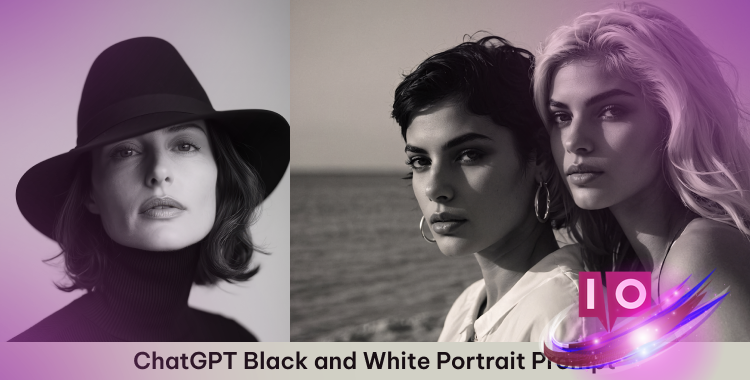
The shadows dance on the wall, creating an eerie yet captivating atmosphere. I adjust the camera settings, heart racing with the anticipation of capturing a timeless moment. This isn’t just any photo; this is a black and white portrait that tells stories without uttering a word.
With a ChatGPT black and white portrait prompt in your toolkit, you can craft stunning visuals that evoke emotion and intrigue. Whether it’s a close-up that captures vulnerability or a cinematic shot that amplifies drama, the right prompts elevate your AI-generated portraits to an artful level. No need for elaborate setups or expensive equipment; just an inspired vision and the right approach.
Part 1: Crafting Effective Black and White Portrait Prompts
Creating an impactful black and white portrait with AI starts with clarity and detail. Specificity is your ally; instead of simply asking for a “black and white portrait,” consider a more evocative approach: “high-contrast close-up of a man adjusting his tie, dramatic shadows, cinematic studio lighting.” The precision of your prompt controls the essence of the portrait.
Utilizing a ChatGPT prompt is like painting on a canvas—blend emotions, styles, and rich descriptions. Include elements such as:
Part 2: 30 ChatGPT Black and White Portrait Prompts
These prompts serve as your gateway to creating high-quality, cinematic AI-generated portraits. Each prompt is designed to stir up unique results, pulling you deeper into your creative flow.
Classic Black and White Portraits
1. High-contrast close-up of a young woman smiling
Softbox lighting accentuates cheekbones, with gentle shadows under the chin. A neutral studio background enhances her calm and confident expression.

2. Elegant man in a suit adjusting his tie
Illuminated by key light from a 45-degree angle, the rim light gives a polished look to his tie and shoulders.
3. Thoughtful profile of an elderly man with wrinkles
Side lighting brings out skin textures, conjuring a reflective, cinematic mood.

4. Close-up of a woman with soft yet striking lighting
Front diffused light paints her features; deepness lingers in her contemplative expression.
5. Minimalist portrait of a person looking away
Backlight creates soft highlights, wrapping the subject in mystery.

Cinematic / Artistic Portraits
6. Noir-inspired portrait of a detective wearing a hat
Dramatic low-key lighting creates a mysterious ambiance; his expression hints at untold stories.

High-Contrast & Close-Up
11. Close-up of a man with glasses, high contrast
Sharp key light forms striking shadows, showcasing his intense gaze.

Lifestyle / Casual Portraits
20. Black and white portrait of a street musician performing
The focus on expressive hands encapsulates a moment of passion.
AI & Fantasy B&W Portraits
21. Futuristic cyberpunk black and white portrait
Reflective clothing glimmers in a way that whispers secrets of a sci-fi narrative.
Personalized / Self-Portraits
26. High-contrast portrait of me adjusting my tie
A sleek portrait that speaks confidence, captured in time.
Part 3: Step-by-Step Guide to Creating Your B&W Portraits Using ChatGPT
Crafting a mesmerizing black-and-white portrait with ChatGPT photo prompts is easier than ever. Start by selecting your subject and style, be it classic or contemporary. Then, follow these concise steps:
Step 1: Choose your subject and style
Decide if you want to feature a friend, yourself, or a fictional character. Next, determine the mood: dramatic, serene, or nostalgic.
Step 2: Define pose and angle
Consider whether you want a profile, close-up, or action shot.
Step 3: Specify lighting and shadows
Think about soft lighting, hard shadows, or dramatic contrasts.
Step 4: Compose your prompt and generate
Blend the details into one expressive prompt. For instance: “Create a cinematic black-and-white portrait of a young man adjusting his tie, soft side light on his face, subtle shadows under cheekbones, blurred studio background, confident expression, high-contrast monochrome style.”

Bonus Tip: Clothes Changer
Revolutionize your fashion game with a virtual fitting room that requires no edits. Explore styles and mix and match pieces to discover what resonates with you.
Why do users rave about PixPretty? Because it makes fashion exploration easy and fun.
Final Thoughts:
Are you ready to create portraits that not only capture faces but also emotions and stories? The canvas awaits.