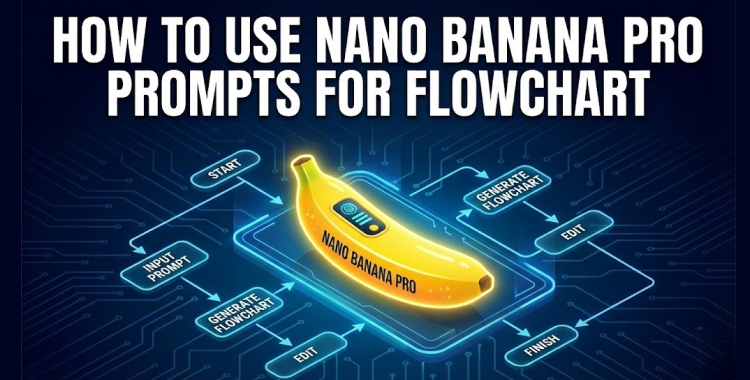
As I stared at my cluttered desk, overwhelmed by a million ideas swirling in my mind, I realized I needed clarity. In a world overflowing with complexity, capturing thoughts into structured visuals felt like piecing together a chaotic puzzle. This is where Nano Banana Pro comes in, transforming that confusion into elegant flowcharts at the click of a button.
What Is Nano Banana Pro?
The innovative Nano Banana Pro is Google’s next-generation image generation model, powered by Gemini 3 Pro. It produces high-resolution visuals that are not just high-quality but also strikingly detailed. Many individuals, from educators to creators, trust it for generating flowcharts free online, bypassing the frustration of conventional design tools.
This model maintains consistency across multiple reference images, with every output stamped with a SynthID watermark for authenticity. Its Thinking Mode enhances structure and composition, perfect for anyone needing sleek, professional diagrams.
Why Flowchart Prompts Matter
Flowcharts aren’t just boxes and arrows; they are visual narratives. When you feed Nano Banana Pro a clear prompt, it decodes the connections, choices, and potential pitfalls that exist in any process. Think of it as guiding someone through a maze—clarity breeds superior outcomes.
How to Write Effective Flowchart Prompts
I can’t stress enough how vital structured prompts are. To get the most out of Nano Banana Pro, crafting your prompt using the RTCF framework can significantly enhance your results.
What Are the Best Prompts for Flowcharts?
Below are 50 prompts designed to streamline your interaction with Nano Banana Pro, allowing you to create superior flowcharts. Feel free to copy and paste them directly.
1. Daily Life Flowcharts
Visualize your everyday decisions with ease.
- Generate a flowchart titled “How to Decide What to Eat Tonight”: check fridge → consider cravings → compare cooking vs delivery → choose meal → enjoy. Use warm kitchen-themed icons.
- Create a morning routine flowchart: wake up → drink water → wash face → pick clothes → breakfast → leave home. Keep the design soft and friendly.
- Visualize a “Should I Go Out Today” decision flowchart: weather check → mood check → schedule check → yes or no outcome.
- Produce a flowchart showing “How to Clean Your Room Fast”: gather items → sort → fold or toss → wipe surfaces → final check.
- Design a “Weekend Planning” flowchart: free time → choose activity → estimate cost → confirm plan → go.
2. Productivity and Work Life
Boost your work efficiency with practical workflows.
- Create a “Plan Your Workday” flowchart: list tasks → prioritize → time block → execute → review.
- Generate an “Email Response Decision” flowchart: read → important or not → reply, forward, or delete.
- Design a “Meeting Prep Flowchart”: gather info → set agenda → prepare notes → join meeting → follow up.
- Visualize a “Task Delegation Flowchart”: define task → check workload → choose teammate → assign → follow up.
- Produce a “Job Application Flowchart”: find position → tailor resume → apply → follow up → interview.
3. Decision Making Flowcharts
Navigate choices with clear visual pathways.
- Create a “Should I Buy This” flowchart: need check → price check → compare → budget → buy or skip.
- Generate a “Life Choices Flowchart”: identify issue → list options → consider outcomes → choose path.
- Design a “Should I Go to This Event” flowchart: interest level → cost → time → decide.
- Visualize a “Choosing a Restaurant” flowchart: cuisine → distance → budget → available seats → go.
- Build a “Major Purchase Decision” flowchart: research → compare → negotiate → buy.
Best Practices for Writing Nano Banana Pro Prompts
Writing precise prompts significantly enhances your outcomes with Nano Banana Pro. Focused, well-articulated prompts lead to higher accuracy and greater creativity, so prioritize clarity in your requests.
Enhance Your Images with PixPretty
PixPretty is an invaluable tool for refining your visuals, whether for presentations, websites, or social media. Quickly adjust colors, add shadows, or batch edit images to achieve a cohesive style across all your projects.
How to Use Nano Banana Pro for Free
Access Nano Banana Pro at no cost through the Gemini app with a standard Google account. Free users get a limited number of Pro image generations before reverting to the standard version.
Conclusion
What insights could conquering your visual clutter unlock in your world?