
I remember the first time I asked an AI to keep the same character across five edits—and it did, no excuses. You felt the room tilt a little: images that once required hours were being made in a handful of seconds. If you’re holding your phone right now, you’re about to see why that matters.
Your phone can now spit out a studio poster in seconds: What is Nano Banana 2?
I’ll be direct with you: Nano Banana 2 is Google’s fastest, most polished image model for quick generation and iterative editing, and it’s free on the Gemini app. Built on the Gemini 3.1 Flash Image model, it takes the reasoning and world knowledge you liked in Nano Banana Pro and packages it into a leaner, lower-latency engine.
This is a natively multimodal model, which means it reasons across text and images in the same context window instead of acting like a separate Diffusion pipeline. The result feels tight and dependable—images that look natural, consistent, and lifelike, even after multiple edits. Imagine a mechanism that performs like a Swiss watch: precise, repeatable, and quietly reliable.
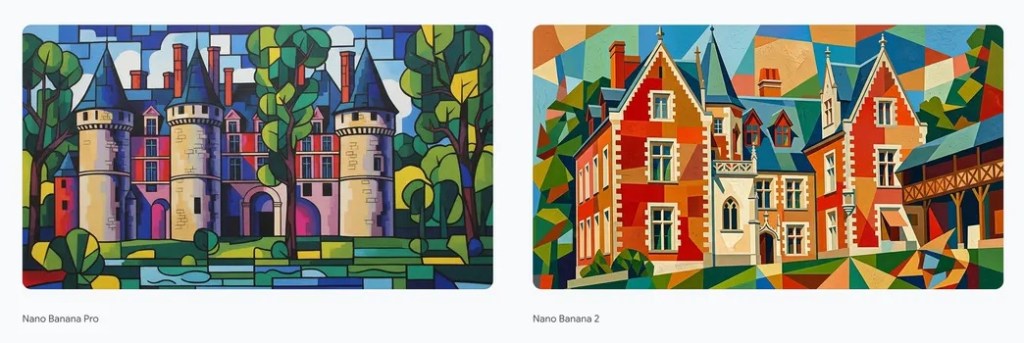
At design studios, sketches began to match reality: A Brief History of Google’s Nano Banana models
Google first experimented with native image generation in March with a Gemini 2.0 Flash Experimental model—low-res, but surprising in consistency. A few months later, a model nicknamed “Nano Banana” appeared on LM Arena and quickly became a viral benchmark for coherent editing and reliable subject control.
That curiosity evolved into Nano Banana Pro, which ran on Gemini 3 Pro and added richer world knowledge and fidelity—at a higher cost. Nano Banana 2 now brings much of that Pro-grade reasoning into the faster Flash family, trading some compute cost for broader availability.
When I asked for the same character across five frames, it didn’t fail: Nano Banana 2 — Key Features
Use it and you’ll notice three things fast: accurate context, faster response, and predictable edits. Below are the features that make the model useful day-to-day.
How does Nano Banana 2 handle real-world references and web grounding?
Nano Banana 2 can tap Gemini’s knowledge base and connect with Google Search to fetch up-to-date visual references. That means it can render specific subjects, brands, locations, and even weather-aware scenes with a better sense of correctness. If you need current visuals—product mockups or data-driven infographics—the model can incorporate recent public images and facts instead of guessing.
How accurate is Nano Banana 2’s text rendering?
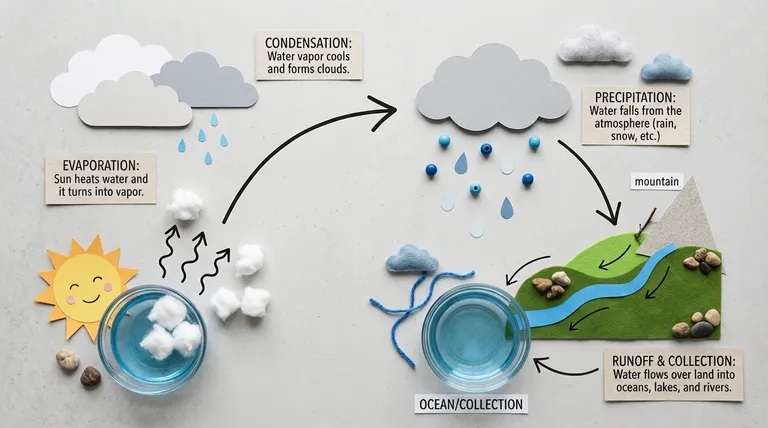
Text inside generated images is now legible and reliable. That matters if you produce marketing mockups, greeting cards, or UI prototypes where typography must read like a real asset. The model also supports in-image translation—swap languages without distorting the surrounding design. For localization work, it acts like a lighthouse in a storm: a clear guide when everything else is noisy.
How is Nano Banana 2 different from Nano Banana Pro?
Nano Banana 2 is designed to capture much of Pro’s intelligence while running on the Flash runtime, which reduces latency and cost. In practice that means you get strong subject reasoning and editing fidelity at a fraction of the price and with faster turnaround—useful if you iterate a lot.
Subject consistency and improved visual fidelity
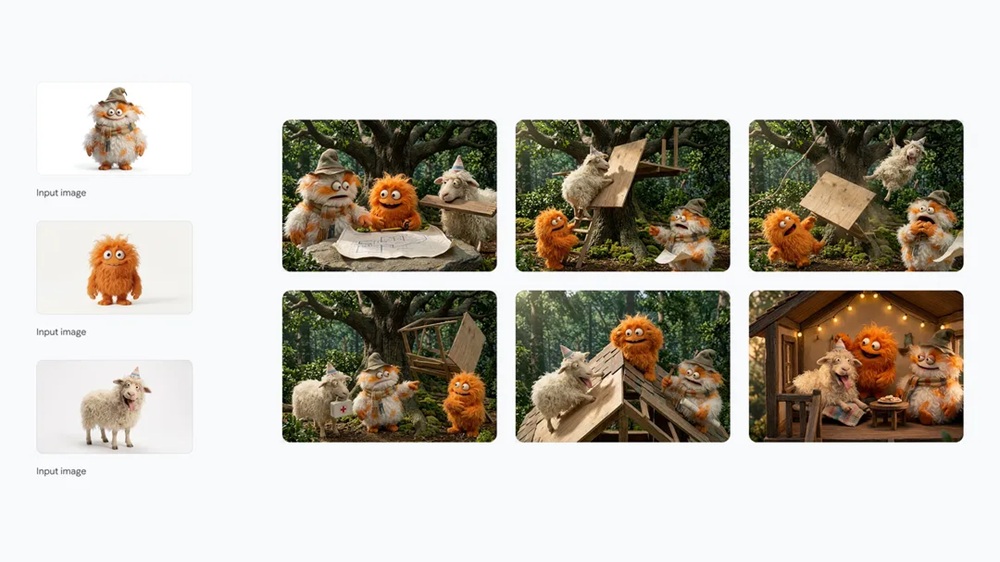
Generative models often lose track of characters after multiple edits. Nano Banana 2 advertises consistency across up to 5 characters and 14 objects in one flow, and it delivers sharper textures, richer lighting, and finer detail. Typical generation time has been reported at about 5–6 seconds, which makes iterative work genuinely quick.
Creative controls and instruction following
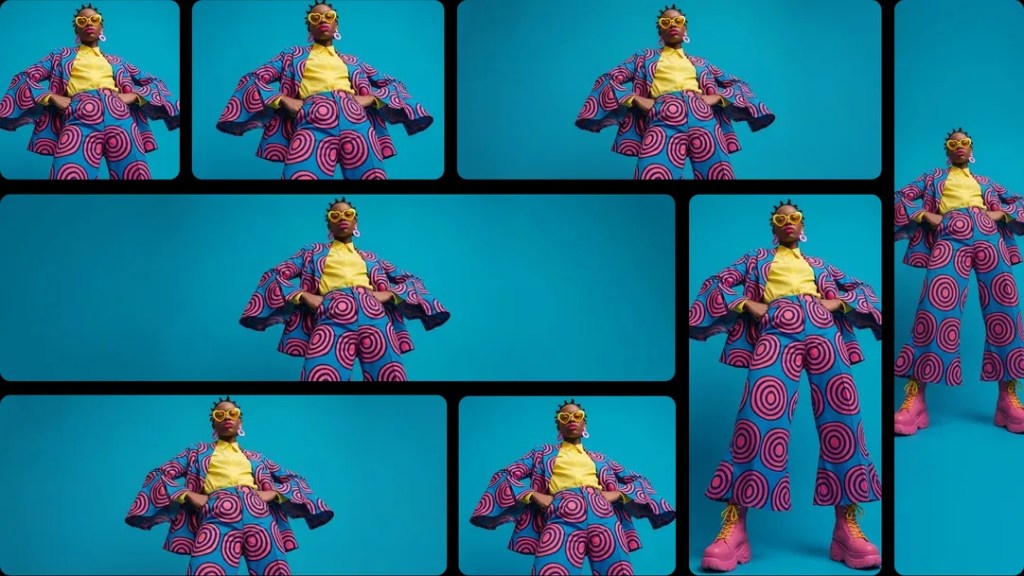
It respects complex, layered prompts and offers flexible aspect ratios beyond the usual set—now including 4:1, 1:4, 8:1 and 1:8. Resolution scales from 512 px up to 4K, so you can move from thumbnails to print-ready assets without switching tools.
On leaderboards, it climbed quickly: Nano Banana 2 Benchmark Results
If you follow LM Arena and Artificial Analysis, the model’s rise isn’t accidental. Nano Banana 2 sits at the top of LM Arena’s text-to-image leaderboard with an ELO score of 1280, and it has similarly strong showings on other evaluation boards—outranking several larger models in many tests.
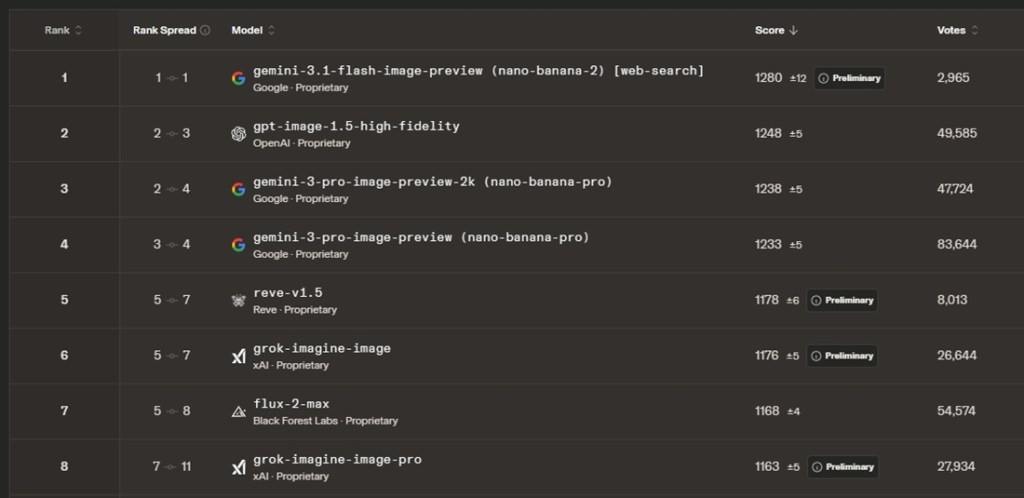
On AI editing benchmarks, OpenAI’s GPT Image 1.5 still holds a narrow lead for complex edits, but Nano Banana 2 competes strongly while costing roughly half of what some frontier models charge.
How many images can I generate with Nano Banana 2?
Nano Banana 2 is available for free in the Gemini app. You can generate up to 20 images per day without a subscription. If you subscribe to Google AI Plus for $7.99 per month (€8), the daily allowance rises to 50 images and you gain access to Nano Banana Pro.
On the developer side, Nano Banana 2 is accessible via Google AI Studio, Gemini API, and Vertex AI. It’s reported to cost about $0.067 per 1K-resolution image (€0.06), while Nano Banana Pro runs roughly $0.134 per 1K (€0.12), making Nano Banana 2 almost half the price for many use cases.
The model also appears inside Flow AI, AI Mode, and Lens in Google Search, so you’ll see it across Google’s creative toolset and developer APIs.
I tried it on a rush project and it delivered: What this means for you
If you iterate often—ads, concept art, UI mocks—Nano Banana 2 reduces friction: faster renders, clearer prompt following, and practical controls for aspect ratio and resolution. You get credible text handling and translation, strong subject consistency, and access to web-grounded references, all at a lower price point than some larger models.
If you want to move from idea to usable image in seconds, which would you prefer: spending hours patching edits, or letting a model hold the thread across iterations?